
For many long-time iPhone users, the decision to upgrade isn’t always about chasing the latest model—it’s about whether the improvements justify the cost. If you’re still using an iPhone 5s, one of Apple’s most iconic devices, you might be wondering if stepping up to the iPhone 7 is a meaningful leap. While both phones are now considered legacy models, the jump from the 5s to the 7 brings tangible changes in design, performance, and usability. But is it worth it—especially if your primary consideration is the size difference?
The iPhone 5s launched in 2013 with a 4-inch display, while the iPhone 7 arrived in 2016 with a 4.7-inch screen—a 17.5% increase in diagonal measurement. That change may seem modest on paper, but in hand, it represents a shift in how we interact with smartphones today. Larger screens accommodate modern apps, multitasking, and media consumption far better than their smaller predecessors. Yet, upgrading isn’t just about screen real estate. It’s about speed, security, longevity, and daily usability.
Design and Physical Differences
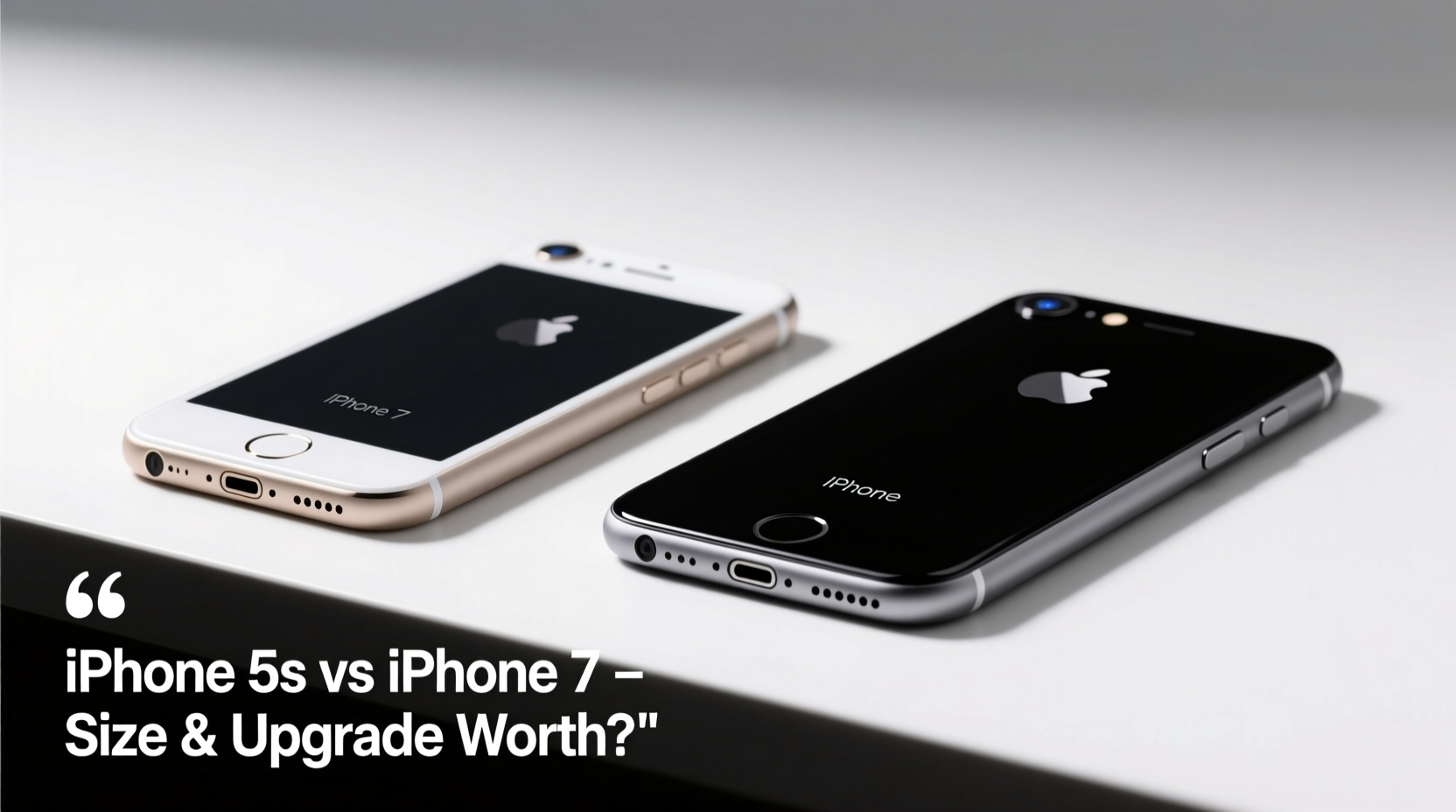
The most immediate difference between the iPhone 5s and iPhone 7 is the physical form. The 5s measures 4.87 inches tall with a 4-inch Retina display, while the iPhone 7 is taller at 5.44 inches and features a 4.7-inch Retina HD display. Though both retain the classic home button design, the iPhone 7 introduces a more refined aluminum body and improved build quality. It also drops the visible antenna lines that ran across the back of the 5s, giving it a cleaner aesthetic.
Another key distinction is water resistance. The iPhone 7 carries an IP67 rating, meaning it can survive immersion in up to 1 meter of water for 30 minutes. The iPhone 5s has no official water resistance, making it far more vulnerable to spills or rain.
Performance and Software Support
Under the hood, the gap between these two devices is substantial. The iPhone 5s runs on the Apple A7 chip—the first 64-bit processor in any smartphone—paired with 1GB of RAM. By today’s standards, this setup struggles with multitasking, app loading times, and background processes. Modern iOS versions are optimized for newer hardware, and while the 5s could technically run up to iOS 12, it does so sluggishly.
In contrast, the iPhone 7 uses the A10 Fusion chip with 2GB of RAM. This provides roughly twice the CPU performance and significantly better graphics processing. The result? Smoother animations, faster app launches, and the ability to handle photo editing, mobile gaming, and video streaming without lag.
“Moving from an A7 to an A10 isn’t just an upgrade—it’s like switching decades in computing power.” — David Lin, Mobile Hardware Analyst at TechPulse Weekly
Software support is another critical factor. Apple typically supports its devices with iOS updates for around five years. The iPhone 5s stopped receiving updates after iOS 12, leaving it vulnerable to security risks and incompatible with newer apps. The iPhone 7, however, received updates up to iOS 16, ensuring access to modern features, enhanced privacy controls, and compatibility with current apps.
Camera Comparison: A Clear Step Up
Photography has evolved dramatically since the iPhone 5s era. The 5s features an 8-megapixel rear camera with basic autofocus and LED flash. While it was excellent for its time, it lacks features now considered standard: optical image stabilization, advanced HDR, portrait mode, or even decent low-light performance.
The iPhone 7 improves on every front. Its 12-megapixel sensor captures sharper images with richer detail and better dynamic range. Optical image stabilization reduces blur in low light, and the new six-element lens allows for crisper shots. Front-facing video also benefits from higher resolution—720p FaceTime HD versus the 5s’s 720p iSight camera, which often struggled in dim lighting.
| Feature | iPhone 5s | iPhone 7 |
|---|---|---|
| Display Size | 4.0 inches | 4.7 inches |
| Processor | A7 (64-bit) | A10 Fusion |
| Rear Camera | 8MP, no OIS | 12MP, with OIS |
| Front Camera | 1.2MP | 7MP |
| Battery Life (Video) | Up to 10 hours | Up to 14 hours |
| Water Resistance | No | IP67 rated |
| Last iOS Version | iOS 12 | iOS 16 |
Real-World Example: Sarah’s Upgrade Dilemma
Sarah had been using her iPhone 5s since 2014. She loved its compact size and familiar interface. But by 2022, she found herself struggling: WhatsApp took 15 seconds to open, Safari frequently crashed when loading multiple tabs, and her banking app no longer supported her device. After months of frustration, she upgraded to a used iPhone 7.
“The screen felt bigger at first,” she said, “but within a day, I didn’t want to go back. Apps opened instantly. I could finally use Google Maps without freezing. And taking photos of my kids at soccer practice actually worked in the evening light.”
Though she missed the snug fit in her jeans pocket, the trade-off in functionality was undeniable. For Sarah, the upgrade wasn’t just about size—it was about reclaiming reliability.
Is the Size Difference Worth It?
The 0.7-inch increase may not sound dramatic, but it enables a more modern smartphone experience. With a larger screen, reading emails, browsing websites, and watching videos become less straining. Text is easier to read, buttons are easier to tap, and keyboard accuracy improves. Plus, the iPhone 7’s display has a higher resolution (1334x750 vs. 1136x640) and better color accuracy.
However, if you prioritize one-handed use or have small hands, the 5s still holds appeal. It’s lighter (3.95 oz vs. 4.87 oz), narrower, and easier to operate with a single thumb. The upgrade involves adapting to a slightly bulkier device—one that reflects the direction smartphones have moved over the past decade.
Step-by-Step Guide: How to Decide If You Should Upgrade
- Assess your current pain points: Does your iPhone 5s freeze often? Are apps failing to load or update?
- Check app compatibility: Open the App Store and see if essential apps still support iOS 12 or lower.
- Test battery health: Go to Settings > Battery > Battery Health. If maximum capacity is below 80%, replacement costs may rival an upgrade.
- Consider security: Devices no longer receiving updates are vulnerable to exploits. Sensitive activities like online banking become riskier.
- Try a demo unit: Visit a reseller or friend with an iPhone 7 to test responsiveness, screen size, and camera quality firsthand.
- Evaluate budget: Refurbished iPhone 7 units can be found for $70–$100. Weigh this against repair costs for your 5s.
Frequently Asked Questions
Can the iPhone 7 still be used in 2024?
Yes, but with limitations. It runs iOS 16, which supports most current apps, though future updates may phase it out. Performance remains usable for everyday tasks like calling, texting, email, and social media.
Is the camera on the iPhone 7 good enough today?
For casual photography, yes. The 12MP sensor produces solid daylight photos and acceptable low-light results. It lacks Night Mode and Deep Fusion (introduced later), but it's vastly superior to the 5s.
Does the iPhone 7 have a headphone jack?
Yes—the iPhone 7 was the last model to include a 3.5mm headphone jack before Apple removed it starting with the iPhone 7 Plus (in some regions) and fully from the iPhone 8 onward.
Final Verdict: Upgrade for More Than Just Size
The size difference between the iPhone 5s and iPhone 7 is noticeable, but it’s not the only—or even the main—reason to upgrade. The real value lies in performance, camera quality, software support, and overall usability. If your 5s is slowing down, crashing, or failing to run essential apps, moving to an iPhone 7 delivers a surprisingly modern experience at a minimal cost.
You’ll gain faster processing, better photos, longer software life, and water resistance—all wrapped in a slightly larger but still manageable form factor. While nostalgia for the 5s’s compact design is understandable, practicality favors progress. In 2024, staying on a device frozen in 2013 technology limits what your phone can do for you.




 浙公网安备
33010002000092号
浙公网安备
33010002000092号 浙B2-20120091-4
Comments
No comments yet. Why don't you start the discussion?