
The leap between the iPhone 7 Plus and the iPhone 12 represents more than just a generational shift—it's a transformation in how we interact with our devices. The screen, as the primary interface, plays a pivotal role in that experience. For users still holding onto a reliable iPhone 7 Plus, the question isn’t just about new features, but whether the display upgrade alone justifies the switch. The answer depends on how you use your phone, what you value in visual quality, and how much future-proofing matters to you.
Screen Size and Physical Design Differences
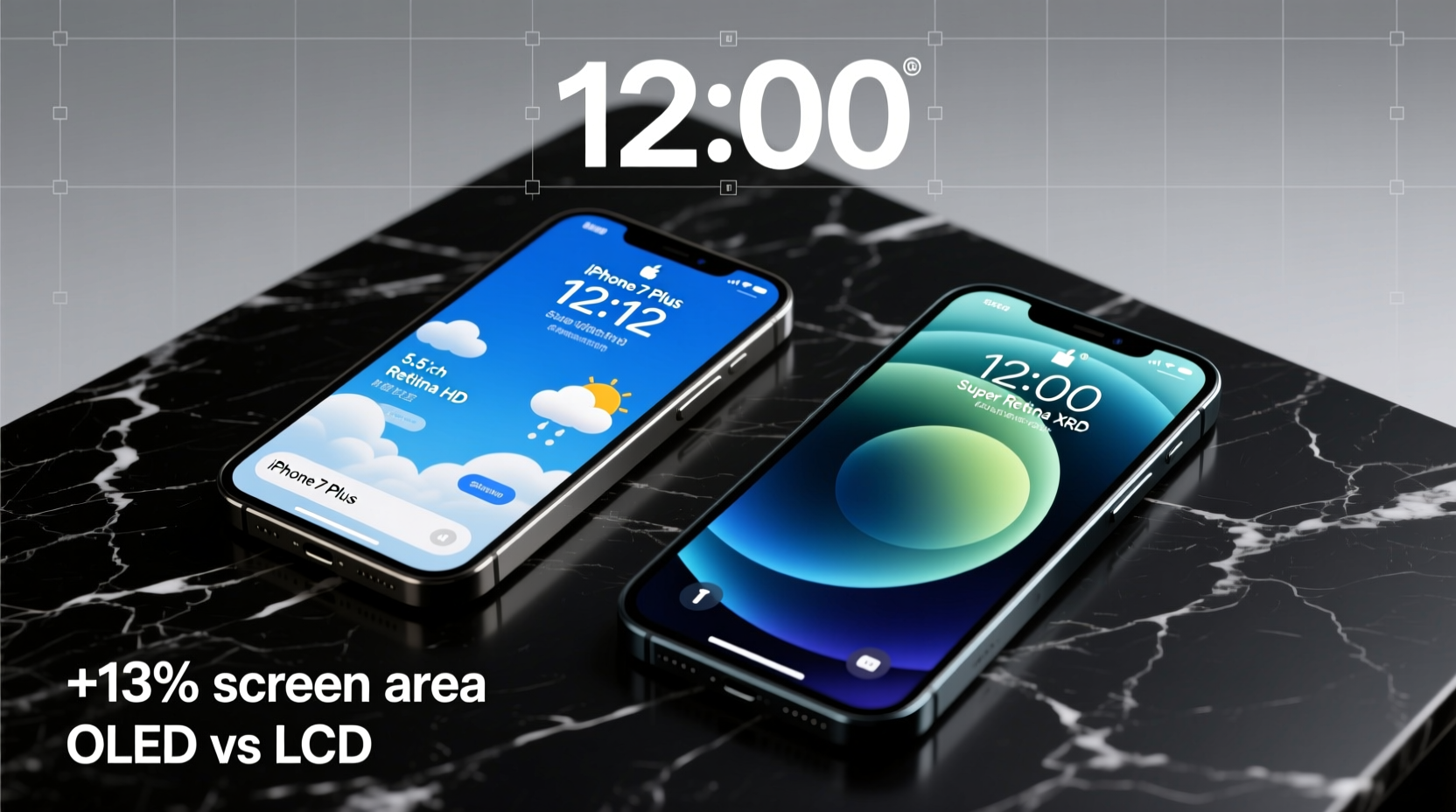
The most immediate difference between the two models lies in their physical footprint and screen dimensions. The iPhone 7 Plus features a 5.5-inch LCD (IPS) display with a resolution of 1920 x 1080 pixels. In contrast, the iPhone 12 comes with a 6.1-inch Super Retina XDR OLED display at 2532 x 1170 pixels. While only 0.6 inches larger, the iPhone 12’s screen feels significantly more immersive due to its edge-to-edge design and reduced bezels.
The older iPhone 7 Plus has prominent top and bottom bezels, housing the home button and headphone jack—both absent in the iPhone 12. This allows Apple to deliver a larger screen in a more compact frame. Despite the bigger display, the iPhone 12 is actually slightly shorter and narrower than the 7 Plus, making it more comfortable to hold and operate with one hand.
“Display technology has evolved faster than any other smartphone component in the last five years. OLED, HDR, and better color accuracy are no longer luxuries—they’re expected.” — David Lin, Mobile Display Analyst at TechInsight Group
Display Technology: LCD vs OLED
Beyond size, the core difference lies in panel technology. The iPhone 7 Plus uses an LCD panel, which relies on a backlight to illuminate pixels. This means blacks aren’t truly black—they appear dark gray because the backlight still shines through. OLED, used in the iPhone 12, allows individual pixels to turn off completely, delivering perfect blacks and infinite contrast ratios.
This distinction affects everything from video playback to battery life. OLED screens consume less power when displaying darker content, which benefits apps like YouTube, Netflix, and dark mode interfaces. Additionally, OLED provides wider viewing angles and deeper color saturation, resulting in a richer, more dynamic visual experience.
Resolution, Pixel Density, and Sharpness
While both phones support Full HD-level content, the iPhone 12’s higher resolution translates to sharper text and crisper images. With a pixel density of approximately 460 PPI (pixels per inch), the iPhone 12 surpasses the 7 Plus’s 401 PPI. Though this may sound incremental, the improvement becomes noticeable when viewing high-resolution photos, reading small text, or using apps with fine UI details.
Moreover, the iPhone 12 supports HDR10 and Dolby Vision for video playback—a feature entirely absent on the 7 Plus. This means streaming services like Apple TV+, Netflix, and Disney+ can deliver cinematic-quality visuals with enhanced brightness, contrast, and color depth. For media enthusiasts, this alone makes the upgrade compelling.
Comparative Overview: Key Display Specifications
| Feature | iPhone 7 Plus | iPhone 12 |
|---|---|---|
| Screen Size | 5.5 inches | 6.1 inches |
| Display Type | Retina HD (LCD) | Super Retina XDR (OLED) |
| Resolution | 1920 x 1080 | 2532 x 1170 |
| Pixel Density | ~401 PPI | ~460 PPI |
| HDR Support | No | Yes (HDR10, Dolby Vision) |
| Peak Brightness | ~500 nits | ~1200 nits (HDR) |
| Contrast Ratio | 1300:1 | 2,000,000:1 |
| Refresh Rate | 60Hz | 60Hz |
Real-World Usage: A Mini Case Study
Consider Maria, a freelance photographer who’s relied on her iPhone 7 Plus since 2017. She uses her phone daily to review client photos, edit on Lightroom Mobile, and share portfolios via Instagram. While the 7 Plus served well initially, she began noticing limitations: colors looked washed out compared to her desktop monitor, night-time editing caused eye fatigue, and outdoor visibility was poor under sunlight.
After upgrading to the iPhone 12, Maria immediately noticed the difference. “The first time I opened a RAW file, I saw shadows and highlights I didn’t even remember capturing,” she said. “Colors were accurate, and the screen stayed readable even in direct sun. It felt like getting a professional-grade viewfinder in my pocket.”
For creative professionals or anyone who values image fidelity, the iPhone 12’s display isn’t just an upgrade—it’s a tool that enhances workflow and confidence in visual decisions.
Is the Upgrade Worth It for the Display?
If your primary motivation is screen quality, the upgrade from iPhone 7 Plus to iPhone 12 is absolutely worthwhile. You gain:
- A larger, modern edge-to-edge display with minimal bezels
- OLED technology offering deeper blacks and superior contrast
- Higher resolution and pixel density for sharper visuals
- HDR and Dolby Vision support for premium video content
- Better outdoor visibility with peak brightness up to 1200 nits
However, if your usage is light—mostly texting, social media, and occasional web browsing—the visual improvements might feel subtle in day-to-day tasks. But even casual users benefit from reduced eye strain, improved readability in sunlight, and a more immersive media experience.
Step-by-Step: Evaluating Your Need for a Display Upgrade
- Assess your current pain points: Do you struggle to see content outdoors? Is screen burn-in or dimness becoming an issue?
- Test media consumption: Play a high-bitrate HDR video on your 7 Plus. Note any crushed shadows or dull colors.
- Compare physical handling: Hold an iPhone 12 (or similar modern device). Notice the screen-to-body ratio and ease of one-handed use.
- Check app compatibility: Many newer apps optimize for OLED and HDR. Older displays may not render them correctly.
- Project future needs: Will you be using your phone for AR, gaming, or photo editing in the next 2–3 years? The iPhone 12’s display is better equipped for these demands.
Frequently Asked Questions
Does the iPhone 12 have a better touchscreen experience?
Yes. While both devices run at 60Hz, the iPhone 12’s OLED panel offers faster pixel response times and improved touch sensitivity. Users often report smoother scrolling and more responsive gestures, especially in low-light conditions where LCDs tend to lag slightly.
Can I notice the screen difference without side-by-side comparison?
Absolutely. Once you’ve used the iPhone 12 for a few hours, returning to the 7 Plus feels like stepping back in time. The lack of contrast, lower brightness, and thicker bezels become immediately apparent, especially during video playback or nighttime use.
Is the larger screen harder to use one-handed?
Surprisingly, no. Thanks to its taller, narrower design and absence of a home button, the iPhone 12 fits comfortably in most hands. iOS also supports reachability, allowing you to double-tap the bottom of the screen to bring the top menu within thumb’s reach.
Final Verdict: When the Display Upgrade Makes Sense
Upgrading from the iPhone 7 Plus to the iPhone 12 for the display is more than just a cosmetic change—it’s a functional enhancement that improves usability, comfort, and enjoyment across nearly every app and activity. Whether you're consuming media, creating content, or simply navigating your phone, the visual leap is both measurable and meaningful.
For users who depend on their phone as a primary tool for work or entertainment, the investment pays off quickly. Even those with modest usage will appreciate the modern design, better durability (Ceramic Shield front cover), and long-term software support that comes with newer hardware.




 浙公网安备
33010002000092号
浙公网安备
33010002000092号 浙B2-20120091-4
Comments
No comments yet. Why don't you start the discussion?