
The iPhone 7 was a landmark device in Apple’s smartphone evolution—reliable, sleek, and with a camera that set a new standard for its time. Fast forward to today, and the iPhone 12 mini represents a different era: one defined by computational photography, night modes, and HDR processing. If you're still using an iPhone 7 and considering an upgrade to the 12 mini, the camera is likely a major factor. But is the leap in photo quality substantial enough to justify the cost and change?
This isn’t just about megapixels or marketing claims. It’s about what you actually see when you open your photo gallery after a weekend hike, a family dinner, or a spontaneous street portrait. Let’s dissect the real differences between these two cameras—not through specs alone, but through practical use, lighting conditions, and long-term satisfaction.
Sensor and Hardware Evolution
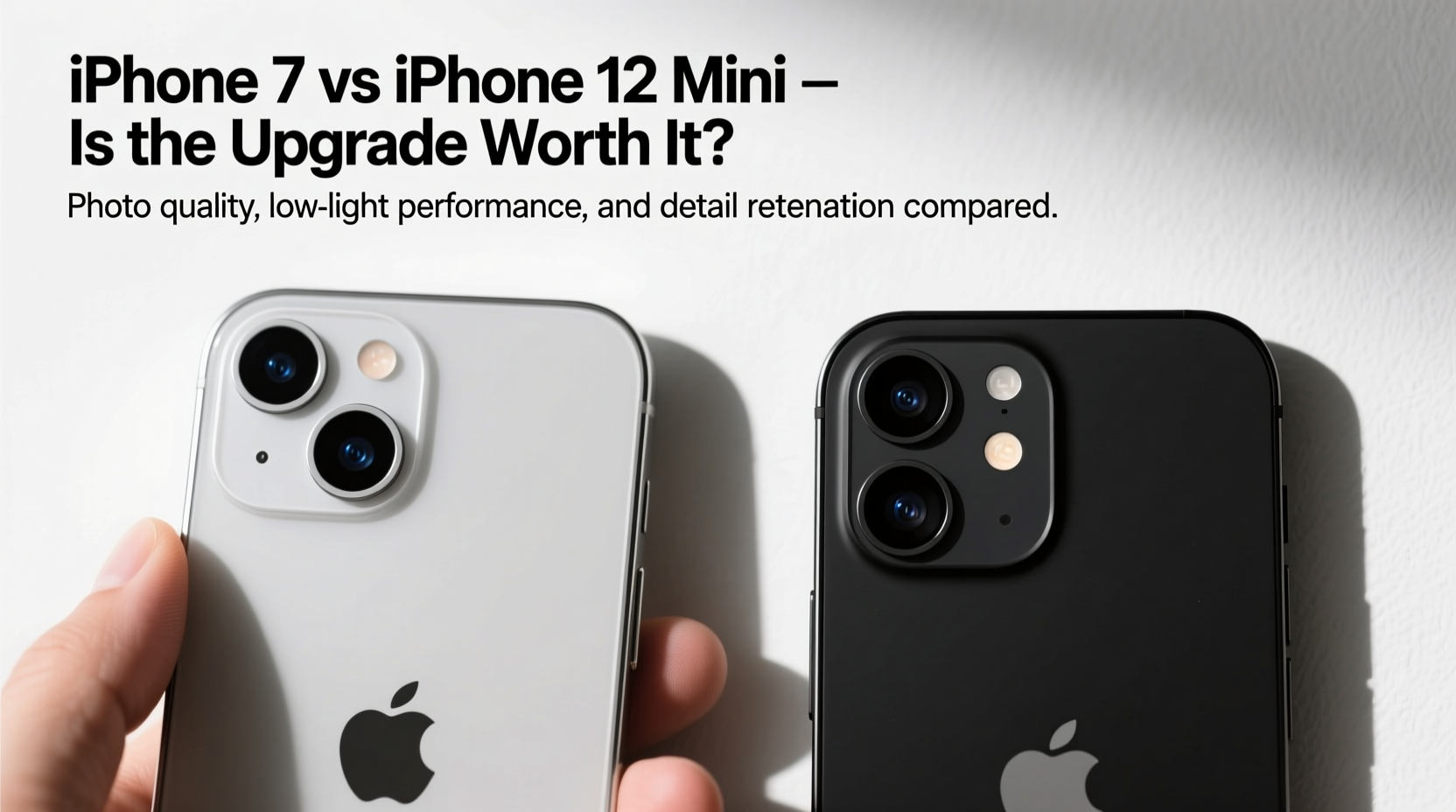
The iPhone 7 features a single 12-megapixel rear camera with an f/1.8 aperture, optical image stabilization (OIS), and a six-element lens. At launch, this setup delivered crisp, color-accurate images and strong low-light performance for its class. However, technology has advanced significantly since 2016.
In contrast, the iPhone 12 mini retains a 12MP sensor but introduces several key hardware improvements: a larger sensor surface area, wider f/1.6 aperture (the widest on any iPhone at its release), and improved OIS with sensor-shift stabilization. The front-facing camera also sees a boost, upgrading from 7MP to 12MP with Night mode and Deep Fusion support.
The wider aperture on the 12 mini allows 27% more light capture than the iPhone 7, which translates directly into better detail in dim environments. Sensor-shift stabilization—a feature previously reserved for Pro models—means sharper handheld shots, especially in motion or low light.
Image Quality: Daylight vs Low Light
In well-lit conditions, both phones produce usable images. The iPhone 7 captures accurate colors and decent dynamic range, though fine details begin to blur in textured scenes like foliage or fabric. The 12 mini, however, applies Smart HDR 3 and Deep Fusion processing, preserving micro-details and balancing highlights and shadows far more effectively.
Where the gap widens dramatically is in low-light photography. The iPhone 7 lacks Night mode entirely. In dim indoor lighting or evening outdoor scenes, images often appear grainy, underexposed, or suffer from motion blur—even with OIS. Colors shift, and shadow areas lose definition.
The iPhone 12 mini activates Night mode automatically in low light, adjusting exposure times based on stability (up to 3 seconds). The result? Brighter, cleaner, and more natural-looking photos with visible detail in dark corners. Shadows remain nuanced rather than crushed, and white balance stays consistent.
“Night mode isn’t just a gimmick—it fundamentally changes what’s possible with a smartphone camera after dark.” — David Kim, Mobile Photography Instructor at NYU
Computational Photography: The Hidden Game-Changer
Hardware matters, but software defines modern smartphone imaging. The iPhone 12 mini runs on the A14 Bionic chip, enabling real-time machine learning for scene recognition, noise reduction, and tone mapping. Features like Smart HDR 3 analyze faces, skies, and lighting sources separately to optimize each element.
For example, shooting against the sun with the iPhone 7 often results in silhouetted subjects or blown-out skies. The 12 mini balances this by selectively brightening faces while retaining cloud detail—something the older phone simply can’t do without manual editing.
Deep Fusion, active in mid-to-low light, uses multiple short exposures before you press the shutter to build texture and reduce noise at the pixel level. This leads to more lifelike skin tones and fabric textures, especially in indoor portraits.
Camera Comparison Table
| Feature | iPhone 7 | iPhone 12 mini |
|---|---|---|
| Rear Camera | 12MP, f/1.8, OIS | 12MP, f/1.6, Sensor-Shift OIS |
| Front Camera | 7MP, f/2.2 | 12MP, f/2.2, Night Mode, Deep Fusion |
| Night Mode | No | Yes (rear and front) |
| HDR Technology | Basic HDR | Smart HDR 3 |
| Video Recording | 4K at 30fps | 4K at 60fps, Dolby Vision HDR |
| Low-Light Performance | Moderate, noisy in dim light | Excellent, clean with Night mode |
| Portrait Mode | No (hardware limitation) | Yes (with depth control) |
Real-World Example: A Weekend Outing
Consider Sarah, a parent who uses her phone to document her child’s birthday party. She starts with an iPhone 7. Indoors, under warm string lights, her photos come out dark around the edges, with her daughter’s face slightly underexposed. She tries flash, but it creates harsh shadows. Later, outside at dusk, she captures a balloon release—but the sky is black, and the balloons are barely visible.
After upgrading to the iPhone 12 mini, the same scenario unfolds differently. Inside, Night mode activates automatically. The photos are brighter, colors are warmer and truer, and her daughter’s smile is clearly lit without flash. Outside, the 12 mini extends exposure, capturing the fading orange sky and the balloons in mid-air with surprising clarity. No editing needed.
This isn’t about professional photography—it’s about capturing meaningful moments without frustration. For users like Sarah, the upgrade isn’t incremental; it’s transformative.
Is the Upgrade Worth It? A Practical Checklist
Before making the switch, ask yourself the following. Check all that apply:
- ✅ Do you frequently take photos in low light (indoors, evenings, restaurants)?
- ✅ Are you disappointed with blurry or dark photos from your current device?
- ✅ Do you share photos directly from your phone without editing?
- ✅ Have you considered buying a separate camera because your phone isn’t good enough?
- ✅ Do you value portrait-style shots with blurred backgrounds?
If three or more apply, the iPhone 12 mini’s camera will likely provide a noticeable and lasting improvement in your daily experience.
Frequently Asked Questions
Can the iPhone 7 still take good photos in daylight?
Yes, in ideal lighting, the iPhone 7 produces clear, well-balanced photos suitable for social media or printing. However, it lacks the dynamic range and detail retention of newer models, especially in high-contrast scenes.
Does the 12 mini improve front camera video calls?
Absolutely. The 12 mini’s front camera supports 1080p at 60fps and includes Face ID landscape detection, making video calls sharper and smoother. The improved low-light performance also means clearer images during evening calls.
Is the smaller size of the 12 mini a drawback for photography?
Not necessarily. While the compact body may feel less stable than larger iPhones, the sensor-shift stabilization compensates effectively. Many users find the size ideal for quick, one-handed shots.
Final Verdict: When the Upgrade Makes Sense
The jump from iPhone 7 to iPhone 12 mini is nearly five years of technological progress packed into a single step. For casual photographers, the difference may seem subtle in perfect conditions. But in real life—where lighting is imperfect, moments are fleeting, and spontaneity rules—the 12 mini delivers consistency, versatility, and confidence the 7 simply can’t match.
If you value clear night shots, vibrant colors, and the ability to capture fast-moving subjects without blur, the upgrade is absolutely worth it. Add to that Portrait mode, better selfies, and future-proof video recording in Dolby Vision, and the decision becomes even clearer.
Technology should serve memory, not hinder it. An upgraded camera doesn’t just take better pictures—it helps you keep more of life’s moments intact.




 浙公网安备
33010002000092号
浙公网安备
33010002000092号 浙B2-20120091-4
Comments
No comments yet. Why don't you start the discussion?