
For many users clinging to an iPhone 8, the decision to upgrade often comes down to one key factor: camera performance. The iPhone 11 was a pivotal release in Apple’s smartphone evolution, especially in photography. But if you're still satisfied with your iPhone 8's camera, is moving to the iPhone 11 truly worthwhile just for better photos? The answer isn’t just about megapixels or marketing claims—it’s about real-world usability, lighting conditions, and how you actually use your phone to capture life.
This comparison dives deep into hardware, software, image processing, and practical photography scenarios to determine whether the jump from iPhone 8 to iPhone 11 delivers meaningful improvements for everyday photographers.
Camera Hardware: A Generational Leap
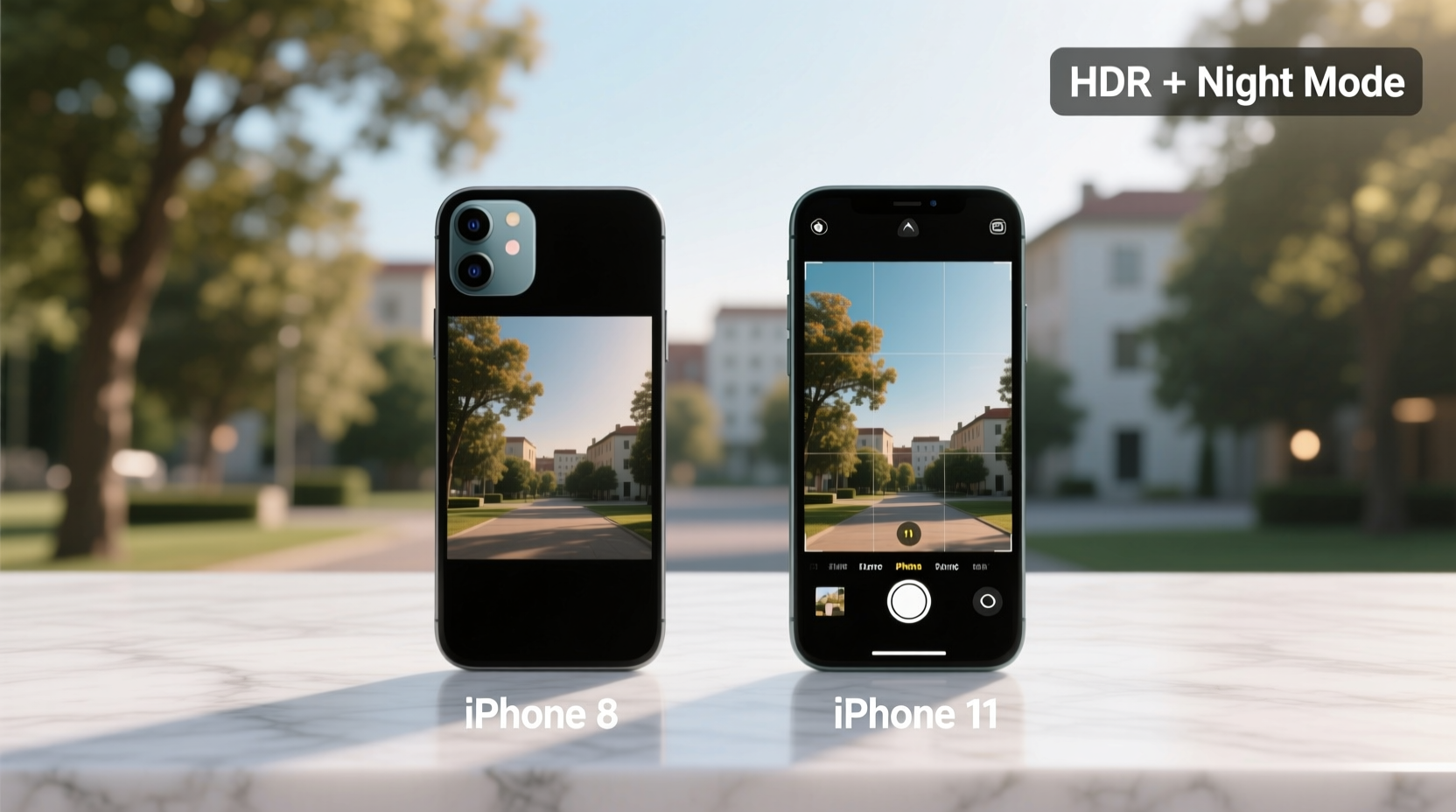
The iPhone 8 features a single 12-megapixel rear camera with an f/1.8 aperture, optical image stabilization (OIS), and phase-detection autofocus. It was solid for its time—capable of producing sharp, well-exposed images in daylight and decent low-light shots thanks to OIS. However, it lacks advanced computational photography and secondary lenses.
In contrast, the iPhone 11 introduced a dual-camera system: a 12MP wide lens (f/1.8) and a 12MP ultra-wide lens (f/2.4). While the primary sensor appears similar on paper, it’s a newer generation with improved light sensitivity and deeper integration with Apple’s Neural Engine. More importantly, the addition of the ultra-wide lens opens up creative possibilities—landscapes, architecture, and group shots benefit significantly from the expanded field of view.
“Hardware alone doesn’t define image quality anymore. It’s the synergy between sensors, processors, and software that creates superior photos.” — David Kim, Mobile Imaging Analyst at DXOMARK
Image Quality in Different Lighting Conditions
Daylight performance between the two phones is surprisingly close. Both produce vibrant colors, accurate white balance, and excellent dynamic range under optimal lighting. However, subtle differences emerge upon closer inspection. The iPhone 11 captures slightly more detail in highlights and shadows due to improved HDR (Smart HDR), which leverages machine learning to balance exposure across complex scenes.
The most dramatic difference appears in low-light environments. The iPhone 8 relies solely on OIS and basic noise reduction. In dim lighting, images often appear grainy, with muted details and color shifts. The iPhone 11 introduces Night Mode—a game-changing feature absent on the iPhone 8. When activated automatically in low light, Night Mode captures multiple exposures and merges them into a single bright, clear image with minimal noise and preserved color accuracy.
Portrait mode also sees significant refinement. While the iPhone 8 supports Portrait mode using software depth estimation (limited to people), the iPhone 11 enhances edge detection and background blur realism. It also extends Portrait mode to objects and pets thanks to the ultra-wide sensor and improved depth mapping.
Low-Light Comparison Summary
| Feature | iPhone 8 | iPhone 11 |
|---|---|---|
| Night Mode | Not available | Yes, auto-activates in low light |
| Low-Light Detail Retention | Moderate, noisy | High, clean output |
| Color Accuracy in Dim Light | Frequently warm or cool casts | Consistently natural |
| Exposure Balance | Struggles with backlit scenes | Handles high contrast better via Smart HDR |
Computational Photography: Where Software Wins
Apple shifted focus from pure hardware upgrades to intelligent image processing starting with the iPhone 11. Powered by the A13 Bionic chip and its Neural Engine, the iPhone 11 applies real-time machine learning to enhance photos before you even tap the shutter.
- Smart HDR: Analyzes faces, skies, and shadows separately to deliver balanced exposures.
- Deep Fusion: Engages in medium-light conditions, optimizing texture and detail at the pixel level.
- Auto Lens Correction: Automatically removes vignetting and distortion from the ultra-wide lens.
These features are not retrofitted to older devices like the iPhone 8. Even with iOS updates, the hardware limitations prevent comparable computational capabilities. This means that regardless of how skilled a photographer you are, the iPhone 11 will consistently outperform the iPhone 8 in dynamic range, texture clarity, and noise control—not because it “sees” better, but because it “thinks” faster.
Real-World Example: Family Weekend at the Park
Consider Sarah, a parent who uses her phone to document weekend outings. On her iPhone 8, she struggles during golden hour when the sun sets behind her kids. The faces come out too dark, or the sky blows out into white. She manually adjusts exposure, but results vary. Indoors, at a dimly lit birthday party, her videos are shaky and photos are blurry despite steady hands.
After upgrading to the iPhone 11, she notices immediate changes. During outdoor shoots, Smart HDR preserves both facial details and sunset hues without manual input. At the indoor party, Night Mode activates automatically, producing bright, clear stills. She experiments with the ultra-wide lens to fit all the children around the cake—something previously impossible without stepping back into a wall.
The upgrade didn’t make her a better photographer; it removed technical barriers so her memories were captured as she experienced them.
Is the Upgrade Worth It? A Practical Checklist
If you’re deciding whether to upgrade, ask yourself the following questions. Check off each item that applies to your usage:
- Do you frequently take photos in low light (restaurants, evenings, indoor events)?
- Do you wish you could capture wider scenes without stepping back?
- Are you frustrated by inconsistent exposure or poor dynamic range?
- Do you value portrait-style effects beyond human subjects?
- Have you noticed newer iPhones producing visibly better photos among friends or family?
If you checked three or more, the iPhone 11 offers tangible benefits. If your needs are mostly daylight snapshots and social media sharing, the iPhone 8 remains competent—but limited.
Frequently Asked Questions
Can the iPhone 8 get Night Mode through a software update?
No. Night Mode requires both advanced image signal processing and hardware capabilities (like sensor fusion and faster readout speeds) that the iPhone 8 lacks. Apple does not support Night Mode on any device prior to the iPhone 11 series.
Does the ultra-wide camera compromise image quality?
Slightly. The ultra-wide lens has a smaller aperture (f/2.4) and less advanced processing than the main sensor, so low-light performance is weaker. However, in daylight, it delivers sharp, distortion-corrected images ideal for architectural and landscape shots.
Is video quality better on the iPhone 11?
Yes. The iPhone 11 supports 4K recording at 60fps with extended dynamic range and stereo audio. It also features improved stabilization (especially cinematic video stabilization). The iPhone 8 maxes out at 4K 30fps with narrower dynamic range and less refined stabilization.
Final Verdict: When the Upgrade Makes Sense
The iPhone 8 remains a capable device, but its camera reflects 2017 technology. For casual users who primarily shoot in good lighting and don’t edit or zoom often, the difference may seem subtle. But for anyone serious about capturing life authentically—especially in challenging conditions—the iPhone 11 represents a meaningful leap.
The combination of Night Mode, Smart HDR, Deep Fusion, and the ultra-wide lens transforms what’s possible with a smartphone camera. You don’t need to be a photographer to appreciate brighter night shots, richer textures, or wider perspectives. These aren’t incremental tweaks—they’re functional enhancements that change how and when you can confidently take photos.
If your iPhone 8 is aging or nearing end-of-life support, upgrading to the iPhone 11 ensures access to modern imaging tools that simply weren’t available five years ago. It’s not just about better pixels; it’s about fewer missed moments.




 浙公网安备
33010002000092号
浙公网安备
33010002000092号 浙B2-20120091-4
Comments
No comments yet. Why don't you start the discussion?