
If you're still using an iPhone 8—released in 2017—you're running one of the longest-serving smartphones in Apple’s history. Many users continue relying on this durable device, but as software demands grow and newer models offer significant advancements, a pressing question arises: Is it finally time to upgrade to the iPhone 14?
The answer depends less on raw specifications and more on how those specs translate into real-world performance, longevity, and user experience. While the iPhone 8 remains functional, the gap between it and the iPhone 14 is now substantial—spanning nearly half a decade of innovation.
Performance: A Quantum Leap in Processing Power
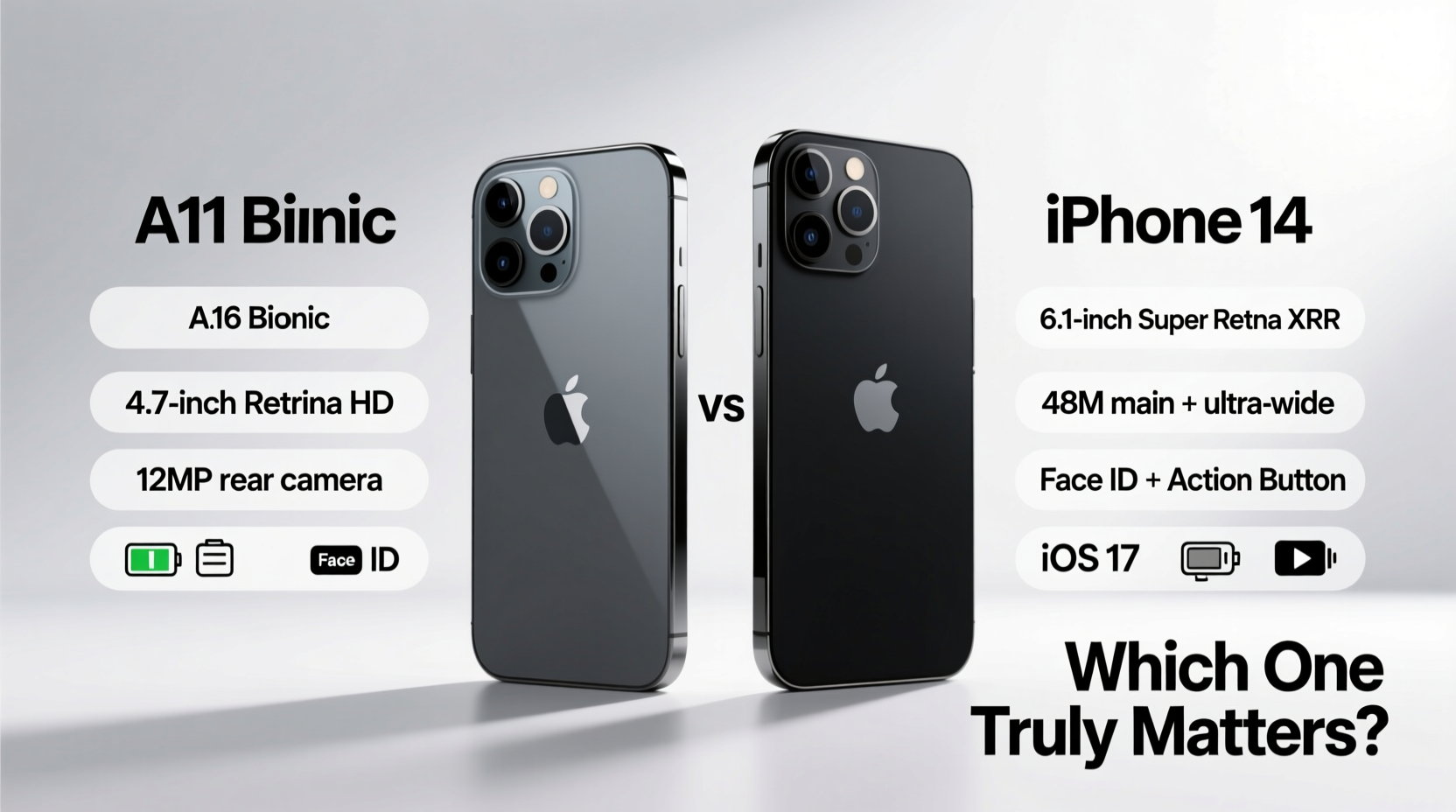
The heart of any smartphone is its processor. The iPhone 8 runs on Apple’s A11 Bionic chip, a solid performer in its time but now significantly outpaced by modern standards. In contrast, the iPhone 14 is powered by the A15 Bionic chip—originally introduced in the iPhone 13 Pro but refined here with improved efficiency and neural engine capabilities.
The difference isn’t just about speed; it’s about capability. Apps today are more complex, demanding faster processors and better multitasking. Augmented reality features, machine learning tasks (like photo sorting), and even routine iOS animations benefit from the A15’s architecture.
Real-world testing shows the A15 is roughly 2.5x faster in CPU tasks and over 3x faster in GPU performance compared to the A11. This means smoother scrolling, quicker photo editing, and better gaming experiences—even years down the line.
Camera Capabilities: From Good to Exceptional
The iPhone 8 features a single 12MP rear camera with basic Portrait Mode support via software tricks. The iPhone 14 improves dramatically with a dual-camera system: a 12MP main sensor and a 12MP ultra-wide lens. More importantly, hardware-level enhancements make a tangible difference.
- Night mode — Automatically activates in low light, unavailable on iPhone 8.
- Photographic Styles — Customize look and feel without sacrificing RAW data.
- Smart HDR 4 — Better dynamic range across faces, skies, and shadows.
- Fusion technology — Combines input from multiple lenses for sharper zoomed shots.
“Camera quality isn't just about megapixels—it's about computational photography, sensor size, and software synergy.” — David Kim, Mobile Imaging Analyst at TechVision
For everyday users, this means clearer photos in dim lighting, richer colors, and far greater creative control. If you frequently capture memories indoors, at night, or with multiple subjects, the iPhone 14 delivers a generational leap.
Battery Life and Charging: Real Usage Matters Most
Apple doesn’t publish exact battery capacities, but real-world usage tells the story. The iPhone 8 offers around 13 hours of mixed use. The iPhone 14 extends that to approximately 20 hours—an increase driven not only by larger capacity but also by the energy-efficient A15 chip.
Charging has evolved too. While both support wireless charging, the iPhone 14 works with faster MagSafe accessories (up to 15W), whereas the iPhone 8 maxes out at 7.5W with compatible chargers. Neither includes a charger in the box, but using a USB-C to Lightning cable with a 20W adapter unlocks faster charging on the iPhone 14.
| Feature | iPhone 8 | iPhone 14 |
|---|---|---|
| Battery Life (Video Playback) | 13 hours | 20 hours |
| Fast Charging Support | Yes (50% in 30 min with 18W+) | Yes (50% in 30 min with 20W+) |
| Wireless Charging Speed | Up to 7.5W | Up to 15W (MagSafe) |
| Reverse Charging | No | No |
For heavy users—those streaming video, navigating, or working remotely—the extra endurance makes a meaningful difference, reducing midday anxiety.
Design and Durability: Modern Standards Meet Legacy Build
The iPhone 8 retains a classic design: glass back, aluminum frame, Touch ID home button, and thick bezels. It’s compact and comfortable to hold, but its form factor feels outdated next to the edge-to-edge Super Retina XDR display of the iPhone 14.
The iPhone 14 ditches the home button for Face ID, offering a more immersive screen experience and better security. Its Ceramic Shield front cover provides up to four times better drop performance, and the IP68 water resistance rating (vs IP67 on iPhone 8) ensures protection against deeper submersion.
While some miss Touch ID, Face ID has matured into a reliable authentication method, especially when wearing masks (improved in iOS 15.4+). Plus, the absence of a physical home button reduces mechanical failure risks over time.
Software Support and Future-Proofing
This may be the most critical factor. As of 2024, the iPhone 8 supports up to iOS 17—but likely won’t receive iOS 18. Apple typically offers five years of OS updates, and the iPhone 8 launched with iOS 11.
In contrast, the iPhone 14 will likely support iOS updates through 2028–2029. That means continued access to new features, security patches, and app compatibility. Developers increasingly optimize apps for newer hardware, leaving older devices behind.
Consider this scenario:
Mini Case Study: Sarah’s Upgrade Dilemma
Sarah used her iPhone 8 for six years. She delayed upgrading because it “still worked.” But in late 2023, she noticed Instagram crashes frequently, Messages fails to load media, and her banking app warns of “incompatible device.” After updating to iOS 17, her phone became sluggish—taking 10 seconds to open the camera.
She upgraded to the iPhone 14 and immediately noticed: instant app launches, no lag during video calls, and seamless integration with her Apple Watch and AirPods. The investment wasn’t just about new features—it was about staying connected securely and efficiently.
What Specs Really Matter? A Practical Checklist
When deciding whether to upgrade, focus on aspects that impact daily usability. Here’s a checklist to guide your decision:
- App Performance: Do apps freeze or crash often?
- Battery Longevity: Does your phone die before bedtime?
- Camera Needs: Are your photos blurry or poor in low light?
- Security Updates: Is your phone nearing end-of-support?
- Storage: Are you constantly deleting files to free space?
- Repair Costs: Have you paid more than $100 for fixes recently?
- New Features: Would Face ID, better speakers, or emergency SOS save time or stress?
If three or more apply, upgrading makes practical sense.
Frequently Asked Questions
Will my iPhone 8 stop working if I don’t upgrade?
No, it will continue functioning, but app compatibility and performance will degrade. Critical services like banking, messaging, and navigation may become unreliable as developers phase out support for older iOS versions.
Can I keep my data when switching to iPhone 14?
Absolutely. Use Apple’s Quick Start feature to transfer everything wirelessly—from settings and messages to health data and passwords—during initial setup.
Is the iPhone 14 worth the price compared to cheaper models?
If you’re coming from an iPhone 8, yes. The combination of A15 chip, superior cameras, longer software support, and improved build quality justifies the cost over time, especially considering resale value and reduced frustration.
Conclusion: Time to Move Forward
The iPhone 8 was a landmark device—a final nod to classic iPhone design before the full-screen era. But after seven years, its limitations are no longer quirks—they’re constraints.
Upgrading to the iPhone 14 isn’t just about chasing novelty. It’s about gaining reliability, enhanced security, future-ready performance, and a camera system that captures life more vividly. The improvements in processor efficiency, battery endurance, and long-term software support deliver tangible benefits that compound over time.
If you’ve been waiting for the right moment to make the jump, now is that moment. Technology evolves not to make old things obsolete overnight, but to offer better ways of living digitally. The iPhone 14 represents that evolution—one that respects your past investment while opening doors to a smoother, smarter experience ahead.




 浙公网安备
33010002000092号
浙公网安备
33010002000092号 浙B2-20120091-4
Comments
No comments yet. Why don't you start the discussion?