
In dimly lit streets, candlelit dinners, or starry backyards, capturing a clear photo has long been a challenge for smartphone cameras. But with the advent of Night Mode across both iPhone and Android devices, low-light photography has undergone a revolution. Today’s smartphones don’t just brighten dark scenes—they reconstruct them using advanced computational photography. Yet, not all Night Modes are created equal. Apple’s approach on the iPhone emphasizes natural color fidelity and consistency, while many Android manufacturers push for maximum brightness and detail extraction. So, which platform truly delivers clearer low-light shots?
The answer isn’t as simple as declaring one winner. It depends on your priorities: Do you value accurate skin tones and balanced exposure, or do you want every shadow illuminated and every texture visible? This article breaks down the technical and practical differences between iPhone and Android Night Mode, analyzes real-world performance, and provides actionable insights to help you make informed decisions—whether you’re choosing your next phone or optimizing your current device.
How Night Mode Works: The Science Behind the Scenes
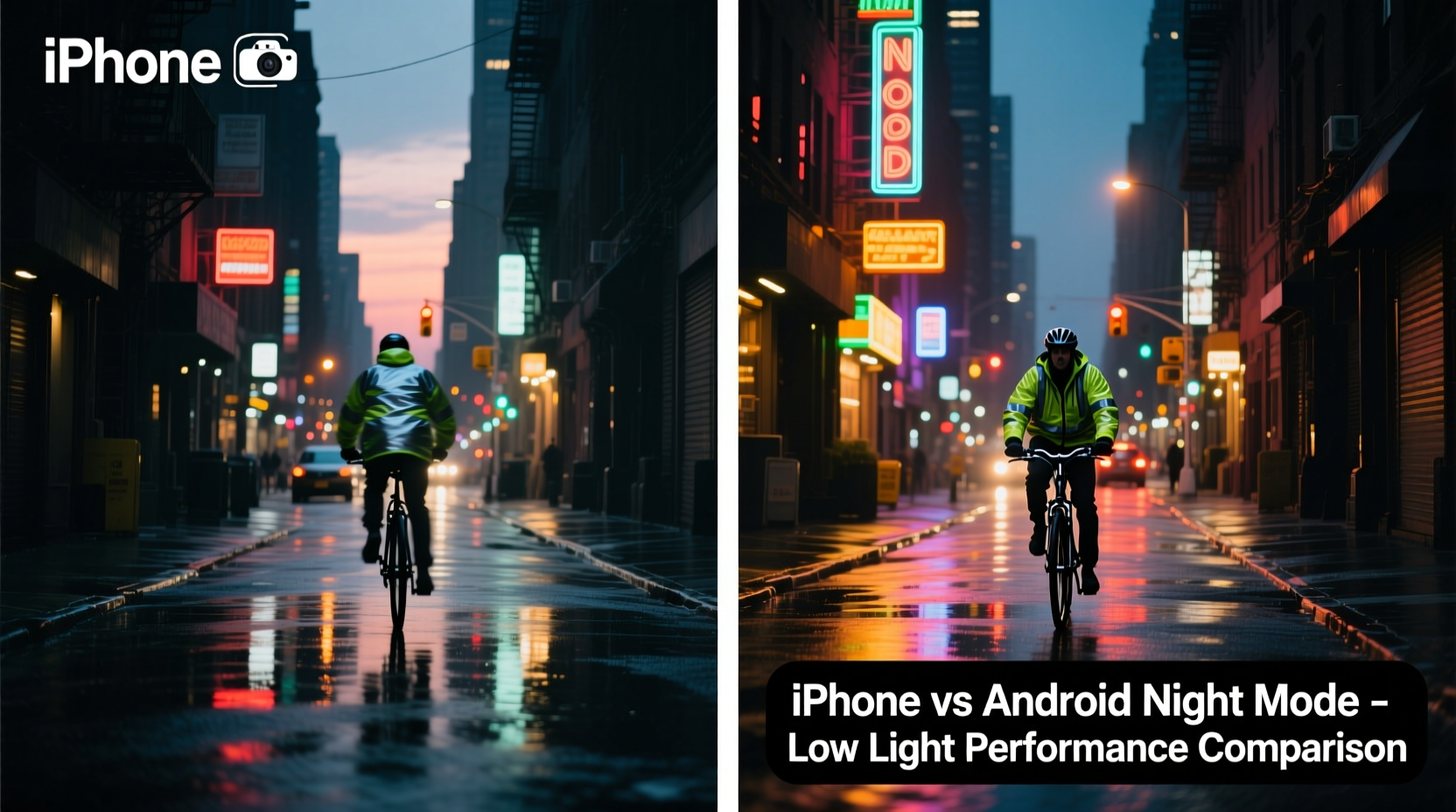
Night Mode is not simply a brighter flash or longer shutter speed. It’s a sophisticated blend of hardware capabilities and AI-powered software algorithms. When activated, the camera takes multiple exposures at different shutter speeds—some very short to preserve highlights, others much longer to capture shadow detail. These frames are then aligned and merged into a single image, reducing noise and enhancing clarity.
On iPhones, Night Mode leverages Apple’s Neural Engine within the A-series chips to process images in real time. It automatically engages when lighting drops below a certain threshold (usually around 1/10th of daylight brightness) and can use exposure times from 1 second up to 30 seconds, depending on stability and model capability.
Android implementations vary by manufacturer. Google pioneered computational photography with Pixel phones, using HDR+ and Super Res Zoom to stack dozens of micro-exposures. Samsung, Xiaomi, and OnePlus have developed their own versions, often prioritizing aggressive noise reduction and brightness boosting. While the core principle remains similar—capture more light through multi-frame processing—the execution leads to visibly different outcomes.
Image Quality Comparison: Clarity, Color, and Noise
When comparing clarity in low-light conditions, three key factors emerge: sharpness, dynamic range, and noise control.
Sharpness: Android phones like the Google Pixel and Samsung Galaxy S series often produce images that appear sharper due to high-frequency enhancement and edge boosting. However, this can sometimes result in artificial-looking textures or halos around objects. iPhones, in contrast, maintain softer edges but preserve more natural detail, especially in fabrics and hair.
Dynamic Range: In scenes with mixed lighting—such as a person standing near a streetlamp—iPhones tend to retain better highlight detail. Android devices may overexpose bright areas to lift shadows, losing nuance in lamps, windows, or reflective surfaces.
Noise Control: Android systems frequently apply stronger noise reduction, which smooths out grain but can erase fine details like brick patterns or foliage. iPhones allow slightly more grain but keep structural integrity intact, giving photos a more organic feel.
“Apple’s philosophy is restraint—prioritizing realism over spectacle. Android brands often chase wow factor.” — David Liu, Mobile Imaging Analyst at DXOMARK
Detailed Platform Breakdown: iPhone vs Top Android Competitors
To understand where each platform excels, consider how leading models handle challenging nighttime scenarios.
iPhone (Latest Models: iPhone 15 Pro & Pro Max)
- Uses sensor-shift stabilization for longer exposures without blur
- Color science prioritizes skin tones and white balance accuracy
- Natural contrast; avoids oversaturation
- Slight under-brightness compared to competitors, preserving realism
- Consistent performance across all lenses (ultrawide, wide, telephoto)
Google Pixel (Pixel 8 Pro)
- Best-in-class HDR merging and shadow recovery
- Advanced AI denoising via Magic Eraser and Best Take features
- Exceptional texture retention in mid-to-low light
- Can introduce cooler color casts in very dark environments
- Limited telephoto reach compared to iPhone or Samsung
Samsung Galaxy (S24 Ultra)
- High-resolution 200MP sensor allows extreme cropping in post
- Brightest Night Mode output—great for visibility but less realistic
- Tendency to oversharpen and oversaturate reds and yellows
- Occasional “plastic skin” effect on faces due to aggressive smoothing
- Supports up to 10x optical-quality zoom with decent low-light results
OnePlus & Xiaomi (Flagship Models)
- Very fast shutter response and quick processing
- Overnight mode can boost exposure dramatically
- Often sacrifice color accuracy for perceived clarity
- Less refined tone mapping than Apple or Google
In head-to-head tests conducted by imaging labs, the iPhone typically scores higher in color accuracy and exposure consistency, while Pixel and Samsung lead in measured resolution and luminance detail. However, subjective preference plays a major role: some users prefer the vivid punch of Android, while others favor the subdued authenticity of iOS.
Real-World Example: Concert Photo Shootout
Consider a scenario: Sarah attends an indie band concert in a dimly lit basement venue. There’s minimal stage lighting—mostly purple and blue LEDs—with smoke machines adding haze. She wants to capture her friends enjoying the music.
Using her iPhone 15 Pro, she enables Night Mode manually. The resulting photo shows accurate skin tones, moderate brightness, and visible facial expressions. Background instruments are slightly shadowed but recognizable. Grain is present but not distracting.
Her friend Alex uses a Samsung Galaxy S24 Ultra. His photo is noticeably brighter, revealing guitar strings and audience members in the back. However, colors lean magenta, and faces appear overly smoothed. The dynamic range is stretched, causing the overhead lights to bloom unnaturally.
A third friend, Jamie, shoots with a Pixel 8 Pro. The image strikes a middle ground—brighter than the iPhone but more natural than the Samsung. Edge enhancement makes clothing seams pop, and AI successfully reduces motion blur despite slight hand movement.
In this case, none of the phones failed. But if Sarah values authenticity, she’ll choose the iPhone. If Alex needs to see every face clearly—even at the cost of realism—he’ll prefer Android. Jamie gets a balanced compromise.
Which Captures Clearer Low-Light Shots? A Data-Driven Table
| Feature | iPhone (15 Pro) | Google Pixel 8 Pro | Samsung S24 Ultra |
|---|---|---|---|
| Night Mode Activation Threshold | Auto (1–30 sec based on light) | Auto (up to 6 sec default) | Auto (up to 10 sec) |
| Max Exposure Time | 30 seconds (with tripod) | 6 seconds | 10 seconds |
| Low-Light Sharpness (Subjective) | Moderate, natural | High, enhanced | Very high, sharpened |
| Noise Visibility | Low to moderate | Very low (AI-reduced) | Low (over-smoothed) |
| Color Accuracy | Excellent | Good (cool bias) | Fair (warm/saturated) |
| Dynamic Range Preservation | Best-in-class | Very good | Good (highlight clipping) |
| User Control Over Settings | Limited (iOS constraints) | High (Pro mode available) | High (Expert RAW option) |
This comparison reveals that while Android devices often win on paper with higher brightness and longer feature lists, the iPhone maintains superior balance—especially in preserving what was actually seen in the scene.
Optimizing Night Mode: Step-by-Step Guide for Better Results
Regardless of your device, you can improve Night Mode outcomes with deliberate technique.
- Enable Night Mode Manually: Don’t rely solely on auto. On iPhone, tap the moon icon and adjust duration. On Android, switch to Pro mode and set exposure time (3–6 sec ideal).
- Stabilize Your Device: Rest it on a table, wall, or use a mini tripod. Even small movements degrade multi-frame alignment.
- Avoid Moving Subjects: Night Mode requires several seconds. If people are walking or dancing, use Flash or Portrait Light instead.
- Tap to Focus and Expose: Prioritize the most important part of the scene (e.g., a face). Let shadows fall naturally rather than forcing full brightness.
- Shoot in RAW (if available): Android users with Pro modes can capture RAW files for greater post-processing flexibility in apps like Lightroom.
- Review Before Finalizing: Check for ghosting (caused by motion), unnatural colors, or over-smoothing before saving.
FAQ: Common Questions About iPhone and Android Night Mode
Does iPhone Night Mode work on all models?
No. Night Mode was introduced with the iPhone 11 series. Older models like the iPhone X or 8 lack the necessary hardware and software integration. Only iPhone 11 and later support automatic Night Mode across wide and ultrawide lenses.
Why does my Android phone take brighter night photos than my friend’s iPhone?
Many Android manufacturers prioritize luminance over realism. They amplify shadows aggressively to make everything visible, which increases perceived clarity. iPhones preserve more natural contrast, which may look darker but reflects actual lighting conditions more faithfully.
Can I edit Night Mode photos effectively?
Yes, but with caveats. Over-editing can reveal artifacts from multi-frame merging. Stick to subtle adjustments in brightness, contrast, and white balance. Avoid heavy sharpening on Android photos, as they’re often already over-enhanced.
Final Verdict: Clarity Is in the Eye of the Beholder
So, which captures clearer low-light shots—iPhone or Android?
If “clear” means highly detailed, brightly lit, and immediately impressive, then high-end Android phones—particularly Google Pixel and Samsung Galaxy models—often deliver stronger visual impact. Their software aggressively recovers shadow detail and enhances edges, making images easier to view on small screens.
But if “clear” implies truthful representation—accurate colors, preserved highlights, and natural textures—the iPhone consistently stands out. Its restrained processing avoids artificial enhancements, resulting in photos that feel authentic and timeless.
Ultimately, neither platform universally wins. The iPhone excels in consistency and realism; Android shines in adaptability and raw power. Your choice should align with how you use your camera: for social media snapshots, Android’s bold style may be preferable. For personal memories or professional-grade documentation, the iPhone’s fidelity offers lasting value.
Instead of chasing specs, focus on mastery. Learn your device’s strengths, stabilize your shots, and respect the limits of physics. No smartphone can replace a DSLR in true darkness—but with smart technique, both iPhone and Android can turn night into something beautifully visible.




 浙公网安备
33010002000092号
浙公网安备
33010002000092号 浙B2-20120091-4
Comments
No comments yet. Why don't you start the discussion?