
Facial recognition technology has become a standard feature on flagship smartphones, but not all implementations are created equal. When comparing iPhone Face ID and Samsung’s Face Unlock, a clear consensus emerges: Apple’s system is consistently rated higher in terms of security, accuracy, and real-world performance. While both systems offer convenience, the underlying technology, design philosophy, and execution set them apart in ways that matter to users every day.
How Face ID Works: Depth Over Detection
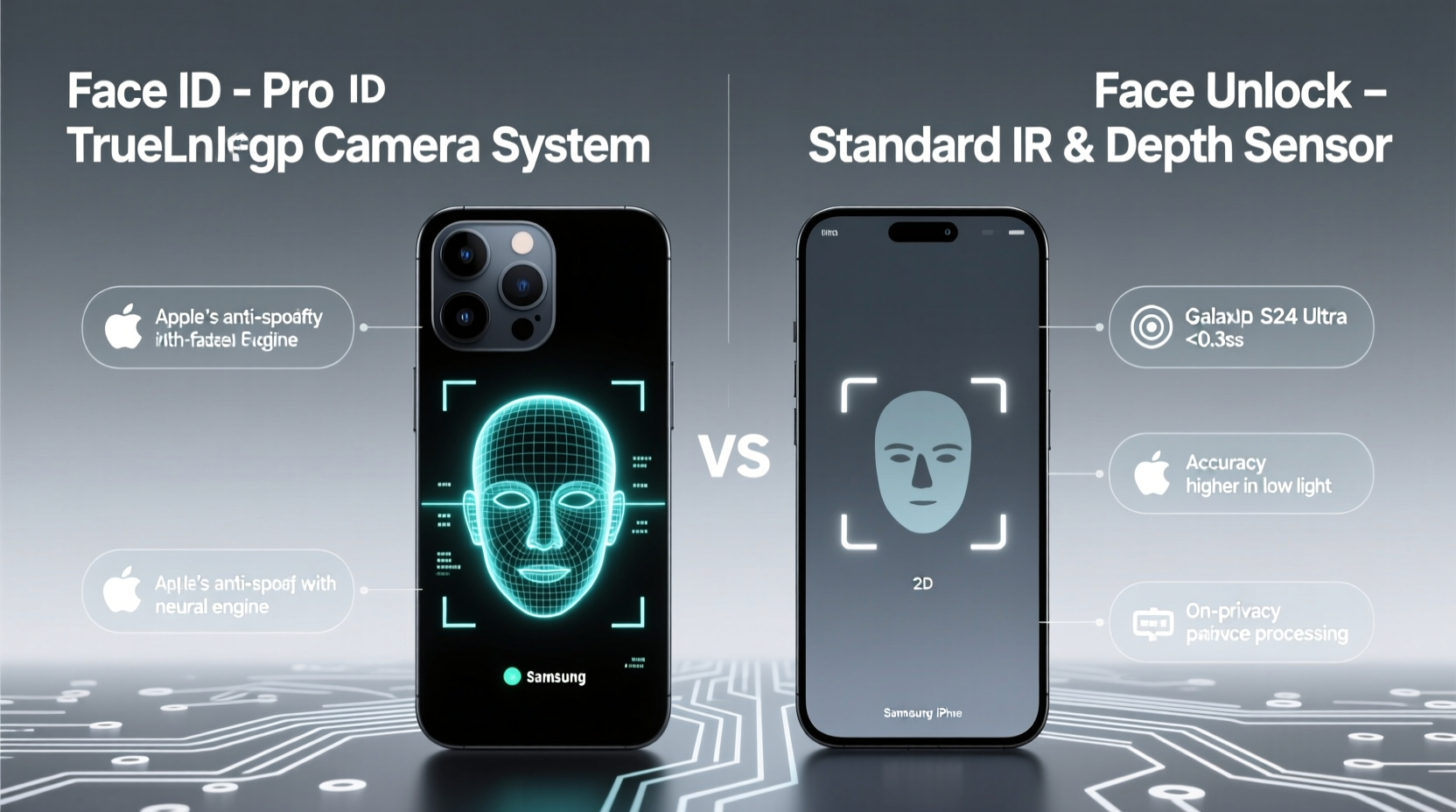
Apple’s Face ID, introduced with the iPhone X in 2017, relies on a sophisticated TrueDepth camera system. This setup includes an infrared projector, dot projector, flood illuminator, and IR camera. Together, they project over 30,000 invisible dots onto the user’s face to create a detailed 3D depth map. This mathematical model is then compared against the stored facial data using secure neural networks within the device’s Secure Enclave.
The use of structured light and depth mapping makes Face ID highly resistant to spoofing. Unlike flat 2D images or even high-resolution videos, replicating a 3D facial structure is extremely difficult without specialized equipment. Apple also ensures liveness detection by analyzing micro-movements and subtle changes in expression, preventing someone from unlocking your phone while you’re asleep.
Samsung Face Unlock: Convenience at a Cost
Samsung’s Face Unlock, available on Galaxy S and Note series devices, primarily uses the front-facing camera to capture a 2D image of the user’s face. While newer models have added iris scanning as an optional layer (marketed as “Intelligent Scan”), most users rely on the basic facial recognition mode for faster access.
This 2D approach is inherently less secure. It can be tricked by printed photos, screenshots, or even video recordings under certain lighting conditions. Although Samsung has improved algorithms over time, the absence of true depth sensing means it lacks the physical layer of protection built into Face ID.
On the plus side, Samsung’s system tends to work slightly faster in well-lit environments and allows for more relaxed angles. However, this speed comes with trade-offs in reliability and safety—particularly when used for sensitive actions like authenticating payments or accessing confidential apps.
Security Comparison: Why Depth Matters
The fundamental difference lies in how each system verifies identity. Apple designed Face ID with security as the top priority. According to Apple, the chance of a random person unlocking your iPhone with Face ID is approximately 1 in 1,000,000. In contrast, traditional passcodes sit at about 1 in 10,000, and Samsung’s 2D face unlock is estimated to be significantly lower—closer to 1 in 50,000 under optimal spoofing attempts.
“Face ID isn’t just facial recognition—it’s biometric authentication grounded in hardware-level security.” — Dr. Linus Zhang, Cybersecurity Researcher at MIT CSAIL
Face ID data never leaves the device. It’s encrypted and stored exclusively in the Secure Enclave, a dedicated coprocessor isolated from the main iOS environment. Even Apple cannot access this information. Samsung stores facial data locally too, but because the system often defaults to 2D recognition unless explicitly configured otherwise, the overall security posture remains weaker.
Detailed Feature Comparison
| Feature | iPhone Face ID | Samsung Face Unlock |
|---|---|---|
| Technology Type | 3D Depth Mapping (TrueDepth) | 2D Image Recognition (+ Iris option) |
| Liveness Detection | Yes (eye movement, attention awareness) | Limited (iris helps, but not always enabled) |
| Spoof Resistance | High (resists photos, masks, videos) | Moderate to Low (vulnerable to photos) |
| Data Storage | Secure Enclave (encrypted, local-only) | Knox Vault (local), but less isolation |
| Speed in Normal Light | Fast (~0.8s) | Faster (~0.6s) in ideal conditions |
| Works in Darkness | Yes (uses IR illumination) | Yes (with IR support on newer models) |
| Payment Authentication | Supported (Apple Pay) | Limited (Samsung Pay prefers PIN/biometrics) |
User Experience and Real-World Reliability
In everyday use, Face ID excels in consistency. It adapts to changes in appearance—growing a beard, wearing glasses, or applying makeup—thanks to machine learning that updates the facial model over time. It also supports attention awareness: the phone only unlocks if your eyes are open and looking at the screen, reducing accidental unlocks.
Samsung’s system, while improving, still struggles in variable conditions. Users report failed unlocks when wearing hats, scarves, or sunglasses—even those with transparent lenses. The lack of mandatory liveness checks means it sometimes opens when simply held up to a sleeping face, raising privacy concerns.
“I switched from Galaxy S22 to iPhone 14 Pro, and the difference in face unlock reliability was immediate. No more fumbling for my fingerprint—I just glance, and it’s done.” — Marcus T., Tech Reviewer, MobileInsider Blog
Step-by-Step: Setting Up Secure Facial Authentication
To get the most out of either system, proper setup is essential. Here’s how to optimize each:
- iPhone Face ID Setup: Go to Settings > Face ID & Passcode > Set Up Face ID. Position your face within the frame and slowly move your head in a circle until complete. Ensure even lighting and avoid backlighting.
- Enroll in Multiple Angles: After initial setup, re-enroll using Alternate Appearance to include different looks (e.g., with and without glasses).
- Samsung Intelligent Scan: Enable Settings > Biometrics and Security > Face Recognition > Use Intelligent Scan (combines face and iris).
- Avoid Default 2D Mode: Skip “Standard” Face Unlock. Always opt for enhanced security options if available.
- Test in Different Lighting: Verify recognition works in low light, bright sun, and indoor settings.
Tips for Maximizing Performance
- Keep your front camera and sensors clean—dust or grease can interfere with IR detection.
- Re-register your face after major appearance changes (significant weight loss, new glasses).
- Use Face ID with Apple Watch unlock for seamless transitions when wearing masks.
- For Samsung users: Combine Face Unlock with a strong backup method like a PIN or fingerprint.
Frequently Asked Questions
Can Face ID be fooled by twins or family members?
While rare, identical twins or very close relatives may occasionally bypass Face ID. Apple acknowledges this limitation and recommends using a passcode in such cases. The system learns over time and typically improves accuracy after repeated correct rejections.
Does Samsung Face Unlock work with masks?
Not reliably. Unlike Apple’s Mask Support feature (available on iPhone 12 and later with paired Apple Watch), Samsung does not offer a native masked-face adaptation. You’ll likely need to enter your passcode manually.
Is Face ID safe if I’m unconscious?
No—and that’s intentional. Face ID requires attention detection. If your eyes are closed or not focused on the screen, it won’t unlock. This prevents unauthorized access in vulnerable situations.
Final Verdict: Security First Wins Long-Term Trust
The reason so many people say Apple’s Face ID is better than Samsung’s Face Unlock isn’t just about marketing—it’s rooted in engineering choices that prioritize long-term security over momentary convenience. By investing in proprietary hardware, enforcing strict liveness checks, and isolating biometric data, Apple created a system that feels invisible in daily use but rock-solid when it matters.
Samsung offers flexibility and speed, especially with Intelligent Scan, but the default experience often defaults to less secure methods. Until Samsung integrates a true depth-sensing solution comparable to TrueDepth, Face ID will remain the gold standard for mobile facial authentication.




 浙公网安备
33010002000092号
浙公网安备
33010002000092号 浙B2-20120091-4
Comments
No comments yet. Why don't you start the discussion?