
For many long-time iPhone users, the decision to upgrade isn’t just about new features—it’s about real-world value. If you’re still using the first-generation iPhone SE, released in 2016, you might be wondering whether jumping to the iPhone 11 makes sense today. While both devices are several years old, they represent very different eras of Apple’s smartphone evolution. The answer depends on your priorities: Are you chasing performance, camera quality, battery life, or simply better software support?
The iPhone SE (1st gen) was a fan favorite for its compact size, affordable price, and surprisingly powerful A9 chip at launch. But nearly eight years later, even iOS updates have moved on. Meanwhile, the iPhone 11, released in 2019, brought major improvements in processing power, display technology, and camera systems. Let’s break down the key differences and determine if making the switch in current_year is still a smart move.
Performance and Software Longevity
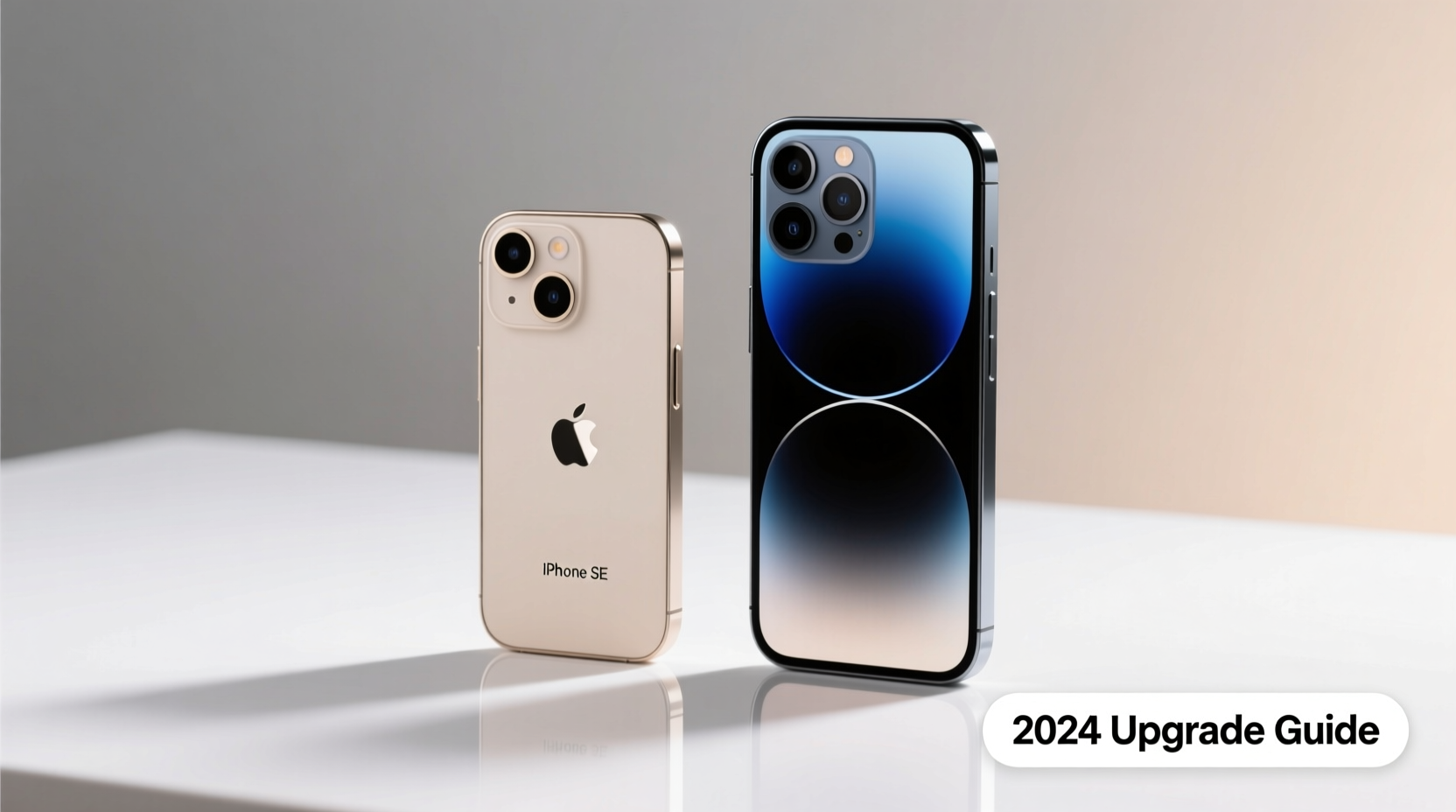
The most immediate difference between these two phones lies under the hood. The iPhone SE runs on Apple’s A9 chip, which was impressive in 2016 but now struggles with modern apps, multitasking, and newer versions of iOS. As of current_year, the iPhone SE supports up to iOS 15, meaning it no longer receives security updates or feature enhancements. This lack of ongoing support increases vulnerability and limits app compatibility—many newer apps either won’t install or run poorly.
In contrast, the iPhone 11 is powered by the A13 Bionic chip, one of Apple’s most efficient processors. Even in current_year, it handles demanding tasks like video editing, gaming, and AR applications with ease. More importantly, the iPhone 11 continues to receive iOS updates and is expected to be supported through at least 2025. That means access to new features, improved privacy tools, and critical security patches.
Camera Quality: Night and Day Difference
If photography matters to you, the jump from the iPhone SE to the iPhone 11 is transformative. The original SE has a single 12MP rear camera with basic autofocus and no optical image stabilization (OIS). It captures decent daylight photos but falters in low light, producing grainy, blurry images. The front-facing 1.2MP FaceTime camera is outdated by today’s standards, especially for video calls or social media content.
The iPhone 11 introduced a dual-camera system: a 12MP wide lens and a 12MP ultra-wide lens. This allows for greater creative control, including zoomed-out landscape shots and improved depth sensing for Portrait mode. More significantly, the iPhone 11 features Night mode, Deep Fusion, and Smart HDR—technologies that dramatically enhance photo quality in challenging lighting. Video recording jumps from 1080p on the SE to 4K at 60fps on the iPhone 11.
“Camera technology evolved more between 2016 and 2019 than in the previous five years combined.” — David Kim, Mobile Imaging Analyst at TechLens
Battery Life and Daily Usability
Battery life is another area where the iPhone 11 outshines its predecessor. The iPhone SE packs a modest 1,642mAh battery, which in current_year often requires midday charging, especially with background app activity and cellular data use. Standby drain can be significant due to aging hardware and inefficient background processes on older iOS versions.
The iPhone 11, with its larger 3,110mAh battery and more power-efficient A13 chip, routinely delivers 12–15 hours of mixed usage. Whether you're browsing, streaming, or navigating, it easily lasts a full day. Additionally, the iPhone 11 supports fast charging (with a compatible adapter) and wireless charging—features absent on the SE.
| Feature | iPhone SE (1st Gen) | iPhone 11 |
|---|---|---|
| Processor | A9 chip | A13 Bionic |
| iOS Support (current_year) | Up to iOS 15 (no updates) | Currently on iOS 17, likely until 2025+ |
| Rear Camera | 12MP (single, no OIS) | 12MP wide + 12MP ultra-wide, Night mode, Deep Fusion |
| Front Camera | 1.2MP | 12MP TrueDepth, 4K video |
| Battery Life | ~8–10 hours (light use) | ~12–15 hours (mixed use) |
| Charging | Lightsaber cable only | Fast charging & wireless charging supported |
| Display | 4.0” Retina IPS LCD, 640x1136 | 6.1” Liquid Retina IPS LCD, 828x1792, True Tone |
Real-World Example: Sarah’s Upgrade Decision
Sarah had been using her iPhone SE since 2017. By early current_year, she noticed her phone freezing during Zoom calls, taking minutes to load maps, and failing to update popular apps like Instagram and banking tools. She hesitated to upgrade due to cost but eventually bought a used iPhone 11 for $220.
The change was immediate. Her morning routine became smoother—photos loaded faster, GPS responded instantly, and Face ID unlocked her phone reliably. Most importantly, she regained confidence that her device wouldn’t fail during emergencies or work meetings. For Sarah, the upgrade wasn’t about luxury; it was about functionality and reliability.
Is It Worth Upgrading in current_year?
The short answer: yes—if you rely on your phone daily for communication, productivity, or safety. The iPhone SE (1st gen) is functionally obsolete in current_year. While it may still make calls and send texts, its limitations in speed, security, and app compatibility make it a liability rather than an asset.
The iPhone 11, even as a three-year-old model, remains capable. It runs modern apps smoothly, takes excellent photos, and offers dependable battery life. On the secondhand market, it’s widely available at reasonable prices—often under $250. Given that context, upgrading isn’t just worthwhile; it’s a practical necessity for staying connected in today’s digital world.
Step-by-Step Guide to Upgrading Safely
- Back up your iPhone SE: Use iCloud or iTunes to ensure all data is saved before switching.
- Check carrier compatibility: Confirm the iPhone 11 supports your network (all major U.S. carriers are supported).
- Erase your old device: After transferring data, sign out of iCloud and erase all content on the SE.
- Set up your iPhone 11: Restore from backup and verify all apps and settings are intact.
- Test key functions: Make a call, take a photo, connect to Wi-Fi, and open essential apps to confirm everything works.
Frequently Asked Questions
Can the iPhone SE (1st gen) still be used in current_year?
Technically, yes—but with major caveats. It no longer receives iOS updates, so security is compromised. Many modern apps either don’t support it or run poorly. It’s best suited as a backup phone or for very basic use.
How much does a used iPhone 11 cost in current_year?
Prices vary based on condition and storage, but most unlocked, functional units range from $180 to $260. Refurbished models from reputable sellers often come with a 1-year warranty.
Does the iPhone 11 have better durability than the SE?
Yes. The iPhone 11 features IP68 water resistance (up to 2 meters for 30 minutes), while the SE only has basic splash resistance. The front glass is also tougher, and the overall build is more resilient to drops.
Final Thoughts: Time to Move Forward
Holding onto outdated technology can seem economical, but there’s a hidden cost: frustration, inefficiency, and risk. The iPhone SE was groundbreaking in its time, but today’s mobile ecosystem demands more. The iPhone 11 represents a meaningful leap forward—not just in specs, but in daily usability and peace of mind.
If you're still on the first-gen SE, upgrading to the iPhone 11 isn’t indulgence—it’s a necessary step to stay secure, connected, and productive. With affordable options available and long-term software support still active, there’s never been a better time to make the switch.




 浙公网安备
33010002000092号
浙公网安备
33010002000092号 浙B2-20120091-4
Comments
No comments yet. Why don't you start the discussion?