
In an era where smartphones store everything from personal photos to banking credentials, security is no longer optional—it’s essential. One of the most critical factors in maintaining device security is timely software updates. These patches fix vulnerabilities, improve performance, and protect against emerging threats. But when it comes to automatic updates and long-term security, how do iPhone and Android compare? The answer isn’t just about frequency or features—it’s about consistency, reach, and longevity.
Apple and Google take fundamentally different approaches to updates, shaped by their respective ecosystems. Understanding these differences helps users make informed decisions not only about which phone to buy but also how long that device will remain protected against cyber threats.
How Auto Updates Work on iPhone
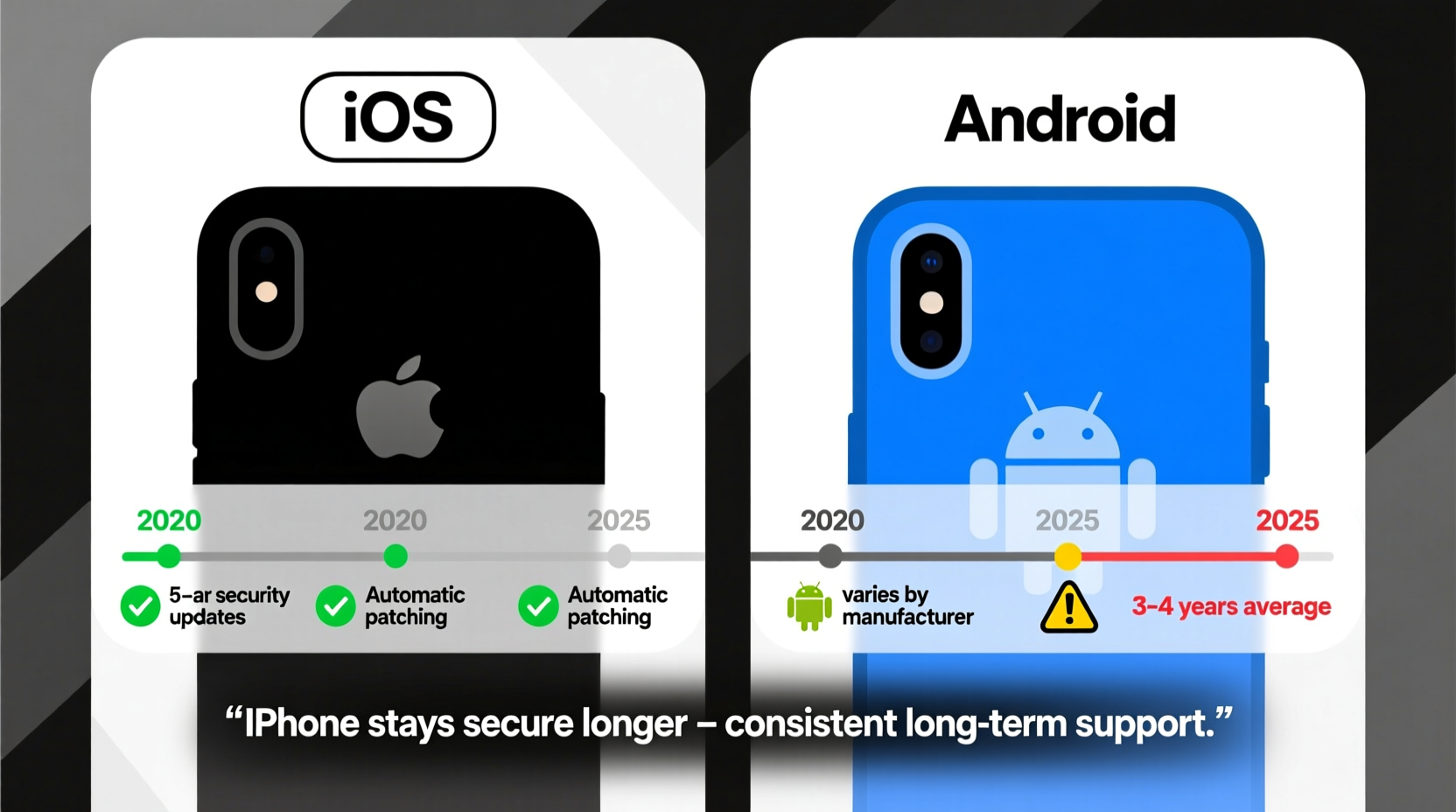
iOS, Apple’s mobile operating system, is tightly integrated with its hardware. This vertical integration allows Apple to push updates directly to all compatible devices simultaneously. When a new iOS version or security patch is released, it becomes available to millions of iPhones at once—regardless of carrier, region, or model (within supported generations).
iOS auto-updates are enabled by default in most regions. Once activated, the system downloads and installs major OS updates and security patches overnight when the device is charging and connected to Wi-Fi. This seamless process ensures high adoption rates. According to Apple, over 90% of active iPhones run the latest version of iOS within six months of release—a figure unmatched in the mobile industry.
Beyond convenience, this uniformity means that known security flaws are patched quickly across nearly the entire user base. For example, when a zero-day vulnerability was discovered in early 2023 affecting WebKit (the engine behind Safari), Apple issued a rapid emergency update. Within days, most iPhone users were protected simply because their devices auto-updated.
Android’s Fragmented Update Landscape
Android operates under a decentralized model. While Google develops the core Android OS, it relies on third parties—device manufacturers (like Samsung, OnePlus, Xiaomi) and carriers—to deliver updates to end users. This creates a fragmented ecosystem where update timing, frequency, and duration vary widely.
For instance, a Pixel phone receives direct updates from Google, often within days of release. In contrast, a mid-tier Samsung Galaxy or Motorola device may wait weeks—or never receive certain updates at all. Carriers sometimes delay rollouts for testing, and many manufacturers prioritize newer models, leaving older ones vulnerable after just two or three years.
Security patches on Android are typically smaller and more frequent than full OS upgrades, but even these aren't guaranteed. A 2022 report by cybersecurity firm Upstream Security found that only 57% of Android devices received the latest monthly security patch within 90 days of release. That number drops significantly for devices beyond their third year.
This fragmentation undermines the effectiveness of auto-updates. Even if a user enables automatic installation, there's no assurance that a patch will be available for their specific device at any given time.
“Update fragmentation remains Android’s Achilles’ heel. You can have the best security architecture in the world, but if patches don’t reach users, the protection fails.” — Dr. Natalia Kryuchkova, Mobile Security Researcher at Kaspersky Lab
Longevity of Security Support: iPhone vs Android
The real test of a platform’s security commitment lies in how long it supports devices with updates. Here, Apple consistently outperforms most Android manufacturers.
iPhones routinely receive major iOS updates and security patches for **five to seven years** after release. The iPhone 6s, launched in 2015, received updates until 2022—seven full years of support. Current models like the iPhone 13 series continue to get updates well into their sixth year.
By comparison, standard Android devices historically offered only **two to three years** of OS updates and limited security patches beyond that. However, recent improvements have narrowed the gap—for some brands. Google’s Pixel lineup now promises up to **five years** of security updates (starting with Pixel 6). Samsung has extended its commitment to **seven years** of OS and security updates for select flagship models like the Galaxy S23 and Z Fold series.
Yet these extended timelines remain the exception, not the rule. Most budget and mid-range Android phones—from brands like TCL, Nokia, or older Huawei models—still cap support at three years or less. This disparity makes long-term security planning difficult for Android users.
Comparison Table: Update Longevity by Platform
| Device/Platform | Major OS Updates | Security Patches | Total Support Duration |
|---|---|---|---|
| iPhone (Recent Models) | 5–7 years | 5–7 years | Up to 7 years |
| Google Pixel (6 and later) | 5 years | 5 years | 5 years |
| Samsung Galaxy S/Z Series (2023+) | 4 years + 3 extension = 7 years | 7 years | 7 years |
| Mid-Range Android Phones | 2–3 years | 3–4 years | 3–4 years |
| Budget Android Devices | 1–2 years | 2–3 years | 2–3 years |
Real-World Example: The Case of the Unpatched Vulnerability
In late 2021, a critical vulnerability known as “Follina” (CVE-2022-30190) was exploited through Microsoft Office apps on mobile devices. Although primarily a Windows flaw, variants affected Android phones using compromised document viewers. Google issued a patch in June 2022, but rollout delays meant many devices didn’t receive it until August—or not at all.
A user named Marcus, who owned a popular mid-tier Android phone released in 2020, noticed unusual battery drain and app crashes. His device had stopped receiving updates nine months earlier due to manufacturer policy. Without access to the Follina patch, his phone remained exposed. He eventually switched to an iPhone after learning that his previous device would never be updated again despite still functioning well.
In contrast, when a similar WebKit-based exploit targeted iPhones around the same time, Apple pushed a silent security update within 48 hours. Users with auto-updates enabled were protected before most even knew a threat existed.
Best Practices for Maximizing Security on Either Platform
No matter which device you use, proactive habits enhance your protection. Automatic updates help, but they’re only effective if supported by the manufacturer and properly configured.
Step-by-Step Guide to Securing Your Device Through Updates
- Verify auto-update settings: On iPhone, go to Settings > General > Software Update > Automatic Updates. Ensure both \"Download iOS Updates\" and \"Install iOS Updates\" are enabled.
- Check Android settings: Open Settings > System > System Update > Advanced > Update Preferences. Enable automatic downloads and installations if available.
- Monitor update history: Regularly check whether recent patches have been applied. On Android, this is under Security > Security update status.
- Choose devices with long support: Prioritize phones with clear, multi-year update commitments. Look for “X years of OS and security updates” in product specs.
- Replace outdated devices: If your phone hasn’t received an update in over 12 months, consider upgrading—even if it still works fine. Outdated software is a prime target for attackers.
Checklist: Choosing a Secure Smartphone
- ✅ Minimum 4 years of promised OS updates
- ✅ At least 5 years of security patches
- ✅ Direct updates from OEM (e.g., Pixel, iPhone, recent Samsung flagships)
- ✅ Automatic update capability enabled by default
- ✅ Transparent update policy published by manufacturer
Frequently Asked Questions
Do all iPhones get updates at the same time?
Yes. Apple releases iOS updates globally and simultaneously for all supported devices. Individual carriers or networks do not control the rollout, ensuring near-uniform delivery.
Can I extend Android security beyond manufacturer support?
In rare cases, yes—through custom ROMs like LineageOS. However, this requires technical expertise, voids warranties, and introduces new risks. It’s not recommended for average users seeking reliable security.
Are security patches enough without OS updates?
Partially. Security patches fix known vulnerabilities, but OS updates often include deeper architectural improvements, sandboxing enhancements, and new privacy tools. Relying solely on patches leaves systems increasingly outdated over time.
Conclusion: Which Platform Stays Secure Longer?
When comparing iPhone and Android auto-updates and long-term security, the evidence points clearly toward Apple’s advantage in consistency and longevity. While premium Android devices are catching up—with Google and Samsung offering up to seven years of support—the majority of Android phones still fall short. The ecosystem’s inherent fragmentation means millions of users operate on outdated, unpatched software without realizing the risk.
iPhones benefit from centralized control, predictable update cycles, and a proven track record of supporting devices for half a decade or more. For users who value long-term digital safety, especially those who keep phones for several years, iOS offers superior peace of mind.
That said, informed choices can level the playing field. Android users who select devices with strong update policies and actively manage their settings can achieve robust protection. But overall, if staying secure longer is the goal, iPhone currently holds the edge—not because it’s inherently more secure, but because its update model actually reaches users effectively and sustainably.




 浙公网安备
33010002000092号
浙公网安备
33010002000092号 浙B2-20120091-4
Comments
No comments yet. Why don't you start the discussion?