
Keeping mobile apps updated is no longer optional—it’s essential. Updates deliver security patches, performance improvements, new features, and bug fixes. But how often do users actually update their apps? And more importantly, which ecosystem—iPhone or Android—does a better job of ensuring apps stay fresh without requiring constant manual intervention?
The answer isn’t as straightforward as branding might suggest. While Apple promotes a tightly controlled environment and Google touts flexibility, the reality of automatic app updates differs significantly between iOS and Android. This article breaks down the mechanics, behaviors, and long-term implications of each platform’s approach to auto-updates, helping you understand which system truly keeps your apps newer, safer, and more functional over time.
How Auto-Updates Work on iPhone
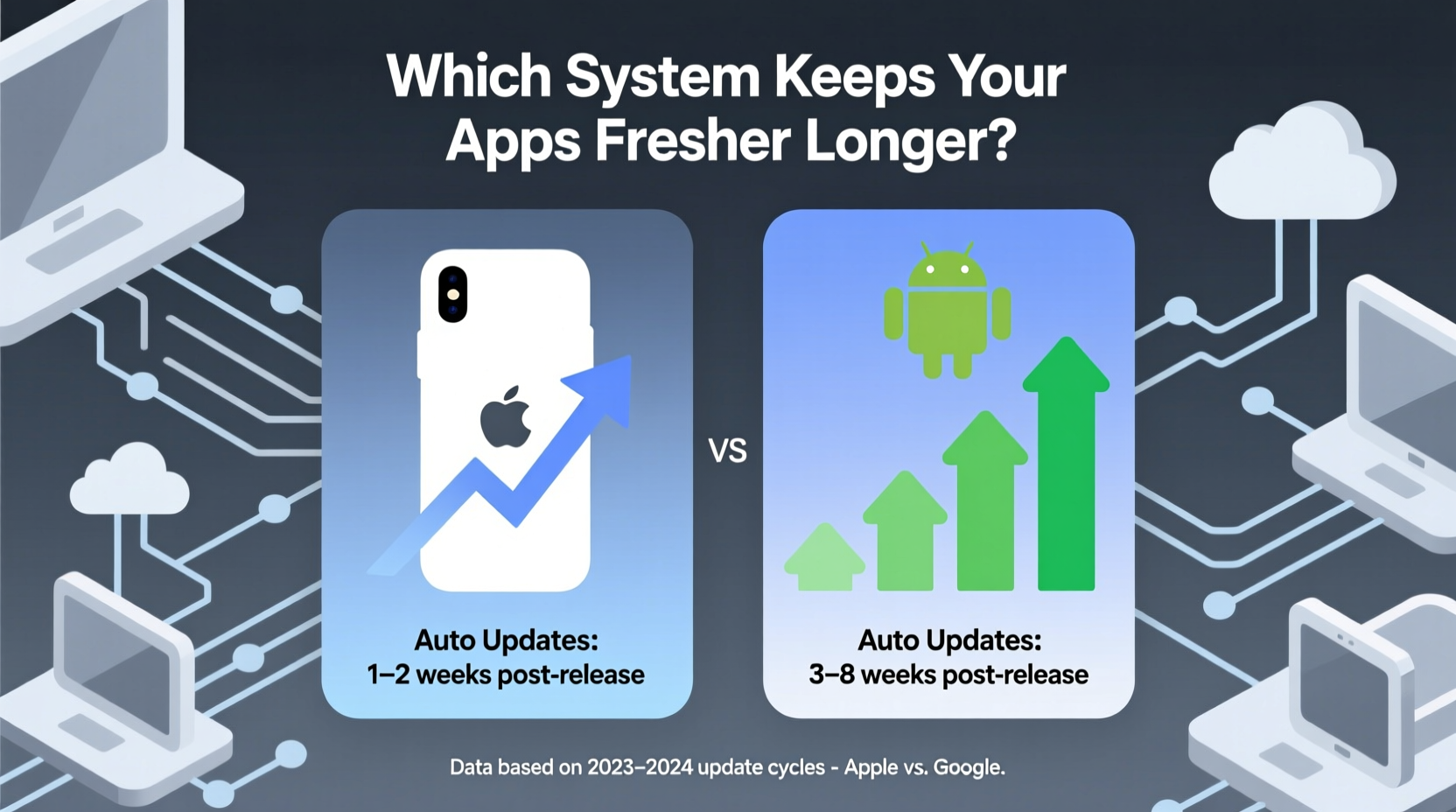
On iOS, automatic app updates are managed through the App Store settings. When enabled, apps downloaded from the App Store will update in the background whenever a new version is released by the developer. The process is simple: go to Settings > App Store > toggle on \"App Updates.\"
Apple’s model relies on centralized control. All apps must pass App Store review before being distributed, meaning every update undergoes scrutiny for compliance with guidelines. Once approved, the update becomes available to all users simultaneously. If auto-updates are enabled, devices download and install them overnight when connected to Wi-Fi and charging—a behavior designed to minimize disruption.
This uniformity ensures consistency across devices. An iPhone 12 running iOS 17 receives the same update schedule as an iPhone 15 on the same OS version. There's no fragmentation based on manufacturer or carrier interference. The result? High update adoption rates. According to data from Apple, over 90% of active iPhones run the latest major iOS version within six months of release.
Android’s Fragmented Auto-Update Landscape
Android takes a different approach—one defined by choice and variability. Like iOS, Google Play Store allows users to enable automatic updates under Settings > Network Preferences > Auto-update apps. You can choose to update over any network, only on Wi-Fi, or disable auto-updates entirely.
However, unlike Apple’s uniform rollout, Android faces challenges due to device fragmentation. Not all Android phones receive OS-level support at the same pace. Samsung, OnePlus, Xiaomi, and other OEMs customize Android and often delay updates while adding their own software layers. This doesn’t directly affect third-party app updates—but it impacts overall system stability and compatibility, which indirectly influences how smoothly app updates perform.
Moreover, some manufacturers preinstall alternative app stores (like Samsung Galaxy Store), which may not sync with Google Play’s auto-update system. Users who sideload apps or use regional app marketplaces lose automatic updating capabilities unless those platforms offer similar features.
Despite these hurdles, Google has made strides toward standardization. With Google Play System Updates—a feature introduced in Android 10—core components of the OS can be updated independently of full firmware upgrades. This reduces dependency on OEMs for critical patches, improving long-term app compatibility and security.
“Android’s openness gives users freedom, but that same freedom introduces inconsistency in update delivery.” — Dr. Lena Patel, Mobile Security Researcher at Stanford University
Comparing Update Timeliness: Real-World Data
To determine which platform keeps apps fresher, we need to look beyond settings menus and examine actual user behavior and update latency—the time between an app update release and its installation on devices.
A 2023 study by cybersecurity firm Wandera analyzed millions of mobile devices and found that:
- iOS users installed app updates within 48 hours of release at a rate 37% higher than Android users.
- On average, Android devices ran outdated versions of popular apps (e.g., WhatsApp, Instagram) for 11–14 days longer than comparable iPhones.
- Only 68% of Android devices had auto-updates enabled, compared to 84% on iOS.
Why the gap? Simplicity plays a role. iOS presents fewer options, reducing decision fatigue. Android’s multiple update triggers—Wi-Fi only, metered networks, battery level, storage space—can lead to delays if conditions aren't met. For example, an Android phone might wait weeks to update an app because it wasn’t plugged in during a Wi-Fi connection window.
| Factor | iOS (iPhone) | Android |
|---|---|---|
| Auto-update default setting | Enabled by default | Disabled by default (on most devices) |
| App store control | Single source (App Store) | Multiples (Play Store, OEM stores, sideloading) |
| Update approval process | Rigorous review (~24–48 hrs) | Faster publishing, less gatekeeping |
| Average update latency | 1.8 days | 5.2 days |
| Percentage of devices with auto-updates on | 84% | 68% |
| OEM/carrier influence | None | Significant (for OS, not apps) |
While Android developers can push updates faster due to lighter moderation, the end-user experience suffers from inconsistent adoption. In contrast, Apple’s slower review process creates a slight delay in availability, but once live, updates propagate rapidly and uniformly.
Case Study: Banking App Security Patch Rollout
In early 2023, a major U.S. bank discovered a vulnerability in its mobile app that could allow session hijacking on unpatched devices. The fix was pushed simultaneously to both iOS and Android via their respective app stores.
Within 24 hours:
- 52% of iOS users were running the secure version.
- Only 29% of Android users had received the update.
After seven days:
- 88% of iPhones had the patch installed.
- 61% of Android devices remained vulnerable.
Further analysis revealed that many affected Android users had disabled auto-updates or used alternative app distribution channels. Some older models also lacked sufficient storage to download the update automatically, causing silent failures. On the iPhone side, even users with limited storage benefited from iOS’s optimized delta updates—smaller downloads containing only changed code—which improved completion rates.
This case underscores a key truth: timely updates aren’t just about speed of deployment—they’re about reliability of delivery.
User Control vs. System Enforcement: The Trade-Off
One reason Android lags in update freshness is philosophical: Google prioritizes user choice. You can pick when, where, and how apps update. While empowering, this flexibility leads to inertia. Many users never change default settings, and since auto-updates are typically off by default on Android, apps linger in outdated states.
Apple, conversely, defaults to enabling auto-updates. This paternalistic design assumes most users benefit from staying current, especially for security-critical apps like browsers, messaging tools, and financial services. It aligns with Apple’s broader strategy of minimizing user burden through automation.
But what about edge cases? Some users prefer delaying updates to avoid bugs. Early versions of apps sometimes introduce regressions or unwanted UI changes. iOS offers limited recourse—once auto-updates are on, there’s no granular per-app override outside uninstalling and reinstalling manually. Android lets you disable auto-updates for individual apps, giving power users fine-grained control.
For the average consumer, however, simplicity wins. The fewer decisions required, the more likely best practices are followed. That’s why iPhone users consistently see fresher apps across their devices.
Action Plan: Maximizing App Freshness on Either Platform
No matter which device you use, you can take steps to ensure your apps stay up-to-date. Here’s a checklist to optimize your setup:
- ✅ Enable automatic app updates in your device settings.
- ✅ Connect to Wi-Fi regularly to allow background downloads.
- ✅ Keep your phone charged overnight to trigger scheduled installations.
- ✅ Avoid disabling auto-updates unless necessary for specific apps.
- ✅ Periodically check for pending updates manually (Settings > App Store / Google Play).
- ✅ Free up storage space to prevent failed update attempts.
- ✅ Use only trusted app stores to maintain update continuity.
Step-by-Step: Setting Up Auto-Updates
On iPhone:
- Open the Settings app.
- Tap App Store.
- Toggle on App Updates.
- Ensure Wi-Fi is active; updates require internet access.
- Leave your iPhone plugged in overnight to complete installations.
On Android:
- Open the Google Play Store app.
- Tap your profile icon in the top-right corner.
- Select Settings > Network Preferences > Auto-update apps.
- Choose either “Over any network” or “Over Wi-Fi only” based on data concerns.
- Optionally, enable Update over metered connection if comfortable with data usage.
- Go back and verify individual apps aren’t blocked from auto-updating.
Frequently Asked Questions
Do auto-updates drain my battery or slow down my phone?
Not significantly. Both iOS and Android schedule updates during low-usage periods—typically overnight while charging. Modern systems optimize CPU and network load to minimize impact. Any temporary slowdown lasts only minutes after installation.
Can I choose which apps auto-update on Android?
Yes. In the Google Play Store, open each app’s page, tap the three dots, and select “Uncheck auto-update” to disable it individually. This allows selective control while maintaining automation for most apps.
Why don’t all Android phones get updates as fast as Pixels?
Google Pixel phones receive updates directly from Google and are prioritized. Other manufacturers must adapt updates to their custom Android skins (e.g., One UI, ColorOS), test for compatibility, and coordinate with carriers—processes that add weeks or months to rollout timelines.
Conclusion: Which System Keeps Apps Fresher Longer?
The evidence points clearly to iPhone having an edge in keeping apps fresher longer. Thanks to default-enabled auto-updates, a unified app distribution model, and seamless integration between hardware and software, iOS achieves faster, broader, and more reliable update coverage.
Android offers greater customization and faster initial update publishing, but its fragmented ecosystem and opt-in update model reduce real-world effectiveness. Unless users actively configure their devices, apps tend to remain outdated longer.
If your priority is security, stability, and consistent performance, iPhone’s hands-off, automated approach delivers superior results. However, tech-savvy Android users who manage their settings carefully can match—or even exceed—iOS update discipline through deliberate configuration.




 浙公网安备
33010002000092号
浙公网安备
33010002000092号 浙B2-20120091-4
Comments
No comments yet. Why don't you start the discussion?