
For individuals with ADHD, maintaining focus, building routines, and staying organized are ongoing challenges. Traditional time management tools often fall short because they don’t account for the unique cognitive patterns of ADHD brains—such as impulsivity, distractibility, and difficulty with task initiation. This has led many to explore digital planners as a modern alternative to paper. But is a digital planner truly better than paper when it comes to supporting focus and daily structure for people with ADHD? The answer isn't universal, but understanding the strengths and limitations of each can help determine which option—or combination—works best.
The Cognitive Challenges of ADHD and Planning
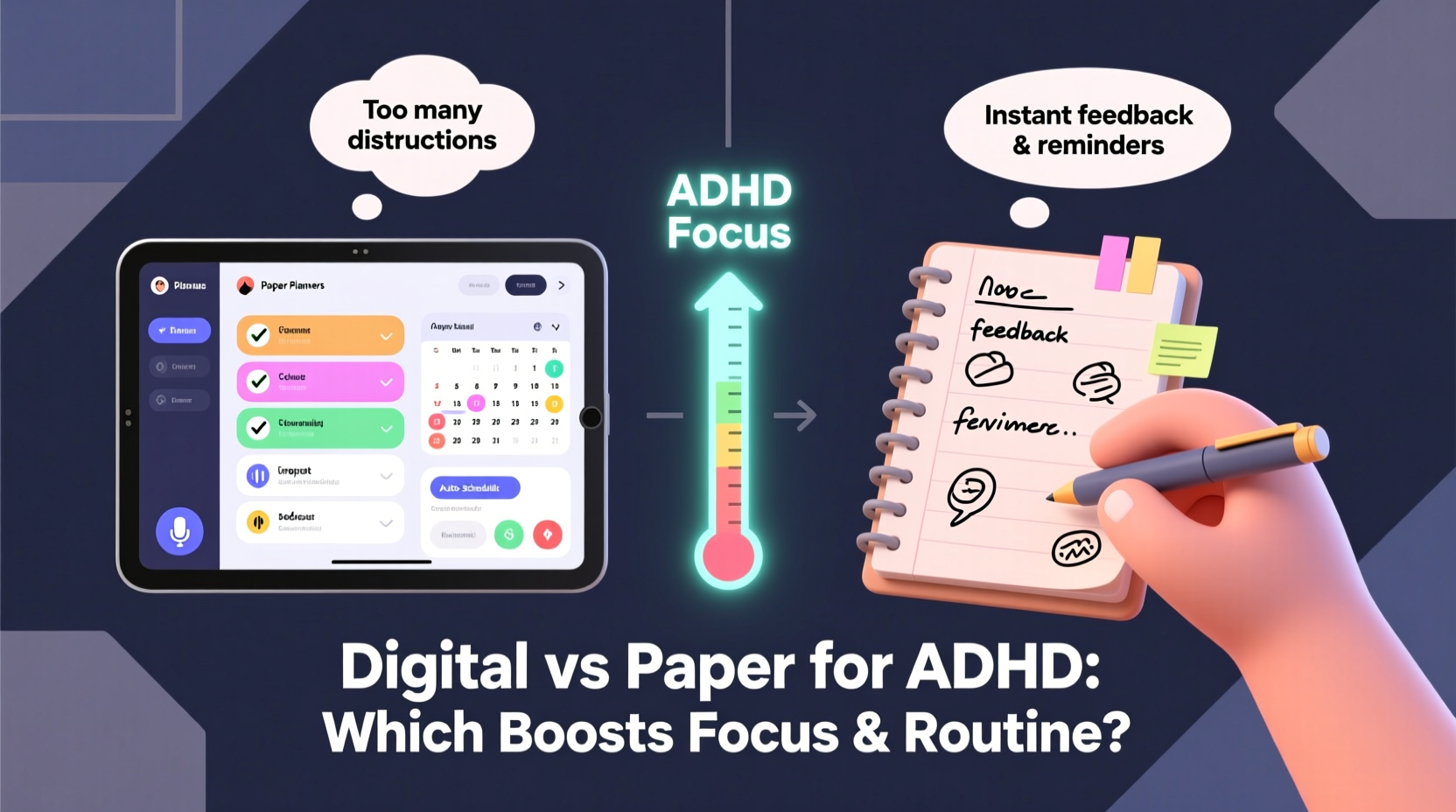
ADHD affects executive functioning—the mental skills responsible for planning, organizing, initiating tasks, and regulating attention. People with ADHD often struggle with working memory, emotional regulation, and sustaining effort over time. These difficulties make traditional planning methods feel overwhelming or ineffective.
Paper planners have long been a staple for organization, offering tactile feedback and visual simplicity. However, their static nature means missed entries aren’t easily corrected, reminders don’t exist unless manually set, and integrating dynamic changes in routine requires constant rewriting. On the other hand, digital planners offer automation, integration with calendars, alerts, and multimedia support—features that may align more closely with how ADHD brains process information.
“Many adults with ADHD benefit from external cues and structured prompts. Digital tools can provide those supports in ways that paper cannot.” — Dr. Rachel Turner, Clinical Psychologist specializing in adult ADHD
Digital vs. Paper: A Feature-by-Feature Comparison
To evaluate which format serves ADHD needs more effectively, it’s essential to compare key features relevant to focus, routine-building, and task follow-through.
| Feature | Digital Planner | Paper Planner |
|---|---|---|
| Reminders & Alerts | Yes – customizable push notifications, recurring alerts, sound cues | No – relies on self-checking; easy to overlook |
| Task Initiation Support | Can link tasks to habits, break them into steps, add motivational notes | Limited; depends on user creativity and consistency |
| Portability & Access | Always accessible via smartphone, tablet, or computer | Must carry physical book; risk of loss or misplacement |
| Flexibility & Editing | Easy to reschedule, edit, or delete tasks instantly | Requires erasing or crossing out; can become messy |
| Sensory Engagement | Audio, color coding, animations, gamification possible | Tactile writing experience; visual customization with pens/stickers |
| Distraction Risk | High – notifications, apps, internet access nearby | Low – no digital distractions once open |
| Integration with Other Tools | Syncs with email, calendar, to-do lists, habit trackers | None – entirely standalone |
The table reveals a trade-off: digital planners offer powerful functionality but come with higher potential for distraction. Paper planners provide focus and mindfulness but lack automated support systems critical for ADHD task persistence.
When Digital Planners Excel for ADHD Management
Digital planners shine in environments where external accountability and structure are needed. For someone with ADHD who struggles to remember appointments or initiate morning routines, having an app that sends a vibrating alert at 7:15 AM to “Start your shower” can be transformative.
Apps like Notion, GoodNotes, MyINeedTo, or specialized ADHD-focused tools such as Daylio or Tiimo allow users to:
- Create templates for recurring routines (e.g., \"Morning Routine,\" \"Work Blocks\")
- Set multiple types of reminders (sound, vibration, pop-up)
- Use voice-to-text input when typing feels too demanding
- Integrate with smart home devices (e.g., turning on lights as part of wake-up routine)
- Track mood and energy levels alongside tasks
Moreover, digital planners support scaffolding. Users can build complex systems gradually, adding layers only when ready. A person might start with simple daily checklists and later incorporate time-blocking, Pomodoro timers, or progress dashboards—all within the same platform.
A Real Example: How Sarah Rebuilt Her Routine Using a Digital Planner
Sarah, a 32-year-old graphic designer diagnosed with ADHD at age 28, had cycled through dozens of paper planners. She’d start enthusiastically every January, only to abandon them by March. “I’d forget to check them,” she said. “Or I’d write something down but never see it again.”
After reading about digital planning for neurodivergent adults, she downloaded a flexible app and built a personalized system. She created a master template for weekdays with embedded subtasks:
- 7:00 AM – Alarm + Reminder: “Get out of bed. Open blinds.”
- 7:15 AM – Audio cue: “Brush teeth and wash face” (linked to smart speaker)
- 7:30 AM – Visual checklist: Breakfast, meds, outfit
- 8:30 AM – Work block scheduled with automatic website blocker enabled
The system included weekly reviews where she could drag unfinished tasks forward without guilt. Within two months, her punctuality improved, and she reported feeling less overwhelmed. “It’s not perfect,” she admitted, “but now I have a tool that adapts to me instead of one I have to force myself to use.”
Where Paper Still Holds Value
Despite the advantages of digital tools, paper remains valuable for certain aspects of ADHD management. The act of handwriting engages motor memory and slows cognitive processing, which can enhance retention and emotional regulation. Some individuals find that jotting thoughts in a notebook during moments of overwhelm helps discharge mental clutter faster than typing.
Paper also eliminates screen-related anxiety. For those sensitive to blue light or prone to doomscrolling, using a physical planner before bed creates a boundary between digital stimulation and rest. Additionally, bullet journaling—a hybrid method combining lists, logs, and creative tracking—has gained popularity among ADHD communities for its flexibility and personalization.
Step-by-Step Guide to Choosing Your Ideal Planner System
Selecting the right planner isn’t about choosing sides—it’s about matching tools to your current needs, environment, and energy levels. Follow this six-step process to build a sustainable system:
- Assess Your Pain Points: Identify what fails in your current routine. Is it forgetting deadlines? Skipping meals? Missing medication? Pinpoint 2–3 recurring issues.
- Evaluate Your Tech Comfort Level: Are you comfortable navigating apps? Do you frequently charge your phone? If tech feels burdensome, start low-tech.
- Test Both Formats Briefly: Spend one week with a paper planner and one with a digital version. Note which felt easier to maintain and consult.
- Look for Automation Features: In digital options, prioritize apps with recurring tasks, location-based alerts, or voice input if typing is hard.
- Minimize Friction: Choose a planner that fits naturally into your day. If you’re always on your phone, digital makes sense. If you avoid screens, go analog.
- Build Gradually: Start with just one routine (e.g., evening wind-down) rather than overhauling everything at once.
Checklist: Signs a Digital Planner May Be Right for You
- You often miss appointments despite writing them down
- You rely heavily on phone alarms for basic tasks
- You enjoy customizing digital interfaces (colors, widgets, icons)
- You already use productivity apps like Google Calendar or Trello
- You want to track habits, moods, or symptoms over time
- You work remotely or switch devices frequently
Frequently Asked Questions
Can digital planners worsen ADHD symptoms due to screen overload?
Yes, if not used intentionally. Excessive notifications or multitasking while using a planner can increase cognitive load. To prevent this, disable non-essential alerts, use full-screen mode, and consider grayscale display settings to reduce visual stimulation.
Are there hybrid solutions that combine digital and paper benefits?
Absolutely. Some people use a paper planner for daily tasks while syncing major events to a digital calendar. Others use stylus-compatible tablets (like iPad with Apple Pencil) to get the tactile feel of writing with digital backup and searchability. Apps like GoodNotes or Notability support handwritten notes with cloud sync and keyword search.
What if I keep abandoning my planner after a few days?
This is common and doesn’t mean you’ve failed. It suggests the system requires simplification. Reduce the number of fields, remove redundant steps, and focus only on high-impact actions (e.g., “Take meds,” “Eat lunch”). Use sticky notes or whiteboards as temporary placeholders until a habit forms.
Making the Decision: Personalization Over Perfection
There is no one-size-fits-all solution. For some, the immediacy and interactivity of a digital planner dramatically improve adherence to routines. For others, the simplicity and sensory grounding of paper create a safer space for self-regulation. What matters most is alignment with individual preferences, lifestyle, and neurological needs.
The goal isn’t to adopt the “best” tool, but the one you’ll actually use consistently. That might mean starting digital and switching to paper, or vice versa. It might mean using different tools for different purposes—digital for work schedules, paper for personal reflection.
“The most effective planner for ADHD is the one that reduces resistance, not adds complexity.” — Dr. Nadia Lopez, Neurodevelopmental Coach
Conclusion: Take Action Based on Your Reality, Not Ideals
Improving focus and routine with ADHD doesn’t require a flawless system—it requires a functional one. Whether you choose a digital planner, stick with paper, or blend both, the key is designing a method that meets you where you are. Start small. Prioritize usability over aesthetics. Embrace iteration. And remember: consistency builds over time, not overnight.




 浙公网安备
33010002000092号
浙公网安备
33010002000092号 浙B2-20120091-4
Comments
No comments yet. Why don't you start the discussion?