
Mechanical keyboards have surged in popularity over the past decade, especially among typists, programmers, writers, and gamers. A common question arises when someone considers switching from a traditional membrane keyboard: is the increased noise of a mechanical keyboard worth it? The answer isn’t as simple as “yes” or “no.” It depends on your environment, personal preferences, work habits, and what you value most in a typing experience.
While mechanical keyboards are indeed louder than their membrane counterparts—especially models with clicky switches like Cherry MX Blues or Kailh Box Jack—their appeal lies in superior tactile feedback, durability, and customizability. But does that justify the clatter? Let’s break down the differences, examine real-world scenarios, and explore whether the noise is a dealbreaker or a feature you’ll grow to love.
Understanding the Key Differences: Mechanical vs Membrane
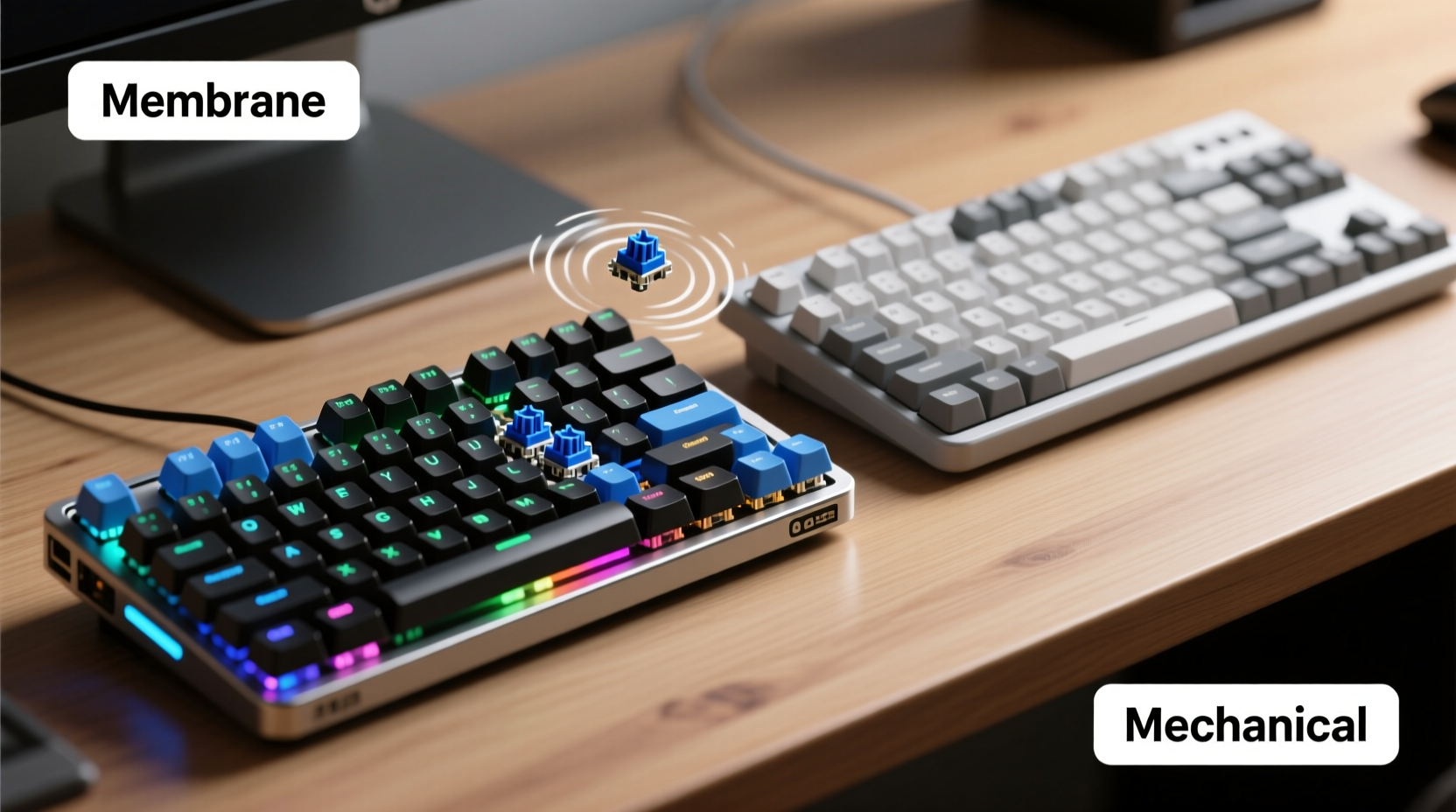
The fundamental distinction between mechanical and membrane keyboards lies in how keystrokes are registered.
- Mechanical keyboards use individual physical switches under each keycap. Each switch contains metal contacts and a spring mechanism that actuates when pressed. This design allows for precise control over actuation force, travel distance, and auditory feedback.
- Membrane keyboards, on the other hand, rely on a layered rubber dome system. When you press a key, the dome collapses and makes contact with a conductive layer beneath. These keyboards are typically quieter but offer less tactile precision and shorter lifespans.
Because mechanical switches are discrete components, they can be engineered for specific behaviors—clicky, tactile, or linear—each producing different sound profiles and feel. Membrane keyboards generally have a mushier feel and uniform quietness across all keys.
Noise Levels: How Much Louder Are Mechanical Keyboards?
There’s no single decibel level for mechanical keyboards because sound output varies widely based on switch type, keycap material, case design, and typing style. However, general comparisons show clear trends.
| Switch Type | Average Sound Level (dB) | Tactile Feedback | Typical Use Case |
|---|---|---|---|
| Cherry MX Blue (Clicky) | 65–70 dB | High (audible click) | Typing, office environments (controversial) |
| Kailh Box White (Tactile) | 55–60 dB | Medium (bump without click) | Office, hybrid use |
| Cherry MX Red (Linear) | 50–55 dB | Low (smooth press) | Gaming, quiet typing |
| Standard Membrane Keyboard | 45–50 dB | Very Low (mushy feel) | General office use |
To put this into perspective, normal conversation ranges between 60–70 dB. A loud mechanical keyboard used aggressively can reach similar volumes, making it disruptive in shared spaces. However, a well-dampened mechanical board with linear switches and O-rings can be nearly as quiet as a premium membrane model.
“Many users report that after a few weeks, the sound of their mechanical keyboard becomes white noise—a rhythmic backdrop to productivity.” — Jordan Lee, Ergonomic Design Consultant
When the Noise Is Worth It: Real-World Benefits
Despite the volume, many professionals and enthusiasts swear by mechanical keyboards—not in spite of the sound, but sometimes because of it.
The audible and tactile feedback provides immediate confirmation of each keystroke. This reduces errors and increases typing speed over time. Writers often describe the experience as more engaging, almost musical. Gamers appreciate the responsiveness and reduced actuation force required for rapid inputs.
Durability is another major factor. Most mechanical switches are rated for 50 million keystrokes, compared to 5–10 million for membrane keyboards. That means a mechanical board can last five to ten years or more with daily use, reducing long-term costs and electronic waste.
Customization options further enhance value. You can swap keycaps, add sound-dampening foam, change switches (on hot-swappable boards), and even reprogram keys. This level of personalization fosters a deeper connection with your tools—an important consideration for people who spend hours at a keyboard every day.
Mini Case Study: Remote Worker in a Shared Apartment
Sophie, a freelance copywriter living in a two-bedroom apartment with her partner and a roommate, was hesitant to upgrade to a mechanical keyboard. She worried about disturbing others during early morning or late-night writing sessions.
She opted for a compact 60% mechanical keyboard with Gateron Yellow linear switches—known for smooth operation and moderate noise—and added silicone O-rings under each keycap to reduce bottom-out noise. After three weeks, she noticed a significant improvement in typing accuracy and comfort. Her roommates mentioned they barely noticed the difference compared to her old laptop keyboard.
Sophie concluded that with careful switch selection and minor modifications, the mechanical advantage outweighed the noise concerns—even in a shared space.
Managing the Noise: Practical Strategies
If you're drawn to mechanical keyboards but concerned about sound, several effective solutions exist. You don’t need to sacrifice performance for peace.
- Choose quieter switch types: Linear switches (Reds, Blacks, Yellows) or non-clicky tactile switches (Browns, Clears) produce far less noise than clicky variants.
- Add internal dampening: Inserting foam padding inside the keyboard case eliminates hollow echo and lowers overall resonance.
- Use O-rings or keycap dampeners: These small rubber rings sit under the keycap stem and cushion the impact when the key bottoms out.
- Select PBT keycaps: Thicker, denser plastic keycaps absorb more vibration than thin ABS ones.
- Type with less force: Over time, users naturally adapt to press keys just enough to actuate, minimizing unnecessary noise.
- Invest in a gasket-mounted or silent-case keyboard: Higher-end designs isolate the PCB and plate to reduce vibrations and sound transmission.
Checklist: Is a Mechanical Keyboard Right for You?
- ✅ Do you spend more than 2 hours per day typing?
- ✅ Do you value typing accuracy and long-term comfort?
- ✅ Can you choose a quieter switch or modify the keyboard for lower noise?
- ✅ Is your workspace private, or are others tolerant of background sound?
- ✅ Are you willing to invest $80–$150 upfront for a device that may last a decade?
- ❌ Will the noise disrupt coworkers, family, or roommates in close proximity?
If most of your answers are “yes” to the positives and “no” to the final concern, a mechanical keyboard is likely worth the noise.
When Silence Matters More Than Feel
Not every environment supports a mechanical keyboard. Open-plan offices, libraries, recording studios, or households with light sleepers may make even moderately loud typing unacceptable.
In such cases, high-quality membrane or low-profile mechanical alternatives become better choices. Some modern keyboards blend mechanical-like feel with near-silent operation. Examples include:
- Filco Majestouch Silent: Uses specially designed Cherry MX Silent Red switches that reduce noise by up to 30%.
- DRAGONRISE Optical Switches: Utilize infrared beams instead of metal contacts, enabling fast response with minimal sound.
- Logitech MX Mechanical: Offers a quiet tactile option designed for professional settings.
These hybrids prove you don’t always have to go fully clicky to enjoy improved typing dynamics. The market now accommodates both performance seekers and noise-sensitive users.
FAQ: Common Questions About Mechanical Keyboard Noise
Are all mechanical keyboards loud?
No. While some—especially those with clicky switches—are noticeably loud, many mechanical keyboards use linear or silent switches that operate quietly. With proper mods like foam and O-rings, even traditionally noisy boards can be made office-friendly.
Can I reduce the noise of my existing mechanical keyboard?
Yes. Adding a piece of foam inside the case, using lubed switches, installing O-rings, choosing thicker keycaps, and adjusting your typing technique can dramatically reduce sound. Some users cut noise levels by half through simple DIY upgrades.
Do people get used to the sound of mechanical keyboards?
Most do. Typists often report that after a week or two, the rhythmic clicking fades into the background—similar to how one stops noticing a clock ticking. In fact, many find the sound motivating or satisfying, associating it with focus and productivity.
Conclusion: Balancing Performance and Peace
The question isn’t whether mechanical keyboards are louder than membrane ones—that’s objectively true. The real issue is whether the benefits justify the noise in your specific context.
For dedicated typists, remote workers with private space, or anyone prioritizing long-term comfort and precision, the answer is usually yes. The enhanced feedback, durability, and customization make mechanical keyboards a worthwhile investment. And with smart switch choices and simple modifications, the noise can be managed effectively.
But if you share walls, work in silence-sensitive environments, or simply prefer subtlety, there’s no shame in sticking with a quality membrane or opting for a silent mechanical variant. Technology has evolved to offer excellent alternatives without forcing you into an uncomfortable compromise.
Ultimately, the best keyboard is the one that supports your workflow, fits your lifestyle, and feels good to use—day after day. Whether it clicks or whispers, what matters most is how it helps you create, communicate, and stay productive.




 浙公网安备
33010002000092号
浙公网安备
33010002000092号 浙B2-20120091-4
Comments
No comments yet. Why don't you start the discussion?