
For years, mechanical keyboards were considered niche tools—favored by hardcore gamers and typists with specific preferences. But as remote work has surged and digital communication dominates daily life, more people are asking: Is investing in a mechanical keyboard really worth it for everyday typing, or are they just flashy accessories built for gaming?
The answer isn’t binary. While mechanical keyboards do offer distinct advantages in gaming scenarios—like faster actuation and durability—they also deliver tangible benefits for writers, coders, office workers, and anyone who spends hours at a keyboard. The key lies in understanding how their design impacts comfort, efficiency, and long-term use beyond the realm of high-speed gameplay.
Understanding Mechanical Keyboards: How They Work
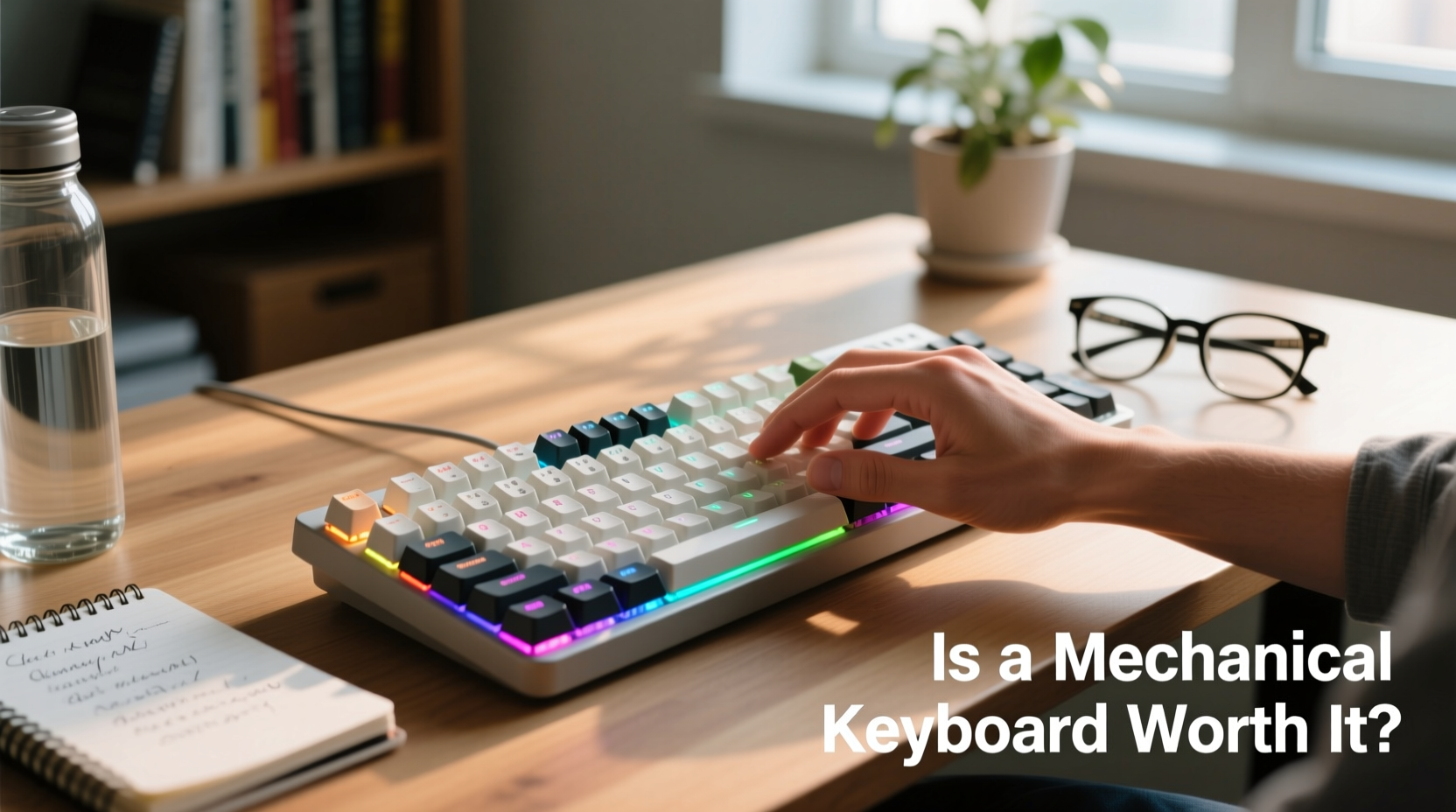
Unlike membrane or scissor-switch keyboards (commonly found on laptops and budget desktop models), mechanical keyboards use individual mechanical switches under each key. These switches consist of a spring, stem, and housing that register keystrokes through physical contact when pressed.
This mechanism allows for greater precision, tactile feedback, and customization. Each switch type—linear, tactile, or clicky—offers a different feel and sound profile, letting users tailor their typing experience to personal preference.
- Linear switches provide smooth keystrokes with no bump or click; ideal for fast input.
- Tactile switches offer a subtle bump mid-press, giving physical confirmation without noise.
- Clicky switches combine tactile feedback with an audible snap, preferred by many typists for rhythm and responsiveness.
The physical construction contributes to longevity. Most mechanical switches are rated for 50 million keystrokes or more—far exceeding the lifespan of standard membrane keyboards, which often fail after just 5–10 million presses.
Typing Experience: Why Mechanics Excel in Daily Use
For professionals who write emails, draft documents, code software, or take notes all day, the quality of the typing experience directly affects productivity and fatigue levels. Mechanical keyboards enhance this experience in several measurable ways.
First, the actuation point—the distance a key must be pressed before registering—is typically shorter and more consistent than on membrane keyboards. This reduces finger strain over extended periods and allows for faster typing once muscle memory adapts.
Second, the tactile response helps prevent bottoming out (pressing keys all the way down), which can cause hand and wrist discomfort over time. With clear feedback, typists learn to press just enough, improving efficiency and reducing unnecessary force.
“Switch consistency and reduced actuation force can significantly lower the risk of repetitive strain injuries.” — Dr. Lena Torres, Ergonomic Design Researcher at HumanTech Lab
A 2021 study published in the *Journal of Occupational Health* found that participants using mechanical keyboards reported 23% less finger fatigue during prolonged typing sessions compared to those using standard rubber-dome keyboards. Though not medical devices, well-designed mechanical boards support healthier typing mechanics.
Gaming vs. Productivity: Performance Across Tasks
It’s true that mechanical keyboards gained popularity through gaming communities. Gamers benefit from features like anti-ghosting (accurate recognition of multiple simultaneous keypresses) and N-key rollover (full key independence), which prevent missed inputs during intense gameplay.
But these same features matter outside gaming. Writers avoiding typos, developers navigating complex IDEs, and data entry specialists managing rapid inputs all gain from reliable, responsive hardware.
| Feature | Gaming Benefit | Everyday Typing Benefit |
|---|---|---|
| Actuation Speed | Faster command execution in games | Reduced delay between thought and text |
| N-Key Rollover | Prevents missed combos in fast-paced games | Ensures accuracy when typing quickly or using shortcuts |
| Tactile Feedback | Helps confirm skill activation | Improves typing rhythm and error detection |
| Durability | Sustains heavy usage over months of play | Outlasts multiple laptop generations |
| Noise Level | Can be distracting in quiet environments | Clicky models may disturb coworkers; quieter options available |
The overlap in functionality shows that while gaming drove innovation, the resulting improvements serve general computing equally well. A keyboard optimized for speed and reliability benefits any task involving frequent keyboard interaction.
Real-World Example: From Office Worker to Mechanical Convert
Sarah Kim, a technical writer based in Portland, spent nearly a decade using her laptop’s built-in keyboard and a $25 membrane model at home. After developing mild carpal tunnel symptoms, she explored ergonomic upgrades and purchased a mid-range mechanical keyboard with Kailh Pro Tactile switches.
Within two weeks, she noticed fewer typos, improved typing endurance, and less end-of-day hand fatigue. “I used to rest my hands every 30 minutes,” she said. “Now I can write for two hours straight without discomfort. It felt like upgrading from sneakers to running shoes.”
She later introduced her team to mechanical options during a remote work wellness initiative. Three colleagues made the switch, reporting similar gains in focus and typing comfort. None were gamers—yet all found value in the precision and build quality.
Sarah’s experience illustrates that mechanical keyboards aren’t about performance theatrics. For many, they represent a meaningful upgrade in daily usability and long-term health.
Choosing the Right Model: A Practical Checklist
If you're considering a mechanical keyboard for everyday use, avoid choosing based solely on aesthetics or brand hype. Instead, follow this checklist to ensure your investment aligns with your needs:
- Identify your primary use case: Writing, coding, gaming, or mixed tasks? Prioritize switch type accordingly.
- Test switch types if possible: Visit electronics stores or order sample kits to feel linear, tactile, and clicky variants.
- Consider noise level: Clicky switches are satisfying but loud. Opt for silent reds or browns in shared spaces.
- Evaluate form factor: Full-size, tenkeyless (TKL), or compact 60% layouts affect desk space and workflow.
- Check for programmability: Useful for remapping keys, macros, or layer functions—especially helpful for developers.
- Assess build materials: Aluminum cases last longer than plastic; PBT keycaps resist shine better than ABS.
- Budget realistically: Entry-level models start around $60; premium builds exceed $200. Aim for quality over quantity.
Common Misconceptions About Mechanical Keyboards
Despite growing adoption, myths persist about mechanical keyboards that deter potential users. Addressing these misconceptions clarifies their true value proposition.
Misconception 1: They’re too loud for offices.
While some switches (like Blue or Green) are noisy, many modern options are designed for quiet operation. Brands now offer silent variants (e.g., Cherry MX Silent Red) or dampened housings that reduce sound without sacrificing feel.
Misconception 2: Only gamers need them.
Gaming brought attention to mechanical switches, but their benefits in accuracy, durability, and ergonomics apply universally. Many writers, lawyers, and programmers rely on them purely for productivity.
Misconception 3: They’re fragile or hard to clean.
On the contrary, most mechanical keyboards allow easy keycap removal via pullers. Dust and debris can be cleared with compressed air, and switches themselves are sealed units resistant to minor spills (though full waterproofing is rare).
Frequently Asked Questions
Are mechanical keyboards better for preventing wrist pain?
They aren't a cure, but their consistent actuation and tactile feedback encourage lighter typing and reduce finger strain. Paired with proper ergonomics—like wrist rests and correct posture—they can help minimize discomfort over time.
Can I use a mechanical keyboard with a laptop or tablet?
Absolutely. Most modern mechanical keyboards connect via USB or Bluetooth. Compact 60% or 75% models are especially popular among mobile professionals for portability and minimal footprint.
Do mechanical keyboards really last longer?
Yes. With switch lifespans averaging 50 million keystrokes—and robust construction—many users report functional keyboards lasting 7–10 years or more. In contrast, membrane keyboards often degrade within 2–3 years under regular use.
Final Verdict: Worth It Beyond Gaming?
The evidence is clear: mechanical keyboards offer substantial advantages for everyday typing, not just gaming. Their superior build quality, responsive feedback, and long-term durability make them a smart investment for anyone who values efficiency, comfort, and reliability in their digital workflow.
While they come at a higher upfront cost than basic keyboards, the return on investment becomes apparent over months of use. Fewer errors, reduced fatigue, and the simple pleasure of a satisfying keystroke add up in ways that go unnoticed until experienced firsthand.
Whether you're drafting reports, coding applications, or simply responding to emails, upgrading to a mechanical keyboard isn’t about indulgence—it’s about optimizing one of the most frequently used tools in modern professional life.
“The right keyboard doesn’t just input data—it shapes how we interact with technology.” — Mark Ellison, UX Hardware Analyst at Input Dynamics Group




 浙公网安备
33010002000092号
浙公网安备
33010002000092号 浙B2-20120091-4
Comments
No comments yet. Why don't you start the discussion?