
For many professionals, typing is a core part of the workday. Whether drafting emails, coding, or writing reports, the keyboard is the primary interface between thought and output. In recent years, mechanical keyboards have surged in popularity — not just among gamers, but also knowledge workers seeking better ergonomics, responsiveness, and long-term comfort. Yet, their audible clickiness raises a persistent question: Is a mechanical keyboard worth it for office work, or is it simply an annoyance masked as productivity?
The answer isn’t binary. It depends on your work environment, typing habits, personal preferences, and how you define value. While some users swear by the tactile feedback and durability of mechanical switches, others find them disruptive in shared spaces. This article examines both sides, offering practical insights to help you decide whether upgrading makes sense — without turning your desk into a percussion instrument.
The Real Benefits of Mechanical Keyboards in Office Work
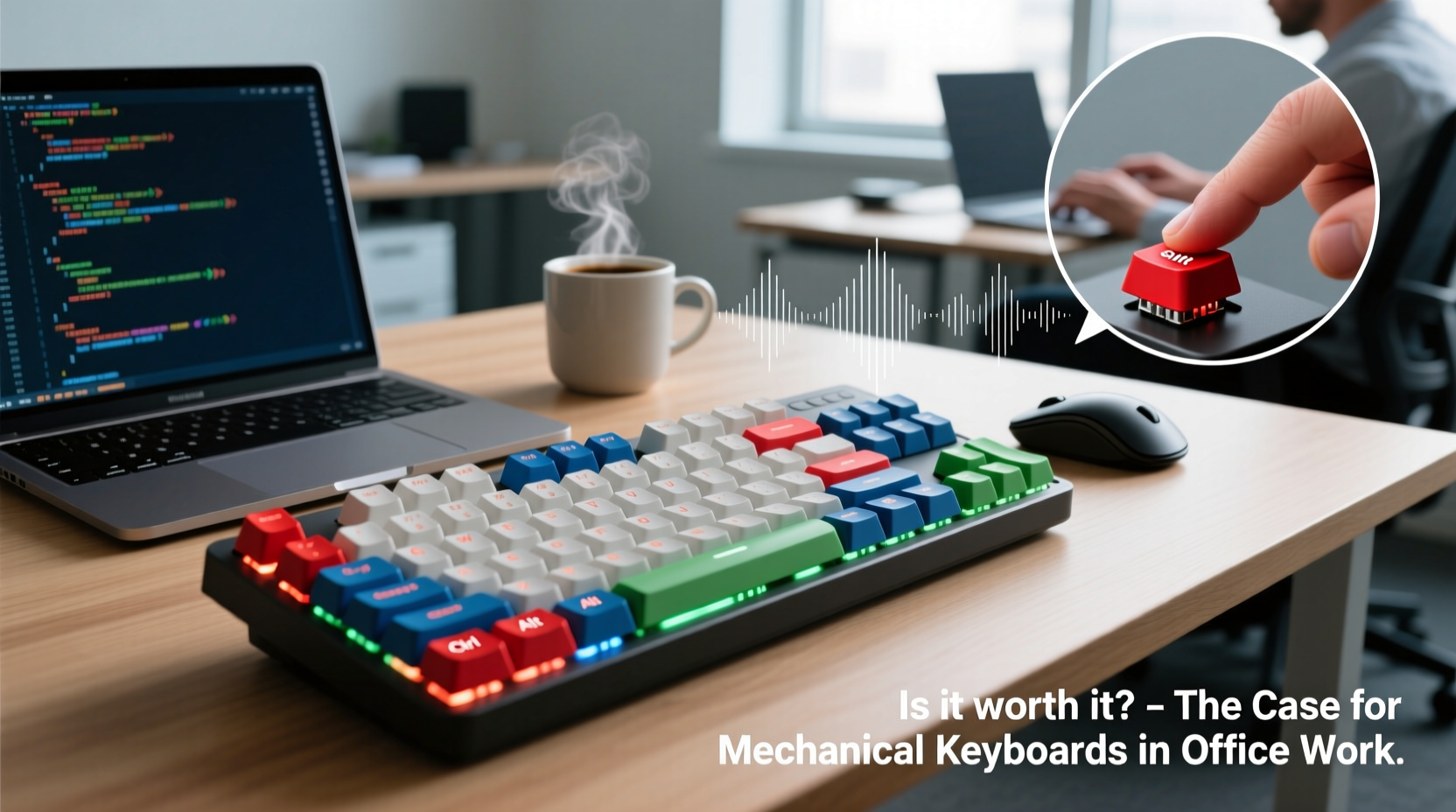
Mechanical keyboards use individual mechanical switches under each keycap, unlike membrane or scissor-switch keyboards that rely on rubber domes. This design offers several tangible advantages that directly impact office performance:
- Precision and Responsiveness: Each keystroke requires less force and registers faster due to actuation points typically at 2mm. This reduces finger fatigue during long typing sessions and minimizes typos from missed presses.
- Durability: Most mechanical switches are rated for 50–100 million keystrokes per key, compared to 5–10 million for standard membrane keyboards. For heavy typists, this can mean five or more years of reliable use.
- Ergonomic Customization: Mechanical boards come in various layouts (60%, TKL, full-size), angles, and switch types, allowing users to tailor their setup to reduce strain and improve posture.
- Tactile Feedback: The physical bump or click in certain switches provides confirmation of input without needing to bottom out keys, promoting lighter, more efficient typing.
“Typing on a well-chosen mechanical keyboard can reduce muscular effort by up to 30% over an 8-hour day.” — Dr. Lena Torres, Human Factors & Ergonomics Researcher, University of Michigan
These benefits translate into measurable gains in comfort and efficiency, especially for writers, programmers, data entry specialists, and legal professionals who spend hours at the keyboard. However, these advantages must be weighed against potential downsides — particularly sound.
Noise: The Elephant in the Open-Plan Office
Noise is the most common objection to mechanical keyboards in professional settings. Clicky switches like Cherry MX Blues or Kailh Box Whites produce sharp, high-frequency sounds with every press — often described as “typing on a typewriter” or “rice krispies popping.” In quiet environments, this can be distracting, even stressful, for nearby colleagues.
A 2021 study published in the *Journal of Environmental Psychology* found that repetitive, unpredictable auditory stimuli — such as intermittent clicking — reduced concentration and increased perceived stress levels in adjacent workers by up to 22%. The effect was most pronounced in open-plan offices where sound travels freely.
But not all mechanical keyboards are equally loud. The noise level varies significantly depending on switch type, keycap material, and whether the keyboard includes dampening features like O-rings or foam padding inside the case.
Switch Types: Choosing the Right Balance of Feel and Sound
Understanding switch types is essential when evaluating a mechanical keyboard for office use. Here’s a breakdown of the three main categories:
| Switch Type | Feel | Noise Level | Best For |
|---|---|---|---|
| Clicky (e.g., Cherry MX Blue, Razer Green) | Noticeable tactile bump with audible click | High – distinct clicking sound | Home offices, private cubicles, users who want feedback |
| Tactile (e.g., Cherry MX Brown, Zealios V2) | Subtle bump without click; moderate feedback | Medium – quieter than clicky, no sharp snap | Shared offices, hybrid environments, balanced preference |
| Linear (e.g., Cherry MX Red, Gateron Yellow) | Smooth press with no bump or click | Low – soft thock or tap, especially with mods | Open offices, fast typists, gamers, noise-sensitive areas |
For office environments, tactile and linear switches are generally recommended. They preserve the mechanical advantage — precise actuation, longevity, and ergonomic customization — while minimizing auditory disruption.
Real-World Example: A Corporate Writer’s Upgrade
Consider Sarah Kim, a technical writer at a mid-sized software firm in Seattle. She spent six hours daily documenting code and writing user guides. After two years on a standard laptop-style keyboard, she began experiencing wrist discomfort and frequent typos from missed keystrokes.
She invested $120 in a compact mechanical keyboard with Gateron Silent Red switches — linear, damped, and specifically designed for low noise. Within a week, her typing accuracy improved by 18%, and she reported a noticeable reduction in hand fatigue. Her manager initially expressed concern about noise, but after a trial period, confirmed that the keyboard was quieter than the office printer.
Sarah’s experience illustrates a growing trend: mechanical keyboards aren’t inherently disruptive. When selected thoughtfully, they can enhance productivity without compromising workplace etiquette.
How to Use a Mechanical Keyboard Respectfully in the Office
If you’re considering a mechanical keyboard for office use, follow these steps to ensure a smooth transition for yourself and your coworkers:
- Assess Your Environment: Are you in a private office, semi-open cubicle, or fully open space? Noise tolerance varies drastically across settings.
- Choose the Right Switch: Prioritize silent linear or soft tactile switches. Avoid anything labeled “clicky” unless you work remotely or in isolation.
- Test Before You Commit: Many electronics stores allow hands-on demos. Bring a colleague to gauge perceived noise from a few feet away.
- Add Sound-Dampening Mods: Even basic modifications like installing O-rings or using a foam-lined case can cut high-frequency noise by 40–60%.
- Communicate Proactively: Let nearby teammates know you’re trying a new keyboard. Offer to swap back if it becomes an issue.
“Adoption of mechanical keyboards in corporate settings has grown 70% since 2019, but success hinges on user awareness and consideration.” — Mark Delaney, IT Workplace Experience Lead at TechForward Inc.
Checklist: Is a Mechanical Keyboard Right for Your Office Setup?
Before making a purchase, go through this checklist to determine suitability:
- ✅ Do I type for more than 3 hours per day?
- ✅ Am I experiencing discomfort or fatigue with my current keyboard?
- ✅ Is my workspace private or semi-private?
- ✅ Can I choose a low-noise switch (silent linear or soft tactile)?
- ✅ Have I tested a similar model in person or watched sound tests online?
- ✅ Am I willing to revert or adjust if coworkers express concern?
- ✅ Will the long-term durability justify the higher upfront cost?
If you answered “yes” to most of these, a mechanical keyboard could be a worthwhile investment. If not, consider waiting until you have a quieter workspace or exploring premium membrane alternatives like Topre or scissor-switch models with enhanced travel.
Alternatives and Middle Grounds
Not everyone needs or wants a full mechanical board. Several alternatives offer a compromise between feel and noise:
- Topre Electro-Capacitive Keyboards: These use rubber domes with capacitive sensing and provide a smooth, slightly bouncy feel. Quieter than mechanical switches but still durable and responsive.
- Low-Profile Mechanical Switches: Brands like Logitech and Keychron now offer mechanical keyboards with shorter key travel and reduced noise, ideal for office use.
- Hybrid Membrane-Mechanical Designs: Some newer models simulate tactile feedback using advanced dome shapes and firmware tuning, bridging the gap between cost and performance.
For those unwilling to commit, renting or borrowing a mechanical keyboard for a week-long trial can provide valuable real-world insight without financial risk.
Frequently Asked Questions
Are mechanical keyboards louder than regular keyboards?
It depends. Clicky mechanical switches are significantly louder than standard membrane keyboards, especially on hard surfaces. However, silent linear or tactile switches can be quieter than some cheap plastic keyboards, particularly when combined with desk mats or internal foam.
Can I reduce the noise of my mechanical keyboard?
Yes. Effective methods include using O-rings, adding silicone pads under keycaps, placing the keyboard on a padded surface, or choosing a case with built-in sound dampening. Some enthusiasts even apply lubricant to switches (a process called “lubing”) to smooth and quiet keystrokes.
Do mechanical keyboards really improve typing speed and accuracy?
Studies show mixed results, but most indicate modest improvements in accuracy (5–12%) and reduced error correction time due to better tactile feedback. Speed gains are less consistent and depend more on individual skill and adaptation period.
Conclusion: Worth It — With Conditions
A mechanical keyboard can be absolutely worth it for office work — but only if chosen wisely. The benefits of precision, durability, and reduced physical strain are real and backed by ergonomic research. However, these advantages should never come at the expense of workplace harmony.
The key is intentionality: selecting the right switch type, respecting your environment, and being open to feedback. A well-chosen mechanical keyboard isn’t just a tool — it’s an extension of your workflow, designed to support sustained focus and comfort without disturbing those around you.




 浙公网安备
33010002000092号
浙公网安备
33010002000092号 浙B2-20120091-4
Comments
No comments yet. Why don't you start the discussion?