
In an era where smart home gadgets promise to eliminate chores with the tap of an app, the robot mop stands at the intersection of innovation and skepticism. Marketed as a hands-free solution for clean floors, these devices have flooded retail shelves and social media feeds. But behind the sleek design and automated navigation lies a critical question: Is a robot mop actually useful in everyday life, or is it destined to become another overpriced appliance gathering dust in the closet?
The answer isn’t binary. For some households, robot mops are transformative—freeing up hours each week and maintaining consistently clean floors. For others, they’re underwhelming, limited by surface compatibility, maintenance demands, and inconsistent results. The truth depends on your lifestyle, flooring type, expectations, and willingness to integrate the device into a broader cleaning routine.
How Robot Mops Work: More Than Just Automation
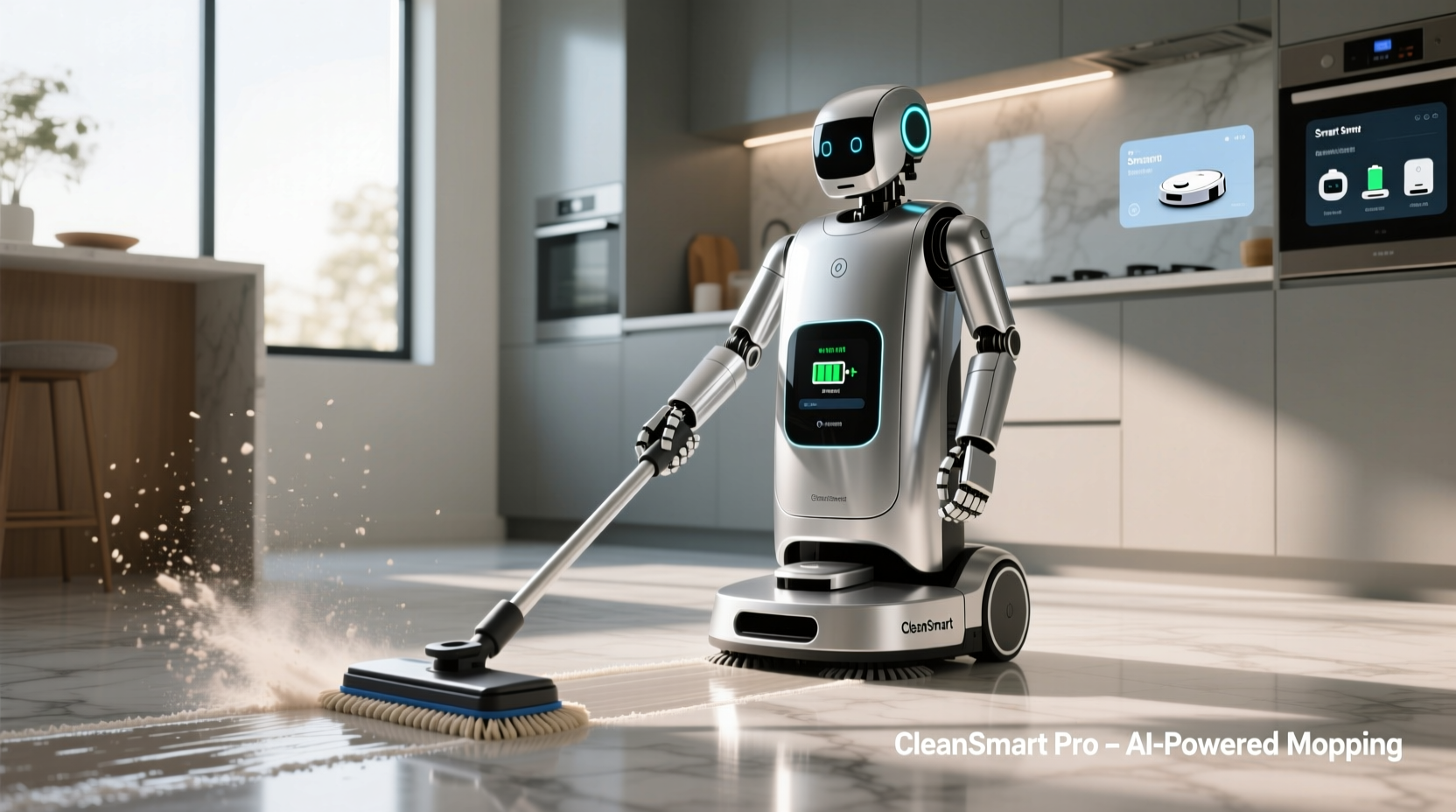
Modern robot mops are not simply robotic versions of traditional mopping. They combine navigation technology, water dispersion systems, and scheduling intelligence to automate floor maintenance. Most models use either laser-based (LIDAR) or camera-assisted mapping to create floor plans, allowing them to navigate around furniture, avoid stairs, and clean room by room.
They typically operate in two modes: dry sweeping and wet mopping. While many robot vacuums include basic mopping attachments, dedicated robot mops like the Roborock Combo series, iRobot Braava Jet, or Narwal Freo employ advanced features such as:
- Automatic water flow control for even dampness
- Self-cleaning mop pads via docking stations
- AI-powered obstacle detection (e.g., socks, pet toys)
- Scheduling through smartphone apps
- Integration with voice assistants like Alexa or Google Assistant
However, despite technological advances, no robot mop currently replicates the deep scrubbing power of manual mopping. Their effectiveness lies in maintenance, not deep cleaning. They excel at removing light debris, dust, and surface stains when used regularly—but struggle with sticky spills, grout buildup, or heavily soiled tiles.
“Robot mops aren’t replacements for human cleaning—they’re maintenance tools. Think of them as daily tidiers, not deep cleaners.” — David Lin, Home Automation Analyst at TechHome Insights
Pros and Cons: Real-World Performance Breakdown
To assess whether a robot mop earns its place in your home, consider how it performs across key practical dimensions. Below is a comparison based on thousands of user reviews, expert testing, and long-term ownership experiences.
| Factor | Advantages | Limitations |
|---|---|---|
| Cleaning Frequency | Can run daily with zero effort; ideal for homes with pets or kids | Requires consistent emptying, refilling, and pad washing |
| Floor Compatibility | Works well on hardwood, tile, laminate, and vinyl | Poor performance on carpets, rugs, or textured surfaces |
| Water Control | Smart models adjust moisture levels automatically | Lower-end units may leave puddles or overly saturated floors |
| Maintenance Effort | Docking stations auto-empty, wash, and refill water | Manual cleaning still required weekly; filters and tanks need attention |
| Cost | Long-term savings on time and labor | High upfront cost ($400–$1,000); replacement parts add up |
The data shows that while robot mops offer tangible benefits in convenience and consistency, they come with trade-offs in reliability, adaptability, and ongoing upkeep. Their usefulness scales directly with how well they align with your household’s specific needs.
Who Actually Benefits From a Robot Mop?
Not every home will see value from a robot mop. The most satisfied users tend to share common traits:
- Busy professionals who want to minimize time spent on chores
- Families with pets or young children, where messes accumulate daily
- Owners of hard-surface flooring like tile, stone, or engineered wood
- Tech-comfortable individuals willing to troubleshoot software updates or connectivity issues
Conversely, robot mops often disappoint those living in older homes with cluttered layouts, multi-level residences without stair-climbing capabilities, or anyone expecting hospital-grade sanitation without manual intervention.
A Real Example: Sarah’s Experience in Austin, TX
Sarah, a nurse and mother of two, purchased a Roborock Q5 Max after months of debate. Her 1,400-square-foot home has open-concept tile flooring, two dogs, and constant foot traffic. She set the robot to run every evening at 7 PM.
“The first week was frustrating,” she admits. “It got stuck under the dining table and missed spots near baseboards. But after adjusting the virtual boundaries in the app and switching to the low-moisture setting, it started working beautifully.”
Now, six months later, she runs it five times a week. She still does a deep mop once a month, but says, “I haven’t had to do a full house wipe-down since I got it. It keeps the dog hair and tracked-in dirt under control better than I ever did manually.”
Her story reflects a growing trend: success often comes not from plug-and-play perfection, but from calibration, patience, and realistic expectations.
Maximizing Your Investment: A Step-by-Step Setup Guide
Getting real value from a robot mop requires more than unboxing and pressing start. Follow this timeline to ensure optimal performance and longevity.
- Day 1: Unbox and Charge – Fully charge the unit and install any necessary apps. Connect to Wi-Fi and complete firmware updates before first use.
- Day 2: Run Mapping Cycle – Let the robot scan your home without mopping. Observe navigation patterns and identify problem areas (tight corners, dark rugs).
- Day 3: Set Virtual Boundaries – Use the app to block off zones like pet feeding areas, delicate rugs, or clutter-prone spaces.
- Day 4: First Mop Test – Attach the mop pad, fill the water tank, and run a short cycle on one room. Check for streaks, oversaturation, or missed spots.
- Day 5–7: Adjust Settings – Fine-tune water flow, cleaning frequency, and suction power. Switch between zone cleaning and full-home mode based on results.
- Week 2+: Establish Routine – Schedule automatic runs during low-traffic hours. Empty the dirty water tank and rinse the mop pad after each use if no self-cleaning dock is available.
This phased approach prevents early frustration and helps you identify limitations before committing to daily use.
Common Mistakes That Lead to Disuse
Many robot mops end up unused not because they fail, but because owners make avoidable errors. Here’s what to watch out for:
- Skipping maintenance: Failing to clean sensors, replace filters, or wash mop pads leads to poor performance and odors.
- Overestimating capabilities: Expecting it to handle dried-on spaghetti sauce or muddy paw prints will lead to disappointment.
- Ignoring floor prep: Leaving socks, cords, or loose papers on the floor causes jams and aborted cycles.
- Using tap water: Hard water leaves mineral deposits. Use distilled water to protect internal components.
- Buying based on price alone: Entry-level models lack smart navigation and adjustable water flow, drastically reducing effectiveness.
Checklist: Before You Buy a Robot Mop
- ✅ Do I have mostly hard-surface flooring?
- ✅ Am I willing to maintain the device weekly?
- ✅ Does my home layout allow for clear navigation paths?
- ✅ Can I afford $500+ for a reliable model with good reviews?
- ✅ Do I already own a robot vacuum, or would I benefit from a combo unit?
- ✅ Am I comfortable using a smartphone app for setup and control?
If you answered “no” to three or more, a robot mop may not be worth the investment—at least not yet.
FAQ: Common Questions About Robot Mops
Do robot mops really clean well?
They clean adequately for daily maintenance. They remove dust, light debris, and surface spills effectively but cannot scrub grout or remove tough stains. For best results, pair them with occasional manual mopping.
Can I leave my robot mop unattended?
Yes, most modern models are safe to run while you're away. However, avoid leaving them on thick rugs or near open liquids. Units with AI obstacle avoidance (like the Roborock S8 Pro Ultra) are safest for unsupervised operation.
How long do robot mops last?
With proper care, most last 3–5 years. Key wear parts include mop pads (replace every 1–3 months), filters (every 6 months), and batteries (degrade after ~2 years). High-end models with self-cleaning docks tend to last longer due to reduced manual handling.
Conclusion: A Tool, Not a Miracle
A robot mop is neither a revolutionary must-have nor a pointless gimmick. Its usefulness hinges entirely on alignment with your lifestyle and expectations. For those with compatible homes and a commitment to light, frequent cleaning, it can save hours per month and keep floors visibly cleaner. For others—especially those with high-pile carpets, irregular layouts, or deep-cleaning demands—it may join the ranks of forgotten gadgets.
The key is understanding its role: not as a replacement for human effort, but as a supplement. When used correctly, it shifts cleaning from reactive chore to passive maintenance. And in a world where time is the rarest commodity, that subtle shift can make all the difference.




 浙公网安备
33010002000092号
浙公网安备
33010002000092号 浙B2-20120091-4
Comments
No comments yet. Why don't you start the discussion?