
For renters, upgrading a living space can feel like walking a tightrope—balancing personal comfort with lease restrictions. One upgrade gaining popularity is the smart doorbell. These devices offer real-time video monitoring, two-way audio, motion alerts, and integration with smart home systems. But when you don’t own the property, questions arise: Is installing a smart doorbell allowed? Will it damage the doorframe or wiring? And most importantly, is it worth the investment?
The answer isn't a simple yes or no. For many renters, a smart doorbell enhances security, convenience, and peace of mind—especially in neighborhoods with high foot traffic or frequent package deliveries. With the right model and installation method, it’s possible to enjoy these benefits without violating your lease or leaving permanent marks.
Why Renters Should Consider a Smart Doorbell
Renters often face limitations when it comes to home improvements, but security shouldn’t be one of them. Traditional doorbells offer little protection beyond a chime. A smart doorbell, on the other hand, acts as a virtual doorman. You can see who’s at the door from your phone, even when you're not home. This is particularly useful for receiving deliveries, screening visitors, or monitoring suspicious activity.
According to a 2023 report by Parks Associates, households with smart doorbells experienced a 25% reduction in porch theft incidents. For renters managing unpredictable schedules or living alone, that added layer of awareness makes a tangible difference.
“Smart doorbells are no longer luxury items—they’re practical tools for urban dwellers and remote workers alike.” — Sarah Lin, Home Security Analyst at TechHaven Research
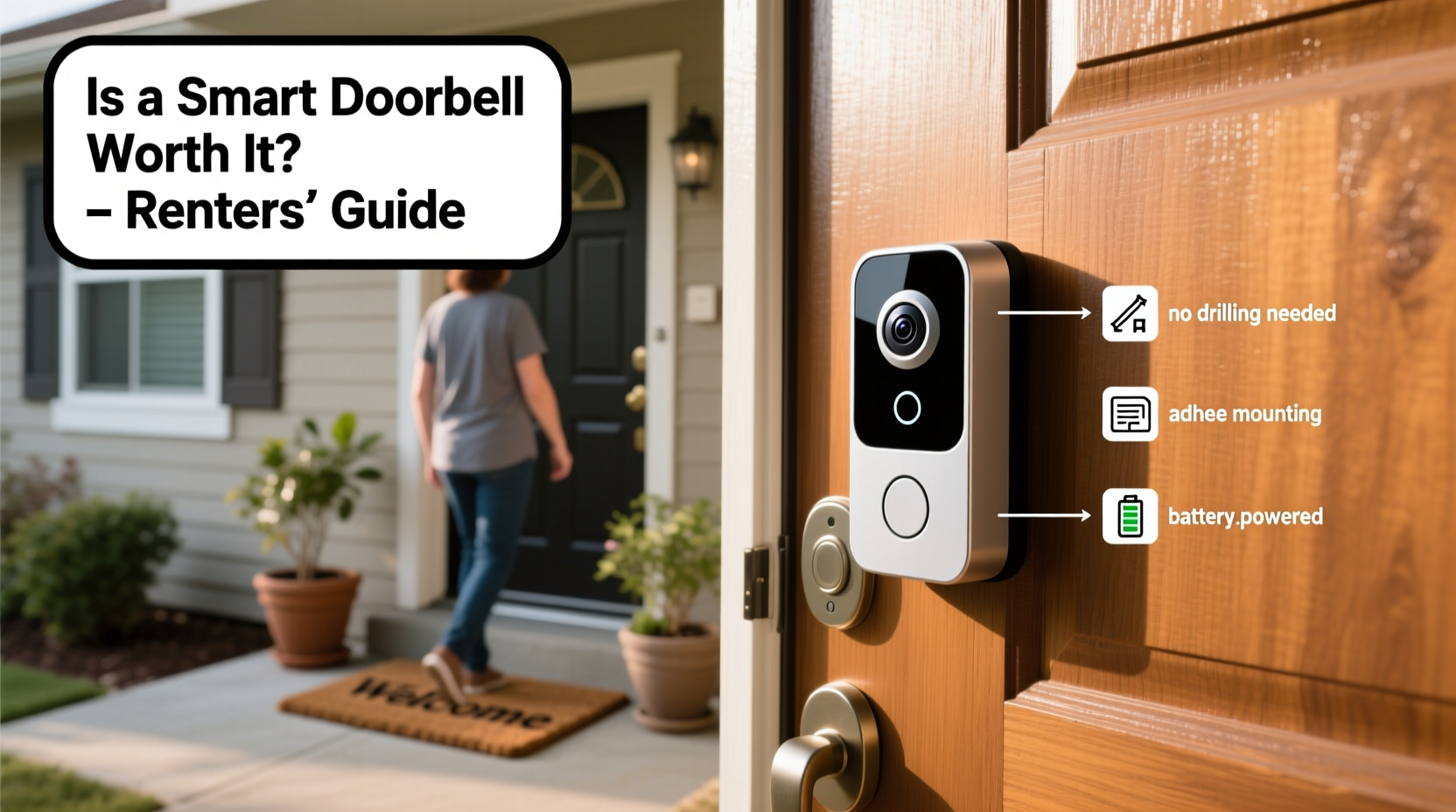
Moreover, many modern smart doorbells are designed with renters in mind. Battery-powered models, magnetic mounting systems, and peel-and-stick adhesives allow for non-invasive installation. Some even operate entirely wirelessly, using solar panels or removable batteries that last months on a single charge.
Installation Tips for Renters: No Drilling, No Damage
One of the biggest concerns for renters is damaging the property during installation. Most leases prohibit structural changes, including drilling into doors or walls. Fortunately, several strategies let you install a smart doorbell without breaking any rules—or drywall.
Choose the Right Type of Smart Doorbell
Not all smart doorbells require hardwiring. The key is selecting a model built for flexibility:
- Battery-powered units: These eliminate the need for existing doorbell wiring. They’re easy to remove and reinstall elsewhere.
- Magnetic mounts: Some brands use strong magnets instead of screws, allowing quick attachment and detachment.
- Peel-and-stick adhesive pads: Ideal for temporary setups, especially on metal or smooth surfaces.
- Solar-charging options: Extend battery life and reduce maintenance.
Use a Mounting Plate Instead of Screws
If your preferred model typically requires screws, consider purchasing an optional magnetic or adhesive mounting plate. These accessories attach to the door or wall using industrial-strength adhesive (like 3M VHB tape), which holds securely but can be removed cleanly with heat and gentle pulling.
Always clean the surface thoroughly with alcohol before applying any adhesive. Allow 24 hours for full bond strength before attaching the device.
Position Strategically Without Modifying the Frame
You don’t need to replace your existing doorbell. Many renters install their smart doorbell above or beside the current unit. As long as the camera has a clear view of the entryway and motion sensors cover the approach path, placement is flexible.
Avoid blocking windows or peepholes. Aim for a height between 40 and 48 inches from the ground for optimal facial recognition and field of view.
Step-by-Step Installation Guide for Renters
Follow this timeline to set up your smart doorbell safely and legally:
- Review Your Lease Agreement (Day 1): Check clauses related to alterations, electrical work, and security devices. If unsure, ask your landlord for written permission.
- Select a Renter-Friendly Model (Day 2–3): Prioritize battery-powered, wireless options with magnetic or adhesive mounting.
- Gather Supplies (Day 4): Purchase mounting tape, cleaning wipes, and possibly a small level tool. No drill needed.
- Prepare the Surface (Day 5): Clean the installation area with rubbing alcohol. Let dry completely.
- Attach Mounting Base (Day 5): Apply adhesive pad or magnetic plate. Press firmly for 30 seconds. Wait 24 hours before proceeding.
- Mount the Device (Day 6): Snap or stick the doorbell onto the base. Ensure it's level and stable.
- Connect to Wi-Fi & App (Day 6): Download the manufacturer’s app, create an account, and follow setup prompts.
- Test Motion Zones & Alerts (Day 7): Walk toward the door to verify detection. Adjust sensitivity in the app to reduce false alarms.
This entire process takes less than two hours of active time and leaves no lasting impact on the property.
Do’s and Don’ts: A Renter’s Smart Doorbell Checklist
| Do’s | Don’ts |
|---|---|
| ✔️ Choose battery-powered or wireless models | ❌ Drill holes without landlord approval |
| ✔️ Use high-adhesion tape or magnetic mounts | ❌ Modify doorbell wiring unless permitted |
| ✔️ Label wires and take photos before disconnecting old hardware | ❌ Install in direct sunlight (can overheat camera) |
| ✔️ Set custom motion zones to avoid street traffic | ❌ Ignore privacy laws—inform neighbors if recording shared spaces |
| ✔️ Remove and rehome the device when moving out | ❌ Leave behind damaged mounting points or residue |
Real Example: How Maya Installed a Smart Doorbell in Her Apartment
Maya, a freelance graphic designer renting a second-floor apartment in Chicago, was tired of missing deliveries and feeling uneasy about strangers lingering near her front door. Her building had no doorman, and the hallway lighting was poor after sunset.
She researched smart doorbells and chose the Eufy SoloCam S340—a weatherproof, battery-powered model with local storage and AI-based person detection. It didn’t require wiring or drilling.
Using a 3M Command Outdoor Strip, she mounted the camera just above her existing doorbell. She cleaned the metal doorframe with alcohol, applied the strip, waited a day, then attached the camera. Setup took 15 minutes in the app.
Within a week, the doorbell alerted her to a package thief attempting to grab a delivery. She used the two-way talk feature to shout, “I’m watching you!”—which startled the individual into fleeing. She reported the incident to building management with timestamped footage.
When her lease ended six months later, she removed the mount with a hairdryer and gently peeled off the adhesive. The doorframe showed no damage. She took the camera to her next apartment, where she reused the same method.
Frequently Asked Questions
Can I install a smart doorbell if my rental doesn’t have a wired doorbell?
Absolutely. Many smart doorbells are standalone units that don’t rely on existing wiring. Battery-powered models function independently and only require Wi-Fi and a mounting solution. Some even double as indoor security cameras when moved inside during bad weather.
Will my landlord allow a smart doorbell?
It depends on your lease and communication. Present it as a safety enhancement, not a renovation. Offer to remove it upon move-out and repair any minor wear. Providing a copy of the user manual or warranty can reassure landlords unfamiliar with the technology.
What happens if I get locked out or lose power?
Smart doorbells don’t control door locks unless integrated with a smart lock system. Most only provide video and audio feedback. In case of Wi-Fi or power outage, battery models continue recording locally (if equipped with SD cards). Cloud subscriptions may pause live alerts until service resumes.
Is a Smart Doorbell Worth It for Renters?
The value of a smart doorbell extends beyond convenience—it’s about control, awareness, and safety in a space you don’t own. For less than $150, you can gain 24/7 monitoring, deter crime, and document interactions at your doorstep. Unlike painting or shelving, this upgrade moves with you.
Modern technology has closed the gap between ownership and tenancy. You don’t need to own a home to benefit from intelligent security. With careful selection and non-invasive installation, a smart doorbell becomes a portable asset rather than a lease violation.
And unlike furniture or decor, its utility grows over time. Each alert, recorded event, or intercepted delivery adds to its return on investment. For renters seeking autonomy and peace of mind, few upgrades deliver more impact per dollar.
“Renters deserve smart home benefits too. The right device respects both your rights and your responsibilities.” — Carlos Mendez, Urban Living Technology Consultant
Final Checklist Before You Buy
- ✅ Confirm compatibility with your smartphone OS (iOS/Android)
- ✅ Verify Wi-Fi signal strength at your front door
- ✅ Check battery life estimates and charging method
- ✅ Review data storage options (cloud vs. local)
- ✅ Read lease terms regarding modifications
- ✅ Test removal method beforehand (e.g., practice with tape on another surface)




 浙公网安备
33010002000092号
浙公网安备
33010002000092号 浙B2-20120091-4
Comments
No comments yet. Why don't you start the discussion?