
For apartment dwellers who regularly host guests—whether friends, family, cleaners, dog walkers, or Airbnb visitors—managing access can become a logistical challenge. Traditional keys are easy to lose, duplicate without consent, or leave behind in coat pockets. Smart locks offer a modern solution, but many renters wonder: are they truly worth the investment? The answer depends on your lifestyle, lease agreement, and how much control and convenience you value in daily living.
Smart locks eliminate the need for physical keys by allowing entry via PIN codes, smartphone apps, voice commands, or biometrics. For those juggling multiple guest entries per week, this technology can streamline access, enhance security transparency, and reduce stress around lost keys. However, there are caveats—especially in rental properties where landlord approval and long-term modifications may be restricted.
Why Frequent Guests Complicate Access Management
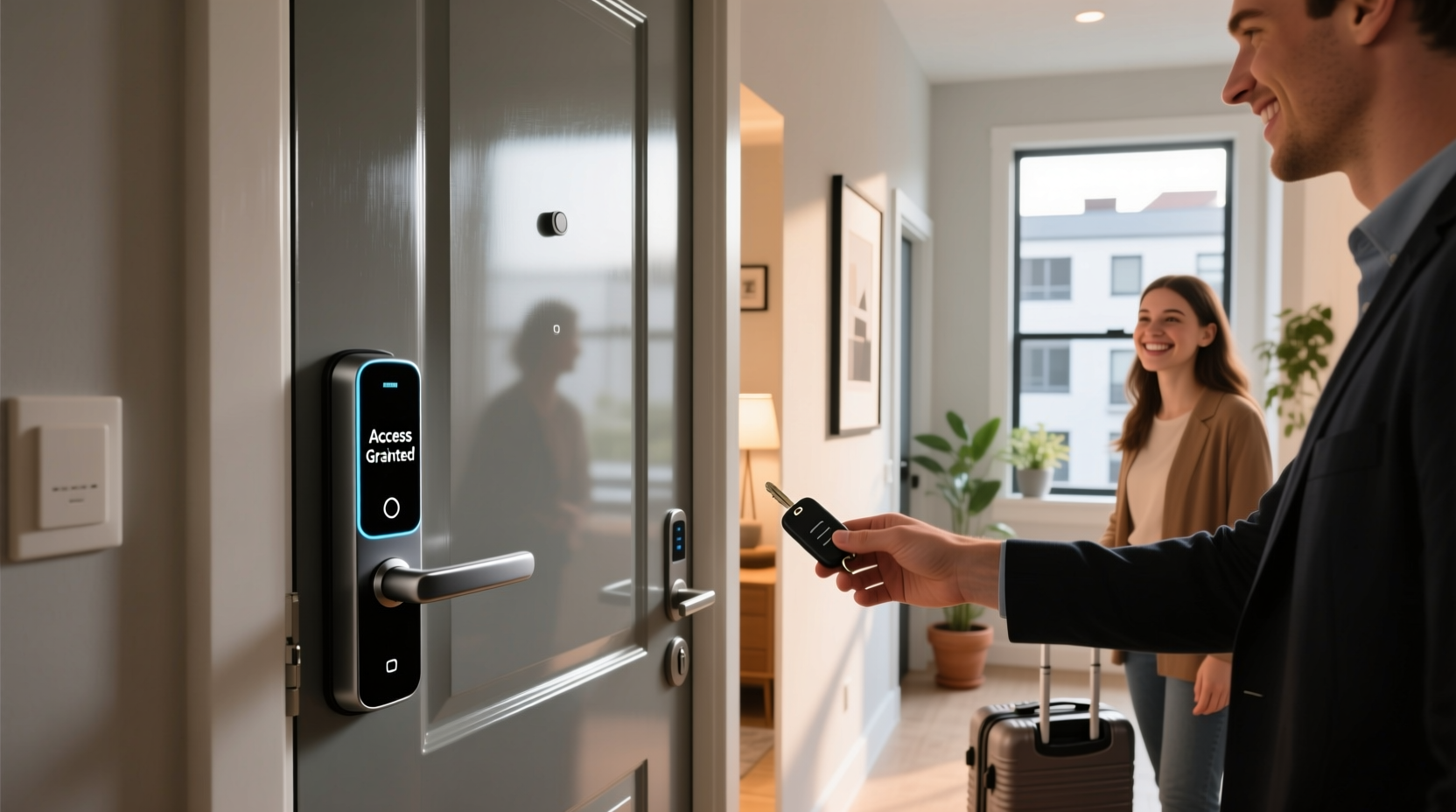
In a typical urban apartment setting, hosting guests isn’t just about socializing. It often includes recurring service providers like housekeepers, pet sitters, or maintenance workers. Each visit introduces a new access point—and potential risk.
With traditional keys, landlords or tenants might resort to leaving spare keys under mats, in lockboxes, or with neighbors. These methods are convenient but inherently insecure. A misplaced key can lead to unauthorized duplication or even break-ins. Moreover, once a key is handed over, there’s no way to revoke access remotely unless the entire lock is rekeyed—a costly and time-consuming process.
Smart locks address these issues by enabling temporary, time-limited access codes. You can generate a unique PIN for your weekend guest that expires Sunday night, or provide a weekly code for your cleaning service that resets every Monday. This granular control reduces reliance on physical handoffs and increases peace of mind.
Key Benefits of Smart Locks in Guest-Frequent Apartments
- Remote Access Control: Grant or revoke entry from anywhere using a smartphone app. Ideal when a guest arrives early or a cleaner shows up unannounced.
- No More Spare Keys: Eliminate the hassle of hiding keys or rushing home to let someone in.
- Entry Logs: Most smart locks maintain a digital log showing who entered and when. Useful for tracking service visits or identifying unauthorized access.
- Integration with Smart Home Systems: Pair with Alexa, Google Assistant, or Apple HomeKit to automate routines (e.g., “Unlock front door” via voice).
- Customizable Codes: Assign permanent codes to family and temporary ones to guests, all managed through a single dashboard.
The ability to audit access is particularly valuable. Imagine you’ve scheduled a plumber while at work. Your smart lock notifies you when they arrive and enter. After they leave, you receive confirmation the door locked automatically. No guessing, no trust issues—just verified data.
“Smart locks give renters more autonomy over their space, especially when managing third-party access. It's not just about convenience—it's about accountability.” — Jordan Lee, Residential Security Consultant
Installation and Rental Considerations
One major concern for apartment renters is whether installing a smart lock violates their lease. Many landlords prohibit permanent modifications to doors or locks. However, most modern smart locks are designed as retrofit devices—they replace only the interior side of the deadbolt, leaving the exterior untouched and fully reversible.
Popular models like the August Wi-Fi Smart Lock or Ultraloq U-Bolt Pro fit over existing deadbolts and don’t require drilling or wiring. They operate on batteries and maintain compatibility with original keys, ensuring compliance with fire safety regulations and landlord policies.
Still, it’s essential to notify your landlord before installation. Frame the upgrade as a security enhancement rather than a modification. Emphasize features like automatic locking and entry logs, which benefit both tenant and property owner.
| Smart Lock Type | Renter-Friendly? | Battery Life | Wi-Fi Required? |
|---|---|---|---|
| August Wi-Fi 4th Gen | Yes – no drilling | Up to 3 years | Yes |
| Ultraloq U-Bolt Pro | Yes – reversible install | Up to 2 years | No (Bluetooth + optional bridge) |
| Schlage Encode Plus | Limited – full replacement | Integrated with home power | Yes |
| Yale Assure Lock 2 | Yes – modular design | Up to 1 year | No (add-on module needed) |
If your landlord denies permission, consider alternatives like smart doorbells with remote unlock integration or standalone keypad add-ons that attach over existing locks. While less seamless, they still offer some level of code-based access.
Step-by-Step Guide to Setting Up Guest Access
Once your smart lock is installed and connected to your home network, follow this sequence to manage frequent guests effectively:
- Download the Manufacturer App: Install the official app (e.g., August, Yale Access) and create an account.
- Pair the Lock: Follow in-app instructions to sync the device via Bluetooth or Wi-Fi.
- Test Manual & Remote Unlocking: Ensure the lock responds to app commands and auto-locks as configured.
- Create Permanent Codes: Assign static PINs to household members (e.g., “Partner Code,” “Your Code”).
- Generate Temporary Codes: For guests, use the “Guest Access” feature to set start/end times and days of access.
- Send Codes Securely: Share PINs via encrypted messaging or email—not text messages or sticky notes.
- Monitor Entry Logs: Check the activity feed after each visit to confirm entry and exit.
- Revoke Access Immediately: Delete expired codes manually to prevent reuse.
This system works exceptionally well for rotating guests. For example, if you host a different friend each weekend, you can pre-schedule monthly access windows and send individualized codes on Friday mornings. No last-minute coordination needed.
Real-World Example: Managing a Shared Apartment with Rotating Visitors
Sophia and Marcus live in a two-bedroom apartment in Seattle and frequently host out-of-town friends. They also hire a biweekly cleaner and a dog walker during weekdays. Before getting a smart lock, they struggled with spare key management—often having to reschedule visits when keys were misplaced or returned late.
They installed an August Wi-Fi Smart Lock after confirming with their landlord that it met lease requirements. Using the app, they created three permanent codes (for themselves and a trusted roommate) and began scheduling temporary access:
- Cleaner: Biweekly code valid only on Tuesdays from 10 AM–12 PM.
- Dog Walker: Daily access Mon–Fri, 7–9 AM and 5–7 PM.
- Weekend Guests: 48-hour codes sent upon arrival confirmation.
Within a month, they noticed fewer scheduling conflicts and greater confidence in home security. When a guest accidentally left the door unlocked, the app alerted them, and they remotely secured it from work. Over six months, they saved over $120 in potential locksmith fees and avoided one suspected unauthorized access attempt thanks to the entry log.
Potential Drawbacks and How to Mitigate Them
Despite their advantages, smart locks aren’t foolproof. Awareness of limitations ensures safer usage:
- Battery Failure: Dead batteries can lock you out. Mitigation: Choose models with low-battery alerts and backup power options (e.g., 9V battery terminal or USB-C port).
- Wi-Fi Dependency: Some locks require constant internet for remote access. Mitigation: Use local Bluetooth control or invest in a Wi-Fi bridge for offline functionality.
- Technical Glitches: Firmware bugs or app crashes can disrupt access. Mitigation: Keep software updated and maintain your original key as a backup.
- Code Sharing Risks: Guests may share PINs with others unknowingly. Mitigation: Use short validity periods and avoid repeating codes.
- Initial Cost: Quality smart locks range from $150–$300. Mitigation: View it as a long-term investment in convenience and security—especially if you host guests weekly.
Checklist: Is a Smart Lock Right for Your Apartment?
Use this checklist to evaluate whether a smart lock makes sense for your situation:
- ☑ I host guests or service providers at least twice a month.
- ☑ I’m frustrated with spare key logistics or past lockout incidents.
- ☑ My apartment door is compatible with retrofit smart locks.
- ☑ I have stable Wi-Fi and am comfortable using smartphone apps.
- ☑ My landlord allows reversible lock modifications (or I’m willing to ask).
- ☑ I prioritize security logging and remote access capabilities.
- ☑ I can afford a one-time investment of $150–$250.
If you checked four or more boxes, a smart lock is likely a worthwhile upgrade.
Frequently Asked Questions
Can I still use a physical key with a smart lock?
Yes, nearly all renter-friendly smart locks preserve the original keyway. This ensures emergency access and compliance with building codes. You’ll still receive physical keys and can use them at any time.
What happens if my phone dies or the internet goes down?
Most smart locks continue to function locally via keypad or fingerprint. You can still enter using your PIN or biometric scan. Remote access will be unavailable until connectivity resumes, but scheduled codes remain active.
Are smart locks vulnerable to hacking?
All connected devices carry some risk, but reputable brands use end-to-end encryption, two-factor authentication, and regular firmware updates. Avoid weak passwords and public Wi-Fi when managing your lock. The likelihood of a break-in via digital hacking is far lower than physical lock picking or key theft.
Final Thoughts: Convenience Meets Control
For apartment residents who regularly welcome guests, a smart lock isn’t just a gadget—it’s a tool for reclaiming time, reducing anxiety, and maintaining control over personal space. The ability to grant precise, temporary access without sacrificing security transforms how we think about hospitality in urban living.
While not universally suitable—especially in restrictive rental agreements—the majority of modern smart locks are designed with renters in mind. They’re non-permanent, user-friendly, and increasingly affordable. When paired with good digital hygiene and clear communication, they offer a smarter way to manage comings and goings.




 浙公网安备
33010002000092号
浙公网安备
33010002000092号 浙B2-20120091-4
Comments
No comments yet. Why don't you start the discussion?