
Remote work has reshaped how we think about our home offices. With more people spending eight or more hours daily at a desk, ergonomics and long-term health have moved to the forefront. One of the most debated solutions is the standing desk converter—a device that sits on top of your existing desk and allows you to switch between sitting and standing positions. But with limited space in home offices and budgets to consider, many ask: Is it really worth the investment?
The answer isn’t a simple yes or no. It depends on your work habits, physical needs, available space, and long-term goals. This article examines the real value of standing desk converters for remote workers, weighing the health benefits against practical drawbacks like cost and footprint.
Understanding the Health Risks of Prolonged Sitting
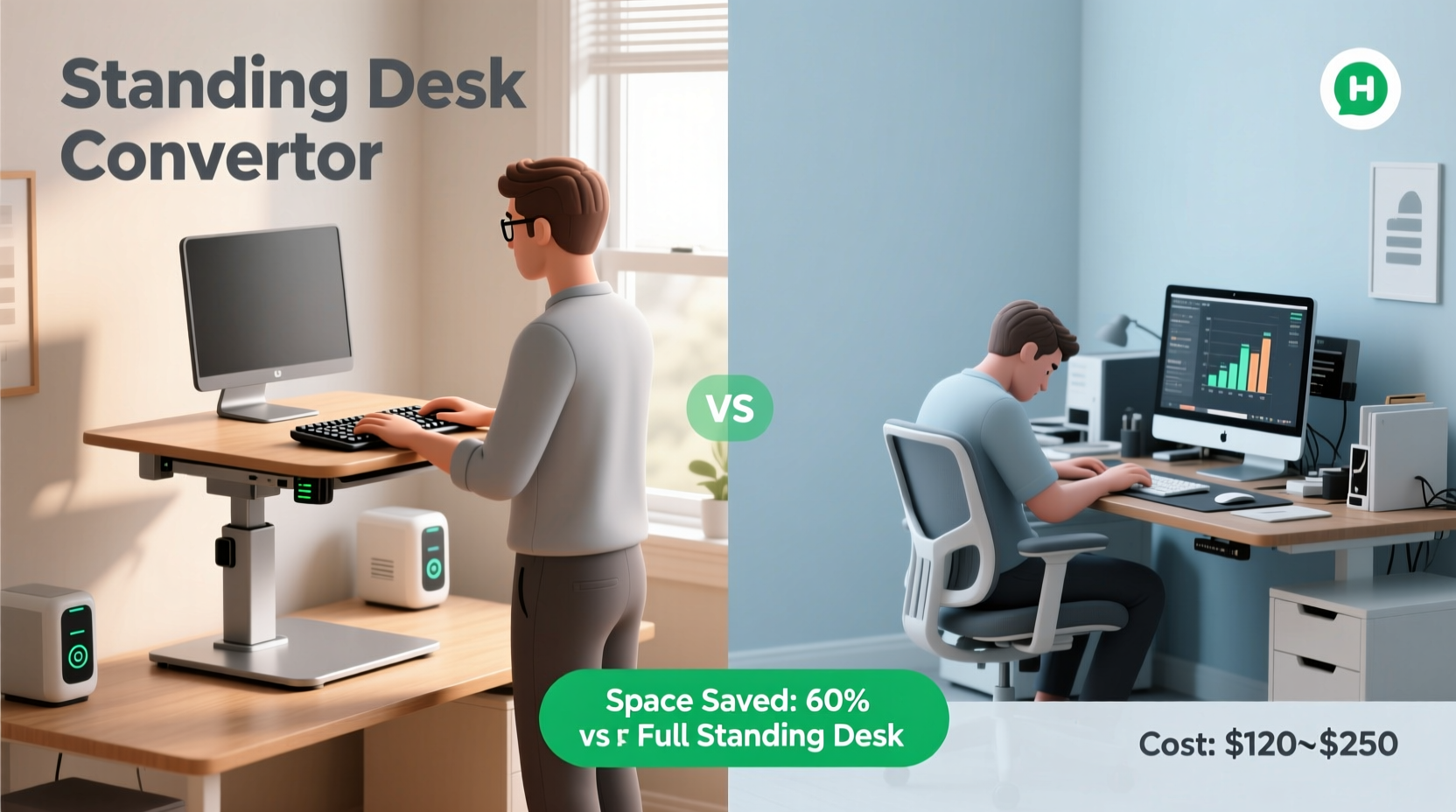
Sitting for extended periods has been linked to a range of health concerns. Studies show that individuals who sit for more than six hours a day face a 40% higher risk of cardiovascular disease compared to those who sit less than three hours. The human body wasn't designed for static postures, and prolonged sitting slows circulation, reduces metabolic activity, and contributes to poor posture and musculoskeletal strain.
According to Dr. James Levine, a leading researcher in non-exercise activity thermogenesis (NEAT), “Sitting is more dangerous than smoking, kills more people than HIV, and is responsible for turning what should be healthy bodies into diseased ones.” While this may sound dramatic, the underlying message is clear: movement matters.
Standing desk converters offer a practical compromise—allowing users to integrate movement into their workday without overhauling their entire workspace. By alternating between sitting and standing every 30 to 60 minutes, remote workers can reduce spinal compression, improve blood flow, and increase calorie expenditure by up to 10–20% during active standing periods.
Cost vs. Value: What Are You Really Paying For?
Standing desk converters range from $150 for basic manual models to over $500 for advanced electric versions with programmable height settings. At first glance, this may seem steep—especially when compared to a traditional chair or desk. But evaluating cost requires looking beyond the price tag to long-term value.
Consider this: chronic back pain affects nearly 80% of adults at some point in their lives, often due to poor workstation ergonomics. A single visit to a physical therapist can cost $100–$200, and recurring treatments add up quickly. Investing in a standing desk converter may prevent such issues, effectively paying for itself in avoided medical expenses and lost productivity.
Moreover, productivity studies suggest that employees using sit-stand setups report improved focus and energy levels. A 2016 Texas A&M study found that call center workers using standing desks were 46% more productive over a six-month period than their seated counterparts.
Space Efficiency: Do Converters Fit in Small Home Offices?
One of the biggest concerns for remote workers is space. Many operate from spare bedrooms, kitchen counters, or compact apartments where every square foot counts. Full standing desks require dedicated floor space and often mean replacing an existing desk—something not feasible for renters or those with limited room.
This is where standing desk converters shine. Unlike full-height adjustable desks, they don’t require new furniture. They sit directly on your current surface, making them ideal for temporary or shared workspaces. Most models are designed to be low-profile when lowered and stable when raised, minimizing visual clutter.
However, not all converters are created equal. Some bulky models can extend beyond the edge of a small desk, creating instability or reducing usable workspace. When shopping, measure your desk depth and width carefully. Aim for a converter that leaves at least 4 inches of clearance on all sides when fully extended.
“Even a modest improvement in posture can reduce neck and shoulder strain by up to 50% over time.” — Dr. Sarah Kim, Occupational Therapist
Comparison: Standing Desk Converter vs. Full Standing Desk
| Feature | Standing Desk Converter | Full Standing Desk |
|---|---|---|
| Upfront Cost | $150–$500 | $300–$1,200+ |
| Floor Space Required | None (uses existing desk) | Full footprint replacement |
| Mobility & Portability | High (can be moved between desks) | Low (fixed structure) |
| Ease of Installation | Minutes (no tools required) | 30+ minutes (assembly needed) |
| Lift Capacity | 15–30 lbs (varies by model) | 35–50+ lbs |
| Aesthetic Integration | Depends on design; may look added-on | Cleaner, built-in appearance |
As shown, converters win on affordability, flexibility, and space efficiency. However, they may lack the stability and load capacity of full standing desks—especially for users with multiple monitors or heavy equipment.
Real-World Example: How One Remote Worker Transformed Her Setup
Emily R., a freelance graphic designer based in Portland, worked from her dining table for two years after transitioning to remote work. She began experiencing lower back pain and frequent fatigue by mid-afternoon. After researching solutions, she invested $220 in a dual-motor electric standing desk converter.
At first, she was skeptical about the space it took up. But once installed, she found she could easily raise and lower it throughout the day. She set phone reminders to alternate positions every 45 minutes. Within three weeks, her back pain diminished significantly. More surprisingly, she noticed she was completing tasks faster and taking fewer breaks.
“I used to dread afternoon work,” Emily said. “Now I actually look forward to standing sessions—they give me a second wind.”
Her only regret? Not doing it sooner.
Choosing the Right Model: A Buyer’s Checklist
Selecting the right standing desk converter involves more than just budget and size. Here’s a checklist to guide your decision:
- Ergonomic Design: Ensure the platform allows your elbows to rest at 90 degrees when typing and your monitor at eye level.
- Weight Capacity: Confirm it can support your monitor(s), laptop, and accessories without wobbling.
- Adjustment Mechanism: Electric models offer smoother transitions; manual crank or spring-lift options are cheaper but slower.
- Desktop Clearance: Check minimum desk thickness and maximum clamp depth to ensure compatibility.
- Cable Management: Look for built-in channels or clips to keep cords organized and safe.
- Stability: Read reviews focusing on shake or wobble during use—especially important for precision work like drawing or coding.
- Warranty: Reputable brands offer 3–5 year warranties, reflecting confidence in durability.
Step-by-Step Guide to Integrating a Standing Desk Converter Into Your Routine
Buying a converter is only half the battle. To get lasting benefits, you need to use it consistently and correctly. Follow this timeline to build a sustainable habit:
- Week 1: Set Up and Test
Install the converter and test its range of motion. Place your monitor and keyboard in optimal positions. Sit and stand briefly to assess comfort. - Week 2: Start Slow
Stand for 15–20 minutes per hour. Use a timer or smartwatch alert to remind you. Wear supportive footwear or use an anti-fatigue mat. - Week 3: Increase Duration
Gradually extend standing periods to 30 minutes per hour. Monitor for signs of discomfort—especially in feet, knees, or lower back. - Week 4: Optimize Workflow
Adjust your schedule to align standing sessions with high-focus tasks (e.g., writing, coding). Reserve sitting for meetings or reading. - Ongoing: Listen to Your Body
Alternate every 30–60 minutes. Never force prolonged standing. Discomfort is a signal to adjust, not endure.
Consistency beats intensity. Even short standing intervals throughout the day yield measurable health benefits over time.
Frequently Asked Questions
Can a standing desk converter help with weight loss?
While not a substitute for exercise, standing burns approximately 0.15 more calories per minute than sitting. Over an 8-hour workday, this adds up to roughly 70 extra calories burned. Combined with reduced sedentary behavior, it supports metabolic health and can contribute to long-term weight management—but significant weight loss requires diet and physical activity.
Are standing desk converters noisy?
Manual models produce no noise. Electric converters emit a low hum during adjustment, typically under 50 decibels—comparable to a quiet conversation. Most users find the sound unobtrusive, especially in private home offices.
Do I need special shoes or a mat to use one?
While not mandatory, supportive shoes or an anti-fatigue mat make standing more comfortable. Mats encourage subtle muscle engagement, improving circulation and reducing joint strain. Avoid standing barefoot on hard surfaces for extended periods.
Final Verdict: Who Should Buy a Standing Desk Converter?
For remote workers dealing with back pain, low energy, or stagnant routines, a standing desk converter is more than a gadget—it’s a wellness tool. It offers a flexible, space-saving way to introduce movement into the workday without committing to a full desk overhaul.
It’s particularly valuable for:
- Renters who can’t modify furniture permanently
- Those with limited floor space
- Workers experiencing early signs of posture-related discomfort
- Anyone seeking incremental improvements in focus and stamina
However, it may not be ideal for users with mobility limitations, extremely small desks, or those needing to support heavy multi-monitor setups. In such cases, alternative ergonomic solutions—like under-desk treadmills or seated dynamic stools—may be better suited.
“The best desk is the one that moves. Alternating postures keeps the body engaged and the mind alert.” — Dr. Lena Patel, Ergonomics Consultant
Conclusion: Make Movement Part of Your Workday
A standing desk converter isn’t a magic solution, but it’s one of the most accessible tools for combating the hidden costs of sedentary work. When weighed against the long-term risks of inactivity—chronic pain, decreased productivity, and increased healthcare costs—the investment makes sense for many remote professionals.
If you’ve been considering one, start by measuring your desk, assessing your daily routine, and identifying your primary goal: pain relief, energy boost, or better posture. Choose a model that fits both your space and lifestyle. Then commit to using it—not perfectly, but consistently.




 浙公网安备
33010002000092号
浙公网安备
33010002000092号 浙B2-20120091-4
Comments
No comments yet. Why don't you start the discussion?