
For millions of office workers, remote employees, and digital creators, the computer mouse is an essential tool — used for hours each day. But that convenience often comes at a cost: wrist pain, forearm fatigue, and even chronic conditions like carpal tunnel syndrome. As repetitive strain injuries rise in modern workplaces, more people are turning to ergonomic solutions. Among them, the vertical mouse has gained attention as a potential game-changer. But is it truly effective? And if so, who benefits most?
This article dives deep into the science, design, and real-world results behind vertical mice. Whether you're already experiencing discomfort or simply want to prevent future issues, understanding how this device works — and whether it’s right for you — could make a lasting difference in your daily comfort and productivity.
The Anatomy of Wrist Pain at Work
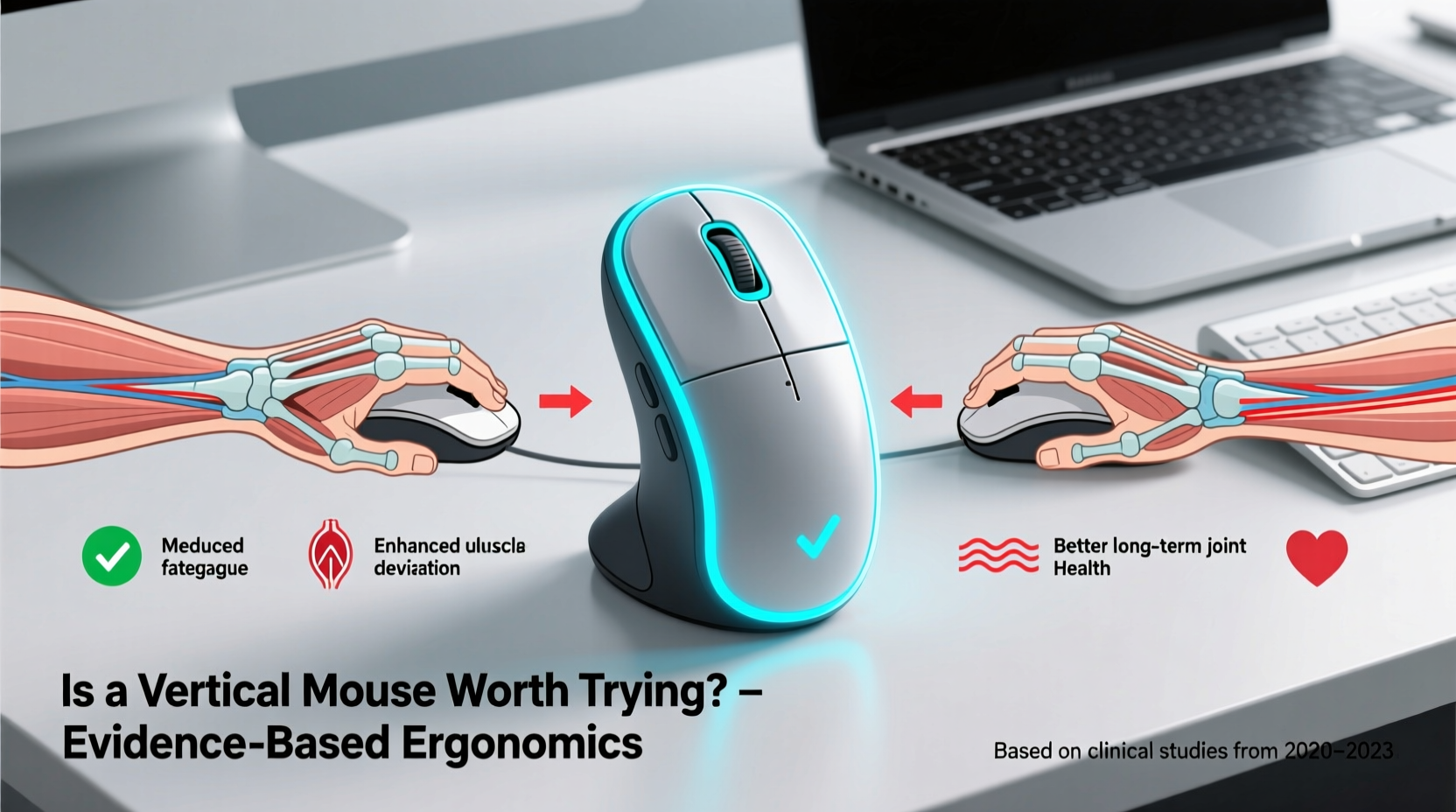
Wrist pain among desk workers isn’t random. It stems from sustained postures that place unnatural stress on tendons, nerves, and muscles in the hand, wrist, and forearm. The traditional horizontal mouse forces the hand into a “pronated” position — palm down, like shaking hands with yourself. This twists the forearm bones (radius and ulna), compresses the median nerve, and strains the supinator and flexor muscles over time.
According to Dr. Laura Chen, a certified hand therapist and ergonomics consultant:
“Prolonged pronation during mouse use is one of the most overlooked contributors to repetitive strain. Even subtle misalignment accumulates over thousands of clicks per day.” — Dr. Laura Chen, OTR/L, CHT
Common symptoms include:
- Numbness or tingling in the thumb, index, and middle fingers
- Aching in the forearm or elbow
- Weak grip strength after extended use
- Sharp pain when rotating the wrist
Left unaddressed, these early signs can progress into diagnosed conditions such as carpal tunnel syndrome, tendonitis, or radial nerve compression. Prevention — through posture correction, equipment changes, and movement breaks — is far more effective than treatment after injury sets in.
How a Vertical Mouse Changes Hand Positioning
The core innovation of the vertical mouse lies in its orientation. Instead of lying flat, it stands upright — typically between 50° and 90° — allowing the hand to rest in a “handshake” position. This neutral alignment reduces forearm pronation by up to 50%, according to a 2018 study published in *Applied Ergonomics*.
In this posture:
- The thumb points upward, aligning the radius and ulna bones naturally
- The wrist remains straight, minimizing pressure on the carpal tunnel
- Shoulder and upper arm tension decreases due to relaxed shoulder positioning
While the change seems minor visually, the biomechanical impact is significant. By reducing muscular effort in the forearm, users report less fatigue even after full-day computer use. Some studies suggest a reduction in surface electromyography (EMG) activity — indicating lower muscle strain — when using vertical designs compared to conventional mice.
Real User Experience: From Pain to Productivity
Consider the case of Marcus Reed, a software developer based in Portland, Oregon. After three years of working 10-hour days coding and debugging, Marcus began waking up with numb fingers and persistent aching in his right forearm. His doctor diagnosed early-stage carpal tunnel and recommended ergonomic adjustments.
“I tried wrist braces, took more breaks, adjusted my chair — nothing gave lasting relief,” Marcus recalls. “Then I saw a colleague using a vertical mouse. I was skeptical, but within two weeks of switching, my nighttime tingling stopped. Now, six months later, I don’t remember the last time I had pain.”
Marcus didn’t switch back. He now uses a vertical mouse at both his home office and co-working space. While not all transitions are this smooth, his experience reflects a growing trend: many users report noticeable improvement in symptoms within 2–4 weeks of consistent use.
Still, adaptation takes time. Initial feedback often includes comments like “awkward clicking,” “hard to aim,” or “feels like writing with the non-dominant hand.” These sensations usually fade as motor memory adjusts — much like learning touch typing or switching keyboard layouts.
Comparing Vertical Mice: Features That Matter
Not all vertical mice are created equal. When evaluating options, consider the following factors to ensure both comfort and functionality:
| Feature | Why It Matters | Recommended Option |
|---|---|---|
| Angle (55°–75°) | Too steep may strain tendons; too shallow reduces ergonomic benefit | Logitech MX Vertical (57°) |
| Button Layout | Familiar placement reduces learning curve and improves efficiency | Anker Vertical Ergonomic Mouse |
| DPI Sensitivity | Adjustable DPI allows precision without excessive hand movement | 3200+ DPI with on-the-fly switching |
| Connectivity | Bluetooth vs USB receiver affects clutter and multi-device use | Multi-mode wireless (BT + USB-C dongle) |
| Palm Support | Contoured shape prevents bottom-of-hand pressure | Vertical mice with soft rubber grip and wide base |
Beyond hardware, software integration matters. Premium models offer customizable buttons, cross-computer control (via Logitech Flow or similar), and battery life exceeding 30 days. For professionals juggling multiple tasks, these features enhance usability without sacrificing health benefits.
Who Benefits Most — And Who Might Not
Vertical mice aren't universally ideal. They offer the greatest advantage to:
- Individuals with existing wrist or forearm pain
- People spending 6+ hours daily using a mouse
- Those with a history of carpal tunnel, tendonitis, or cubital tunnel syndrome
- Users seeking preventive care in high-click workflows (e.g., data analysts, designers, coders)
However, they may be less suitable for:
- Gamers requiring rapid, precise movements (though some gaming verticals exist)
- Left-handed users (few ambidextrous vertical models available)
- People with limited desk space (vertical mice require slightly more height clearance)
It's also important to note: a vertical mouse alone won't fix poor ergonomics. If your monitor is too low, your chair lacks lumbar support, or your keyboard forces wrist extension, the benefits will be limited. The mouse should be part of a holistic setup.
Step-by-Step Guide to Transitioning to a Vertical Mouse
Switching cold turkey can lead to frustration. Follow this timeline to adapt smoothly:
- Week 1: Dual Setup – Keep your old mouse alongside the vertical one. Use the vertical mouse for light tasks (email, browsing) and switch back when needed. Focus on getting used to the grip.
- Week 2: Increase Usage – Aim for 3–4 hours daily with the vertical mouse. Practice basic actions: dragging, right-clicking, scrolling. Adjust DPI if cursor feels too fast or slow.
- Week 3: Full Integration – Replace the standard mouse entirely. You may still feel slight awkwardness, but accuracy should improve daily.
- Week 4: Evaluate Comfort – Assess pain levels, fatigue, and productivity. Minor discomfort is normal; sharp pain is not. Consider grip adjustments or alternative models if needed.
During this period, take micro-breaks every 25–30 minutes. Stand, stretch your wrists in circles, and shake out your arms. Pairing the new device with healthy habits amplifies its effectiveness.
Expert Insights: What Medical Professionals Say
Ergonomic specialists increasingly recommend vertical mice as part of workplace interventions. A 2021 review by the American Occupational Therapy Association highlighted that “neutral wrist posture significantly reduces risk factors for musculoskeletal disorders,” endorsing vertical input devices as low-cost, high-impact tools.
Dr. Arjun Patel, a physical medicine and rehabilitation physician, explains:
“We don’t expect patients with back pain to sit on hard chairs and ‘tough it out.’ The same logic applies to wrist health. Using a vertical mouse is like switching from a wooden bench to an ergonomic chair — it’s a small investment with compound returns.” — Dr. Arjun Patel, PM&R Specialist
He emphasizes that while not a cure-all, the device serves as a preventive measure — especially valuable in remote work environments where employees lack access to corporate ergonomics programs.
FAQ: Common Questions About Vertical Mice
Can a vertical mouse cure carpal tunnel syndrome?
No single device can cure carpal tunnel syndrome, especially in advanced stages. However, a vertical mouse can alleviate symptoms by reducing pressure on the median nerve and supporting natural hand alignment. In mild cases, combined with rest and therapy, it may contribute to recovery. Always consult a healthcare provider for diagnosis and treatment.
Do vertical mice work for left-handed users?
Few vertical mice are designed for left-handed use, and even fewer are truly ambidextrous. Most popular models, including the Logitech MX Vertical, are right-handed only. Left-handed users should look for explicitly labeled left-hand versions or consider symmetrical ergonomic alternatives like trackballs.
Is there a break-in period?
Yes. Most users report 1–3 weeks of adjustment. During this time, accuracy may decrease temporarily, and some muscle fatigue is common as unused forearm muscles engage. Patience and gradual use yield the best long-term results.
Checklist: Is a Vertical Mouse Right for You?
Use this checklist to determine if upgrading is worthwhile:
- ✅ Do you experience wrist, forearm, or hand discomfort after computer use?
- ✅ Do you use a mouse for more than four hours per day?
- ✅ Have you already optimized your desk height, chair, and keyboard position?
- ✅ Are you open to a 2–4 week adaptation period?
- ✅ Do you have the budget for a quality model ($60–$100)?
- ✅ Is your dominant hand right (or do left-handed models suit your needs)?
If you answered yes to three or more, a vertical mouse is likely a smart investment.
Conclusion: Small Change, Meaningful Impact
Wrist pain doesn’t have to be an inevitable side effect of knowledge work. While no single tool eliminates all risks, the vertical mouse offers a scientifically supported, accessible way to reduce strain and protect long-term joint health. Its value isn’t just in immediate symptom relief — it’s in shifting how we think about everyday tools. Just as we wouldn’t expect someone to type comfortably on a broken keyboard, we shouldn’t accept painful input devices as normal.
Whether you're recovering from injury or simply optimizing your workspace, trying a vertical mouse could be one of the simplest yet most impactful changes you make. Start with a reputable model, allow time for adjustment, and pair it with good posture and regular movement. Your hands — and future self — will thank you.




 浙公网安备
33010002000092号
浙公网安备
33010002000092号 浙B2-20120091-4
Comments
No comments yet. Why don't you start the discussion?