
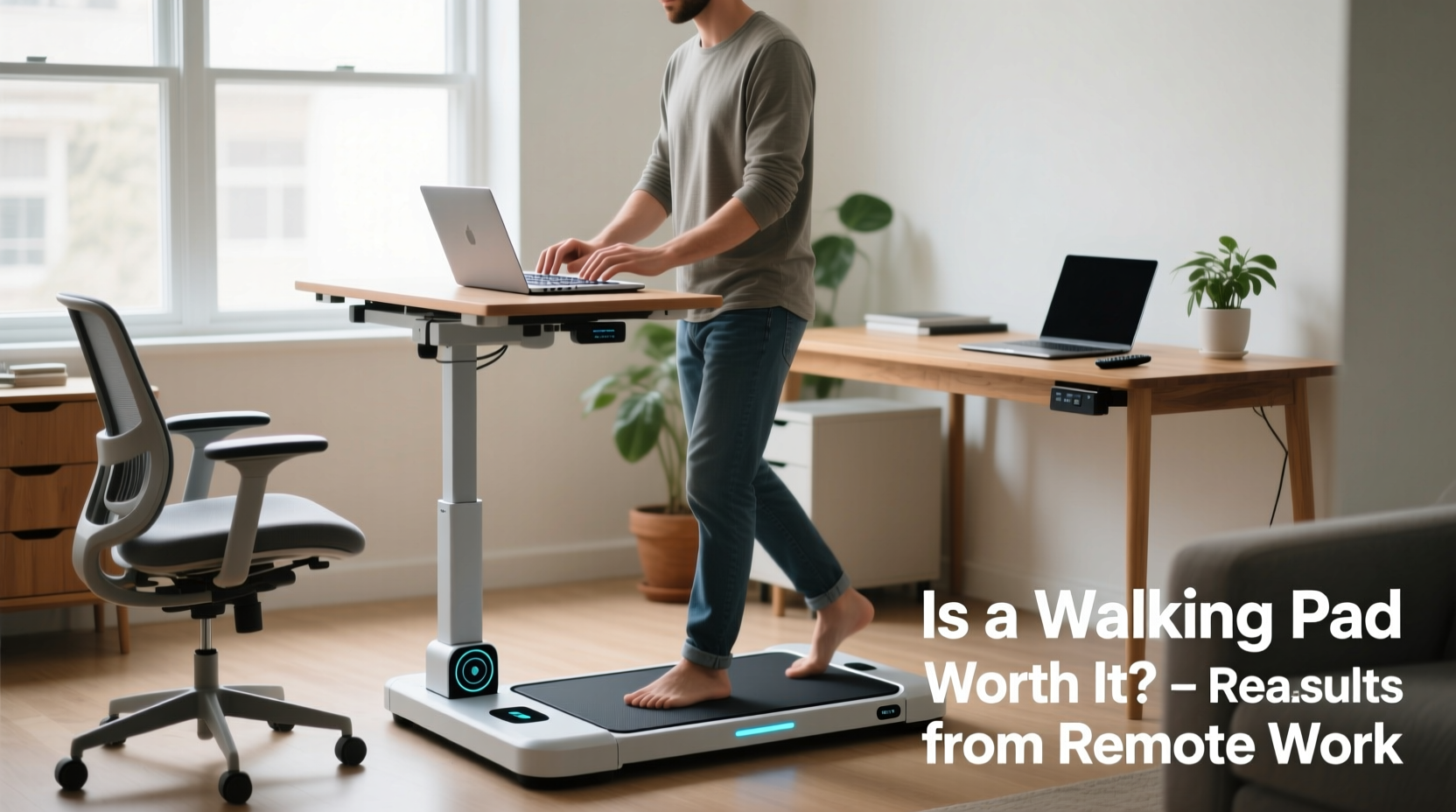
Remote work has reshaped how we think about movement during the workday. Without commutes or office strolls, many people sit for hours at a stretch—often logging 8 to 10 hours in front of a screen with minimal physical activity. Enter the walking pad: a compact, low-profile treadmill designed to fit under a standing desk, allowing users to walk slowly while answering emails, attending Zoom calls, or reading reports. But does it deliver meaningful health benefits without compromising productivity—or is it just another expensive distraction?
The answer isn’t black and white. For some, a walking pad becomes a cornerstone of sustainable remote work wellness. For others, it’s an underused piece of equipment collecting dust in the corner. The truth lies in how you use it, your goals, and your daily workflow.
Health Benefits of Low-Intensity Movement During Work
Sedentary behavior is linked to increased risks of cardiovascular disease, type 2 diabetes, obesity, and even cognitive decline. According to the American Heart Association, adults should aim for at least 150 minutes of moderate-intensity aerobic activity per week. Yet, many remote workers fall far short of this goal due to time constraints or lack of motivation after work hours.
Walking pads offer a subtle but powerful solution: integrating movement into existing routines. Unlike high-intensity workouts that require mental preparation and recovery, walking at 1–2 mph requires little effort and can be sustained for long periods. This kind of low-intensity steady-state (LISS) cardio improves circulation, supports metabolic function, and may enhance mood through endorphin release.
“Even light ambulation throughout the day can reduce markers of insulin resistance and improve vascular health over time.” — Dr. Lena Patel, Preventive Medicine Specialist
Studies from the Mayo Clinic suggest that non-exercise activity thermogenesis (NEAT)—the energy expended for everything we do that isn’t sleeping, eating, or sports-like exercise—can vary by up to 2,000 calories per day between individuals. Incorporating a walking pad into your work routine directly boosts NEAT, potentially helping maintain weight and energy balance without additional gym sessions.
Potential Distractions and Productivity Trade-offs
While the health perks are compelling, there's a legitimate concern: does walking while working actually hinder performance? Some tasks demand full attention—writing complex code, analyzing financial data, or editing detailed documents. Introducing motion, even gentle walking, may fragment focus, especially when multitasking across screens or managing frequent interruptions.
A 2022 study published in *Applied Ergonomics* found that participants showed no significant decline in typing accuracy while walking at 1.5 mph, but cognitive load increased during dual-task scenarios involving memory recall or problem-solving. In other words, simple, repetitive tasks like email triage or listening in meetings may pair well with walking, but deep work might suffer.
Another common issue is physical discomfort. Walking for extended periods—even slowly—can cause foot fatigue, back strain, or balance issues if footwear or posture isn’t optimized. Users often report needing to adjust their stride, desk height, or monitor placement to avoid neck strain or instability.
Who Actually Benefits From a Walking Pad?
Not every remote worker will benefit equally from a walking pad. Success depends on lifestyle, job type, workspace setup, and personal discipline. Consider these profiles:
- The Sedentary Knowledge Worker: Spends most of the day in meetings or writing. May struggle to find time for exercise. A walking pad allows passive calorie burn and improved blood flow without disrupting workflow.
- The Fitness-Conscious Freelancer: Already active but values consistency. Uses the walking pad as a supplement to workouts, especially on rest days or during creative blocks.
- The Chronic Pain Sufferer: Experiences back or joint stiffness from prolonged sitting. Gentle walking helps manage symptoms and supports mobility.
- The Distractible Multitasker: Prone to fidgeting or losing focus. May find rhythmic walking improves concentration, similar to pacing during phone calls.
Conversely, those who frequently switch between intense cognitive tasks, need absolute silence, or lack space for safe integration may find the walking pad more disruptive than helpful.
Mini Case Study: Sarah, Remote Content Strategist
Sarah transitioned to full-time remote work in 2020. Within a year, she noticed weight gain, lower back pain, and afternoon energy crashes. She invested in a walking pad and set it up under her adjustable standing desk. Initially, she tried walking during all work hours but found her writing quality dipped during longer walks.
She refined her approach: walking only during meetings, podcast listening, and administrative tasks. She capped sessions at 30–45 minutes and alternated with seated and standing work. After three months, she reported a 12% increase in daily step count, reduced back discomfort, and better afternoon alertness. Her productivity remained stable, and she felt more in control of her health.
Her key insight? Integration matters more than intensity. Using the walking pad strategically—not constantly—made it sustainable.
How to Use a Walking Pad Effectively: A Step-by-Step Guide
Maximizing the value of a walking pad requires intentionality. Follow this timeline to build a healthy, productive habit:
- Week 1: Setup & Calibration
Assemble the walking pad in a clear, stable area. Pair it with an adjustable desk and monitor riser. Test speeds from 0.5 to 2 mph to find a comfortable walking rhythm. Wear supportive shoes or go barefoot if surface-safe. - Week 2: Short Trial Sessions
Begin with two 10–15 minute sessions per day during low-focus tasks (e.g., checking emails, listening to voicemails). Note any changes in focus, fatigue, or physical discomfort. - Week 3: Task Mapping
Identify which parts of your workday are compatible with walking. Common matches include team calls, training videos, or brainstorming walks. Avoid using it during writing sprints or analytical deep work. - Week 4: Routine Integration
Build a schedule: e.g., “Walk during morning stand-up, post-lunch sync, and evening review.” Track total walking time and perceived energy levels. - Ongoing: Review & Adjust
After a month, evaluate: Has your step count improved? Are you more alert? Is your posture better? Adjust duration, timing, or usage based on results.
Walking Pad Do’s and Don’ts
| Do | Don’t |
|---|---|
| Use it during meetings or passive learning | Try to walk during high-focus writing or coding |
| Start slow—begin at 1 mph or less | Set speed above 2.5 mph while working |
| Wear supportive footwear or use a cushioned mat | Walk barefoot on hard surfaces for long durations |
| Pair with a standing desk for posture variety | Replace all seated work with walking |
| Take breaks—alternate between sitting, standing, walking | Ignore signs of fatigue or joint discomfort |
Cost vs. Value: Is It Worth the Investment?
Walking pads range from $200 to over $600, depending on features like speed range, portability, noise level, and app integration. While not cheap, they’re significantly less expensive than full-sized treadmills or gym memberships over time.
Consider the long-term return: improved health, reduced medical costs, enhanced energy, and potential productivity gains. If used consistently for 3–5 years, the cost breaks down to less than $1 per day—a small price for integrated movement.
However, if it goes unused after a few weeks, the investment fails. To avoid this, treat the purchase as part of a broader wellness strategy—not a magic fix. Combine it with ergonomic upgrades, scheduled movement breaks, and accountability practices.
Frequently Asked Questions
Can I really walk during Zoom meetings without looking unprofessional?
Yes, if done discreetly. Keep the camera at chest or shoulder level so leg movement isn’t visible. Use a quiet model (many modern pads operate below 60 dB). Stick to walking during audio-only segments or when you're not presenting. Many professionals now normalize movement during calls—some even join walking meetings intentionally.
Will walking while working burn significant calories?
At 1–2 mph, expect to burn 100–150 extra calories per hour compared to sitting. Over a 4-hour walking work session, that’s 400–600 additional calories—equivalent to a brisk 45-minute walk. While not a substitute for structured exercise, it contributes meaningfully to daily energy expenditure.
Are walking pads noisy? Can I use one in a shared apartment?
Most models are designed for indoor use and produce minimal noise (around 55–65 dB), comparable to a quiet conversation. Look for brands advertising “whisper-quiet” motors and anti-vibration technology. Placing it on a rug or mat further reduces sound transmission. Test volume during off-hours if you share walls.
Checklist: Is a Walking Pad Right for You?
Before buying or fully integrating a walking pad, ask yourself:
- ✅ Do I sit for more than 6 hours a day during work?
- ✅ Do I struggle to find time for exercise?
- ✅ Is my desk setup adjustable or compatible with under-desk use?
- ✅ Do I have enough floor space for safe operation?
- ✅ Am I willing to start small and build a consistent habit?
- ✅ Do I perform tasks that don’t require intense concentration for long stretches?
- ✅ Can I invest $200–$500 with realistic expectations?
If you answered “yes” to most of these, a walking pad could be a smart addition to your remote work ecosystem.
Conclusion: Movement Should Serve Your Work—Not Sabotage It
A walking pad isn’t inherently good or bad—it’s a tool whose value depends entirely on how you use it. For remote workers seeking sustainable ways to stay active without sacrificing output, it offers a unique advantage: turning sedentary hours into opportunities for gentle movement.
The key is alignment. Match walking sessions to appropriate tasks, respect your cognitive limits, and prioritize comfort and safety. When integrated thoughtfully, a walking pad can enhance both physical health and mental clarity. But if it disrupts focus, causes discomfort, or sits idle, it becomes a costly ornament.
Instead of aiming for constant motion, aim for intentional movement. Let the walking pad support your work—not dominate it. Start small, track your experience, and adjust based on real feedback. Done right, it’s not a distraction—it’s a quiet revolution in how we think about productivity and well-being in the remote era.




 浙公网安备
33010002000092号
浙公网安备
33010002000092号 浙B2-20120091-4
Comments
No comments yet. Why don't you start the discussion?