
For millions of remote workers, the shift to working from home has brought flexibility—but also a more sedentary lifestyle. Sitting at a desk for hours on end, often with no commute or office movement, can take a toll on physical health. Enter the walking pad: a compact treadmill designed to fit under a standing desk, allowing users to walk slowly while typing, taking calls, or reading emails. Marketed as a solution to “sitting disease,” these devices promise subtle fitness gains without disrupting workflow. But do they deliver? Or are they destined to become another piece of forgotten exercise equipment gathering dust in the corner?
The truth lies somewhere in between. A walking pad isn’t inherently good or bad—it depends entirely on how you use it, your expectations, and your daily habits. For some, it’s a game-changer. For others, it’s a $300 paperweight by month three. Let’s examine what makes the difference.
Who Actually Uses a Walking Pad Consistently?
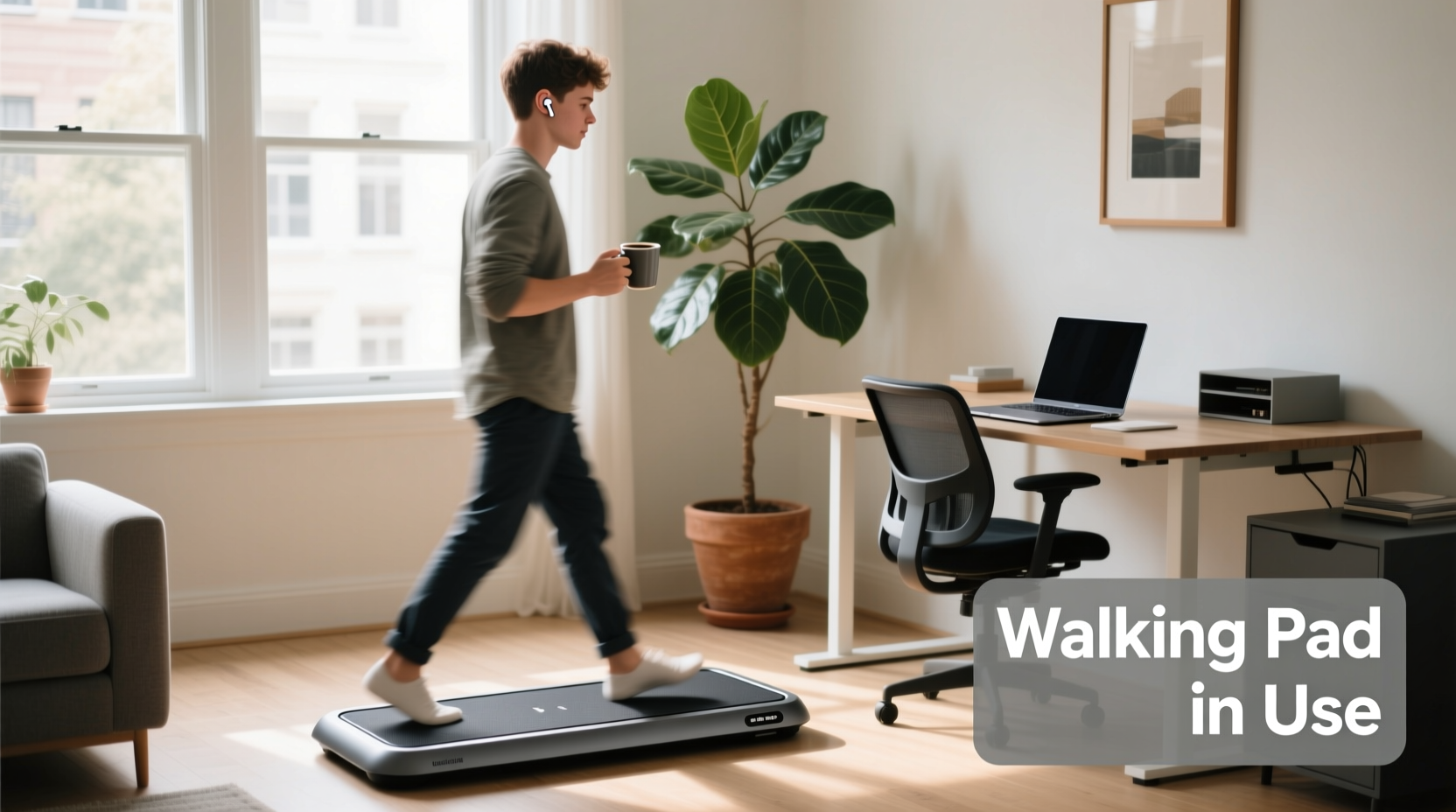
Not everyone benefits equally from a walking pad. Success stories typically come from people with specific routines, goals, and environments that support consistent use. According to a 2023 survey by the American Council on Exercise (ACE), only about 38% of home fitness equipment buyers report using their purchase more than three times per week after the first 90 days. Walking pads fall into this category—initial enthusiasm fades unless integrated into a sustainable habit.
Those who stick with it usually share a few traits:
- They have a standing desk setup already. The walking pad fits naturally under an adjustable workstation.
- They value passive movement. They’re not trying to run marathons; they want light activity during screen time.
- They track non-exercise activity thermogenesis (NEAT). These users understand that small movements throughout the day add up metabolically.
- They’ve removed friction from usage. The pad is easy to access, set up, and operate without disruption.
“People underestimate how much energy it takes to start an activity. If turning on the walking pad requires moving furniture or logging into an app, it won’t last.” — Dr. Lena Torres, Behavioral Scientist & Movement Researcher, University of Colorado
Real Benefits: What a Walking Pad Can Actually Do
When used consistently, a walking pad offers tangible health and productivity advantages. It’s not a replacement for structured workouts, but rather a supplement to daily movement. Here’s what research and user data suggest:
Burns More Calories Than Sitting
Walking at 1–2 mph may seem trivial, but over four hours, it can burn 200–300 extra calories compared to sitting. Over a year, that’s up to 78,000 calories—roughly 22 pounds of body weight, assuming no other changes.
Improves Circulation and Focus
Gentle movement increases blood flow to the brain, which several studies link to improved concentration and reduced mental fatigue. A 2022 study published in the Journal of Occupational Health Psychology found that employees who walked slowly during cognitive tasks reported higher alertness and lower stress levels.
Reduces Risk of Sedentary-Related Conditions
Prolonged sitting is independently linked to higher risks of cardiovascular disease, type 2 diabetes, and even certain cancers. Using a walking pad breaks up long sitting bouts, aligning with public health guidelines that recommend movement every 30–60 minutes.
Supports Weight Management Efforts
While not a primary weight-loss tool, the added NEAT from walking can tip the energy balance in your favor—especially when combined with mindful eating and strength training.
Common Reasons Walking Pads Fail
If so many people abandon their walking pads, why? Based on user reviews, return data, and behavioral research, here are the top reasons these devices go unused:
- No clear integration into routine. People buy them hoping to “move more” but don’t plan when or how to use them.
- Noise and distraction. Some models produce enough sound or vibration to disrupt video calls or concentration.
- Space constraints. In small home offices, storing or deploying the pad becomes a hassle.
- Unrealistic expectations. Buyers expect dramatic weight loss or fitness improvements, leading to disappointment.
- Lack of progress tracking. Without feedback (steps, distance, calories), motivation wanes.
One user, Sarah K., shared her experience in a Reddit thread: “I was so excited to get mine. Used it for two weeks straight while answering emails. Then my dog knocked over a water bowl onto it. After drying it out, I just never got back into the rhythm. Now it’s behind the couch, holding printer paper.”
Mini Case Study: How Mark Integrated His Walking Pad Into Daily Work
Mark R., a freelance copywriter in Portland, bought a walking pad after being diagnosed with prediabetes. He works from home full-time and realized he was averaging fewer than 2,000 steps a day. His goal wasn’t fitness—he wanted metabolic improvement.
He made three key decisions:
- He paired the pad with a standing desk and set a rule: no sitting before noon.
- He scheduled walking blocks: 9–10 AM for creative brainstorming, 2–3 PM for client calls.
- He synced his pad to a fitness tracker to monitor daily step count.
Within six weeks, his average daily steps rose to 7,500. After three months, his fasting glucose dropped into the normal range. “It’s not glamorous,” he says, “but walking while working became as routine as making coffee.”
Do’s and Don’ts: Maximizing Your Chances of Success
| Do | Don’t |
|---|---|
| Use it during low-cognitive-load tasks like emails or phone calls. | Try to type complex documents at speeds above 2 mph. |
| Start slow—begin at 0.5–1 mph for 15–20 minutes. | Expect immediate calorie-burning results. |
| Place it in a permanent spot under your desk. | Store it elsewhere and expect to set it up daily. |
| Wear supportive shoes or go barefoot on high-traction surfaces. | Use slippery socks or uneven footwear. |
| Pair it with a step-tracking app or smartwatch. | Ignore discomfort or joint pain—stop if something feels off. |
Step-by-Step Guide to Building a Walking Pad Habit
Adopting any new behavior requires structure. Follow this timeline to integrate a walking pad sustainably into your remote workday:
- Week 1: Test and Adjust
Set up the pad under your desk. Use it for 10–15 minutes during one task (e.g., morning emails). Get comfortable with speed controls and noise level. - Week 2: Schedule Two Daily Sessions
Add a second session—perhaps during lunchtime podcast listening or afternoon calls. Aim for 20 minutes twice a day. - Week 3: Link to Existing Habits
Anchor walking to existing routines: “After I pour my coffee, I stand and walk for 20 minutes while reviewing my to-do list.” - Week 4: Track and Reflect
Check your step count or active minutes. Note any changes in energy, focus, or mood. Adjust speed or duration based on comfort. - Month 2+: Optimize and Expand
Increase walking time gradually. Experiment with audiobooks or walking meetings. Celebrate consistency over intensity.
FAQ: Common Questions About Walking Pads for Remote Work
Can I really work effectively while walking?
Yes—but with limits. Most users find they can handle emails, phone calls, reading, and light editing at speeds of 1–2 mph. Tasks requiring intense focus or fast typing are better done seated. Think of it as movement-enhanced work, not multitasking perfection.
How much space does a walking pad need?
Most models measure around 30–35 inches long and 12–18 inches wide. You’ll need clearance in front and behind for safety. If your desk has deep drawers or tight legroom, measure carefully before buying. Some ultra-slim models fold vertically for storage.
Are walking pads noisy?
It varies by brand and motor quality. Budget models may produce a low hum noticeable on Zoom calls. Higher-end pads with brushless motors operate more quietly. Read audio-focused reviews or test videos with microphone input to gauge sound levels.
Checklist: Is a Walking Pad Right for You?
Before purchasing, ask yourself the following:
- ✅ Do I already use a standing desk or plan to?
- ✅ Can I dedicate floor space for permanent or semi-permanent placement?
- ✅ Am I looking for light activity, not intense cardio?
- ✅ Do I struggle to get steps during the workday?
- ✅ Am I willing to start small and build gradually?
- ❌ Am I expecting rapid weight loss or replacing gym workouts?
- ❌ Do I work in a tiny apartment with no room to spare?
If most of your answers are “yes” to the positives and “no” to the negatives, a walking pad could be a valuable addition. If not, consider alternatives like scheduled walking breaks, a sit-stand desk alone, or short outdoor walks between meetings.
Conclusion: Worth It—If You Design for Success
A walking pad isn’t magic. It won’t transform your fitness overnight, nor will it save you from poor diet or total inactivity. But for the right person—a remote worker committed to reducing sedentariness, improving circulation, and building sustainable movement habits—it can be a powerful tool.
The key isn’t the device itself, but how you integrate it. Treat it like any behavior change: reduce friction, set realistic expectations, and anchor it to existing routines. Choose a quiet, compact model. Set it up once and leave it ready to go. Start with just ten minutes a day. Track progress subtly. Celebrate consistency.
Will it collect dust? Only if you treat it like an event—a thing you “have to use.” But if you make it part of your environment, like your chair or keyboard, it becomes invisible in the best way: just another part of how you work.




 浙公网安备
33010002000092号
浙公网安备
33010002000092号 浙B2-20120091-4
Comments
No comments yet. Why don't you start the discussion?