
For millions of casual and mid-tier gamers, the decision between investing in a physical console or switching to cloud gaming is no longer just about preference—it’s about lifestyle, budget, and long-term value. With services like Xbox Cloud Gaming, NVIDIA GeForce NOW, and PlayStation Plus Premium gaining traction, cloud gaming has moved from futuristic concept to mainstream option. But is it truly better than owning a console for the average player? The answer isn’t black and white. It depends on internet reliability, game library needs, budget constraints, and how much control you want over your gaming experience.
This article breaks down the real-world advantages and drawbacks of both options, focusing specifically on what matters most to everyday players—not hardcore tech enthusiasts or early adopters with gigabit fiber. Whether you're considering cutting the cord or upgrading your aging PS4, understanding these trade-offs can save you time, money, and frustration.
The Rise of Cloud Gaming: What It Really Offers
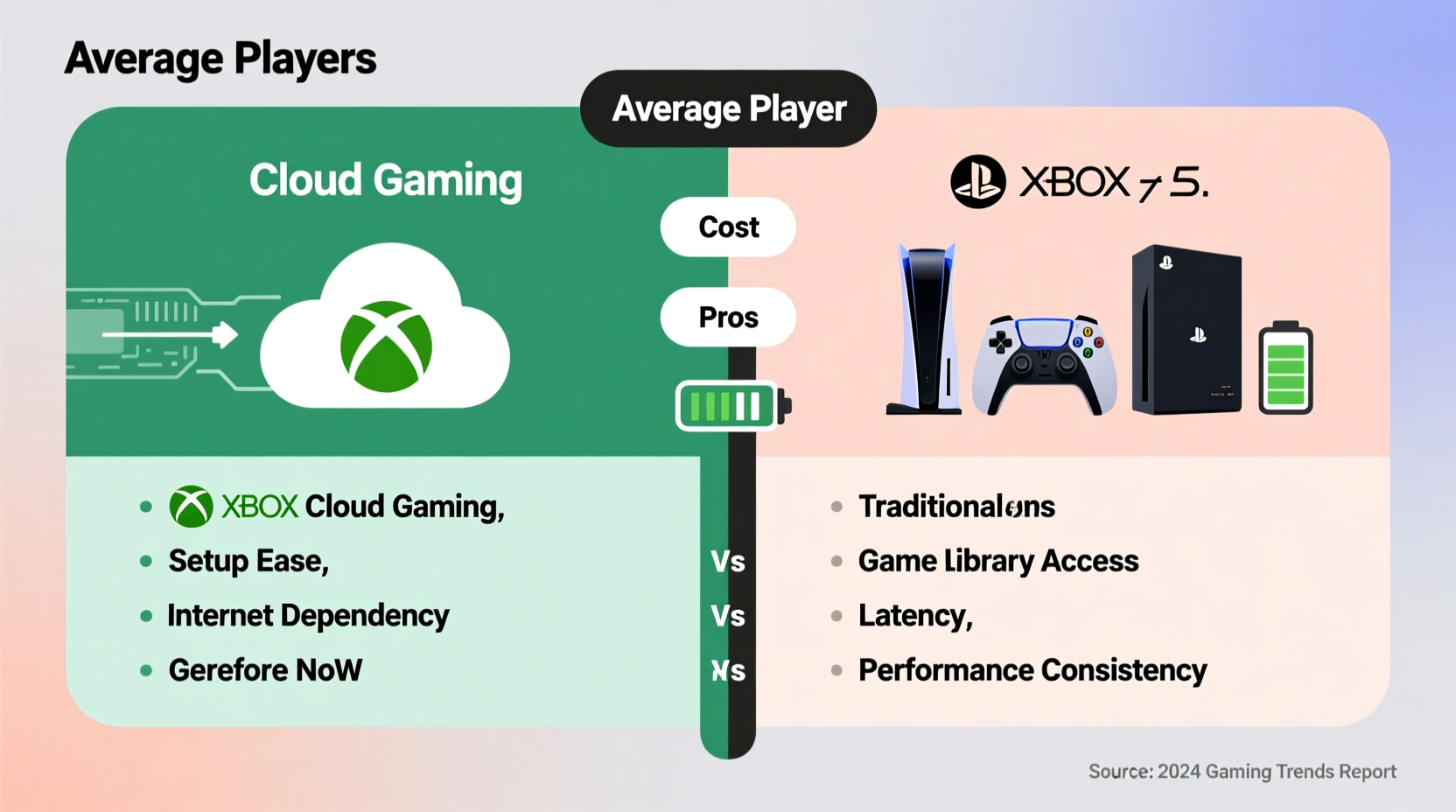
Cloud gaming works by streaming games from remote servers directly to your device—be it a phone, tablet, smart TV, or low-end PC. Instead of processing graphics locally, your inputs are sent to powerful data centers that render the game and send back video frames in real time. This means you don’t need expensive hardware to play high-end titles.
For the average user, this promises flexibility: play AAA games on a lunch break using a smartphone, continue on a laptop at home, or jump into multiplayer sessions without waiting days for downloads. Services often bundle subscriptions with access to large game libraries, similar to Netflix but for video games.
However, performance hinges entirely on one factor: your internet connection. Even with fast speeds, latency (input lag) can make competitive gaming frustrating. And while progress is being made, not all games are available on every platform due to licensing restrictions.
Pros of Cloud Gaming for Average Players
- No upfront hardware cost: Skip buying a $500 console or upgrading your PC. As long as you have a compatible screen and controller, you can start playing instantly.
- Instant access to new releases: Many services include day-one access to major titles through subscription models, eliminating the need to purchase individual games.
- Cross-device flexibility: Switch between devices seamlessly. Start on your phone during commute, resume on your TV later.
- No downloads or updates: Games load quickly because they run remotely. No more waiting hours for patches or managing storage space.
- Eco-friendly appeal: Reduces electronic waste since fewer consoles are produced and discarded over time.
These benefits are especially appealing to casual players who game occasionally, travel frequently, or live in small spaces where storing multiple devices isn’t practical.
Cons of Cloud Gaming: Hidden Challenges
Despite its convenience, cloud gaming comes with limitations that affect gameplay quality and accessibility:
- Latency issues: Input delay can ruin fast-paced experiences like shooters or fighting games. Even 30–50ms of lag feels noticeable when precision matters.
- Internet dependency: Requires consistent, high-speed broadband. Data caps, spotty Wi-Fi, or living in rural areas can make streaming impractical.
- Limited offline access: If your internet goes down, so does your ability to play—unlike consoles, which let you enjoy single-player titles anytime.
- Subscription fatigue: Monthly fees add up. Over two years, a $15/month service costs $360—nearly the price of a new console.
- Fewer exclusive titles: Some major franchises remain tied to specific platforms, limiting availability across cloud services.
“Streaming technology has come a long way, but it still can’t match the responsiveness of local hardware for competitive gaming.” — Mark Liu, Senior Analyst at GameTech Insights
Benefits of Owning a Console in 2024
Physical consoles like the PlayStation 5, Xbox Series X, and Nintendo Switch continue to dominate household entertainment. Their appeal lies in consistency, ownership, and ecosystem integration.
When you buy a console, you’re purchasing full control over your gaming environment. You install games once, keep them forever (barring account bans), and play them regardless of internet conditions. Updates may take time, but after that, performance is stable and predictable.
Consoles also offer enhanced social features: local multiplayer, shared accounts for family members, and seamless integration with TVs and sound systems. For households with kids or non-tech-savvy users, simplicity is a major advantage.
Beyond functionality, there’s psychological value in ownership. Gamers often form emotional attachments to their consoles—the shelf presence, collecting physical discs, or passing systems down to siblings. These intangibles matter more than specs alone suggest.
Drawbacks of Console Ownership
While reliable, traditional consoles aren't without downsides:
- High initial cost: A new console plus accessories can exceed $600, not including games priced at $70 each.
- Rapid obsolescence: Generations cycle every 6–7 years. After that, support wanes, and newer games either won’t run or perform poorly.
- Storage management: Large game files (often 80GB+) fill up internal drives fast. Upgrading storage usually requires technical know-how and extra spending.
- Long load times: Even with SSDs, installing and updating games takes time—especially with slower internet connections.
- Less portability: Except for the Switch, most consoles are stationary, limiting where and how you play.
Comparison Table: Cloud Gaming vs. Console Ownership
| Factor | Cloud Gaming | Console Ownership |
|---|---|---|
| Upfront Cost | Low (only needs device + subscription) | High ($400–$500+) |
| Ongoing Cost | Yes ($10–$20/month) | No (after purchase) |
| Game Library Access | Limited by service agreements | Full access via purchases or disc resale |
| Internet Dependency | Required (minimum 15–25 Mbps) | Only for online play/downloads |
| Offline Play | Rarely supported | Yes, for installed games |
| Portability | High (play on phones/tablets) | Low (except Nintendo Switch) |
| Performance Consistency | Varies by network | Stable once set up |
Real Example: Sarah’s Dilemma – A Case Study
Sarah, a 32-year-old teacher in suburban Ohio, loves gaming but doesn’t consider herself “hardcore.” She plays casually—mostly story-driven adventures like *The Last of Us* or relaxing sims like *Animal Crossing*. Her old PS4 died last year, and she wasn’t sure whether to replace it.
She considered Xbox Cloud Gaming because she already had a tablet and a decent router. For $15/month, she could access hundreds of games without buying new hardware. She tested it for two weeks and enjoyed playing *Halo Infinite* on her couch using a Bluetooth controller.
But during evening peak hours, the stream stuttered. Cutscenes paused unexpectedly, and fast turns in gameplay caused visible lag. When her internet briefly went out during a storm, she couldn’t play at all. Frustrated, she bought a refurbished PS4 for $220 instead. Now she downloads games slowly over weekends, but once installed, they run flawlessly—even when her Wi-Fi acts up.
Sarah’s experience reflects a common reality: cloud gaming works well under ideal conditions, but life isn’t always ideal. For someone who values reliability over novelty, a console was the better fit.
Step-by-Step Guide: Choosing What’s Right for You
Follow this practical timeline to make an informed decision:
- Assess your internet quality: Run a speed test (use sites like Speedtest.net). Look for at least 25 Mbps download speed and ping under 40ms.
- Determine your play style: Do you prefer short bursts on mobile, or long immersive sessions on a big screen?
- List your must-play games: Check if they’re available on cloud platforms you’re considering.
- Try free trials: Most services offer 7–14 day trials. Use this period to test performance during typical usage times.
- Calculate total costs: Compare five-year expenses: console + games vs. subscription model.
- Decide based on priorities: Choose cloud for flexibility and lower entry cost; choose console for stability, ownership, and richer audiovisual quality.
FAQ: Common Questions Answered
Can I use my existing controllers with cloud gaming?
Yes, most services support popular controllers like Xbox Wireless, DualShock 4, and DualSense. Some even work with iOS and Android devices via Bluetooth.
Do I own the games I play via cloud?
No. Access depends on your subscription. If you cancel, you lose access unless the game is also purchased separately on another platform.
Is cloud gaming good for kids?
It can be, but only if your internet is stable and supervised. Unexpected disconnections during gameplay can be frustrating for younger players. Consoles provide a more consistent experience for family use.
Final Verdict: It Depends on Your Lifestyle
There’s no universal winner. Cloud gaming excels for mobile-first players, frequent travelers, or those on a tight budget who want temporary access to premium games. It’s ideal if you hate managing downloads, live in a rental with limited space, or simply want to dabble without commitment.
On the other hand, console ownership remains superior for players who value reliability, deep immersion, offline access, and long-term investment. If you plan to keep playing for years, building a personal library, and sharing experiences with others in person, a console delivers unmatched peace of mind.
The future may lean toward streaming, but today’s infrastructure still favors hybrid solutions. Some players use both: cloud for experimentation, console for favorites.




 浙公网安备
33010002000092号
浙公网安备
33010002000092号 浙B2-20120091-4
Comments
No comments yet. Why don't you start the discussion?