
The iPhone 7 Plus was a powerhouse in its time—reliable, capable, and well-built. But that was years ago. Today’s workflows, creative tools, and digital lifestyles demand more than what even a once-great smartphone can deliver. The iPad Pro, with its expansive screen, desktop-class performance, and support for accessories like the Apple Pencil and Magic Keyboard, sits in a different category altogether. So is it overkill? Only if you’re still thinking of it as just a bigger phone.
The real question isn’t whether the iPad Pro is overpowered—it’s whether your current device limits what you want to do. For many users clinging to older iPhones, the iPad Pro isn’t excess; it’s evolution.
Performance: A Quantum Leap Beyond the iPhone 7 Plus
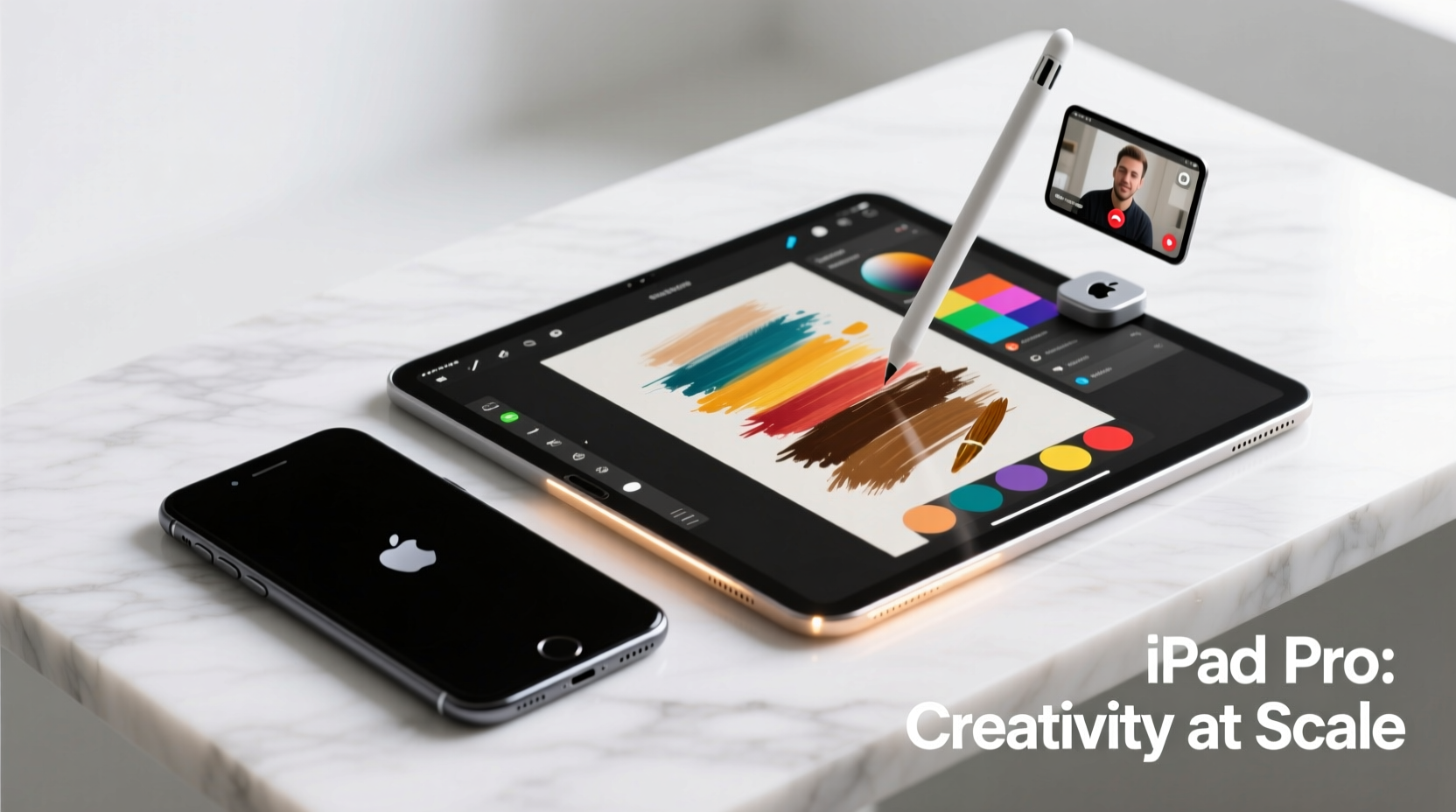
The iPhone 7 Plus runs on the A10 Fusion chip, a solid performer in 2016 but now significantly outpaced by modern processors. In contrast, today’s iPad Pro models feature the M-series chips—M1, M2, or even M4 depending on the model—originally designed for MacBooks and iMacs. These are not mobile chips; they’re full computer-grade silicon.
This means the iPad Pro handles multitasking, video editing, 3D modeling, and coding environments with ease—tasks that would either fail or crawl on an iPhone 7 Plus. Even everyday operations like loading large web pages, managing email attachments, or editing high-resolution photos happen faster and smoother.
| Feature | iPhone 7 Plus | iPad Pro (M2) |
|---|---|---|
| Processor | A10 Fusion | M2 Chip |
| RAM | 3GB | 8GB–16GB |
| Storage Options | 32GB / 128GB / 256GB | 128GB – 2TB |
| Display Size | 5.5 inches | 11” or 12.9” Liquid Retina XDR |
| App Multitasking | Limited split-screen via third-party apps | Full Split View, Slide Over, Stage Manager |
Creative Workflows: Where the iPad Pro Shines
If you’ve ever tried sketching, note-taking, or editing photos on an iPhone 7 Plus, you know how cramped the experience feels. The iPad Pro transforms this with its large canvas and Apple Pencil integration. Artists, designers, and students use it for digital illustration, handwriting notes, annotating PDFs, and storyboarding—all with pixel-perfect precision.
Apps like Procreate, Notability, and Adobe Fresco leverage the low latency and pressure sensitivity of the Apple Pencil in ways no touchscreen phone can match. Even casual users find themselves writing lists, planning events, or doodling ideas more naturally on the larger surface.
“With the right stylus and screen size, tablet computing becomes expressive, not just functional.” — Lin Zhou, Digital Art Educator
Real Example: From Notes to Presentation
Consider Maria, a freelance writer using her iPhone 7 Plus for everything. She takes voice memos, jots quick notes, and edits drafts in Pages. But when she lands a speaking gig, she needs to create slides. On her phone, formatting text boxes and aligning images is frustrating. She downloads Keynote on an iPad Pro borrowed from a friend. Within an hour, she builds a polished deck using drag-and-drop gestures, previews transitions in full screen, and exports a presentation-quality file. The difference isn’t just convenience—it’s capability.
Productivity: Turning Your iPad Into a Laptop Replacement
For users still relying solely on a phone, the iPad Pro offers a near-laptop experience. With the Magic Keyboard or any Bluetooth keyboard, you gain a physical typing interface, trackpad support, and resizable windows through Stage Manager. Email, spreadsheets, document editing, and even light coding become feasible.
Unlike the iPhone 7 Plus—which maxes out at iOS 15 and lacks external display support—the iPad Pro runs the latest iPadOS features, including desktop-class browsing in Safari, external drive compatibility, and advanced file management via the Files app.
- Run multiple instances of the same app (e.g., two Gmail tabs)
- Connect to external monitors via USB-C
- Use shortcuts and automation with Shortcuts app
- Access developer tools and SSH clients
Step-by-Step: Transitioning from iPhone to iPad Pro Workflow
- Day 1: Set up iCloud sync across devices. Transfer contacts, calendars, and notes.
- Day 2: Install core productivity apps (Pages, Numbers, Keynote, OneNote).
- Day 3: Connect Apple Pencil and practice handwriting or sketching in Notes.
- Day 5: Attach a keyboard and type a full document without switching apps.
- Day 7: Use Split View to research in Safari while writing in Notes.
Media and Entertainment: Beyond the Small Screen
Watching videos, reading e-books, or browsing social media on a 5.5-inch screen pales next to the immersive experience of an 11- or 12.9-inch iPad Pro. The Liquid Retina display supports True Tone, P3 wide color, and ProMotion (120Hz refresh rate), making scrolling fluid and visuals vibrant.
For audiophiles and cinephiles, the four-speaker audio system delivers cinematic sound unmatched by any phone. Whether you're reviewing a movie, following a recipe in full screen, or binge-watching a series on a flight, the iPad Pro enhances passive consumption in ways the iPhone 7 Plus simply cannot.
When It Might Be Overkill
Let’s be honest: if your daily routine consists only of checking messages, taking occasional photos, and browsing Instagram, the iPad Pro will feel excessive. There’s no denying it’s a premium device with a premium price tag. Carrying both an iPhone and iPad also adds bulk.
But consider this: the iPhone 7 Plus can’t run modern augmented reality apps smoothly, struggles with newer software updates, and lacks support for critical security patches. It’s aging out. Instead of viewing the iPad Pro as redundant, think of it as the next phase of your digital life—one where your phone handles calls and quick tasks, while the iPad takes on heavier lifting.
Checklist: Should You Upgrade?
- ☐ Do you edit photos or videos regularly?
- ☐ Have you struggled with small-screen typing?
- ☐ Are you interested in drawing, journaling, or note-taking?
- ☐ Do you work remotely or need portable productivity tools?
- ☐ Is your iPhone 7 Plus slowing down or failing to update?
If three or more apply, the iPad Pro isn’t overkill—it’s overdue.
Frequently Asked Questions
Can the iPad Pro replace my laptop?
For many users, yes—especially those doing writing, design, presentations, and web development. With apps like Final Cut Pro, Logic Pro, and Visual Studio Code available on iPadOS, the line between tablet and computer continues to blur. However, heavy data analysis, complex software development, or gaming may still require a traditional laptop.
Will I miss having cellular connectivity like my iPhone?
iPad Pro models come in Wi-Fi-only and Wi-Fi + Cellular versions. If you choose the latter, it can function independently with its own data plan. Alternatively, keep your iPhone nearby for hotspot use. Most users find Wi-Fi sufficient given home and office coverage.
Is the iPad Pro worth it for someone who’s not tech-savvy?
Absolutely. The interface is intuitive, and Apple’s ecosystem ensures seamless syncing. Many older adults use iPads for video calls, reading, medication tracking, and photo albums with great success. The larger screen makes text easier to read and buttons easier to tap.
Final Thoughts: Beyond Overkill—Toward Potential
The iPhone 7 Plus served millions well, but technology evolves. Holding onto it out of habit may mean missing out on tools that save time, boost creativity, and reduce frustration. The iPad Pro isn’t about raw power for power’s sake—it’s about expanding what you can do every day.
It’s not overkill if it unlocks new possibilities. Whether you’re drafting a novel, designing a logo, teaching a class, or simply enjoying movies with better sound and clarity, the iPad Pro elevates your digital experience from reactive to proactive.




 浙公网安备
33010002000092号
浙公网安备
33010002000092号 浙B2-20120091-4
Comments
No comments yet. Why don't you start the discussion?