
Modern homes rely on seamless Wi-Fi for everything from streaming 4K video to remote work and smart home automation. Yet, many households still struggle with dead zones, slow speeds, and unreliable connections. When faced with spotty coverage, the natural question arises: should you invest in a single high-performance router or deploy multiple Wi-Fi extenders across your space? The answer isn't always straightforward and depends on your home's layout, usage needs, and long-term goals.
While both solutions aim to improve network reach, they operate differently and come with distinct trade-offs. A powerful standalone router can deliver strong performance in open spaces but may falter behind thick walls. Extenders promise broader coverage but often sacrifice speed and consistency. Understanding the real-world implications of each option is essential before making a costly investment.
The Core Differences: Router vs. Extender Functionality
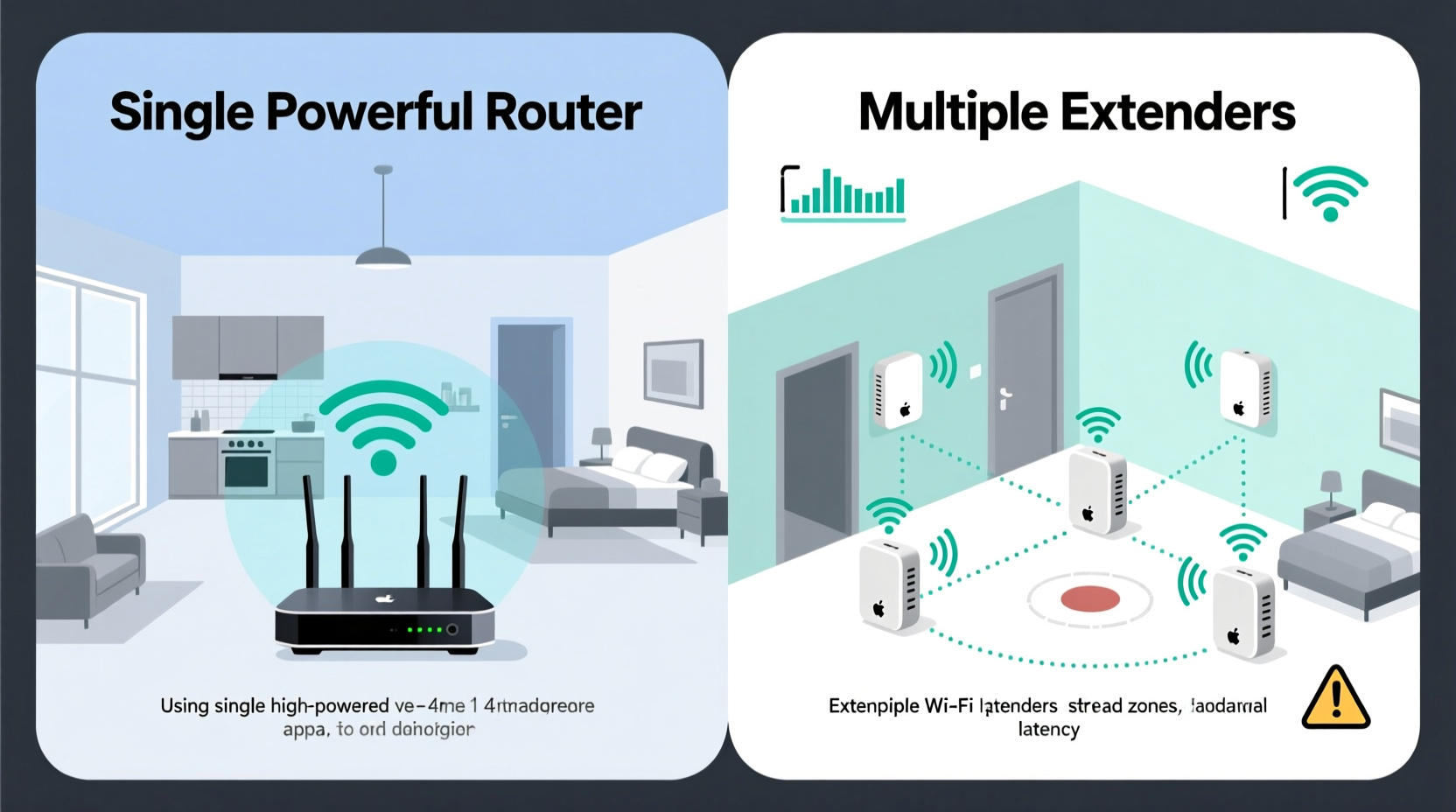
A primary router acts as the central hub of your home network. It connects directly to your modem and broadcasts Wi-Fi signals throughout your environment. High-end routers today support advanced standards like Wi-Fi 6 or Wi-Fi 6E, offering faster data rates, improved device handling, and lower latency. These models typically feature multiple antennas, beamforming technology, and dual or tri-band frequencies (2.4 GHz, 5 GHz, and sometimes 6 GHz), enabling them to serve more devices efficiently.
In contrast, Wi-Fi extenders (also known as repeaters) do not generate their own internet connection. Instead, they receive an existing Wi-Fi signal from your main router, amplify it, and rebroadcast it further into areas with weak reception. While this extends range, it comes at a cost: every time data passes through an extender, bandwidth is halved because the device must communicate both with the router and connected clients simultaneously over the same frequency band.
“Extenders are a stopgap solution. They can help temporarily, but they degrade throughput and increase latency—especially when daisy-chained.” — David Lin, Senior Network Engineer at NetVision Labs
This fundamental distinction means that while a powerful router provides optimal performance where its signal reaches, extenders expand coverage at the expense of speed and stability. For users who prioritize consistent performance over raw reach, this trade-off can be unacceptable.
When One Powerful Router Makes Sense
If your home is relatively compact—under 2,000 square feet—and has an open floor plan with minimal obstructions, a single high-end router may be all you need. Modern mesh-capable routers or tri-band powerhouses can cover large areas effectively, especially if strategically placed near the center of your living space.
Key advantages of relying on one powerful router include:
- Simpler network management: Only one device to configure, update, and monitor.
- Maximum speed retention: No bandwidth loss due to signal repeating.
- Better roaming experience: Devices stay connected to a single SSID without frequent drops or re-authentication.
- Lower latency: Direct communication between devices and the router reduces lag, crucial for gaming and video calls.
For example, a homeowner in a two-bedroom apartment in downtown Seattle upgraded from a basic ISP-provided gateway to a Wi-Fi 6 router with OFDMA and MU-MIMO support. Despite no structural changes, full-speed coverage expanded from 70% to nearly 100% of the unit. Streaming buffers disappeared, and video conference quality improved noticeably—all without adding any secondary hardware.
Where Multiple Extenders Can Help (and Where They Fail)
Extenders shine in scenarios where rewiring isn’t feasible and physical distance prevents adequate router coverage. Consider a ranch-style home with a detached garage office or a basement media room far from the main router. In these cases, a well-placed extender can restore connectivity where none existed.
However, common pitfalls limit their effectiveness:
- Signal degradation: Each hop through an extender cuts usable bandwidth by up to 50%.
- Network confusion: Some extenders create a separate SSID (e.g., “Home-WiFi_Ext”), forcing manual switching between zones.
- Interference: Poor placement can cause feedback loops or channel congestion.
- Limited backhaul: Without a wired connection, wireless backhaul becomes a bottleneck.
In multi-story homes with dense walls, placing an extender halfway between the router and a dead zone might seem logical—but if the intermediate signal is already weak, amplifying it yields little benefit. The extender struggles to maintain a stable upstream link, resulting in frequent disconnections and sluggish performance downstream.
Mini Case Study: The Suburban Family Home
The Thompson family lives in a 2,800-square-foot colonial house with brick interior walls and three levels. Their original router sat in the basement utility room, leading to poor coverage upstairs and in the backyard. They installed two budget Wi-Fi extenders—one on the first floor and another on the second—hoping to solve the issue.
Initially, devices showed stronger signal bars. But streaming remained choppy, Zoom calls froze during peak hours, and online gaming was unplayable. After consulting a network technician, they discovered that both extenders were operating on degraded links with less than 30 Mbps backhaul speed, despite having a 200 Mbps internet plan. The solution wasn’t more extenders—it was relocating the main router to the central hallway on the first floor and replacing it with a mesh system.
After the upgrade, average speeds increased by 2.3x in previously weak zones, and seamless roaming eliminated constant reconnects.
Mesh Systems: The Best of Both Worlds?
Today’s most effective alternative lies in Wi-Fi mesh systems—a hybrid approach combining the strengths of powerful routing with intelligent node distribution. Unlike traditional extenders, mesh nodes form a unified network with seamless handoffs, dedicated backhaul channels, and centralized management via mobile apps.
Systems like Google Nest Wifi, Eero Pro 6, or TP-Link Deco X90 use multiple access points placed throughout the home. These nodes communicate with each other using a private wireless or Ethernet backchannel, preserving client bandwidth. Many support tri-band radios, dedicating one entire 5 GHz band solely to inter-node communication.
| Solution Type | Coverage Range | Speed Impact | Roaming Quality | Ideal Use Case |
|---|---|---|---|---|
| Single High-End Router | Up to 2,000 sq ft (open) | Minimal | Excellent | Small-to-medium homes, open layouts |
| Wi-Fi Extenders (Wireless) | +50–100% range | High (up to 50% loss) | Poor | Temporary fixes, light use |
| Mesh Wi-Fi System | Scalable (up to 6,000+ sq ft) | Low (with dedicated backhaul) | Excellent | Larger homes, multiple floors, heavy usage |
Mesh networks also offer modern features such as automatic firmware updates, parental controls, guest network segmentation, and integration with voice assistants. Though more expensive upfront than individual extenders, their long-term value often justifies the cost.
Step-by-Step Guide: Choosing the Right Solution
Follow this decision framework to determine whether a single powerful router or multiple extenders (or a mesh system) suits your needs:
- Evaluate your home size and layout: Measure square footage and note wall types (drywall vs. concrete/brick). Open plans favor single routers; complex layouts benefit from distributed nodes.
- Map current Wi-Fi performance: Use tools like Wi-Fi Analyzer (Android) or iStumbler (Mac) to check signal strength (-dBm) and interference in different rooms.
- Identify usage demands: Count active devices and assess applications (gaming, 4K streaming, telehealth). High-demand environments require low-latency, high-throughput solutions.
- Assess wiring options: If Ethernet cables can run between potential node locations, consider wired backhaul for maximum efficiency—even with mesh systems.
- Test before investing: Reposition your existing router centrally and elevate it. You may gain significant improvement without new hardware.
- Choose based on scalability: If future expansion is likely, opt for a modular mesh system rather than stacking extenders.
FAQ: Common Questions About Routers and Extenders
Can I use multiple extenders together?
Technically yes, but performance degrades significantly with each added hop. Daisy-chaining extenders often results in unusable speeds. If you need multiple units, switch to a mesh system designed for multi-node operation.
Do Wi-Fi extenders work with any router?
Most modern extenders support standard protocols (802.11ac/ax) and will connect to any router. However, for best compatibility and features like seamless roaming, use extenders from the same brand or ecosystem as your router.
Why does my extender show full bars but still perform poorly?
Signal strength (bars) reflects radio power, not actual throughput. An extender may have a strong signal but suffer from interference, congestion, or a weak upstream link. Always test real-world speed using tools like Speedtest.net.
Final Recommendation and Action Plan
So, is it better to have one powerful router or multiple extenders? In most cases, neither extreme is ideal. A single high-performance router excels in simplicity and speed but fails in larger or obstructed spaces. Multiple extenders extend reach but compromise reliability and user experience.
The smarter path forward is adopting a purpose-built mesh Wi-Fi system. It delivers broad, consistent coverage without the drawbacks of traditional extenders while maintaining enterprise-grade performance characteristics. For smaller homes, a premium standalone router remains a viable and cost-effective choice—provided placement is optimized.
Before purchasing anything, conduct a simple site survey: walk through your home testing speeds in key areas. Then, consider whether your needs justify upgrading your entire network infrastructure rather than patching it incrementally.
“The goal isn’t just coverage—it’s usable, reliable connectivity everywhere you need it.” — Maria Chen, Home Networking Consultant
Checklist: Upgrade Your Wi-Fi Like a Pro
- ✅ Test current Wi-Fi speed and signal strength in all critical areas
- ✅ Centralize and elevate your existing router
- ✅ Upgrade firmware on current equipment
- ✅ Determine total square footage and construction materials
- ✅ Count connected devices and identify bandwidth-heavy uses
- ✅ Decide between a powerful single router or a mesh system
- ✅ Prioritize models with Wi-Fi 6/6E, dedicated backhaul, and easy management
- ✅ Install nodes/extenders in open, central locations—not basements or corners
Don’t settle for spotty Wi-Fi. Whether you live in a studio apartment or a sprawling suburban home, the right setup exists to keep everyone connected smoothly. Take control of your network today—your streaming, working, and gaming will thank you tomorrow.




 浙公网安备
33010002000092号
浙公网安备
33010002000092号 浙B2-20120091-4
Comments
No comments yet. Why don't you start the discussion?