
The holiday season brings a unique opportunity to personalize traditions—and what better way than crafting your own Christmas ornaments? Thanks to the accessibility of consumer 3D printing, creating custom Christmas ornaments at home is not only possible but increasingly common among hobbyists, families, and crafters. With the right tools, materials, and a bit of creativity, you can design and produce one-of-a-kind decorations that reflect your personality, family history, or seasonal humor.
From intricate snowflakes to personalized pet figurines, 3D printed ornaments offer durability, precision, and creative freedom unmatched by store-bought options. Whether you're new to 3D printing or have been using your printer for years, this guide will walk you through the practical realities, technical requirements, and creative possibilities of making custom ornaments in your own space.
How Home 3D Printing Makes Custom Ornaments Accessible
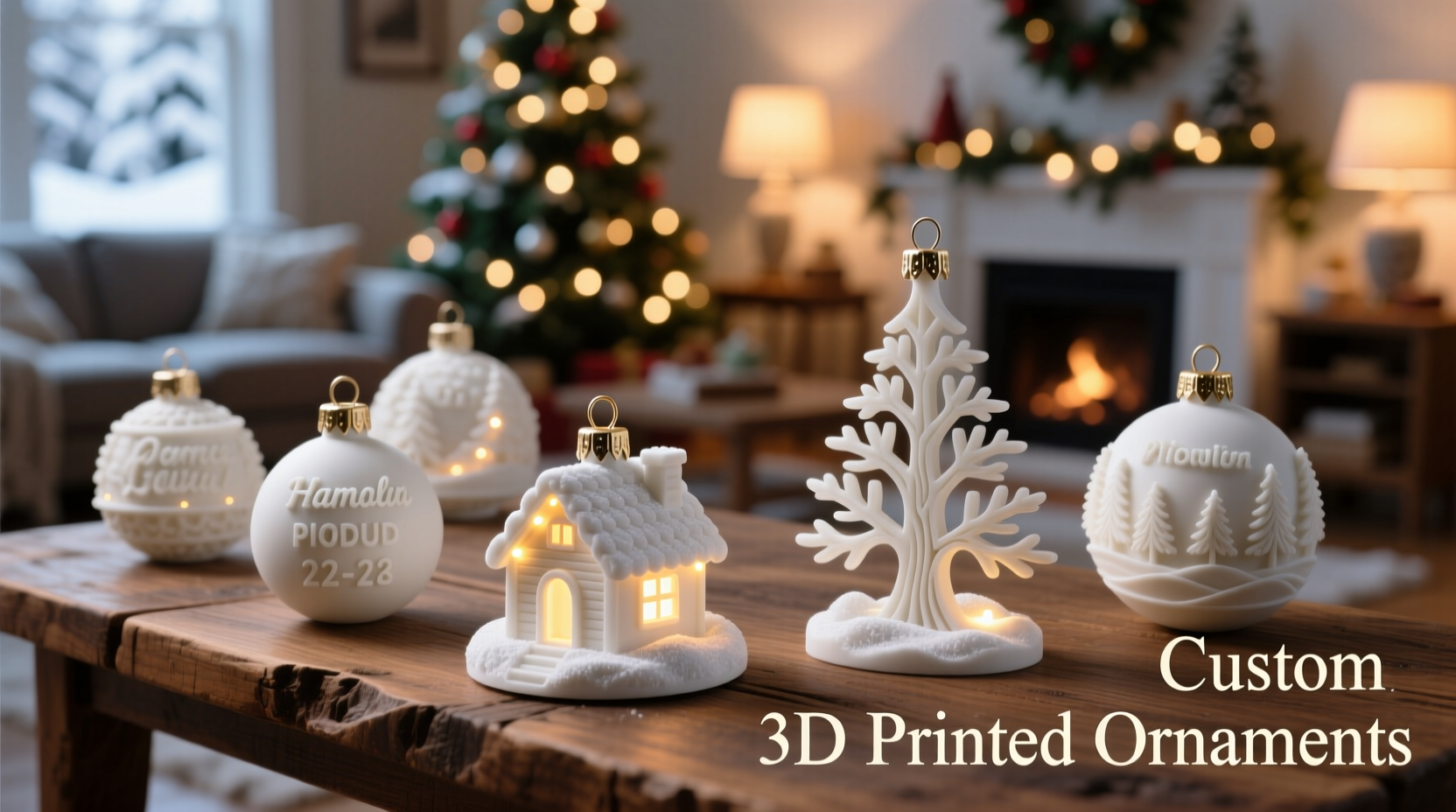
Modern desktop 3D printers—especially Fused Deposition Modeling (FDM) and resin-based (SLA/DLP) machines—have become affordable, user-friendly, and widely available. These devices build physical objects layer by layer from digital designs, allowing users to transform ideas into tangible items. For holiday decorating, this means you’re no longer limited to mass-produced glass balls or plastic trinkets. Instead, you can create ornaments tailored to your tree’s theme, your children’s interests, or even commemorate special events like a first Christmas together.
Most home 3D printers use thermoplastic filaments such as PLA (polylactic acid), which is ideal for ornaments due to its low warping, ease of printing, and availability in festive colors—including glitter-infused and translucent varieties. PLA is also biodegradable and emits minimal odor when printed, making it safe for indoor use during busy holiday prep periods.
What You Need to Get Started
To successfully print custom ornaments at home, you’ll need a few essential components. While some steps can be simplified using online tools, understanding the full process ensures better results and greater creative control.
- A 3D Printer – Entry-level models like the Creality Ender 3, Prusa MINI+, or Anycubic Kobra start around $200 and are capable of producing high-detail ornaments.
- Design Software or STL Files – You can either create your own model using free tools like Tinkercad or download ready-to-print files from platforms like Thingiverse, MyMiniFactory, or Cults3D.
- Slicing Software – Programs like Ultimaker Cura or PrusaSlicer convert 3D models into printable instructions (G-code) your printer can understand.
- Filament – PLA is recommended for beginners. A single 1kg spool costs $15–$25 and can produce dozens of small ornaments.
- Basic Tools – Tweezers, sandpaper (100–400 grit), rubbing alcohol (for resin prints), and string or ribbon for hanging.
Once your printer is calibrated and your design selected, the actual printing time for a standard ornament ranges from 20 minutes to two hours, depending on size and detail level. Smaller, flat designs like stars or initials print quickly, while hollow spheres or sculptural figures take longer.
Step-by-Step Guide to Printing Your First Ornament
Follow this practical workflow to go from idea to finished decoration in under a weekend.
- Choose or Create a Design – Search “custom Christmas ornament” on Thingiverse and filter by “PLA” and “under 2 hours.” Alternatively, use Tinkercad to add text to a basic shape—like engraving names onto a heart or star.
- Download the STL File – Save it to your computer. Ensure the file is scaled appropriately; most ornaments range from 2 to 4 inches in diameter.
- Open in Slicing Software – Import the STL into Cura or similar. Orient the model flat on the build plate to prevent warping. Enable support structures if needed (e.g., for overhangs).
- Adjust Print Settings – Use 0.1–0.2mm layer height for detail, 20–30% infill (or less for hollow designs), and enable brims to improve bed adhesion. Set print temperature according to filament specs (usually 190–210°C for PLA).
- Send to Printer – Transfer the generated G-code via SD card or USB. Level the print bed and preheat the nozzle and bed (if applicable).
- Monitor the First Layers – The initial layers are critical. Ensure the filament sticks evenly. Step away only once consistent extrusion is confirmed.
- Post-Processing – After printing, carefully remove the ornament from the bed. Snip off support material with flush cutters. Lightly sand rough edges. For a polished look, apply a thin coat of clear acrylic spray.
- Add Hanging Mechanism – Thread ribbon, twine, or thin wire through the built-in loop or drill a small hole if none exists. Knot securely.
Design Ideas and Creative Possibilities
The real magic of 3D printed ornaments lies in customization. Unlike factory-made items, each piece can be uniquely adapted. Consider these popular themes:
- Family Initials or Names – Stack letters into a tower or wrap them around a globe shape.
- Pet Portraits in 3D – Convert a photo into a low-poly model using online converters, then print a miniature version of your dog or cat.
- Geometric & Fractal Patterns – Snowflake-like lattices or Möbius strip designs create striking light effects when backlit.
- Nostalgic Miniatures – Replicate vintage toys, classic cars, or retro gaming consoles as tiny tree accents.
- Personal Milestones – Commemorate a new home, graduation, or wedding with a symbolic shape and engraved date.
For group gifting, print matching sets with individualized details—such as a series of reindeer named after family members. Many users report that handcrafted ornaments become heirlooms, cherished more than any store purchase.
“Custom 3D printed ornaments combine craftsmanship with emotional value. I’ve seen people cry when receiving a miniature replica of their childhood home.” — Daniel Reeves, Digital Fabrication Instructor at MakerEd Collective
Comparison: 3D Printed vs. Traditional Ornaments
| Feature | 3D Printed Ornaments | Traditional Store-Bought |
|---|---|---|
| Customization | High – fully customizable shapes, text, and sizes | Low – limited to available designs |
| Durability | High – resistant to cracking, moisture, and mild impacts | Variable – glass breaks easily; plastic may fade |
| Cost per Unit | $0.20–$1.50 (mostly filament and electricity) | $3–$15+ per ornament |
| Environmental Impact | Lower – uses biodegradable PLA; minimal packaging | Higher – often non-recyclable materials and plastic packaging |
| Production Time | 20 min – 2 hrs per piece | Instant (purchase) |
Mini Case Study: The Johnson Family’s DIY Ornament Project
The Johnsons of Portland, Oregon, decided to skip commercial shopping in 2023 and make all their tree decorations at home. Using a $230 Ender 3 V2 and free designs from Thingiverse, they spent two weekends printing 36 ornaments. Each family member designed one—ranging from a soccer ball (son’s favorite sport) to a tiny bookshelf engraved with their pet cat’s name.
They used red, green, and gold PLA, added glow-in-the-dark stars, and sealed select pieces with a matte varnish to reduce shine. The total material cost was under $12. Their tree received widespread praise at a neighborhood open house, and neighbors asked where they’d bought the “artisan ornaments.” When told they were homemade, three families purchased entry-level printers within the month.
“It brought us closer,” said Lisa Johnson. “We weren’t just decorating—we were building memories with every layer.”
Common Challenges and How to Overcome Them
While 3D printing ornaments is accessible, beginners may encounter issues. Here’s how to avoid the most frequent pitfalls:
- Warping Corners – Caused by poor bed adhesion. Solution: Clean the print bed with isopropyl alcohol, ensure proper nozzle height, and use a brim or raft.
- Stringing or Oozing – Thin plastic threads between parts. Fix: Enable retraction in slicing software and lower print temperature slightly.
- Weak Hanging Loops – Built-in loops can break if too thin. Always check that the loop is at least 2mm thick or reinforce it with epoxy thread after printing.
- Long Print Times for Large Sets – Print multiple copies simultaneously by duplicating models on the build plate. Most printers can handle 4–6 small ornaments in one batch.
FAQ
Can I 3D print ornaments without prior experience?
Yes. Many beginner-friendly designs require no assembly and print in one piece. Platforms like Tinkercad offer drag-and-drop tools that let you personalize shapes without technical skills. Start with simple flat ornaments before attempting complex models.
Are 3D printed ornaments safe for children’s trees?
Generally yes. PLA is non-toxic and doesn’t shatter like glass. However, small parts or sharp edges should be sanded smooth. Avoid giving intricate or fragile designs to very young children. Supervise handling if the ornament has loose strings.
Can I paint or decorate 3D printed ornaments?
Absolutely. Acrylic paints adhere well to PLA. For best results, lightly sand the surface, apply a primer, then paint. Seal with a clear coat to protect the finish. You can also glue on rhinestones, fabric scraps, or metallic foil for extra flair.
Checklist: Ready to Print Custom Ornaments?
- ☐ Own or have access to a working 3D printer
- ☐ Install slicing software (e.g., Ultimaker Cura)
- ☐ Purchase PLA filament in desired colors
- ☐ Download or design an STL file suitable for ornaments
- ☐ Calibrate printer bed and nozzle
- ☐ Test print a small prototype
- ☐ Prepare post-processing tools (cutters, sandpaper, ribbon)
- ☐ Plan your hanging method (loop, hole, or integrated hook)
Conclusion
Creating custom Christmas ornaments at home with a 3D printer is not just feasible—it’s a growing trend that blends technology, artistry, and personal storytelling. With modest investment and a few hours of effort, you can produce meaningful, durable decorations that stand out year after year. The ability to tailor every detail—from shape to sentiment—transforms ornament-making from a chore into a celebration of individuality and connection.




 浙公网安备
33010002000092号
浙公网安备
33010002000092号 浙B2-20120091-4
Comments
No comments yet. Why don't you start the discussion?