
Smart speakers have become central fixtures in modern homes. From setting alarms to playing lullabies, their convenience is undeniable. But as these always-listening devices hum quietly through the night, many users wonder: Is it really safe to leave a smart speaker on overnight? The short answer is generally yes — but with important caveats. Understanding the risks around data privacy, power safety, unintended activations, and long-term device health can help you make informed decisions about how and when to keep your smart speaker active.
Understanding How Smart Speakers Work Overnight
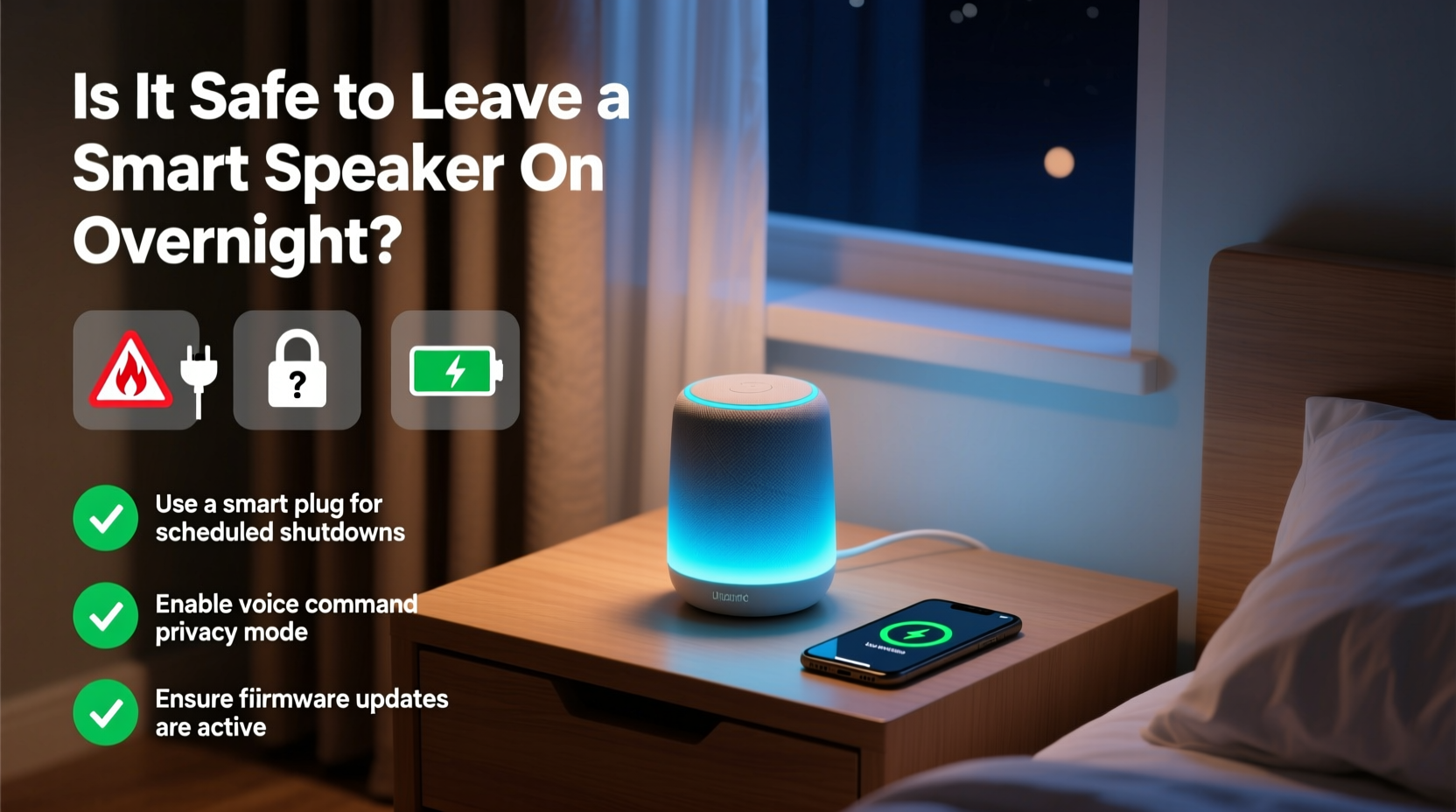
Smart speakers like Amazon Echo, Google Nest, and Apple HomePod are designed to remain powered on continuously. They operate in a low-power listening mode, waiting for a wake word such as “Alexa,” “Hey Google,” or “Hey Siri.” When not actively processing commands, they consume minimal energy and maintain only basic background functions.
Despite this design, constant connectivity introduces potential vulnerabilities. The microphone is technically always active (though not recording), raising valid questions about data handling and surveillance. Additionally, being plugged in 24/7 increases exposure to electrical faults, especially with substandard power adapters or outlets.
Manufacturers emphasize that audio is processed locally until the wake word is detected. Only then does the device send encrypted data to cloud servers. Still, incidents of accidental recordings and unintended sharing — though rare — have been documented.
Key Risks of Leaving a Smart Speaker On All Night
While convenient, keeping your smart speaker running overnight isn’t without risk. Here are the most significant concerns backed by technical assessments and user reports.
1. Privacy Vulnerabilities
Even with encryption and local processing, smart speakers pose privacy risks. Hackers who gain access to your Wi-Fi network could potentially intercept data transmissions. Though unlikely for average users, high-profile individuals or those under targeted surveillance may face greater exposure.
In 2018, an Alexa device mistakenly sent a private conversation to a random contact. While Amazon resolved the flaw, it highlighted how software bugs can lead to unintended disclosures. Similarly, voice data stored in cloud accounts remains accessible to service providers and, in some cases, law enforcement via warrants.
2. Unintended Activations
Background noise, pet sounds, or similar-sounding phrases can trigger false wake-word detection. These “false positives” result in brief recordings being sent to the cloud. While most are discarded quickly, they still represent moments when your home audio was captured without deliberate intent.
Over time, accumulated clips — even if auto-deleted — contribute to voice pattern profiling. This data helps improve speech recognition but also builds a behavioral profile tied to your account.
3. Fire and Electrical Hazards
Any electronic device left plugged in indefinitely carries a small fire risk, particularly if using damaged cords, cheap third-party chargers, or overloaded power strips. Although smart speakers draw low power (typically 2–5 watts), overheating due to poor ventilation or manufacturing defects can occur.
The U.S. Consumer Product Safety Commission has issued recalls for certain smart speaker models due to battery or power supply issues. Always register your device with the manufacturer to receive recall alerts.
4. Reduced Device Longevity
Like all electronics, continuous operation accelerates wear on internal components. Constant thermal cycling — even at low levels — can degrade capacitors and solder joints over years. While most smart speakers last 3–5 years under normal use, non-stop operation may shorten lifespan slightly.
“Leaving a smart speaker on overnight isn’t inherently dangerous, but it does increase cumulative exposure to both digital and physical risks. A balanced approach — using mute buttons and scheduled downtimes — offers optimal safety.” — Dr. Lena Torres, Cybersecurity Researcher at MIT Media Lab
Practical Tips to Use Your Smart Speaker Safely Overnight
You don’t need to unplug your smart speaker every night to stay safe. Instead, adopt smart habits that minimize risk while preserving functionality.
✅ Actionable Security & Safety Checklist
- Mute the microphone when not in use, especially at night
- Use a surge protector instead of plugging directly into the wall
- Regularly review and delete voice history in your account settings
- Enable two-factor authentication on your smart assistant account
- Keep firmware updated to patch known vulnerabilities
- Avoid placing near water sources or in humid environments like bathrooms
- Disable voice purchasing to prevent accidental orders
Step-by-Step: Secure Your Smart Speaker in 10 Minutes
- Open your assistant app (e.g., Alexa, Google Home) on your phone.
- Navigate to Privacy Settings and select “Review Voice History.”
- Delete past recordings or set automatic deletion (e.g., every 3 or 18 months).
- Turn on Microphone Off scheduling if available — schedule mute during sleep hours.
- Check for firmware updates under Device Settings.
- Enable “Lock Screen” or PIN protection for sensitive actions like payments.
- Disconnect unused smart home devices linked to voice control.
- Register your device with the manufacturer for safety notifications.
Real-Life Example: The Midnight Alarm Incident
In early 2022, a family in Portland reported that their Google Nest Mini activated at 2:17 a.m. and began playing loud music, startling everyone awake. No one had given a command. Investigation revealed that a passing delivery truck’s radio had broadcast a phrase nearly identical to “Hey Google, play jazz music.” The speaker misinterpreted the external sound as a command.
This case underscores how environmental noise can bypass intended controls. Since then, Google has improved acoustic fingerprinting to distinguish between indoor and outdoor voices. However, the incident remains a cautionary tale about relying solely on software filters.
The family now uses a simple solution: they schedule their speakers to disable after 10 p.m. unless manually reactivated. They also placed the device deeper inside the house, away from street-facing windows.
Smart Speaker Comparison: Safety Features by Brand
| Feature | Amazon Echo | Google Nest | Apple HomePod |
|---|---|---|---|
| Physical Mute Button | Yes | Yes | Yes |
| On-Device Processing | Limited | Partial | High (Siri processes more locally) |
| Auto-Delete Voice Recordings | After 3 or 18 months | After 3 or 18 months | After 6 months |
| Scheduled Mute | Via Routines | Not available | No |
| End-to-End Encryption | For specific requests only | No | Yes (for messages and some Siri data) |
From a privacy standpoint, Apple leads with stronger encryption and tighter data limits. Amazon offers the most customization, including scheduled muting. Google provides transparency tools but lacks some automation features found in competitors.
Frequently Asked Questions
Can someone hack my smart speaker while I sleep?
Direct hacking of a smart speaker is extremely rare and typically requires prior access to your Wi-Fi network or cloud account. Most breaches occur through phishing or weak passwords. Using strong, unique passwords and enabling two-factor authentication drastically reduces this risk. Physical tampering would be required for direct microphone exploitation — which is why placing the device in a secure location matters.
Does leaving my smart speaker on increase my electric bill?
Minimal impact. A typical smart speaker consumes 2–5 watts. Running one continuously for a year uses roughly 18–44 kWh. At the U.S. average rate of $0.15/kWh, that’s less than $7 annually per device. Still, unplugging multiple devices adds up over time — consider using a smart plug to automate shutdowns during low-use hours.
Should I turn off my smart speaker at night?
It depends on your needs. If you rely on it for morning alarms, nighttime monitoring, or emergency calls, keeping it on makes sense. For maximum privacy, use the mute button or schedule downtime. Complete shutdown eliminates all risks but sacrifices convenience. A hybrid approach — mute instead of power off — often strikes the best balance.
Final Thoughts: Balancing Convenience and Caution
Leaving a smart speaker on overnight is generally safe for most users, especially when basic precautions are followed. These devices are engineered for constant operation, and manufacturers continue improving security and privacy controls. Yet, complacency can expose you to avoidable risks — from accidental recordings to outdated firmware.
The key is intentionality. Treat your smart speaker not as a passive gadget but as an active participant in your digital life. Regular maintenance, thoughtful placement, and privacy hygiene go a long way toward ensuring it serves you safely — day and night.




 浙公网安备
33010002000092号
浙公网安备
33010002000092号 浙B2-20120091-4
Comments
No comments yet. Why don't you start the discussion?