
Touchscreens are now central to our daily lives—from smartphones and tablets to laptops and smart home devices. Keeping them clean is essential for hygiene and visibility, especially in shared environments. However, many people reach for alcohol wipes without realizing the potential damage they can cause. While effective at killing germs, alcohol-based cleaners can degrade screen coatings, leave streaks, or even compromise touch sensitivity over time. Understanding the risks and knowing safer alternatives ensures your devices stay functional and clear for years.
How Touchscreen Coatings Work—and Why They’re Vulnerable
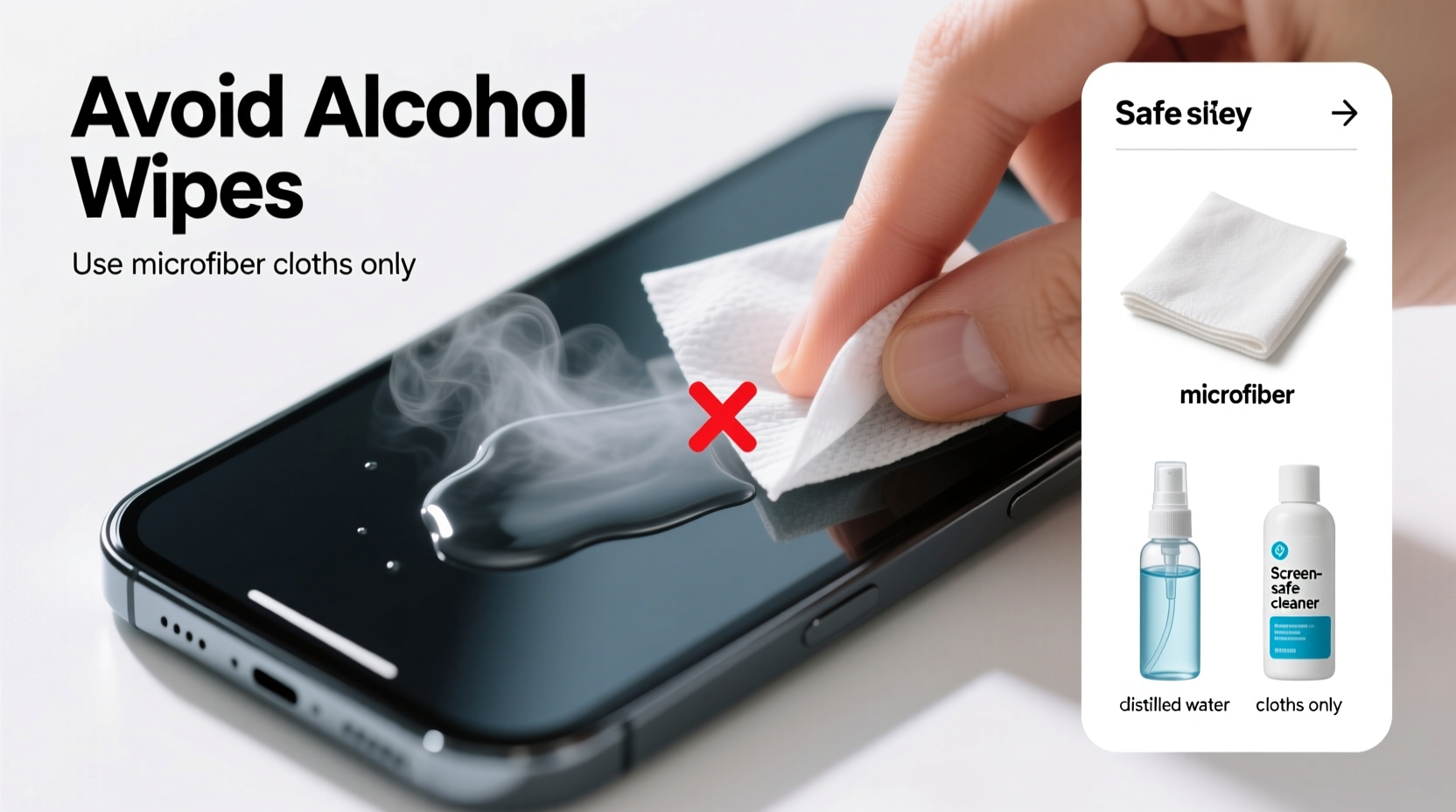
Modern touchscreens are more than just glass—they often feature specialized anti-reflective, oleophobic (oil-repellent), and scratch-resistant coatings. These micro-thin layers are engineered to reduce glare, prevent fingerprints, and enhance responsiveness. Unfortunately, they’re also chemically sensitive. Alcohol, particularly isopropyl alcohol (IPA) at concentrations above 50%, can break down these protective films with repeated use.
The oleophobic coating, which keeps your screen from becoming a fingerprint magnet, is especially fragile. Once compromised, it doesn’t regenerate. You’ll notice increased smudging, harder-to-clean surfaces, and reduced clarity. Over time, this degradation accelerates wear and diminishes user experience.
“Repeated exposure to high-concentration alcohol wipes strips away the protective layer on screens faster than most users realize. It’s not about one wipe—it’s the cumulative effect.” — Dr. Lin Zhao, Materials Scientist at Consumer Tech Labs
When Alcohol Wipes Are Acceptable (and When They’re Not)
The answer isn’t a simple yes or no. Whether alcohol wipes are safe depends on the device, concentration, frequency, and application method. Apple, for example, updated its guidance during the pandemic to allow the use of 70% isopropyl alcohol wipes on the exteriors of iPhones, iPads, and MacBooks—but only when applied to a soft cloth first, not directly on the screen.
Still, major manufacturers like Samsung and LG caution against alcohol-based cleaners altogether for OLED and AMOLED displays, which are more chemically reactive. Medical-grade devices, public kiosks, and older electronics may have different tolerances, but erring on the side of caution is always wise.
What to Avoid: Common Cleaning Mistakes
Many well-intentioned cleaning habits do more harm than good. Here’s what you should never do when cleaning a touchscreen:
- Using window cleaners like Windex: Ammonia and other harsh chemicals can permanently cloud or etch the surface.
- Wiping with paper towels or napkins: These materials are abrasive and can create micro-scratches.
- Applying excessive pressure: Pressing too hard while cleaning can damage internal sensors or pixel response.
- Using undiluted rubbing alcohol: Concentrations above 50% increase the risk of coating erosion.
- Cleaning while the device is powered on: Moisture near open ports or active circuits poses a short-circuit risk.
Real Example: The Office Tablet Incident
In a busy healthcare clinic, staff used hospital-grade disinfectant wipes containing 75% alcohol to clean shared tablets between patient visits. Within six weeks, multiple devices showed visible haze, reduced touch accuracy, and persistent smearing. IT diagnostics revealed the oleophobic layer had been stripped. Replacement costs exceeded $2,000. After switching to manufacturer-approved screen cleaners and training staff on proper techniques, screen longevity improved dramatically.
Safe Alternatives and Best Practices
Cleaning your touchscreen effectively doesn’t require harsh chemicals. In fact, the gentlest methods are often the most effective and safest for long-term use.
Step-by-Step Guide: How to Clean a Touchscreen Safely
- Power off the device: This prevents accidental inputs and reduces electrical risk.
- Remove debris with dry microfiber: Gently wipe away dust and loose particles.
- Dampen a corner of the cloth: Use distilled water or a 50/50 mix of distilled water and white vinegar. Alternatively, use a pre-moistened screen wipe designed for electronics.
- Wipe in gentle circular motions: Apply minimal pressure and cover the entire surface evenly.
- Dry immediately: Use the dry part of the cloth to buff the screen and prevent water spots.
For disinfection, consider UV-C sanitizing boxes designed for phones and tablets. These devices kill bacteria and viruses without any liquid contact, preserving screen integrity.
Recommended Cleaning Products
| Product Type | Safety Level | Best For | Notes |
|---|---|---|---|
| Microfiber cloth (dry) | Very High | Daily dust removal | Use only clean cloths; wash regularly |
| Distilled water + microfiber | High | Light smudges | Avoid tap water (minerals can leave residue) |
| Isopropyl alcohol (≤50%) + cloth | Moderate | Disinfection (occasional) | Never exceed 50%; never apply directly |
| Commercial screen cleaners (e.g., Whoosh, Zagg) | High | Routine deep cleaning | Formulated to preserve coatings |
| UV-C sanitizers | Very High | Germs and bacteria removal | No contact; ideal for high-touch devices |
Expert-Approved Do’s and Don’ts
To help you make informed decisions, here’s a concise checklist based on industry standards and manufacturer guidelines.
- ✅ Use a clean, lint-free microfiber cloth
- ✅ Dampen the cloth—not the screen
- ✅ Power off before cleaning
- ✅ Disinfect occasionally with diluted alcohol (if approved by manufacturer)
- ✅ Store devices in protective cases to minimize dirt buildup
- ❌ Never use ammonia-based cleaners (like Windex)
- ❌ Avoid paper products (tissues, napkins, paper towels)
- ❌ Don’t use undiluted alcohol or bleach wipes
- ❌ Never submerge or rinse a touchscreen device
- ❌ Skip compressed air near seams—moisture can get trapped
Frequently Asked Questions
Can I use hand sanitizer to clean my phone screen?
No. Hand sanitizers contain alcohol, fragrances, and gelling agents that can leave sticky residues and damage screen coatings. Even “alcohol-free” versions often include additives unsuitable for electronics.
Are baby wipes safe for touchscreens?
No. Most baby wipes contain mild soaps, fragrances, and moisturizers that aren’t designed for electronic surfaces. They can leave behind a film that attracts more dirt and interferes with touch response. Some also contain alcohol, compounding the risk.
How often should I clean my touchscreen?
For personal devices, wiping the screen with a dry microfiber cloth daily helps maintain clarity. A deeper clean with a damp cloth should be done weekly or biweekly. In high-traffic or shared environments (offices, clinics, schools), clean after each use with appropriate disinfection methods.
Manufacturer Guidelines Compared
Different brands provide varying recommendations. Knowing where your device stands can guide your cleaning choices.
| Brand | Alcohol Use Permitted? | Recommended Method | Warnings |
|---|---|---|---|
| Apple | Yes (70% IPA on cloth, exterior only) | Soft, lint-free cloth; slightly dampened if needed | Avoid getting moisture into openings |
| Samsung | No (for OLED screens) | Dry microfiber cloth; approved screen protectors | Alcohol may void warranty on display issues |
| Google (Pixel) | No official recommendation | Use only dry or water-dampened cloth | Do not use solvents or sprays |
| Microsoft (Surface) | Limited (only for non-screen surfaces) | Water-dampened cloth for screen | Never use alcohol, acetone, or benzene |
| Amazon (Fire Tablets) | No | Dry microfiber cloth only | Moisture damage not covered under warranty |
“The safest way to clean any touchscreen is with nothing more than a clean microfiber cloth. Add water only when necessary, and never assume one-size-fits-all rules apply across brands.” — James Reed, Senior Technician at DeviceCare Solutions
Protecting Your Investment Long-Term
Your touchscreen device represents a significant investment, both financially and functionally. Simple cleaning habits today can prevent costly replacements tomorrow. Consider applying a high-quality screen protector—it not only guards against scratches but also takes the brunt of chemical exposure, preserving the original surface underneath.
For households with children or in environments where hygiene is critical (kitchens, medical spaces, gyms), establish a cleaning protocol using safe tools. Keep a dedicated microfiber cloth and approved cleaner in a drawer or bag for easy access.
Conclusion
While alcohol wipes can disinfect, their use on touchscreens requires caution. Frequent or improper application risks irreversible damage to delicate coatings, reducing clarity and usability. Safer alternatives—like microfiber cloths, distilled water, and UV sanitizers—offer effective cleaning without the trade-offs. By following manufacturer guidelines, avoiding common mistakes, and adopting consistent, gentle routines, you protect both the performance and lifespan of your devices.




 浙公网安备
33010002000092号
浙公网安备
33010002000092号 浙B2-20120091-4
Comments
No comments yet. Why don't you start the discussion?