
In today’s hyper-connected world, keeping your smartphone charged is essential. Airports, shopping malls, train stations, and even city sidewalks now offer free USB charging stations for convenience. But while plugging in may seem harmless, a growing number of cybersecurity experts warn that these public ports can pose serious digital threats. What appears to be a simple act of recharging could expose your personal data to hackers using a technique known as “juice jacking.”
This article dives deep into the real dangers behind public USB charging stations, explains how attacks happen, and provides practical steps to stay protected—without sacrificing convenience.
The Hidden Threat: Juice Jacking Explained
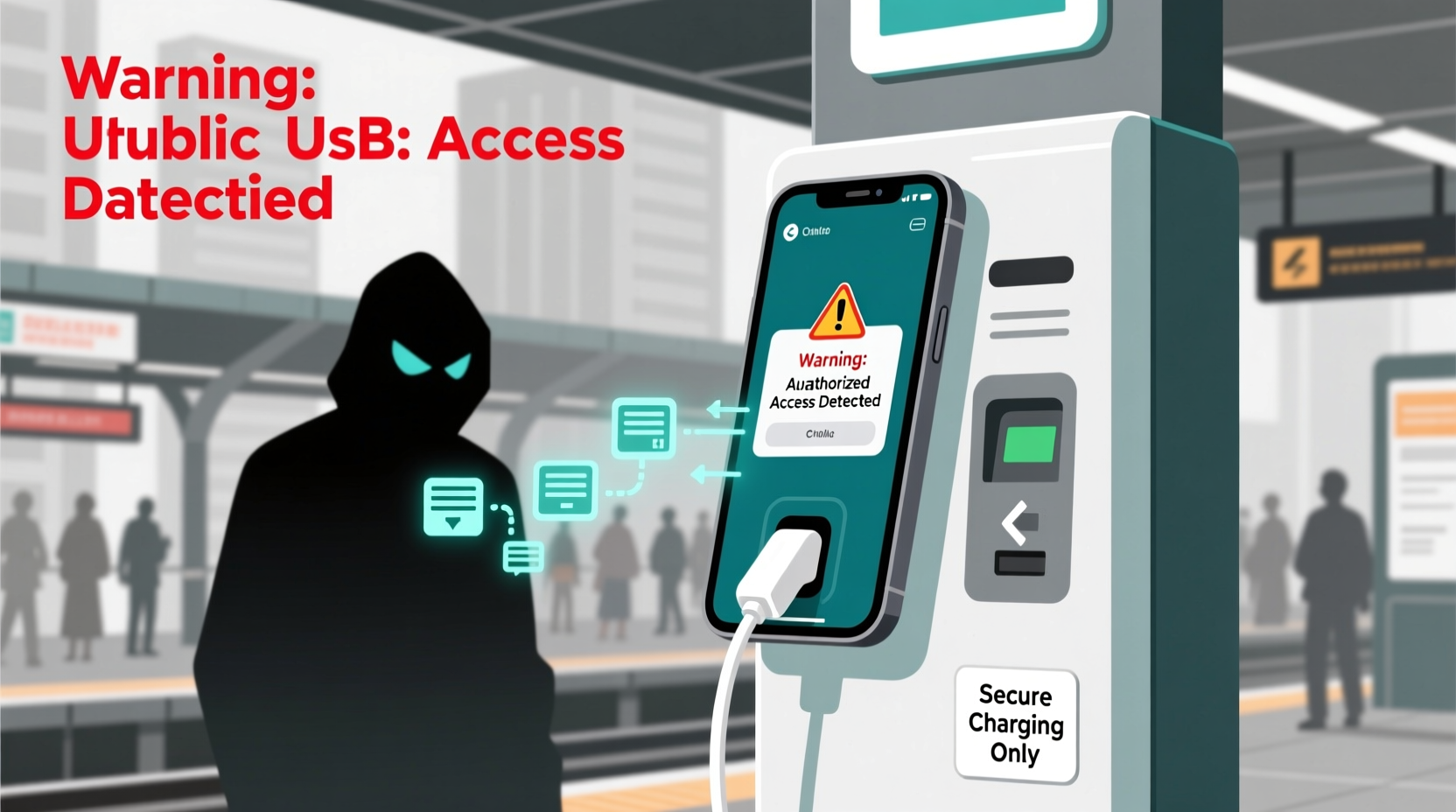
USB cables do more than transfer power—they also transmit data. When you plug your phone into a computer or public kiosk, the connection allows file transfers, syncing, and device management. Cybercriminals exploit this dual functionality through a tactic called juice jacking.
Juice jacking occurs when a compromised USB port secretly installs malware onto your device or siphons off sensitive information like passwords, photos, messages, and login credentials—all while charging your battery. The attack happens silently, often without any visible indication that your phone has been breached.
It works in two primary ways:
- Data Harvesting: Malicious hardware embedded in the charging station establishes a data connection with your phone, extracting stored files and authentication tokens.
- Malware Injection: The station loads malicious software onto your device, which can log keystrokes, activate microphones, or provide remote access to attackers later.
While documented cases of widespread juice jacking remain relatively rare, the technical feasibility is well-established. In 2011, researchers at the Black Hat security conference demonstrated a prototype called “Mactans” that could install malware on an iPhone via USB in under a minute. Since then, proof-of-concept tools have become more sophisticated, making such attacks increasingly plausible in real-world environments.
How Public Charging Stations Are Exploited
Attackers don’t need physical control over official infrastructure to carry out these schemes. They can deploy rogue charging kiosks in high-traffic areas or tamper with legitimate ones by modifying internal circuitry. Once installed, these devices appear identical to standard chargers but contain hidden components capable of data interception.
Common methods include:
- Rogue Kiosks: Temporary or fake charging stations placed near tourist attractions, festivals, or transit hubs.
- Firmware Manipulation: Compromising existing public stations by updating their firmware to include data-extraction capabilities.
- USB Condoms (Modified Cables): While not an attack vector itself, the existence of data-only blocking cables highlights the inherent risk—someone must have seen the threat coming.
One notable example occurred in 2019 when the Los Angeles Department of Transportation deployed public USB ports across the city. After concerns were raised by privacy advocates, officials acknowledged that some units had no data-blocking safeguards. Though no breaches were reported, the incident sparked a broader conversation about municipal responsibility in securing public tech infrastructure.
“Any USB port you didn’t bring yourself should be treated as potentially hostile.” — Kevin Mitnick, Former Hacker & Security Consultant
Who Is Most at Risk?
While all mobile users are vulnerable, certain groups face higher exposure due to travel patterns, device usage, or professional responsibilities.
| Group | Risk Level | Why Vulnerable |
|---|---|---|
| Business Travelers | High | Carry sensitive corporate data; frequently rely on airport charging stations. |
| Tourists | Medium-High | Unfamiliar with local infrastructure; more likely to use unknown kiosks. |
| Remote Workers | Medium | Use personal devices for work; may charge in co-working spaces or cafes. |
| General Public | Low-Medium | Lower volume of sensitive data, but still susceptible to identity theft. |
The level of risk also depends on device type. iPhones are somewhat less vulnerable due to Apple’s tighter control over USB communication protocols—especially with features like USB Restricted Mode (disabled by default but highly recommended). Android devices, particularly older models or those running outdated OS versions, tend to be more permissive when establishing USB connections.
Protecting Yourself: A Step-by-Step Guide
You don’t need to avoid public charging altogether—but you should approach it strategically. Follow this timeline-based action plan before, during, and after using a public USB station.
- Before You Leave Home:
- Charge your device fully.
- Carry a portable power bank (preferably one with pass-through charging).
- Enable airplane mode and auto-lock settings to reduce exposure.
- For iPhone users: Activate USB Restricted Mode (Settings > Face ID & Passcode > USB Accessories, toggle off after 1 hour).
- At the Charging Station:
- Use AC wall outlets instead of USB ports whenever possible—plug in using your own charger and cable.
- If only USB is available, use a data-blocker adapter (also called a USB condom), which allows power flow but disables data pins.
- Avoid touching your phone while it's charging—interaction could trigger a permission prompt.
- After Disconnecting:
- Check for unusual behavior: unexpected pop-ups, apps opening on their own, or increased data usage.
- Run a mobile security scan using trusted antivirus software.
- Review recent account logins (e.g., Google, Apple ID) for unfamiliar activity.
- Change passwords immediately if suspicious activity is detected.
Practical Checklist: Safe Charging Habits
Stay protected with this quick-reference checklist every time you're tempted to plug into a public USB port.
- ✅ Charge your device before leaving home
- ✅ Bring a personal power bank (fully charged)
- ✅ Use AC wall outlets with your own charger—not shared USB hubs
- ✅ Carry a USB data-blocker adapter or charge-only cable
- ✅ Enable airplane mode and lock your screen before plugging in
- ✅ On iPhone: Turn on USB Restricted Mode
- ❌ Never tap “Allow” or “Trust This Computer” on public ports
- ❌ Avoid using your phone while it's charging publicly
- ✅ Inspect ports for signs of tampering (loose parts, mismatched colors)
- ✅ Monitor your device post-charge for odd behavior
Real-World Scenario: A Close Call at LAX
Mark, a marketing executive flying from Chicago to Los Angeles, landed at LAX with 5% battery left. With a client meeting in two hours, he rushed to a sleek-looking charging station near Terminal 3. He plugged in his Android phone using the provided USB cable hanging from the kiosk.
Within seconds, a notification popped up: “Allow USB debugging?” Distracted by boarding announcements, Mark tapped “OK” instinctively. Later that evening, he noticed strange texts being sent from his number and found unfamiliar apps installed. A mobile security scan revealed spyware linked to a known data-harvesting toolkit.
Fortunately, Mark used two-factor authentication on most accounts, limiting the damage. Still, it took days to clean his device and notify contacts about fraudulent messages. The culprit? A tampered cable pre-loaded with malicious firmware—a method law enforcement refers to as “cable baiting.”
His takeaway: “I always carry a power bank now. Five minutes of convenience isn’t worth losing control of your digital life.”
Alternative Charging Solutions That Are Safer
Thankfully, safer alternatives exist that eliminate the need to trust public USB ports.
- Portable Power Banks: Modern models offer fast charging and high capacities (20,000 mAh+). Choose brands with built-in safety certifications (CE, FCC, RoHS).
- Solar Chargers: Ideal for outdoor travelers or emergency kits. While slower, they’re independent of grid infrastructure.
- Wireless Charging Pads: Available in many airports and cafes. Since they transfer power electromagnetically, there’s no data connection—making them inherently safer than USB.
- Car Chargers: If driving, use your vehicle’s 12V outlet with a quality USB adapter.
Additionally, consider investing in specialized accessories designed for secure charging:
- PortaPow USB Data Blocker: A small dongle that fits between your cable and the port, physically disabling data pins.
- SyncStop Cable: A modified USB cable that only conducts power.
- Locked Charging Lockers: Found in some universities and libraries, these enclose your device during charging and require a PIN or app unlock.
Frequently Asked Questions
Can a public USB port really hack my phone?
Yes—though not through magic, but through established technical vulnerabilities. If a charging station is compromised, it can exploit the data-transfer capability of USB to install malware or extract information. While mass outbreaks haven't occurred, targeted attacks are feasible and have been demonstrated in controlled environments.
Are wireless charging stations safe?
Yes, generally. Wireless charging uses electromagnetic induction, which only transfers power—no data connection is possible. However, ensure the pad isn't paired with a nearby device attempting Bluetooth or NFC spoofing. Stick to reputable locations and avoid third-party stands with exposed wiring.
Do I need to worry about this if I have an iPhone?
iPhones are better protected than most Android devices thanks to stricter USB policies and optional USB Restricted Mode. However, if you unlock your phone and connect to a malicious port within an hour, data access may still be granted. Always disable USB accessories after unlocking to minimize risk.
Conclusion: Stay Powered Without Compromising Security
Public USB charging stations offer undeniable convenience, but convenience should never come at the cost of your digital safety. As cyber threats evolve, so must our habits. By understanding the risks of juice jacking and adopting simple protective measures—from carrying a power bank to using data-blocking adapters—you maintain full control over your device and data.
The next time you see that glowing USB port at the airport, pause and ask: Is this the safest choice? Often, the answer lies in the charger already in your bag. Make smart choices today so you don’t spend tomorrow resetting passwords or explaining strange messages to your contacts.




 浙公网安备
33010002000092号
浙公网安备
33010002000092号 浙B2-20120091-4
Comments
No comments yet. Why don't you start the discussion?