
For many, the idea of upgrading to a mechanical keyboard conjures images of gamers clacking through intense sessions or programmers coding late into the night. But what about the average user—someone who spends hours each day typing emails, browsing the web, or managing documents? Is investing in a mechanical keyboard justified for casual use?
The answer isn't a simple yes or no. While mechanical keyboards were once niche tools for enthusiasts, they’ve become increasingly mainstream. Their appeal now extends beyond performance circles into everyday computing. The question is whether their advantages outweigh the higher cost and learning curve for someone whose primary tasks are light typing and online navigation.
Understanding Mechanical Keyboards: How They Differ
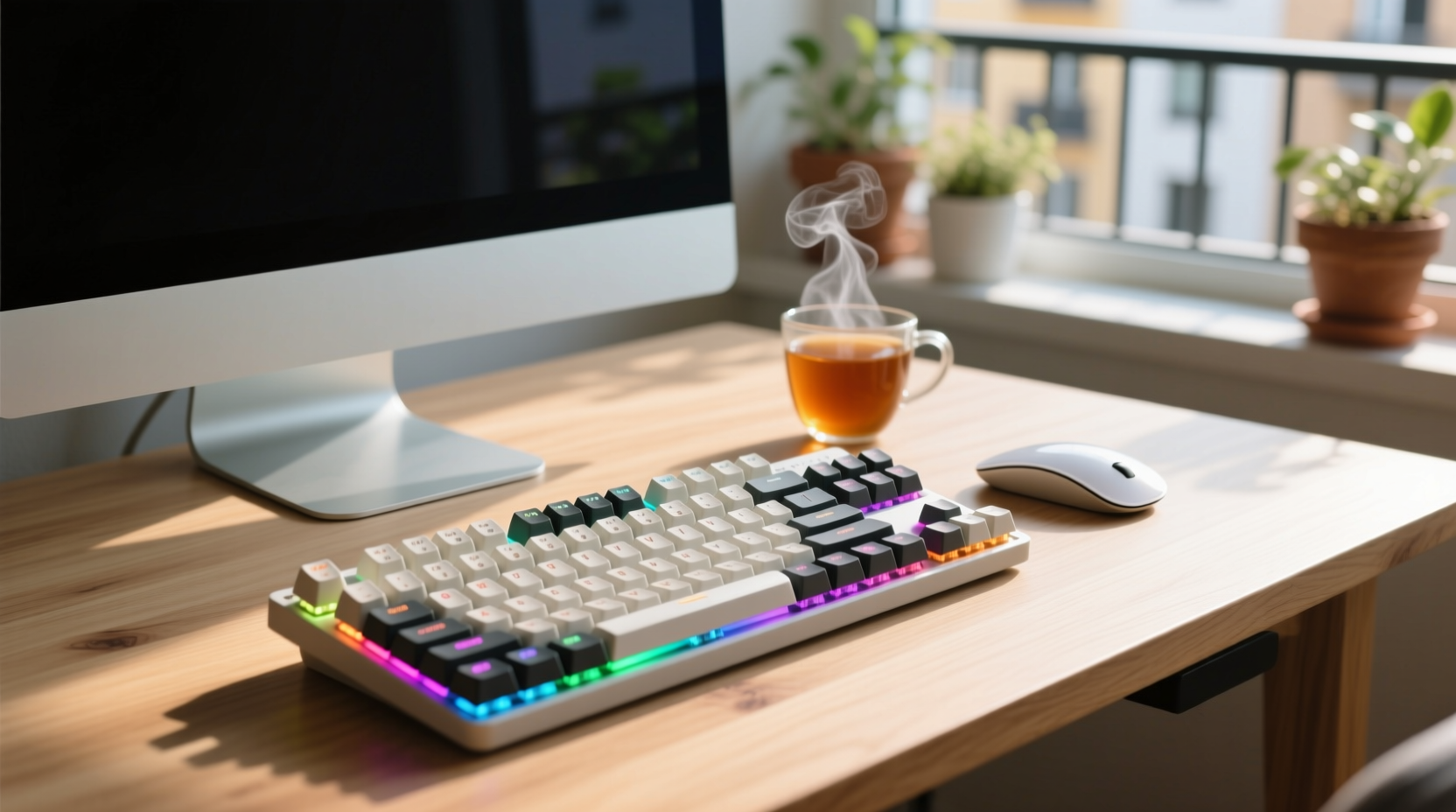
Mechanical keyboards use individual mechanical switches under each keycap, as opposed to the rubber dome or scissor-switch mechanisms found in most standard membrane keyboards. Each switch contains physical components—a spring, stem, and contact point—that register keystrokes when pressed.
This design offers several functional differences:
- Tactile feedback: Many mechanical switches provide noticeable resistance and a \"bump\" when actuated, giving users a sense of confirmation with every press.
- Auditory response: Mechanical keys often produce a distinct click or tap sound, which some find satisfying and others distracting.
- Durability: Rated for tens of millions of keystrokes, mechanical switches typically outlast membrane counterparts by years.
- Customizability: From switch types to keycap materials and backlighting, mechanical keyboards offer extensive personalization.
These traits contribute to a different typing experience—one that can feel more engaging and precise than using a flat, mushy laptop keyboard or an inexpensive office model.
Benefits for Casual Typing and Browsing
Even if your digital life revolves around social media, email, and occasional document editing, a mechanical keyboard can enhance comfort and efficiency. Here’s how:
Improved Typing Accuracy and Speed
Because mechanical switches require less travel distance to register a keystroke (known as actuation point), users often type faster and with fewer errors. The tactile feedback helps prevent accidental double-taps or missed inputs, especially during long typing stretches.
For example, someone writing blog posts or filling out online forms may notice reduced finger fatigue and improved rhythm over time. This isn’t just anecdotal—studies on typing ergonomics suggest that responsive input devices can reduce cognitive load and increase accuracy.
Greater Comfort Over Time
Casual doesn’t mean infrequent. Many people spend two to four hours daily on non-intensive tasks like browsing news sites or chatting. Over months and years, even minor discomfort from poor key resistance or layout can accumulate into strain.
Mechanical keyboards often feature better ergonomics, including sturdier frames, adjustable feet, and optimized key layouts. Some models support split designs or tenting accessories, further reducing wrist extension.
Long-Term Value and Reliability
While the upfront cost is higher—typically $70–$150 compared to $20–$50 for basic keyboards—mechanical models last significantly longer. A well-maintained mechanical keyboard can remain functional for a decade or more, whereas membrane keyboards degrade noticeably within three to five years.
This longevity makes them a smart investment for users who don’t want to replace peripherals frequently.
“Mechanical keyboards aren’t just for power users. Anyone who values consistency and comfort in their daily workflow will benefit.” — David Lin, Peripheral Design Engineer at InputLabs
Key Considerations Before Upgrading
Despite their advantages, mechanical keyboards aren’t universally ideal. Several factors should be weighed based on lifestyle, environment, and preferences.
Noise Level
One of the most common complaints about mechanical keyboards is noise. Clicky switches like Cherry MX Blue or Kailh Box Jade produce sharp, audible feedback that can disturb coworkers, family members, or roommates.
If you work in shared spaces or enjoy late-night browsing while others sleep, quieter alternatives such as linear (e.g., Cherry MX Red) or tactile silent switches (e.g., Gateron Silent Brown) are preferable.
Size and Portability
Full-sized mechanical keyboards are bulkier than slim laptop keyboards or compact USB models. If desk space is limited or you frequently move between devices, consider smaller form factors like 75%, 60%, or even 40% layouts.
Compact models remove less-used keys (like numpads or function rows) to save space, though this may require learning new key combinations (via layers) for certain functions.
Learning Curve
The transition from a soft, cushioned membrane keyboard to a crisp mechanical one can feel jarring at first. Users accustomed to low-resistance keys might initially find mechanical switches too stiff or tiring.
Give yourself at least a week of regular use before judging comfort. Most adapt quickly once muscle memory adjusts.
Budget vs. Perceived Benefit
It's valid to question whether spending $100+ on a keyboard is worthwhile when cheaper options exist. For casual users, the return on investment hinges on subjective satisfaction rather than measurable productivity gains.
Ask yourself: Do I spend enough time typing to care about the quality of my input device? Would a more enjoyable typing experience make me more willing to write, journal, or organize information?
If the answer leans toward “yes,” then the upgrade likely pays intangible dividends in daily enjoyment.
Comparison: Mechanical vs. Membrane for Everyday Use
| Feature | Mechanical Keyboard | Membrane Keyboard |
|---|---|---|
| Lifespan | 50–100 million keystrokes | 5–10 million keystrokes |
| Typing Feedback | Precise, tactile, customizable | Soft, inconsistent, uniform |
| Noise Level | Varies (clicky, tactile, silent) | Generally quiet |
| Price Range | $70–$250+ | $15–$60 |
| Ease of Cleaning | Easy (removable keycaps) | Difficult (sealed design) |
| Portability | Moderate to low (heavier, larger) | High (lightweight, slim) |
| Customization | High (switches, keycaps, lighting) | Very limited |
This comparison highlights trade-offs. Mechanical keyboards excel in durability, customization, and typing precision—but come with compromises in portability and cost.
Real-World Example: Sarah’s Upgrade Journey
Sarah, a freelance writer and part-time blogger, used her laptop’s built-in keyboard for years. She typed moderately—about 2–3 hours per day—but began experiencing finger fatigue and occasional typos, especially during deadline crunches.
After reading reviews, she invested $95 in a mid-range mechanical keyboard with tactile Gateron Brown switches. At first, the sound surprised her, and her fingers felt overworked. But within ten days, she adapted completely.
She reported fewer mistakes, faster drafting, and—unexpectedly—a greater motivation to write. “It feels like my thoughts flow better now,” she said. “I look forward to sitting down at my desk because the typing itself is enjoyable.”
More importantly, she noticed less stiffness in her hands after long sessions. For Sarah, the upgrade wasn’t about performance metrics—it was about making routine tasks feel more pleasant.
Step-by-Step Guide to Choosing Your First Mechanical Keyboard
If you’re considering the switch, follow these steps to ensure a smooth transition tailored to casual use:
- Assess your environment: Will noise be an issue? If so, avoid clicky switches. Opt for linear or silent variants instead.
- Determine size preference: Full-size (100%) if you use the numpad; TKL (80%) for a balance; 60% or smaller if space is tight.
- Choose a switch type:
- Clicky (e.g., Blue): Loud, bumpy, satisfying for solo users.
- Tactile (e.g., Brown): Subtle bump, moderate sound.
- Linear (e.g., Red): Smooth press, quiet, good for fast typists.
- Set a budget: Entry-level models from brands like Redragon or Keychron offer solid quality under $80. Premium options (Ducky, Leopold) deliver build excellence at higher prices.
- Try before you buy (if possible): Visit electronics stores or borrow from friends to test手感 (feel). Alternatively, purchase from retailers with return policies.
- Test for two weeks: Allow time to adjust. Initial impressions may not reflect long-term comfort.
Frequently Asked Questions
Do I need a mechanical keyboard if I only browse and type casually?
Not necessarily, but you might appreciate it more than expected. Even light users benefit from improved comfort, accuracy, and durability. If you spend over an hour daily at a computer, the enhanced experience can add up over time.
Are mechanical keyboards harder to clean?
Actually, they’re easier. Most allow keycap removal with a puller, letting you clean debris underneath. Membrane keyboards trap dust under fixed keys and are rarely serviceable beyond surface wiping.
Can I use a mechanical keyboard with a laptop or tablet?
Absolutely. Most modern mechanical keyboards connect via USB or Bluetooth. Compact wireless models like the Keychron K2 or Anne Pro 2 integrate seamlessly with MacBooks, iPads, and Android tablets.
Final Checklist Before Buying
- ✅ Decide on wired vs. wireless connectivity
- ✅ Confirm compatibility with your OS (Windows, macOS, Linux)
- ✅ Choose a switch type suited to your environment
- ✅ Pick a size that fits your desk and usage habits
- ✅ Read user reviews focusing on long-term comfort
- ✅ Ensure return policy in case adaptation proves difficult
Conclusion: A Worthy Upgrade for Quality-Conscious Users
Upgrading to a mechanical keyboard for casual typing and browsing isn’t essential—but it can transform an ordinary routine into a more pleasurable one. It’s less about raw necessity and more about elevating the small moments of daily computing.
When you consider the long lifespan, superior build, and tangible improvements in comfort and accuracy, the investment begins to make sense—even for moderate use. Like upgrading from foam earbuds to quality headphones, the difference may not change your life overnight, but it enriches the experience consistently.
If you value craftsmanship, durability, and subtle enhancements in your digital tools, then yes: it’s worth upgrading. Start with an affordable, versatile model, give yourself time to adapt, and discover how much better everyday typing can feel.




 浙公网安备
33010002000092号
浙公网安备
33010002000092号 浙B2-20120091-4
Comments
No comments yet. Why don't you start the discussion?