
Refrigerators have come a long way from simple cooling boxes. Today’s smart fridges feature high-resolution touchscreens, internal cameras, Wi-Fi connectivity, voice assistants, and even grocery ordering capabilities. While these innovations sound futuristic, many consumers wonder: are they actually useful, or just expensive gimmicks? The answer depends on lifestyle, budget, and how you use your kitchen. This article breaks down the real-world value of upgrading to a smart fridge with touchscreen and camera, helping you make an informed decision.
Understanding Smart Fridge Technology
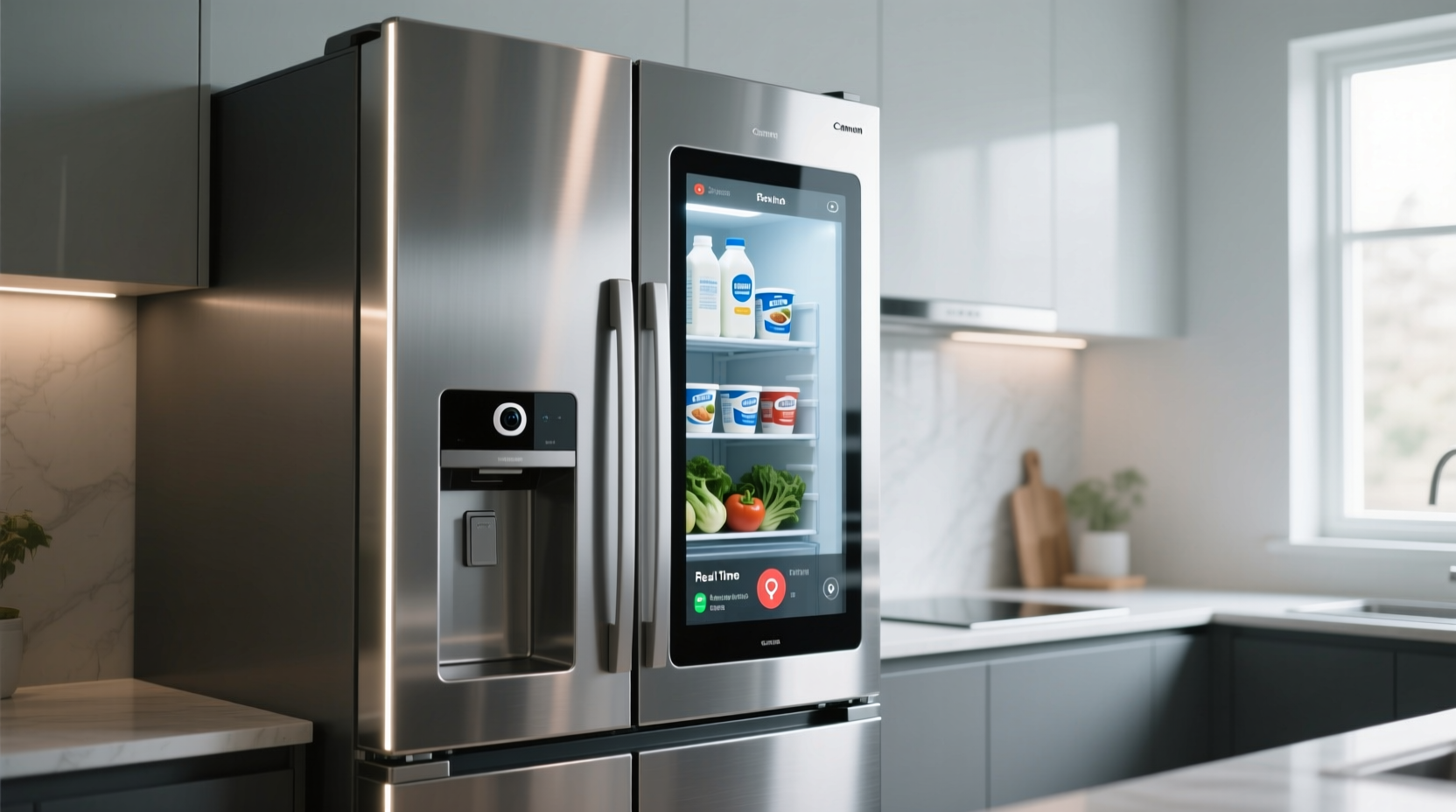
A smart fridge goes beyond temperature control. It connects to your home network, integrates with apps, and offers interactive features designed to streamline food management. Key components include:
- Touchscreen interface: Often mounted on the door, this display allows access to calendars, recipes, music, and family notes.
- Internal cameras: Automatically capture images when the door closes, letting you check contents remotely via smartphone.
- Voice assistant integration: Works with Alexa, Google Assistant, or Bixby for hands-free commands.
- Inventory tracking: Some models can suggest recipes based on visible items or notify when supplies run low.
- Energy monitoring: Tracks power usage and sends alerts if the door is left open.
Brands like Samsung (Family Hub), LG (InstaView ThinQ), and GE Profile offer advanced models ranging from $2,500 to over $5,000. But functionality varies widely—some systems are intuitive, while others feel clunky or underdeveloped.
“Smart appliances should solve real problems, not just add tech for tech’s sake.” — David Chen, Appliance Analyst at HomeTech Review
Practical Benefits: When a Smart Fridge Adds Real Value
For certain households, a smart fridge isn’t just a luxury—it’s a productivity tool. Here are scenarios where the upgrade makes sense:
Families with Busy Schedules
Households juggling school drop-offs, work meetings, and meal prep benefit from centralized digital hubs. A fridge touchscreen can display shared calendars, to-do lists, and shopping reminders. Parents checking inventory from the grocery store using the camera can avoid duplicate purchases or forgotten essentials.
Meal Planners and Health-Conscious Users
If you follow specific diets or track nutrition, smart fridges that integrate with recipe apps can suggest meals based on what’s inside. For example, seeing leftover chicken and broccoli might prompt a stir-fry suggestion. Some systems even sync with fitness trackers to recommend calorie-appropriate dishes.
Remote Monitoring for Elderly or Off-Site Caregivers
Caregivers managing older relatives’ homes can use the camera to ensure proper food intake or detect spoilage. If the fridge shows untouched meals for days, it could signal a health concern.
Cost vs. Value: Is the Price Justified?
The average cost of a mid-range smart fridge is $3,500—nearly double that of a standard model. To assess whether it's worth it, consider both tangible and intangible returns.
| Feature | Estimated Added Cost | Real-World Utility |
|---|---|---|
| Touchscreen & App Integration | $400–$700 | Moderate – Useful for organization, but often replaced by phones/tablets |
| Internal Cameras (1–3) | $300–$500 | High – Saves trips to the store; prevents waste |
| Voice Assistant & Music Streaming | $200 | Low to Moderate – Convenient, but speakers are rarely high fidelity |
| Premium Build & Design | $600+ | High – Better insulation, quieter operation, modern aesthetics |
| Energy Efficiency (Inverter Compressor) | $250 | High – Can save $100+ over 5 years in electricity |
The most valuable features tend to be the camera system and energy-efficient engineering—not necessarily the flashy touchscreen. Many users report that after a few weeks, they stop using the screen for entertainment or web browsing, relying instead on smartphones.
Common Pitfalls and Limitations
Despite their promise, smart fridges face several challenges that affect long-term satisfaction.
Limited Software Longevity
Unlike smartphones, refrigerators last 10–15 years. However, manufacturers typically provide software updates for only 3–5 years. After that, apps may become obsolete, security vulnerabilities unpatched, and connectivity unreliable.
Privacy and Security Risks
Cameras and microphones raise privacy concerns. In 2022, a security flaw in a major brand allowed hackers to access fridge cameras remotely. While patches were issued, the incident highlighted risks of always-connected appliances.
Overpromised Features
Some models advertise AI-powered food recognition, but in practice, they struggle to identify items unless perfectly arranged. One user reported the fridge labeled a bowl of pasta as “unknown white object.” Inventory tracking remains rudimentary at best.
“We bought the Family Hub for the camera, but ended up using it mostly as a bulletin board. The AI doesn’t know what half the things in there are.” — Sarah Lin, homeowner in Austin, TX
Mini Case Study: The Martinez Family’s Smart Fridge Experiment
The Martinez family of five upgraded to a Samsung Family Hub in 2021. Both parents work full-time, and their three teens have overlapping sports schedules. Their goal was to reduce food waste and improve meal coordination.
After six months, they found the camera saved them approximately $75 per month by avoiding duplicate grocery purchases. The shared calendar on the fridge reduced scheduling conflicts. However, the built-in Spotify app was rarely used due to poor speaker quality, and the kids preferred texting reminders rather than viewing notes on the screen.
By year two, the touchscreen began lagging, and one camera failed. Samsung replaced the part under warranty, but the experience made them cautious about future smart appliance investments.
Verdict: The fridge paid for itself in savings within 18 months, but only because they used the camera and organizational tools consistently. Other features added little value.
Step-by-Step Guide: Evaluating Whether to Upgrade
Before committing to a smart fridge, follow this evaluation process:
- Assess your current pain points: Do you frequently buy duplicates? Forget leftovers? Struggle with meal planning?
- List desired features: Rank must-haves (e.g., camera) vs. nice-to-haves (e.g., music streaming).
- Check compatibility: Ensure the fridge works with your existing ecosystem (Google Home, Apple devices, etc.).
- Research reliability: Look for models with strong track records in software updates and customer support.
- Calculate break-even point: Estimate monthly savings from reduced waste and compare to the price premium.
- Test in-store: Interact with the interface. Is navigation intuitive? Are menus responsive?
- Read long-term reviews: Focus on feedback from users who’ve had the fridge for 1+ years.
Checklist: Is a Smart Fridge Right for You?
Answer “yes” to three or more of these to justify the upgrade:
- Do multiple household members need shared access to calendars or notes?
- Do you frequently shop for groceries and want remote visibility into fridge contents?
- Are you tech-savvy and comfortable troubleshooting app issues?
- Do you value energy efficiency and quiet operation?
- Are you likely to use recipe integration or voice commands regularly?
- Is your kitchen a central hub for family communication?
If most answers are “no,” a traditional energy-efficient refrigerator with good storage design may serve you better.
FAQ
Can I disable the camera and microphone for privacy?
Yes, most smart fridges allow you to manually turn off cameras and microphones through settings. Some even have physical shutters for the lens. Check the model’s privacy controls before purchasing.
Do smart fridges really reduce food waste?
In households that actively use the camera and inventory features, yes. Studies by the Natural Resources Defense Council suggest families using smart monitoring reduce spoilage by 15–25%. Passive users see little to no difference.
What happens if the touchscreen breaks?
Repairs can be costly—between $400 and $800—since the display is integrated into the door. Extended warranties are recommended, especially given the complexity of replacing sealed units with embedded electronics.
Conclusion: Who Should Make the Leap?
A smart fridge with touchscreen and camera isn’t universally worthwhile—but for the right user, it can transform kitchen efficiency. The technology shines when it solves specific problems: reducing grocery overspending, coordinating busy households, or supporting dietary goals. However, the extra cost must be justified by consistent use of core features, not novelty appeal.
Today’s best value lies in models that prioritize reliable cameras, seamless app integration, and energy efficiency over flashy entertainment functions. As AI and food recognition improve, future iterations will likely deliver greater utility. For now, approach the upgrade with clear objectives, realistic expectations, and a critical eye toward long-term support.




 浙公网安备
33010002000092号
浙公网安备
33010002000092号 浙B2-20120091-4
Comments
No comments yet. Why don't you start the discussion?