
The question of whether a mechanical keyboard is louder than a membrane—and whether the increased noise is justified by improved typing performance—has become central to discussions among typists, programmers, writers, and gamers. The answer isn’t simply yes or no; it hinges on personal preferences, environment, use case, and long-term ergonomic benefits. While mechanical keyboards are indeed louder than their membrane counterparts, the trade-off often delivers tangible improvements in responsiveness, durability, and tactile feedback. Understanding these dynamics helps determine whether the “typing boost” justifies the decibels.
Understanding the Key Differences: Mechanical vs Membrane
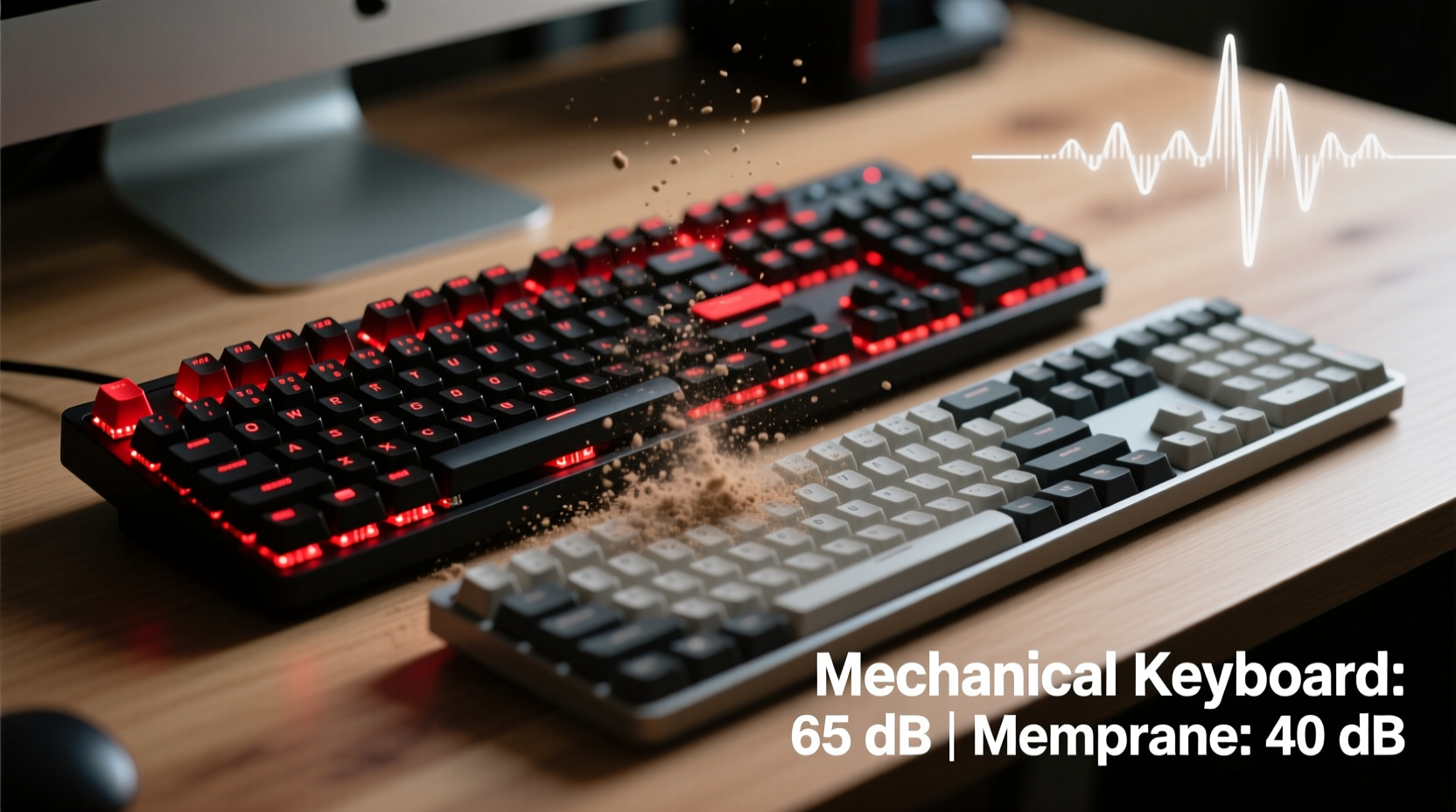
The fundamental distinction between mechanical and membrane keyboards lies in how each key registers input. Mechanical keyboards use individual mechanical switches under each keycap. These switches contain physical components—springs, metal contacts, and stems—that provide consistent actuation force and tactile or audible feedback. In contrast, membrane keyboards rely on a layered rubber dome system beneath the keys. When pressed, the dome collapses and makes contact with a conductive layer, completing a circuit to register the keystroke.
This structural difference results in several experiential variations:
- Actuation Force: Mechanical switches typically require less force to activate, reducing finger fatigue over time.
- Feedback: Mechanical keyboards offer distinct tactile bumps or audible clicks (depending on switch type), while membrane keyboards feel mushy and uniform.
- Lifespan: Mechanical switches are rated for 50 million keystrokes or more; membrane domes degrade after 5–10 million.
- Noise Level: Mechanical keyboards, especially clicky variants like Cherry MX Blues, produce significantly more sound per keystroke.
“Switch technology directly impacts typing efficiency. A well-chosen mechanical switch can reduce errors and increase speed by up to 15% over time.” — Dr. Lena Torres, Human-Computer Interaction Researcher, MIT Media Lab
How Much Louder Are Mechanical Keyboards?
Yes, mechanical keyboards are objectively louder than membrane ones. But the degree varies widely based on switch type. Not all mechanical keyboards are created equal in terms of noise output. Here’s a breakdown of common mechanical switch types and their relative loudness:
| Switch Type | Tactile Feedback | Click Sound | Noise Level (Relative) |
|---|---|---|---|
| Cherry MX Blue | Strong bump + click | Loud, sharp click | ★★★★★ |
| Kailh Box White | Pronounced bump | Moderate click | ★★★★☆ |
| Cherry MX Brown | Subtle bump | No click | ★★★☆☆ |
| Gateron Yellow | None (linear) | No click | ★★★☆☆ |
| Zilent V2 (Low-Noise) | Slight bump | Dampened click | ★★☆☆☆ |
| Standard Membrane | Mushy press | Minimal sound | ★☆☆☆☆ |
As shown, not all mechanical switches are ear-splitting. Linear switches like Gateron Red or optical equivalents are smoother and quieter, making them suitable for shared workspaces. Tactile switches such as Browns offer middle-ground feedback without excessive noise. Only clicky switches—like Blues or Whites—are truly disruptive in quiet environments.
Is the Typing Boost Worth It?
The core argument in favor of mechanical keyboards is the so-called “typing boost”—a measurable improvement in accuracy, speed, and comfort due to superior key response and feedback. This isn’t just anecdotal. Studies in ergonomics and human-computer interaction have demonstrated that precise actuation points and reduced actuation force lead to fewer typos and lower muscular strain during prolonged typing sessions.
For professionals who spend 6+ hours daily at a keyboard—writers, coders, data entry specialists—the cumulative effect of better key travel and reset behavior adds up. Mechanical switches allow for quicker key resets, meaning you can press the same key again faster. This feature, known as “faster repeat rate,” enhances fluidity in fast typing or gaming scenarios.
Moreover, the consistency across keys ensures that every keystroke feels predictable. Unlike membrane keyboards, where some areas may feel stiffer due to uneven dome compression, mechanical keyboards deliver uniform performance across the entire layout.
Real-World Example: A Developer’s Experience
James R., a backend engineer at a mid-sized tech firm, switched from a standard membrane keyboard to a custom mechanical board with Gateron Browns after experiencing wrist fatigue and frequent typos. Within two weeks, he reported a 20% reduction in backspacing and a noticeable drop in forearm tension. “I didn’t realize how much effort I was wasting pressing mushy keys until I tried something with real feedback,” he said. “Now I type faster without trying to.” His team initially raised concerns about noise, but after switching to dampened keycaps and foam-lined cases, the issue vanished.
When the Noise Isn't Worth the Trade-Off
Despite the advantages, mechanical keyboards aren’t universally ideal. In certain settings, the noise becomes a liability rather than an asset:
- Shared Offices: Open-plan workspaces demand discretion. Even moderately loud switches can distract colleagues.
- Nighttime Use: Households with different sleep schedules make loud typing impractical.
- Public Spaces: Libraries, cafes, or co-working environments often expect silent operation.
In these cases, membrane or low-profile mechanical alternatives may be preferable. Some modern hybrid designs—such as Topre electro-capacitive keyboards—offer mechanical-like feel with minimal noise, though they come at a premium price.
Additionally, budget constraints matter. Entry-level mechanical keyboards start around $60–70, while quality membrane models can be found under $30. For casual users or those unsure about long-term commitment, investing heavily upfront may not make sense.
Step-by-Step Guide: Choosing the Right Keyboard for Your Needs
Deciding whether the typing boost justifies the noise involves evaluating your priorities. Follow this decision-making process:
- Assess Your Environment: Do you work alone, in a quiet home office, or in a shared space? If others are regularly nearby, prioritize quiet switches.
- Evaluate Your Usage: Are you typing intensively for work or gaming? High-volume typists benefit most from mechanical precision.
- Test Different Switch Types: Visit electronics stores or order switch testers online. Feel the difference between linear, tactile, and clicky mechanisms.
- Consider Customization: Mechanical keyboards support interchangeable keycaps, programmable keys, and backlighting—features rarely available on membrane models.
- Budget Accordingly: Set a realistic range. Mid-tier mechanical boards ($80–$120) offer the best balance of quality and value.
- Look for Noise-Dampening Features: Foam insulation inside the case, O-rings on stems, and sound-absorbing mats can significantly reduce clatter.
Frequently Asked Questions
Can I make a mechanical keyboard quieter?
Yes. Simple modifications include installing O-rings to cushion key travel, using a silicone mat under the PCB, adding internal case foam, or switching to quieter switch types. Lubricating stabilizers also reduces ping and rattle.
Are there mechanical keyboards that are as quiet as membrane ones?
Some come close. Silent mechanical switches—like Cherry MX Ultra Low Profile or Gateron Silent Reds—are engineered to minimize noise while retaining mechanical benefits. With proper dampening, they can operate at near-membrane levels.
Do mechanical keyboards really improve typing speed?
Not instantly, but over time, yes. The combination of tactile feedback, shorter actuation distance, and faster reset allows typists to develop rhythm and confidence. Most users report improved speed and accuracy within 2–4 weeks of adaptation.
Checklist: Is a Mechanical Keyboard Right for You?
- ✅ Do you type for more than 3 hours daily?
- ✅ Do you value precision and responsiveness?
- ✅ Can you control your acoustic environment (e.g., private office, noise-canceling headphones for others)?
- ✅ Are you willing to invest $70+ for long-term durability?
- ✅ Do you want customization options (layouts, lighting, macros)?
- ✅ Can you commit to testing different switches before buying?
If you answered “yes” to three or more, a mechanical keyboard is likely worth the noise. If most answers are “no,” a high-quality membrane or scissor-switch keyboard may serve you better.
Final Verdict: Balancing Performance and Practicality
The louder nature of mechanical keyboards is undeniable—but so is their advantage in typing performance. The real question isn’t just about volume; it’s about whether the enhanced tactile experience translates into meaningful gains for your workflow and well-being. For many, the answer is a resounding yes. The improved accuracy, reduced fatigue, and satisfying typing rhythm justify the investment and the sound.
However, context matters. A programmer working remotely from a dedicated study might thrive with a clicky mechanical board, while a journalist sharing a small apartment may need to prioritize silence over sensation. The good news is that today’s market offers solutions across the spectrum—from ultra-quiet linear switches to hybrid designs bridging the gap between membrane softness and mechanical reliability.
Rather than viewing the choice as mechanical versus membrane, think of it as aligning your tool with your lifestyle. With thoughtful selection, you can enjoy the typing boost without becoming a nuisance. After all, the best keyboard isn’t the loudest or the quietest—it’s the one that lets you work comfortably, efficiently, and sustainably, day after day.




 浙公网安备
33010002000092号
浙公网安备
33010002000092号 浙B2-20120091-4
Comments
No comments yet. Why don't you start the discussion?