
For writers, the keyboard is more than a tool—it’s an instrument. The rhythm of typing, the tactile feedback, the quiet (or not-so-quiet) click of keys: these elements shape the writing experience. In recent years, mechanical keyboards have surged in popularity beyond gaming circles and into creative workspaces. But for writers—whose days are spent crafting sentences, editing drafts, and navigating long-form content—the question remains: is a mechanical keyboard truly beneficial, or is it simply a loud, flashy trend with little practical value?
The answer isn’t binary. It depends on individual preferences, writing environments, and how one interacts with their tools. While some swear by the precision and comfort of mechanical switches, others find them disruptive, overly sensitive, or unnecessarily complex. Let’s explore the tangible pros and cons, examine real-world usage, and determine whether this hardware upgrade delivers meaningful returns for those who write for a living—or for pleasure.
The Mechanics Behind Mechanical Keyboards
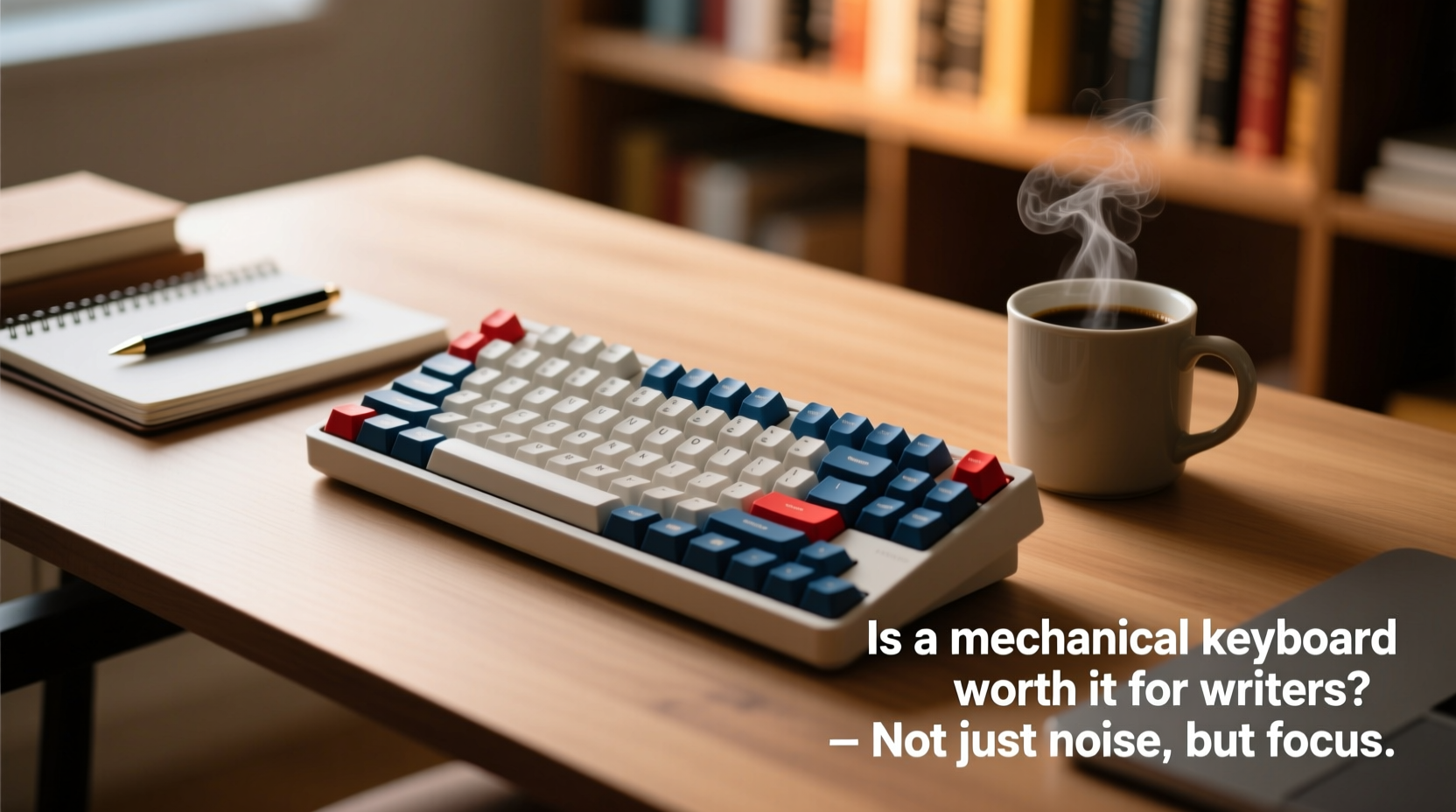
Unlike membrane or scissor-switch keyboards (commonly found in laptops and budget peripherals), mechanical keyboards use individual mechanical switches beneath each keycap. Each switch contains a spring and metal contact that registers a keystroke when pressed. This design allows for greater durability, more consistent actuation, and distinct tactile and auditory feedback.
There are three primary types of mechanical switches relevant to writers:
- Tactile – Provides a slight bump when the key is actuated, offering physical confirmation without being too loud (e.g., Cherry MX Brown).
- Clicky – Delivers both tactile feedback and an audible \"click\" sound (e.g., Cherry MX Blue). Often favored for typing rhythm but potentially disruptive in shared spaces.
- Linear – Smooth press from top to bottom with no bump or click (e.g., Cherry MX Red). Preferred by gamers but increasingly adopted by writers seeking quiet, fluid input.
The choice of switch directly influences typing feel, noise level, and fatigue over extended sessions—factors critical to writers logging thousands of words per week.
Advantages for Writers: Beyond the Hype
While mechanical keyboards are often marketed toward gamers, their benefits for writers are substantial—and supported by ergonomic research and user testimonials.
Improved Typing Accuracy and Reduced Fatigue
Mechanical switches require less force to actuate than membrane keys, meaning fingers don’t need to press as deeply or with as much strain. Over hours of writing, this reduction in effort can significantly decrease hand and wrist fatigue. Additionally, the consistent actuation point across all keys helps prevent missed keystrokes and typos, especially during fast-paced drafting.
Durability and Longevity
A well-built mechanical keyboard can last 50 million keystrokes or more—far exceeding the typical 5–10 million lifespan of membrane keyboards. For writers producing books, articles, or daily journals, this longevity translates into fewer replacements and lower long-term costs.
Customization and Ergonomics
Many mechanical keyboards offer programmable keys, adjustable keycaps, and split or ergonomic designs. Writers can remap functions (e.g., assign “save” or “undo” to convenient keys), use layers for shortcuts, or adopt staggered layouts that align better with natural finger movement. Some models even support tenting or negative tilt, reducing wrist pronation and promoting healthier posture.
“After switching to a low-profile mechanical board with tactile switches, I noticed a marked drop in my afternoon finger fatigue. It’s subtle, but after 2,000 words, those small differences add up.” — Sarah Lin, freelance journalist and author of two nonfiction books
Potential Drawbacks: When Noise Becomes a Liability
Despite their advantages, mechanical keyboards aren’t universally ideal—especially in certain environments or for specific writing styles.
Noise Level and Social Considerations
Clicky switches, in particular, generate noticeable sound—sometimes described as resembling a typewriter. While some writers find this rhythmic feedback motivating, others (and their housemates) may find it grating. In shared offices, libraries, or late-night writing sessions, excessive noise can be a legitimate concern.
Learning Curve and Adjustment Period
Writers accustomed to soft, shallow laptop keys may initially struggle with the stiffer resistance or tactile bump of mechanical switches. It can take days or even weeks to adapt fully, during which typing speed may dip temporarily.
Cost and Complexity
Quality mechanical keyboards range from $70 to over $200, with premium custom builds costing significantly more. Additional expenses include replacement keycaps, lubricants, and tools for maintenance. For casual writers, this investment may seem disproportionate to the benefit.
Bulk and Portability
Most full-size mechanical keyboards are heavier and larger than standard laptop keyboards. Writers who frequently work in cafes, co-working spaces, or travel regularly may find them impractical compared to compact or wireless alternatives.
Comparison: Mechanical vs. Other Keyboard Types for Writing
| Feature | Mechanical | Membrane | Scissor-Switch (Laptop) |
|---|---|---|---|
| Typing Feedback | High (tactile/clicky options) | Low (mushy feel) | Moderate (shallow travel) |
| Noise Level | Medium to High | Low | Low |
| Lifespan | 50M+ keystrokes | 5–10M keystrokes | 3–5M keystrokes |
| Ergonomic Options | Wide (split, tented, etc.) | Limited | Very limited |
| Portability | Poor to Moderate | Good | Excellent |
| Price Range | $70–$300+ | $15–$50 | Included with device |
Real-World Example: A Novelist’s Transition
Jamal Reed, a novelist working on his third manuscript, used a standard laptop keyboard for years. After developing mild carpal tunnel symptoms, he explored ergonomic upgrades and eventually invested in a 60% mechanical keyboard with silent red switches. Initially skeptical about the learning curve, he gave himself two weeks to adjust.
Within ten days, his average typing speed returned to baseline. By the third week, he reported improved comfort during long writing sessions and fewer instances of “bottoming out” (hitting keys too hard). Most importantly, he found that the consistent key response helped him maintain flow during intense drafting phases. He now uses the programmable function layer to trigger word count trackers and distraction-free mode in his writing app.
“It wasn’t a magic fix,” he admits. “But it’s like upgrading from sneakers to running shoes designed for your gait. You don’t notice it every second, but over time, it makes a difference.”
How to Choose the Right Mechanical Keyboard for Writing
Not all mechanical keyboards are created equal. For writers, the goal is to maximize comfort, minimize distractions, and support sustainable writing habits. Follow this checklist to make an informed decision:
✅ Writer-Focused Buying Checklist
- Switch Type: Opt for tactile (e.g., Brown) or linear (e.g., Red, Silent Red) switches. Avoid clicky switches if noise is a concern.
- Form Factor: Consider 60%, 65%, or TKL (tenkeyless) layouts to save desk space and encourage better posture.
- Build Quality: Look for aluminum frames, PBT keycaps (more durable than ABS), and reputable brands (e.g., Ducky, Keychron, Anne Pro).
- Ergonomics: Choose split designs (like Kinesis Advantage360) or keyboards that support external wrist rests and negative tilt.
- Connectivity: Bluetooth or dual-mode (wired + wireless) options enhance flexibility for hybrid setups.
- Customizability: Ensure firmware supports remapping via software like QMK or VIA for personalized shortcuts.
Step-by-Step: Transitioning from Membrane to Mechanical
Switching to a mechanical keyboard doesn’t have to be jarring. Follow this timeline to ensure a smooth adaptation:
- Week 1: Research and Selection – Identify your priorities (quietness, ergonomics, portability) and shortlist 2–3 models.
- Week 2: Purchase and Setup – Buy your chosen keyboard and set it up alongside your current setup.
- Days 1–3: Dual Use – Alternate between old and new keyboards for short writing bursts (e.g., 30 minutes each).
- Days 4–7: Primary Use – Make the mechanical keyboard your default, even if it feels awkward at first.
- Week 2: Refinement – Adjust typing pressure, experiment with wrist position, and customize key mappings.
- Week 3+: Evaluation – Assess comfort, noise, accuracy, and overall satisfaction. Decide whether to keep, modify, or return.
Frequently Asked Questions
Are mechanical keyboards too loud for apartment living?
They can be, especially with clicky switches. However, many modern mechanical keyboards use silent linear switches (e.g., Gateron Silent Red) or come with dampeners and sound-absorbing foam. Pairing such models with o-ring modding or rubber pads can further reduce noise to acceptable levels.
Do mechanical keyboards really improve typing speed?
Not necessarily in raw speed, but they often improve typing efficiency. The consistent actuation point reduces errors, allowing writers to maintain momentum without backspacing. Over time, this leads to smoother, uninterrupted flow—which matters more than keystrokes per minute.
Can I use a mechanical keyboard with a laptop?
Absolutely. Most mechanical keyboards connect via USB-C or Bluetooth. Compact models like the Keychron K6 or Anne Pro 2 are specifically designed for hybrid laptop-desktop use and support macOS and Windows layouts.
Final Verdict: Worth It or Overkill?
For serious writers—those producing long-form content regularly, experiencing discomfort from prolonged typing, or seeking tools that enhance focus and endurance—a mechanical keyboard is far from overkill. It’s a thoughtful upgrade that pays dividends in comfort, durability, and customization.
However, for casual bloggers, occasional journalers, or those writing primarily on the go, the investment may not justify the marginal gains. If you type fewer than 1,000 words per week or prioritize silence above all else, a high-quality laptop or low-profile keyboard might serve you better.
The truth lies in alignment: does the keyboard support *your* writing process? If you value tactile precision, long-term health, and a personalized workflow, then yes—a mechanical keyboard is worth it. But if noise, cost, or portability are dealbreakers, there’s no shame in sticking with what works.
“The best keyboard is the one that disappears when you’re writing. If it draws attention to itself—whether through sound, stiffness, or distraction—then it’s failing its purpose.” — David Niu, UX designer and productivity consultant
Take Action: Find Your Ideal Fit
Don’t let marketing hype or niche communities dictate your decision. Instead, assess your real needs: How many hours do you spend typing each week? Do you experience physical strain? Is your environment conducive to moderate noise?
If you're curious, start with an affordable mechanical keyboard featuring hot-swappable switches—this allows you to experiment with different switch types without buying multiple devices. Brands like Drop, Tecsee, and Keychron offer accessible entry points.
Ultimately, writing is personal. So should be the tools you use. Whether you embrace the crisp click of a mechanical switch or prefer the hushed glide of a low-profile model, choose what lets your ideas flow—not what looks impressive on a desk.




 浙公网安备
33010002000092号
浙公网安备
33010002000092号 浙B2-20120091-4
Comments
No comments yet. Why don't you start the discussion?