
For millions of remote workers, the home office has become a permanent fixture. But with this shift comes a growing concern: chronic back pain. Prolonged sitting, especially in poorly designed setups, can exacerbate spinal issues, from lower back strain to sciatica. As a result, standing desks have surged in popularity as a potential solution. But are they truly effective for those already dealing with back problems? The answer isn’t a simple yes or no—it depends on how they’re used, the nature of the condition, and individual habits.
Standing desks aren't magic fixes, but when integrated thoughtfully into a dynamic workspace, they can significantly reduce discomfort and improve posture. This article examines the science, shares real-world experiences, and offers actionable guidance for remote workers navigating back pain while considering a switch to a standing desk.
The Problem with Sitting All Day
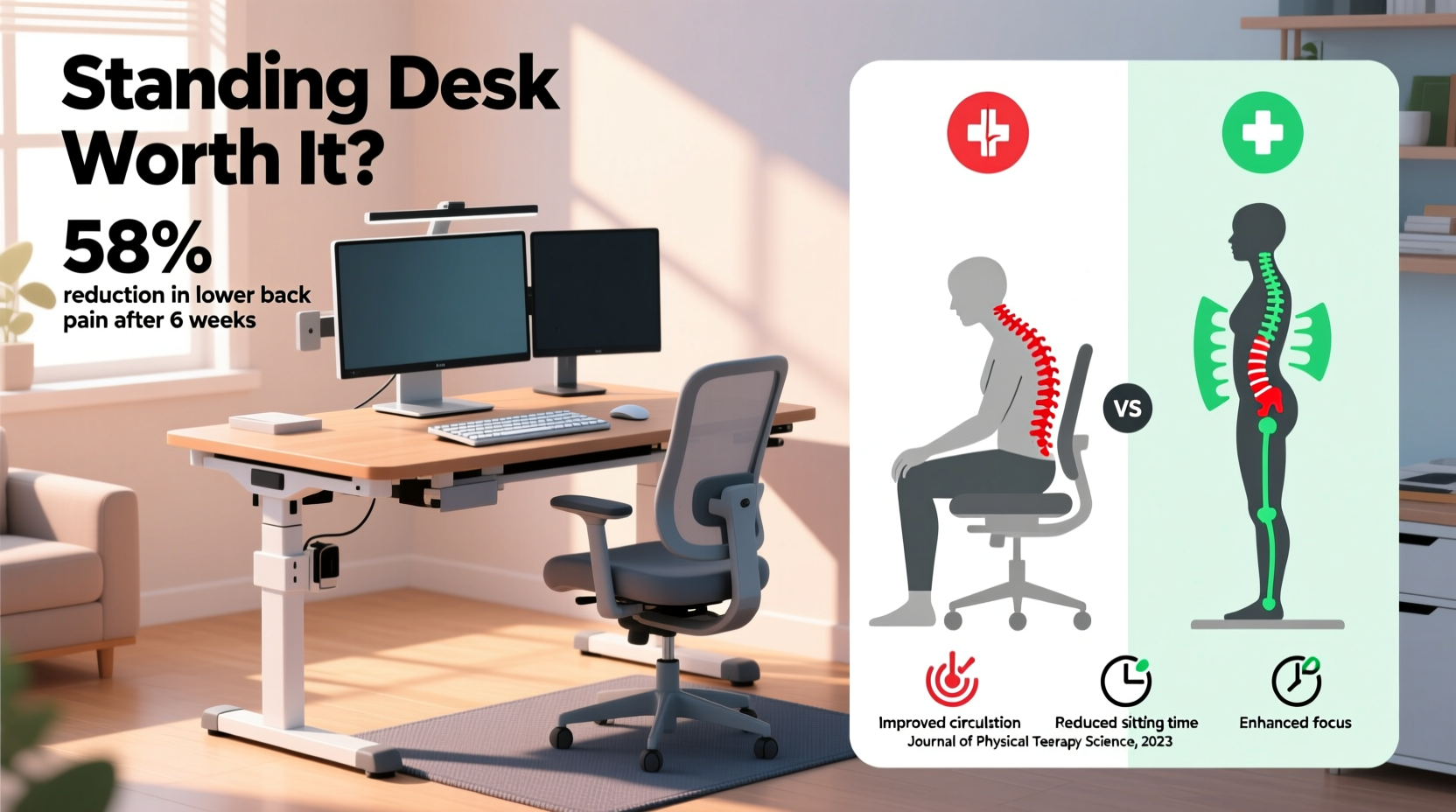
Most traditional office chairs force the spine into a static, often slouched position. Over time, this leads to weakened core muscles, tightened hip flexors, and increased pressure on intervertebral discs. According to the American Chiropractic Association, over 80% of adults experience lower back pain at some point, and sedentary behavior is a major contributor.
When you sit, your lumbar spine loses its natural curve. This flattening increases disc pressure by up to 40% compared to standing. For someone with existing back issues—such as degenerative disc disease, herniated discs, or muscle imbalances—this sustained load can trigger flare-ups and slow recovery.
How Standing Desks Can Help (and When They Might Hurt)
Standing desks allow users to alternate between sitting and standing, reducing continuous spinal compression. By encouraging postural changes throughout the day, they promote better circulation, engage stabilizing muscles, and decrease the risk of stiffness.
However, standing all day isn’t a cure-all. In fact, improper use of a standing desk can worsen back pain. Standing on hard surfaces without proper footwear, locking the knees, or leaning forward onto the desk can create new stress points in the lower back and hips.
The key is variability—not eliminating sitting, but minimizing prolonged static postures. A study published in the Journal of Occupational Rehabilitation found that alternating between sitting and standing every 30 minutes led to a 32% reduction in lower back pain among office workers with pre-existing conditions.
“Movement is medicine for the spine. The best desk setup isn’t fully sitting or standing—it’s one that encourages regular transitions.” — Dr. Lena Torres, Physical Therapist and Ergonomics Consultant
Choosing the Right Standing Desk Setup
A standing desk alone won’t fix back problems. The configuration matters just as much as the act of standing. Here’s what to consider:
- Desk Height: When standing, your elbows should be at 90 degrees with wrists straight. If the desk is too high, you’ll shrug your shoulders; if too low, you’ll hunch forward.
- Monitor Position: The top of your screen should be at or slightly below eye level, about an arm’s length away. This prevents neck strain that can radiate into the upper back.
- Anti-Fatigue Mat: Standing on hardwood or tile floors increases tension in the lower back. An anti-fatigue mat encourages subtle muscle movement and improves comfort.
- Footrest or Balance Board: These tools promote micro-movements, enhancing blood flow and reducing stiffness.
Checklist: Setting Up Your Standing Desk for Back Health
- Adjust desk height so forearms are parallel to the floor when typing.
- Elevate monitor to eye level using a stand or books.
- Place keyboard and mouse within easy reach—no stretching.
- Use an anti-fatigue mat under your feet.
- Wear supportive shoes or go barefoot on a cushioned surface.
- Set a timer to switch positions every 30–45 minutes.
- Keep a small footrest nearby to alternate leg elevation.
Real Example: Sarah’s Journey with Sciatica
Sarah, a 42-year-old software developer, began experiencing sharp pain radiating down her right leg after transitioning to full-time remote work. Diagnosed with sciatica, she struggled to focus during long coding sessions. Her doctor recommended physical therapy and ergonomic adjustments.
She invested in a height-adjustable standing desk and committed to a schedule: 30 minutes sitting, 30 minutes standing, with short walks every two hours. She added a balance board and adjusted her chair to support her lumbar curve. Within three weeks, her pain decreased significantly. “I didn’t think standing would help,” she said, “but the ability to shift positions made all the difference. I’m not pain-free, but I can manage it now.”
Sarah’s case illustrates that success isn’t about abandoning sitting—it’s about creating a dynamic environment that supports spinal health.
Do’s and Don’ts for Remote Workers with Back Pain
| Do’s | Don’ts |
|---|---|
| Alternate between sitting and standing every 30–45 minutes | Stand for more than 2 consecutive hours |
| Use a supportive chair with lumbar padding when seated | Sit in a couch or dining chair for long periods |
| Invest in an anti-fatigue mat for standing sessions | Stand on concrete or hardwood without cushioning |
| Position monitor at eye level | Bend your neck to look at a laptop on a low surface |
| Take walking breaks or stretch every hour | Work through pain without adjusting posture |
Step-by-Step Guide to Transitioning to a Standing Desk
If you're new to standing desks, jumping in too quickly can lead to fatigue and discomfort. Follow this gradual approach:
- Week 1 – Build Awareness: Use a timer to remind yourself to stand for 10–15 minutes every two hours. No need for a special desk—stack books under your laptop temporarily.
- Week 2 – Invest and Install: Purchase a height-adjustable desk or converter. Set it up with proper ergonomics: monitor at eye level, wrists neutral.
- Week 3 – Establish a Rhythm: Begin alternating 30 minutes sitting, 30 minutes standing. Use a smartwatch or app reminder.
- Week 4 – Optimize Comfort: Add an anti-fatigue mat, wear supportive footwear, and incorporate gentle stretches during transitions.
- Ongoing – Listen to Your Body: If you feel lower back tightness while standing, check your posture. Are you leaning? Locking your knees? Adjust accordingly.
Are Standing Desks Worth It? The Verdict
For remote workers with back problems, standing desks can be worth the investment—but only when used correctly. They are not standalone solutions but tools within a broader strategy for spinal health.
Research from Cornell University’s Ergonomics & Safety Lab shows that employees who used sit-stand desks reported 54% less upper back and neck pain after six weeks. However, benefits plateaued when users stood for excessive durations without movement or proper support.
The real value lies in flexibility. A quality standing desk empowers you to respond to your body’s signals. Feeling stiff from sitting? Stand and stretch. Tired from standing? Sit mindfully with lumbar support. This autonomy is especially critical for remote workers who lack access to occupational health support.
Cost is another consideration. Entry-level standing desk converters start around $100, while full electric desks range from $300–$700. Some employers offer stipends for home office upgrades—check your company policy.
Frequently Asked Questions
Can standing make my back pain worse?
Yes, if done incorrectly. Standing with poor posture, on hard floors, or for too long can increase lower back strain. Always pair standing with good footwear, an anti-fatigue mat, and frequent position changes.
How long should I stand each day?
There’s no universal rule, but experts recommend starting with 30–60 minutes total per day, broken into intervals. Gradually increase as your body adapts. The goal is movement variety, not maximizing standing time.
Do I still need a good chair if I have a standing desk?
Absolutely. You’ll still spend significant time sitting. Choose an ergonomic chair with adjustable lumbar support, seat depth, and armrests. Your sitting posture is just as important as your standing one.
Final Thoughts: Take Control of Your Spine
Remote work shouldn’t mean resigning yourself to chronic back pain. A standing desk, when part of a thoughtful ergonomic strategy, can be a powerful ally in managing discomfort and improving long-term spinal health. But it’s not about standing more—it’s about moving more.
The most effective setups combine adjustable furniture, mindful posture, and consistent micro-breaks. Whether you invest in a full electric desk or start with a simple riser, the goal is the same: to break free from the static, sedentary cycle that harms backs.
Your spine wasn’t designed for eight hours of stillness. Give it the variety it needs. Start small, stay consistent, and listen closely to what your body tells you. With the right approach, a standing desk might just be the upgrade your remote work life—and your back—has been waiting for.




 浙公网安备
33010002000092号
浙公网安备
33010002000092号 浙B2-20120091-4
Comments
No comments yet. Why don't you start the discussion?