
The Apple Vision Pro, unveiled with fanfare in 2023 and released in early 2024, represents a bold leap into spatial computing. With its sleek design, advanced eye-tracking, hand gesture controls, and high-resolution micro-OLED displays, it’s undeniably impressive from a technological standpoint. But beneath the glossy marketing lies a critical question: Is this device built for everyday consumers, or is it primarily a tool for developers and early adopters testing the waters of mixed reality?
Priced at $3,499, the Vision Pro sits far outside the range of typical consumer electronics. It’s not just expensive—it’s closer in price to a mid-range car than a smartphone or tablet. This alone raises immediate concerns about accessibility and practicality. While Apple has a history of introducing premium products that eventually trickle down (think iPhone or Apple Watch), the Vision Pro enters a market without established demand. Unlike smartphones, which replaced physical phones, or smartwatches, which enhanced fitness tracking, the Vision Pro doesn’t clearly replace anything. Instead, it introduces new behaviors—watching movies in virtual theaters, attending digital meetings in 3D space, manipulating apps in your living room—all of which require significant shifts in user habits.
Who Is Using the Vision Pro Today?
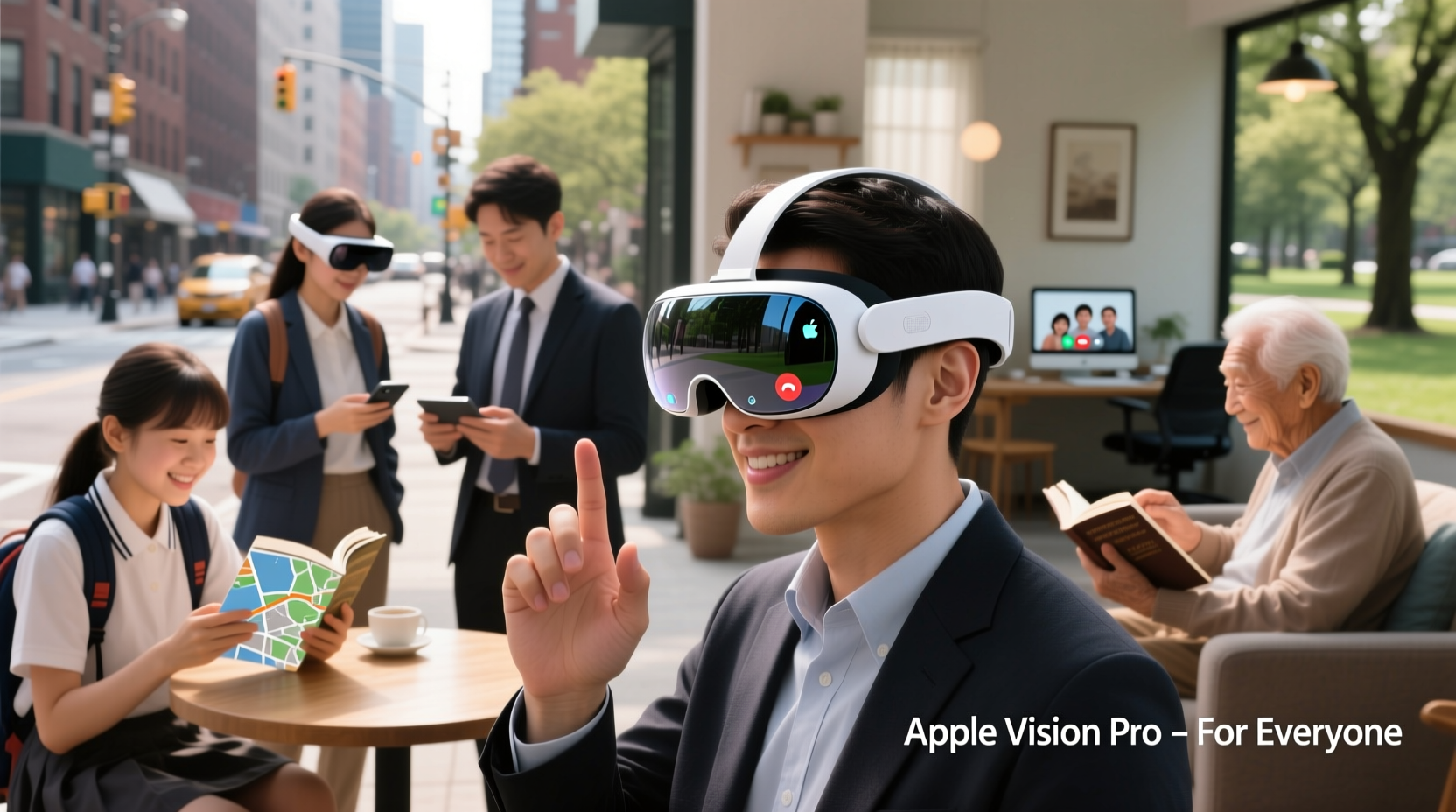
Early adoption data suggests that the majority of Vision Pro users fall into two categories: tech enthusiasts with disposable income and professional developers exploring spatial app development. Developers are using the device to build applications for future enterprise use—architectural visualization, medical training simulations, remote collaboration tools, and immersive design workflows. These are powerful use cases, but they’re niche and largely confined to industries with budgets for experimental technology.
For the average person, however, daily interactions remain rooted in simplicity and efficiency. Most people want devices that save time, reduce friction, and integrate seamlessly into existing routines. The Vision Pro, by contrast, demands attention. It requires setup, calibration, dedicated space, and often external power due to limited battery life. You can’t casually check the weather or send a quick text with it. Even watching a movie involves putting on the headset, adjusting fit, launching an app, and waiting for spatial environments to load. Compared to grabbing a phone or turning on a TV, the effort-to-reward ratio is currently skewed.
“Spatial computing isn’t a replacement for mobile computing yet—it’s a parallel experience. The Vision Pro shows what’s possible, but not necessarily what’s practical.” — Dr. Lena Torres, Human-Computer Interaction Researcher, MIT Media Lab
Everyday Use Cases: Promise vs. Reality
Apple promotes several lifestyle benefits: immersive entertainment, FaceTime in 3D, productivity in virtual workspaces, and photo experiences in “spatial” format. Let’s examine each through the lens of daily practicality.
Entertainment
The Vision Pro offers a cinematic viewing experience with up to 4K resolution per eye and spatial audio. Watching a film feels like being in a private IMAX theater. For homebound movie lovers, this is appealing. However, most households already have large-screen TVs, streaming services, and sound systems. The marginal gain in immersion rarely justifies wearing a bulky headset for two hours. Comfort diminishes over time, especially for users who wear glasses or have sensitivity to pressure on the face.
Communication
Vision Pro’s “eyeSight” feature allows others in the room to see your eyes through the external display when you’re engaged in a call, improving social awareness. During FaceTime calls, avatars appear life-sized and lifelike. While innovative, most users still prefer traditional video calls via iPhone or Mac. The added realism doesn’t solve core communication issues like poor internet or awkward timing. Plus, few contacts own a Vision Pro, limiting interoperability.
Productivity
The ability to float multiple virtual screens in space sounds revolutionary. You can have Safari, Notes, and Messages open across a simulated office environment. But for actual workflow, keyboard and mouse input still require external devices. Typing in mid-air via hand gestures is slow and error-prone. Voice dictation works better but isn’t suitable in public or shared spaces. Realistically, professionals needing multitasking will stick with dual monitors and a MacBook until gesture typing matures.
Developer Potential vs. Consumer Readiness
The Vision Pro runs on visionOS, Apple’s first operating system designed entirely for spatial computing. At launch, the app ecosystem was sparse. Most available apps were ports of existing iOS software with minor UI tweaks, lacking true spatial integration. Over time, developers have begun building native experiences—3D modeling tools, interactive educational modules, and virtual walkthroughs—but these remain specialized.
Developers benefit from early access because they’re shaping the future platform. They’re testing APIs, optimizing performance, and defining UX patterns for mixed reality. For them, the Vision Pro is less a product and more a development kit disguised as a consumer device. Apple even provides extensive documentation, SDKs, and simulation tools to support this community.
In contrast, everyday users expect plug-and-play functionality. They don’t want to troubleshoot tracking issues, manage app permissions in 3D space, or learn new interaction models. When the learning curve is steep and the payoff uncertain, adoption stalls. Consider the fate of Google Glass: technically fascinating, socially awkward, commercially limited. The Vision Pro avoids some pitfalls with better design and privacy safeguards, but it still asks users to normalize wearing a computer on their face in non-professional settings.
Cost, Accessibility, and Long-Term Value
At $3,499, the Vision Pro is inaccessible to most households. Add accessories—the External Battery Pack ($199), prescription lens inserts ($149–$199), and optional polishing cloth—and total cost easily exceeds $3,800. Compare that to a fully loaded iPad Pro at $1,300 or a MacBook Air at $1,200. Both offer broader utility across education, work, and entertainment.
Moreover, the device lacks cellular connectivity. It relies on Wi-Fi and paired iPhones for many functions. Battery life is approximately two hours under active use, requiring constant tethering to a power source during longer sessions. This limits mobility and spontaneity—two hallmarks of successful consumer tech.
| Feature | Apple Vision Pro | Typical Consumer Device (e.g., iPad) |
|---|---|---|
| Price | $3,499+ | $400–$1,300 |
| Battery Life | ~2 hours (active use) | 8–10 hours |
| Primary Input | Eye tracking, hand gestures | Touchscreen, keyboard |
| App Ecosystem | Limited, developer-driven | Mature, diverse |
| Daily Usability | Niche, situational | Broad, consistent |
This comparison underscores a fundamental mismatch: the Vision Pro excels in novelty and potential but lags in reliability and ease of use. For a device to become part of everyday life, it must be dependable, intuitive, and worth the investment. Right now, the Vision Pro meets only one of those criteria.
Real-World Scenario: A Week with the Vision Pro
Consider Sarah, a freelance graphic designer in San Francisco. She bought a Vision Pro hoping it would enhance her creative process. Her goal: use spatial tools to prototype 3D logos and present designs in immersive environments.
Day 1: Excited, she unboxes the headset, completes setup, and explores the spatial photo viewer. She imports old vacation images and views them in 3D. The effect is moving—she feels like she’s back on the beach in Hawaii. But after 75 minutes, she removes the headset due to discomfort behind her ears.
Day 3: She tries designing in a third-party 3D modeling app. Navigating menus with hand gestures is frustrating. Selecting tools takes longer than clicking in Adobe Illustrator. She gives up after 40 minutes.
Day 5: She hosts a client meeting via FaceTime in spatial mode. The client doesn’t own a Vision Pro, so they join from an iPhone. The 3D effect is lost. Sarah realizes the asymmetry limits real collaboration.
By Day 7, she’s reverted to her iPad and Mac. The Vision Pro goes into a drawer. It wasn’t useless—but it wasn’t necessary either.
Sarah’s experience reflects a broader trend: initial excitement followed by diminishing returns. The device delivers moments of awe but struggles to sustain daily relevance.
What Would Make the Vision Pro Practical for Everyday Users?
Several changes could shift the balance toward mainstream viability:
- Lower price point: A sub-$1,500 model would dramatically expand access.
- Improved comfort: Lighter materials, better weight distribution, and ventilation would enable longer use.
- Longer battery life: Four to six hours of continuous operation would reduce dependency on cables.
- Richer app ecosystem: More native apps focused on wellness, education, travel, and social connection.
- Seamless integration: Deeper syncing with iPhone, iCloud, and HomeKit for contextual awareness.
Until then, the Vision Pro remains a visionary product searching for its audience. It’s not impractical—it’s premature.
Frequently Asked Questions
Can I use the Apple Vision Pro without an iPhone?
No. The Vision Pro requires an iPhone for initial setup, authentication, and certain features like message syncing. It’s deeply integrated into Apple’s ecosystem.
Is the Vision Pro worth it for gaming?
Currently, no. Game selection is extremely limited, and most titles are short experiences or tech demos. Traditional consoles and PCs offer far more robust gaming ecosystems.
Will there be a cheaper version of the Vision Pro?
Apple has not announced any lower-cost models, but industry analysts expect a \"Vision SE\" or similar within 2–3 years, similar to how the iPhone SE expanded market reach.
Actionable Checklist: Should You Buy the Vision Pro?
Before purchasing, consider the following:
- ✅ Do you work in design, architecture, healthcare, or engineering where 3D visualization adds tangible value?
- ✅ Are you a developer building spatial apps for future platforms?
- ✅ Can you afford $3,500+ without straining your budget?
- ✅ Do you have reliable Wi-Fi and a quiet space for regular use?
- ❌ Are you looking for a device to replace your phone, tablet, or laptop?
- ❌ Do you plan to use it in public or while moving around?
If most of your answers are “yes” to the first four and “no” to the last two, the Vision Pro may fit your needs. Otherwise, waiting is likely the smarter choice.
Conclusion: A Glimpse of the Future, Not a Daily Driver
The Apple Vision Pro is not a failure—it’s a foundation. It demonstrates what spatial computing can be: immersive, expressive, and deeply personal. But like the first iPhone or the original Macintosh, it’s a starting point, not the final form. For developers, it’s an essential tool to shape what comes next. For everyday users, it’s a luxury item with occasional magic, not a necessity.
Practicality isn’t just about features; it’s about fit. Does the device align with how people live, work, and play? Today, the answer for most consumers is no. But in five years, with lighter hardware, better software, and lower prices, the successor to the Vision Pro might finally cross the threshold from novelty to normalcy.




 浙公网安备
33010002000092号
浙公网安备
33010002000092号 浙B2-20120091-4
Comments
No comments yet. Why don't you start the discussion?