
In 2016, Apple released the iPhone 7 with a camera that set a new benchmark for smartphone photography. Its 12-megapixel sensor, optical image stabilization, and improved low-light performance made it a favorite among casual photographers and even some professionals. Around the same time, DxO launched the DxO One—a compact external camera designed to connect directly to smartphones via Lightning or USB-C. Marketed as a bridge between phone convenience and DSLR-quality imaging, it promised superior dynamic range, larger sensors, and manual controls. But for someone already satisfied with the iPhone 7’s camera, was the DxO One truly worth the investment?
The answer depends on how you define “good enough.” For most users, the iPhone 7 delivers consistently strong results in daylight, reliable point-and-shoot functionality, and seamless integration with social media. The DxO One, however, targets a niche: mobile photographers who want more control, better image fidelity, and the ability to capture scenes beyond the limits of smartphone optics. Let’s break down where each excels—and whether upgrading makes sense.
Sensor Size and Image Quality: The Core Difference
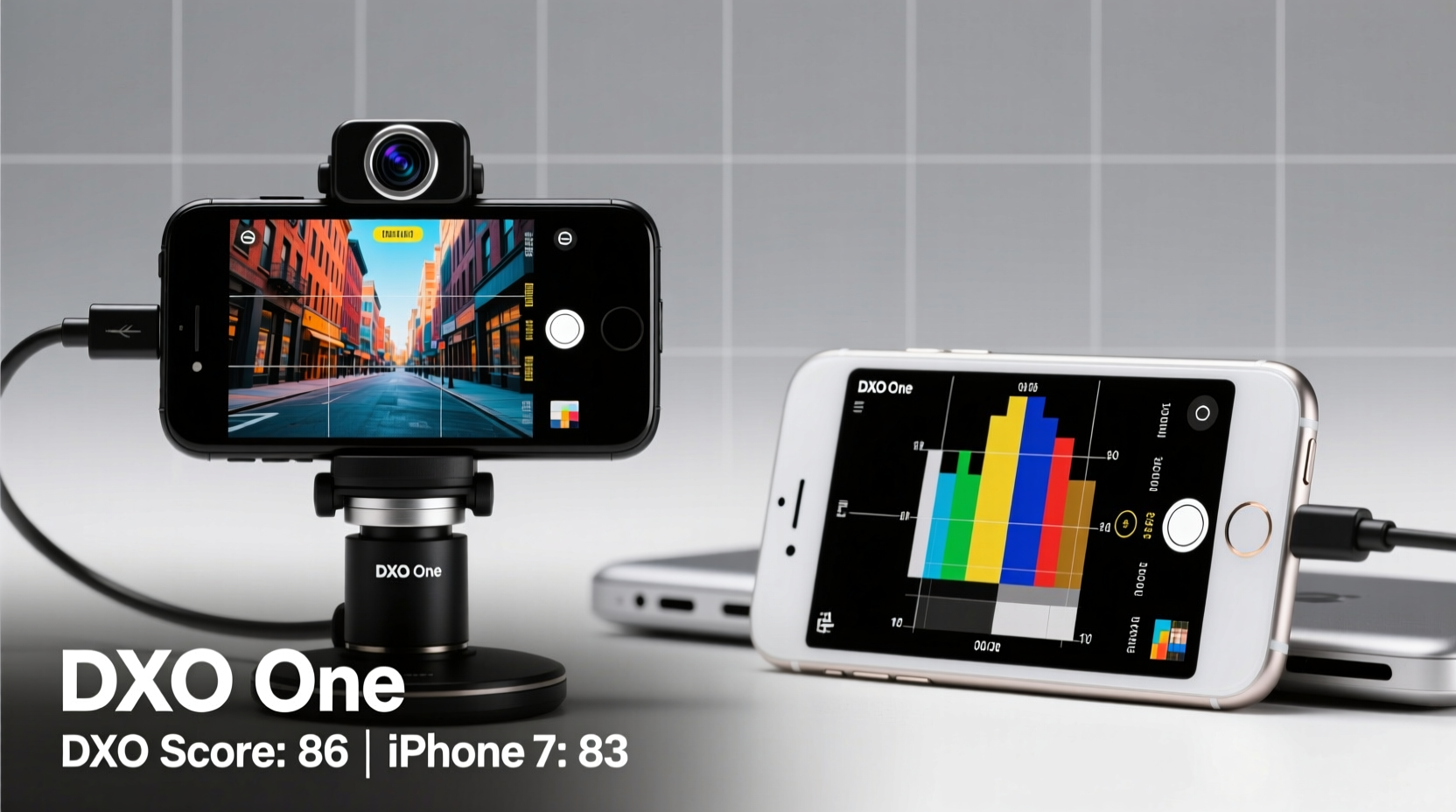
The fundamental distinction between the two lies in sensor size. The iPhone 7 uses a tiny 1/3-inch sensor—typical for smartphones at the time. In contrast, the DxO One packs a 1-inch, 20.2-megapixel BSI-CMOS sensor, roughly four times larger in surface area. Larger sensors gather more light, reduce noise, and deliver greater dynamic range.
This difference becomes apparent in challenging lighting. In dim environments, the DxO One produces cleaner shadows and retains detail in highlights that the iPhone 7 would clip or blur. When shooting high-contrast scenes—such as a sunset silhouette or an indoor subject near a bright window—the DxO One captures significantly more tonal gradation.
“Sensor size remains the single most important factor in image quality. No amount of computational photography can fully compensate for physics.” — Dr. Lena Petrova, Imaging Scientist at MIT Media Lab
Additionally, the DxO One supports RAW (DNG) format by default, giving photographers full post-processing flexibility. The iPhone 7, while capable of third-party RAW capture through apps like Halide, defaults to heavily processed JPEGs optimized for instant sharing rather than editing headroom.
Portability vs. Performance Trade-Off
One of the iPhone 7’s greatest strengths is its total integration. It’s always with you, instantly accessible, and requires no extra gear. The DxO One, though small (about the size of a thick tube of lip balm), adds friction. You must carry it separately, attach it before use, and manage another battery or charging cycle.
For spontaneous shots—a quick street moment, a child’s laugh, or a meal at a restaurant—the iPhone wins by virtue of immediacy. The DxO One demands setup time. However, if you’re planning a photo walk, travel excursion, or creative project where image quality matters, that extra step may be justified.
Feature Comparison: iPhone 7 vs. DxO One
| Feature | iPhone 7 | DxO One |
|---|---|---|
| Sensor Size | 1/3-inch CMOS | 1-inch BSI-CMOS |
| Effective Megapixels | 12 MP | 20.2 MP |
| Aperture | f/1.8 (wide) | f/1.8 (fixed) |
| Zoom | Digital only (up to 5x) | None (prime lens) |
| RAW Support | Limited (via third-party apps) | Native DNG output |
| Battery Dependency | Uses phone battery | Internal battery (limited life) |
| Low-Light Performance | Good for smartphone | Superior due to larger sensor |
| Manual Controls | Available via third-party apps | Full manual mode via app |
A Real-World Example: Urban Night Photography
Consider Mark, a hobbyist photographer living in Chicago. He loves capturing cityscapes after dark but found his iPhone 7 struggled with noise and blown-out streetlights. On a trip to Millennium Park, he tested the DxO One alongside his phone.
Using the DxO One in manual mode, he set ISO to 400, shutter speed to 1/15 sec, and shot in RAW. The resulting image revealed crisp reflections in the Cloud Gate sculpture, minimal noise in shadow areas, and recoverable highlights in post. The iPhone 7 shot, while acceptable for Instagram, showed noticeable grain and lost detail in both bright lights and dark corners.
Mark concluded that while the iPhone sufficed for daytime snapshots, the DxO One elevated his night photography from “good enough” to “print-worthy.” For him, the added effort was justified by the creative freedom it enabled.
When the DxO One Makes Sense: A Checklist
The DxO One isn’t for everyone. Use this checklist to determine if it aligns with your needs:
- You regularly shoot in low light and want cleaner images
- You edit photos professionally or creatively and need RAW files
- You value dynamic range over convenience
- You already carry your phone everywhere and are open to adding a small accessory
- You appreciate manual controls (ISO, shutter speed, focus) without carrying a full mirrorless system
- You prioritize image quality over instant sharing speed
If most of these apply, the DxO One could be a worthwhile upgrade. If not, the iPhone 7 likely meets your expectations.
Frequently Asked Questions
Can the DxO One work with phones other than iPhones?
Yes, DxO released a USB-C version for Android devices, though compatibility varies. The original Lightning model only works with iOS devices supporting Camera Kit APIs.
Does the DxO One have zoom or interchangeable lenses?
No. It features a fixed 32mm equivalent f/1.8 prime lens. There is no optical zoom or lens system, which keeps it compact but limits versatility.
Is the DxO One still supported today?
As of 2024, DxO has discontinued active development of the DxO One. App updates are minimal, and hardware support is limited. This reduces long-term viability, especially as newer iPhones change port designs.
Step-by-Step: Getting the Most from Your DxO One
- Install the DxO PhotoLab Mobile app (or legacy DxO One app if using older firmware).
- Attach the camera securely to your phone’s Lightning or USB-C port.
- Power on the DxO One—a small LED will confirm connection.
- Select Manual Mode to take control of ISO, shutter speed, and focus.
- Use a tripod or stable surface for exposures longer than 1/30 sec.
- Shoot in DNG+JPEG to balance editing flexibility with preview usability.
- Transfer and edit in DxO PureRAW or Lightroom to leverage deep noise reduction and optics corrections.
Following this process ensures you extract maximum quality from the device, especially in conditions where the iPhone alone falls short.
Conclusion: Value Depends on Intent
The iPhone 7 camera remains impressively capable for everyday photography. Its algorithms compensate for hardware limitations, delivering vibrant, well-exposed images with zero user input. For 90% of users, it’s more than sufficient.
The DxO One, however, serves a different purpose. It’s not about replacing your phone—it’s about expanding what your phone can do photographically. If you care about technical image quality, enjoy manual shooting, and often find yourself wishing your phone could handle tougher scenes, the DxO One offers tangible benefits.
But consider timing and longevity. Released in 2016, both devices are now outdated by modern standards. Newer smartphones—including later iPhones and high-end Androids—have closed much of the gap with larger sensors, Night Mode, and AI-enhanced processing. Today, the DxO One’s advantage is narrower than it once was.




 浙公网安备
33010002000092号
浙公网安备
33010002000092号 浙B2-20120091-4
Comments
No comments yet. Why don't you start the discussion?