
At first glance, the iPad Air and the iPhone—especially older models like the iPhone 6 Plus—share a familiar interface, run the same operating system (iOS/iPadOS), and support many of the same apps. This similarity leads some to wonder: is the iPad Air simply a larger version of the iPhone 6 Plus? While they are part of the same ecosystem, the differences go far beyond screen size. The iPad Air offers capabilities that fundamentally change how users interact with content, create work, and manage tasks in ways the iPhone cannot match.
The truth is, while both devices stem from Apple’s design philosophy of simplicity and integration, the iPad Air has evolved into a productivity and creativity tool with unique advantages. It's not merely an oversized phone—it's a different category of device altogether.
Screen Real Estate and Multitasking
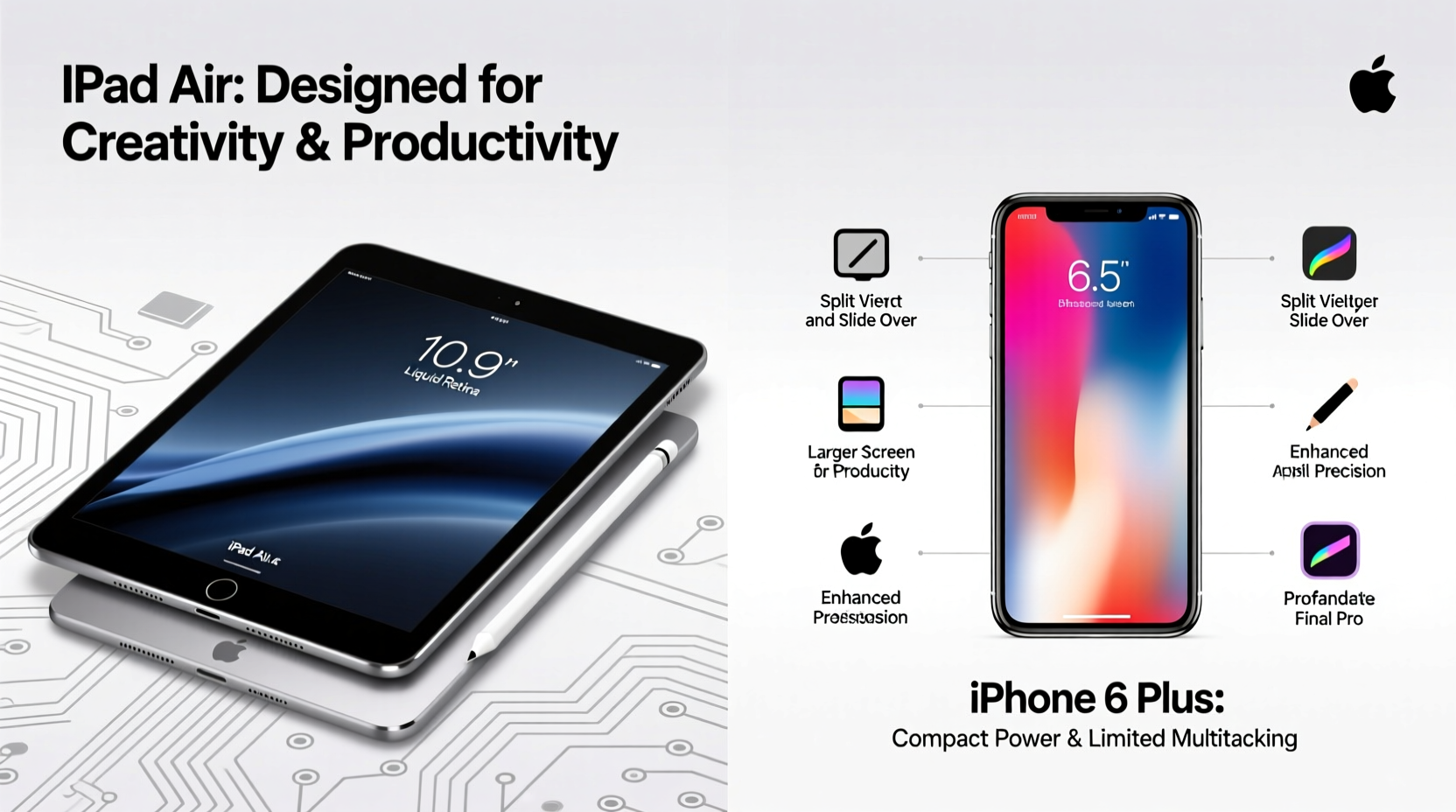
The most obvious difference between the iPad Air and any iPhone, including the iPhone 6 Plus, is the screen size. The iPad Air features a 10.9-inch Liquid Retina display, significantly larger than the iPhone 6 Plus’s 5.5-inch screen. But this isn’t just about watching videos more comfortably—it enables entirely new modes of interaction.
With iPadOS, Apple introduced powerful multitasking features such as Split View, Slide Over, and Picture in Picture. These allow users to run two apps side by side, float a secondary app over the main one, or keep a video playing in a small window while browsing or taking notes. On the iPhone, these features are either limited or absent due to space constraints.
| Feature | iPad Air | iPhone 6 Plus |
|---|---|---|
| Split View | Yes – full dual-app support | No |
| Slide Over | Yes – floating app windows | Limited (slide-over notifications) |
| Picture in Picture | Yes – resizable video window | No (not available at launch) |
| Drag and Drop | Yes – across apps | No |
Creative and Productivity Tools
The iPad Air supports the Apple Pencil (2nd generation) and Magic Keyboard Folio, transforming it into a digital sketchpad or lightweight laptop alternative. Artists use it for illustration, students annotate PDFs, and professionals draft presentations directly on the screen. The iPhone, even with third-party styluses, lacks palm rejection, low latency, and deep app integration needed for serious creative work.
Apps like Procreate, Adobe Illustrator Draw, and LumaFusion leverage the iPad’s larger canvas and processing power to deliver desktop-like experiences. Video editors cut timelines on their laps; musicians layer tracks using GarageBand with multiple instrument panels open simultaneously.
“On the iPad, I can lay out my entire comic page, zoom into panels, and draw with precision. My iPhone is great for quick sketches, but creation happens on the iPad.” — Maya Tran, Digital Illustrator
Additionally, file management through the Files app is far more robust on iPadOS. Users can navigate folders, connect external drives via USB-C, and organize documents much like on a computer. The iPhone’s file access remains intentionally simplified, limiting its utility for complex projects.
Performance and App Optimization
Though the iPhone 6 Plus was powered by the A8 chip, modern iPad Air models come equipped with the M1 chip—originally designed for MacBooks. This means the iPad Air outperforms even the latest iPhones in raw computing power, enabling smoother performance in graphics-intensive applications, faster app launches, and better thermal management during long sessions.
Developers optimize iPad versions of apps differently. For example, the iPad version of Microsoft Excel includes a full ribbon toolbar, formula autocomplete, and touch-friendly cell selection—features scaled down or missing on the iPhone. Similarly, web browsers on iPad can request desktop sites by default, offering full website functionality instead of mobile-optimized (and often limited) versions.
Real Example: Student Workflow
Consider Sarah, a university student attending online lectures. She uses her iPad Air with an Apple Pencil to take handwritten notes in GoodNotes while watching a lecture in Safari. In Split View, she references a textbook PDF on one side and jots down key points on the other. After class, she transfers annotated pages to her iCloud Drive and shares them with study groups. Trying to replicate this on an iPhone would mean constant app switching, tiny text, and no efficient way to write naturally.
This isn’t just convenience—it’s a qualitative shift in usability.
Ergonomics and Usage Patterns
The form factor of the iPad Air encourages longer, focused sessions. Whether propped up on a stand, used with a keyboard, or held in landscape mode, it’s built for sustained engagement. In contrast, the iPhone is optimized for mobility and short interactions: checking messages, snapping photos, navigating streets.
You wouldn’t write a 10-page paper, edit a family movie, or design a presentation layout primarily on an iPhone—and if you tried, the experience would be frustrating. The iPad bridges the gap between smartphones and laptops, offering a middle ground where portability meets productivity.
Checklist: When to Choose the iPad Air Over the iPhone
- Need to run two apps simultaneously for research or collaboration
- Planning to use a stylus for drawing, note-taking, or markup
- Editing photos or videos with precision tools
- Working with spreadsheets, presentations, or long-form documents
- Connecting external storage or accessories via USB-C
- Wanting a device that supports desktop-class web browsing
- Using specialized creative or educational apps that require more screen space
FAQ
Can the iPad Air make phone calls like the iPhone?
Yes, but only over Wi-Fi or cellular data using FaceTime or third-party apps like WhatsApp or Zoom. It does not support traditional GSM voice calls unless linked to an iPhone via Continuity Calling.
Is the iPad Air better than a laptop?
For light productivity, media creation, and education, yes—for many users. However, it lacks full desktop operating systems, advanced development environments, and some professional software (e.g., full Adobe Photoshop). Think of it as a complement, not a complete replacement, for most laptop users.
Why can’t iPhone apps just scale up to the iPad?
They technically can, but without redesign, they appear as stretched phone apps. True potential comes from native iPad optimization—apps built specifically to use extra space intelligently. Developers must invest time to adapt interfaces, which is why some iPad apps remain underutilized.
Conclusion: More Than Just Size
The iPad Air is not “just a bigger iPhone 6 Plus.” That comparison overlooks the evolution of both hardware and software. While the iPhone excels at communication, mobility, and instant access, the iPad Air opens doors to deeper focus, richer creativity, and real productivity. Its larger screen, support for accessories, enhanced OS features, and superior processing power make it a distinct tool—one suited for tasks that demand more than tapping and scrolling.
Calling the iPad Air an oversized iPhone is like calling a Swiss Army knife a “bigger paperclip.” They may share materials and origins, but their purposes and capabilities diverge significantly. The iPad Air empowers users to do things the iPhone was never designed for—writing, designing, analyzing, teaching—all with greater ease and efficiency.




 浙公网安备
33010002000092号
浙公网安备
33010002000092号 浙B2-20120091-4
Comments
No comments yet. Why don't you start the discussion?