
If you're still using an iPhone XR—released in 2018—you're likely due for a refresh. Apple’s iPhone 15 Pro, launched in 2023, represents a significant leap in design, materials, processing power, and camera capabilities. But is the jump from a device that many still consider usable worth the investment? For users clinging to their trusty XR, the decision isn’t just about specs—it’s about real-world benefits, longevity, and value.
This analysis cuts through marketing hype to deliver a grounded comparison. Whether you’re a casual user or someone who relies on your phone daily, understanding the tangible differences helps determine if the iPhone 15 Pro is truly worth the upgrade.
Performance: From Capable to Cutting-Edge
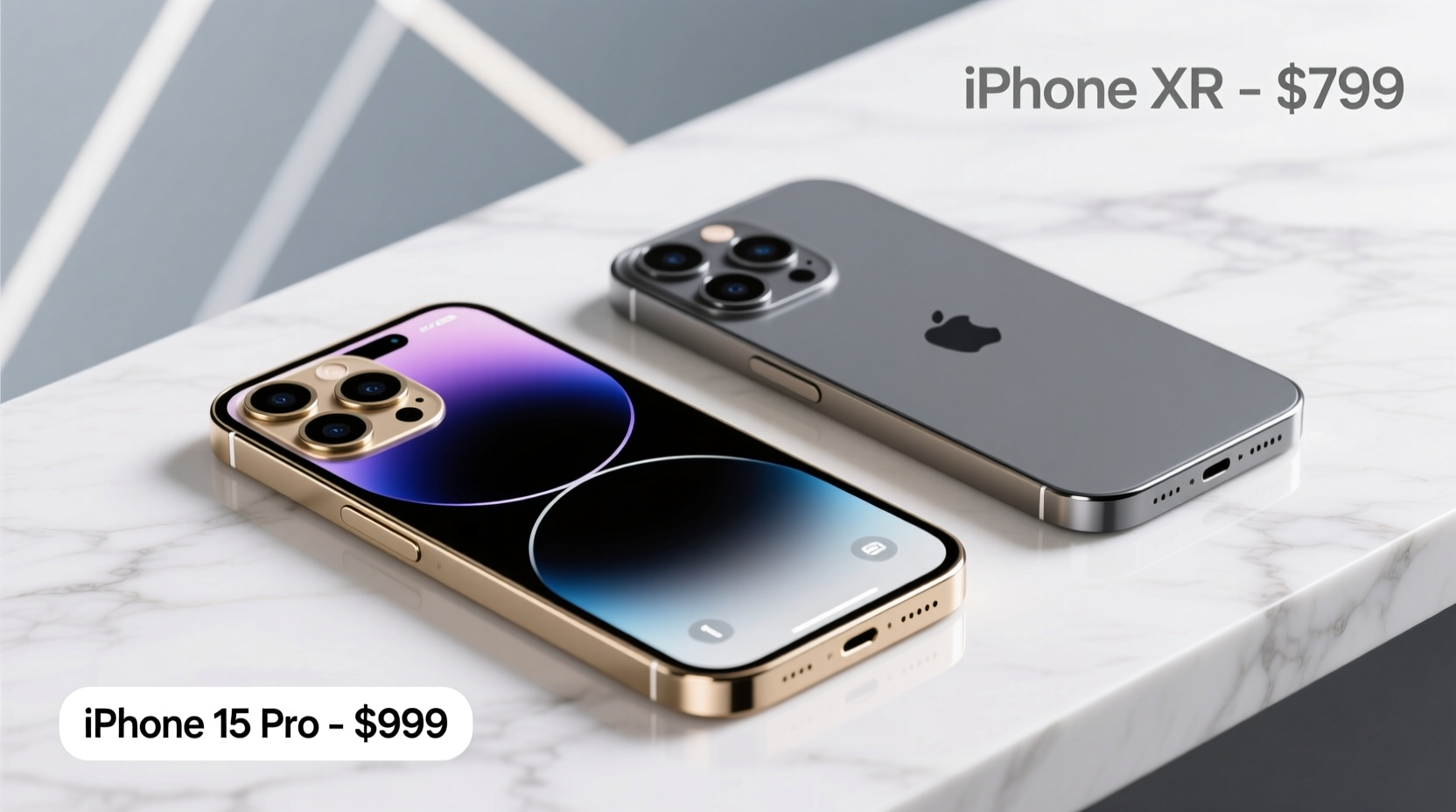
The iPhone XR ran on the A12 Bionic chip—a powerhouse in its time. By today’s standards, it struggles with multitasking, newer iOS updates, and graphics-heavy apps. The iPhone 15 Pro, in contrast, features the A17 Pro chip, built on a 3nm process. This means faster CPU and GPU performance, improved efficiency, and support for console-level gaming via titles like *Resident Evil Village* and *Death Stranding*.
In practical terms, opening apps is nearly instantaneous, switching between camera modes is seamless, and augmented reality experiences are smoother than ever. The A17 Pro also improves machine learning tasks, which benefit photography, voice recognition, and Siri responsiveness.
Design & Build Quality: Plastic to Titanium
The iPhone XR featured an aerospace-grade aluminum frame and a polycarbonate back—durable but not premium-feeling. The iPhone 15 Pro shifts to a titanium frame, reducing weight by 19 grams while improving durability. The edges are now contoured, making the phone more comfortable to hold despite its larger 6.1-inch display.
Additionally, the 15 Pro includes a USB-C port (finally replacing Lightning), offering faster data transfer speeds and broader compatibility with modern accessories. It also supports USB 3, enabling up to 10 Gbps transfer rates—useful for photographers moving large video files directly to external drives.
The move to a customizable Action Button (replacing the mute switch) adds functionality, letting users assign shortcuts for camera, flashlight, Focus modes, or third-party apps.
Camera Comparison: Night Mode, Telephoto, and Computational Photography
The iPhone XR’s single 12MP rear camera was impressive for its era, especially with Smart HDR. However, it lacks Night mode, ultra-wide lens, and optical zoom. The iPhone 15 Pro introduces a triple-camera system: 48MP main sensor, 12MP ultra-wide, and a new 5x tetraprism telephoto lens.
Night mode now activates across all lenses, and the computational photography engine leverages the A17 Pro to produce sharper details, better dynamic range, and reduced noise in low light. Portrait mode works in video, and log encoding (ProRes) is available for professional color grading.
“Upgrading from an iPhone XR to a 15 Pro is like switching from a point-and-shoot to a DSLR. The creative control is night and day.” — Jordan Lee, Mobile Photographer & Tech Educator
| Feature | iPhone XR | iPhone 15 Pro |
|---|---|---|
| Rear Cameras | 12MP (Wide only) | 48MP (Main), 12MP (Ultra-Wide), 12MP (Telephoto 5x) |
| Front Camera | 7MP | 12MP with Autofocus |
| Night Mode | No | Yes (all cameras) |
| Zoom | Digital only (up to 5x) | 5x optical zoom, up to 25x digital |
| Video Recording | 4K at 60fps | 4K at 120fps, ProRes, Log encoding |
Battery Life and Charging: Efficiency Meets Real-World Use
The iPhone XR offered solid battery life—around 12–14 hours of mixed use. The iPhone 15 Pro improves on this with longer video playback (up to 23 hours) and optimized background task management. While screen-on time varies by usage, most users report consistently making it through a full day, even with heavy photo and video use.
Charging has evolved too. While both phones support fast charging and wireless charging, the 15 Pro benefits from more efficient power delivery and heat management. USB-C enables faster wired charging with compatible adapters and simplifies travel with fewer cables.
Mini Case Study: Sarah’s Upgrade Experience
Sarah, a freelance designer based in Portland, used her iPhone XR for over five years. She loved its simplicity but found herself frustrated during client shoots—slow camera startup, blurry low-light photos, and frequent app crashes when editing on the go. After upgrading to the iPhone 15 Pro, she noticed immediate improvements: faster export times in Lightroom, reliable autofocus in dimly lit cafes, and the ability to shoot 4K video for client reels without overheating.
“It’s not just about having a newer phone,” she said. “It’s about trusting my device to keep up with my work. The telephoto lens alone has changed how I capture product shots.”
Should You Upgrade? A Practical Checklist
Deciding whether to upgrade depends on your needs, budget, and how much you rely on your phone. Use this checklist to evaluate your situation:
- ✅ Is your iPhone XR showing signs of slowdown with iOS 17?
- ✅ Do you struggle with poor low-light photos or lack of zoom?
- ✅ Are you limited by the lack of USB-C for file transfers or accessories?
- ✅ Do you want longer software support (iOS updates until ~2029)?
- ✅ Are you frequently replacing the battery or repairing the screen?
- ✅ Do you value premium materials and a lighter, more durable build?
If three or more apply, the iPhone 15 Pro is a justified upgrade. If your XR still meets your daily needs and you’re not pushing it with media creation or multitasking, waiting another year could be financially smarter.
Step-by-Step: How to Transition Smoothly
- Back up your iPhone XR using iCloud or a direct computer backup via Finder (macOS) or iTunes (Windows).
- Check storage needs: The 15 Pro starts at 128GB. If you shoot lots of video, consider 256GB or 512GB.
- Transfer data during setup using Quick Start, which allows secure Bluetooth pairing and automatic migration.
- Set up Face ID and customize the Action Button for quick access to your most-used tools.
- Explore new camera features by testing Night mode, macro photography, and the telephoto lens in varied lighting.
- Update accessories—invest in a MagSafe-compatible case and USB-C cables for optimal charging.
Frequently Asked Questions
Will the iPhone 15 Pro feel drastically different than the XR?
Yes. The shift from a flat-edged aluminum body to a curved titanium design makes the 15 Pro more comfortable to hold. The OLED display is significantly brighter and more vibrant than the XR’s LCD, and gestures feel snappier due to improved haptics and processor speed.
Can I use my old accessories with the iPhone 15 Pro?
Most cases won’t fit due to redesigned dimensions and button placement. Lightning cables are obsolete unless using an adapter. However, MagSafe wallets and chargers remain compatible, and third-party USB-C accessories work seamlessly.
Is the price difference justified?
At $999 starting, the 15 Pro costs nearly double a refurbished XR today. But considering the seven-year gap in technology, extended software support, professional-grade camera system, and superior build, the long-term value often outweighs the upfront cost—especially for power users.
Final Verdict: When the Upgrade Makes Sense
For users still on an iPhone XR, the iPhone 15 Pro isn’t just an incremental update—it’s a transformation. The combination of a blazing-fast chip, advanced camera system, refined design, and future-proof connectivity makes it one of the most compelling upgrades Apple has offered in recent years.
However, if your XR still performs reliably and your usage is light—calls, messaging, occasional photos—the upgrade may be more luxury than necessity. But if you create content, travel often, or demand reliability from your device, the iPhone 15 Pro delivers tangible improvements that enhance daily productivity and creativity.




 浙公网安备
33010002000092号
浙公网安备
33010002000092号 浙B2-20120091-4
Comments
No comments yet. Why don't you start the discussion?