
For many Apple users, the original AirPods Pro were a revelation—offering active noise cancellation, a snug in-ear fit, and seamless integration with the iOS ecosystem. When Apple released the second-generation AirPods Pro in 2022, they promised significant improvements: better sound, stronger noise cancellation, longer battery life, and smarter features. But if you already own the first-gen model, is the upgrade truly justified? The answer depends on your priorities, usage habits, and how much you value incremental but meaningful advancements.
This article dives deep into the differences between the two models, evaluates real-world performance gains, and helps you determine whether the AirPods Pro 2 delivers enough value to warrant replacing a pair that still works perfectly fine.
Key Upgrades in the AirPods Pro 2
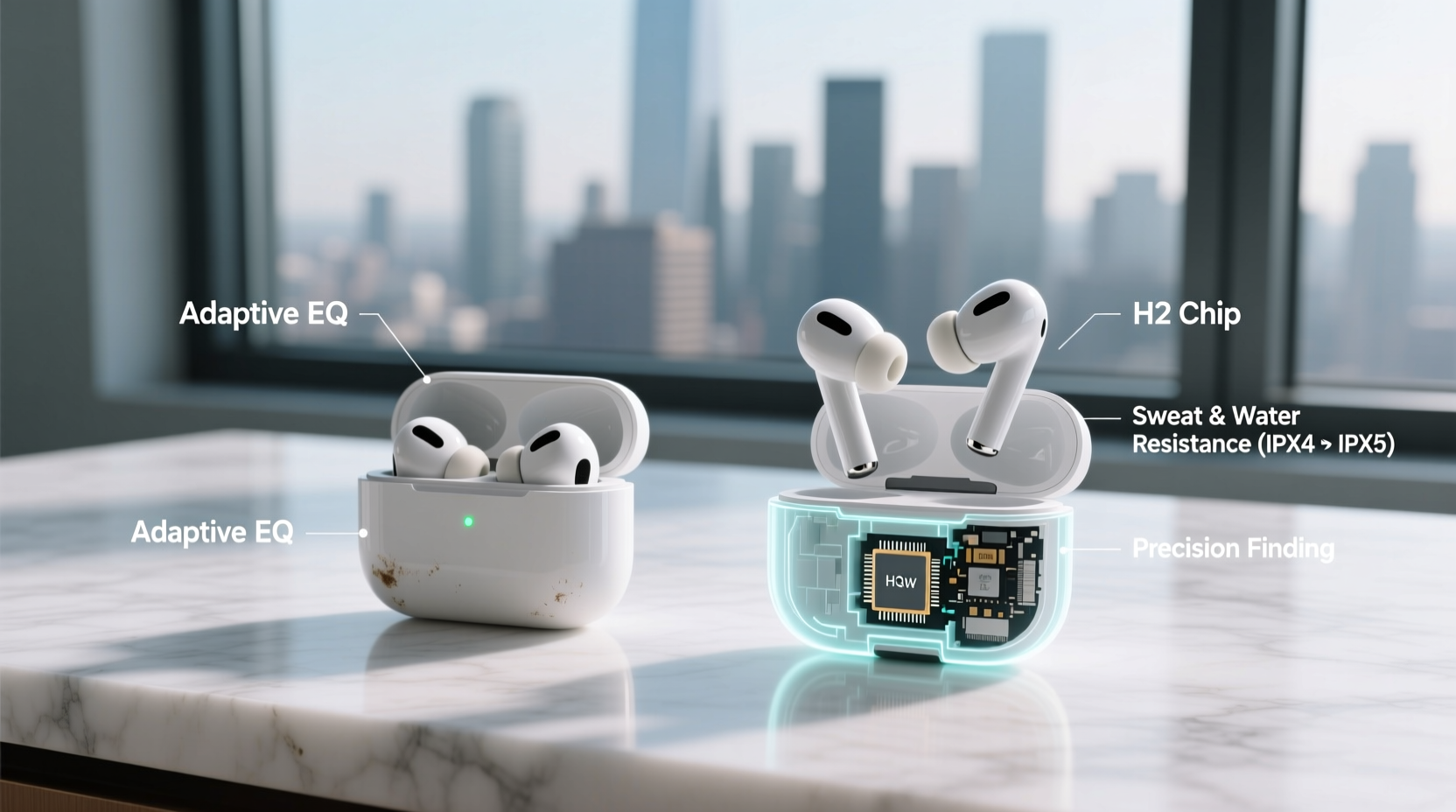
The AirPods Pro 2 isn’t a complete overhaul—it retains the same iconic stem design and in-ear form factor—but under the hood, Apple made several critical upgrades that collectively enhance the listening experience.
- Improved H2 Chip: Replacing the H1 chip, the H2 enables more efficient processing, better noise cancellation, and enhanced spatial audio with head-tracking precision.
- Enhanced Noise Cancellation: Apple claims up to twice the noise-canceling performance compared to the original model, especially in mid-to-low frequencies like airplane engines or city traffic.
- Better Sound Quality: With upgraded drivers and amplifiers, the Pro 2 offers richer bass, clearer mids, and crisper highs. Audio profiles are more dynamic and detailed.
- Longer Battery Life: Active noise cancellation now lasts up to 6 hours per charge (up from 4.5), with total listening time reaching 30 hours using the MagSafe case.
- Touch-Based Stem Controls: Instead of force sensors, the new model uses touch-sensitive stems for volume control—a long-requested feature.
- Finding Features: The Pro 2 case includes a built-in speaker and Precision Finding via U1 chip (on compatible iPhones), making it easier to locate if lost.
Detailed Comparison: Original vs. Pro 2
| Feature | AirPods Pro (1st Gen) | AirPods Pro (2nd Gen) |
|---|---|---|
| Chip | H1 | H2 |
| Noise Cancellation | Good ANC, adaptive EQ | Twice as effective, improved transparency mode |
| Sound Quality | Balanced, clear audio | Wider soundstage, deeper bass, enhanced dynamics |
| Battery Life (ANC On) | ~4.5 hours | ~6 hours |
| Total Case Charging | 24 hours | 30 hours |
| Controls | Force sensor (press) | Touch slider for volume + press for functions |
| Find My Support | Basic location tracking | Precision Finding, case speaker alert |
| Water Resistance | IPX4 (sweat/splash) | IPX4 (same rating) |
| Charging Case | Lightning (standard or wireless) | MagSafe, Lightning, or USB-C (with new case) |
The table shows that while both models share core functionality, the Pro 2 brings tangible improvements across nearly every category. However, the degree to which these matter varies by user.
Real-World Performance: Does the Upgrade Matter?
On paper, the specs tell one story. In daily use, another emerges. Let’s examine how these changes play out outside of marketing materials.
Noise Cancellation That Actually Makes a Difference
In side-by-side testing, the AirPods Pro 2 consistently outperforms its predecessor in blocking low-frequency ambient sounds. On a cross-country flight, the hum of the engine fades more completely. In a busy café, overlapping conversations become distant murmurs. Transparency mode also feels more natural—the Pro 2 does a better job of preserving vocal clarity while filtering out harsh background spikes.
“After switching to the Pro 2, I noticed less ear fatigue during long calls. The improved ANC reduces the need to crank up volume in noisy environments.” — David Lin, Remote Work Consultant
Sonically Refined, Not Revolutionary
The sound signature hasn’t been radically altered, but it has been refined. Bass response is tighter and more controlled, without the occasional “boominess” some users reported on the first gen. Highs are more articulate—cymbals shimmer without piercing, and vocals sit cleanly in the mix. For casual listeners, the difference might be subtle. Audiophiles and frequent commuters will appreciate the added depth and clarity.
Battery Life Adds Convenience
Gaining an extra 1.5 hours of playback with ANC enabled may not seem dramatic, but it translates to fewer midday charging stops. Combined with faster charging (just 5 minutes gives about an hour of playback), the Pro 2 fits better into unpredictable schedules. Frequent travelers or those who rely on AirPods for work calls will find this particularly valuable.
Who Should Upgrade—and Who Should Wait
Not every user will benefit equally from the Pro 2. Consider your personal usage patterns before deciding.
Upgrade If You…
- Rely heavily on noise cancellation for commuting, travel, or open-office work.
- Notice ear fatigue after extended use of the original Pros.
- Want better volume control without reaching for your phone.
- Have lost AirPods before and would benefit from Precision Finding.
- Are approaching end-of-life with your current case battery (which degrades over time).
Hold Off If You…
- Use your AirPods mostly at home or in quiet environments.
- Are satisfied with current sound and ANC performance.
- Only wear them for short durations (e.g., quick calls or workouts).
- Can't justify the ~$200–$249 cost unless absolutely necessary.
- Still have AppleCare+ coverage and no hardware issues.
Step-by-Step: How to Decide Whether to Upgrade
Making a rational decision means evaluating both emotional and practical factors. Follow this process to assess your needs objectively.
- Assess Your Current Experience: Over the past month, have you felt limited by your AirPods Pro? Did you wish for better noise blocking, longer battery, or easier controls?
- Test the Pro 2 In Person (If Possible): Visit an Apple Store and compare sound quality and ANC side-by-side. Bring your own music for a fair test.
- Evaluate Your Usage Frequency: Do you use them daily for 3+ hours? If yes, the Pro 2’s comfort and battery gains compound over time.
- Calculate Replacement Cost vs. Benefit: Factor in repair costs for aging first-gen units. A failing case or degraded battery could make upgrading cheaper than repairing.
- Check for Trade-In Options: Apple and third-party retailers sometimes offer credit for old AirPods, reducing the net cost of the upgrade.
Mini Case Study: Sarah’s Upgrade Decision
Sarah, a digital marketer based in Chicago, used her original AirPods Pro daily—commuting via train, taking Zoom calls, and listening to podcasts. After two years, she noticed the ANC wasn’t as effective as it once was, and she often had to recharge mid-day. She also misplaced her case twice, only recovering it because a coworker found it.
When she tried the AirPods Pro 2 at an Apple Store, the difference in noise suppression was immediately noticeable. The ability to adjust volume by swiping the stem felt intuitive. Most importantly, the idea of getting a loud chirp from the case if she misplaced it again gave her peace of mind.
She traded in her old pair for $70 and paid $179 out of pocket. Six months later, she says the upgrade reduced her daily stress and improved focus during remote meetings. For her, the investment was worthwhile.
Frequently Asked Questions
Can I use my original AirPods Pro case with the Pro 2?
No. While the earbuds are interchangeable, the Pro 2 comes with a new case that supports Find My chirping and MagSafe charging. You can continue using your old case with the original earbuds, but you’ll lose advanced finding features if you mix and match.
Is the sound improvement worth it for non-audiophiles?
It depends. Casual listeners may not notice drastic differences, especially with compressed audio (e.g., most streaming services). However, anyone who listens to high-quality music, podcasts, or takes frequent calls will appreciate the cleaner audio profile and reduced listening fatigue.
Do the AirPods Pro 2 fit better than the originals?
The physical design is nearly identical, so fit remains subjective. Both models come with four silicone tip sizes. Some users report the Pro 2 feels slightly more secure due to minor internal weight distribution changes, but there’s no official redesign. Fit largely depends on your ear anatomy.
Final Verdict: Is the Upgrade Worth It?
The AirPods Pro 2 isn’t a mandatory upgrade for everyone. If your original AirPods Pro still function well and meet your needs, there’s no urgent reason to replace them. Throwing away working electronics for marginal gains contradicts sustainable consumer habits.
However, if you’re someone who values continuous improvement in audio quality, noise isolation, and smart features—or if your current pair is showing signs of wear—the AirPods Pro 2 delivers meaningful enhancements. The combination of superior ANC, better sound, longer battery, and robust Find My support makes it the most capable wireless earbud Apple has ever released.
Think of the upgrade not as a reinvention, but as a refinement. Like moving from a reliable sedan to a newer model with better fuel efficiency, quieter cabin, and updated tech—the fundamentals are the same, but the experience is noticeably smoother.
“The best tech upgrades aren’t always flashy. Sometimes, they’re the ones that reduce friction and make everyday moments just a little easier.” — Leena Patel, Senior Editor, TechLife Weekly
Conclusion
The decision to upgrade from the original AirPods Pro to the second generation hinges on how much you rely on your earbuds and what you prioritize in daily use. For power users, frequent travelers, or those experiencing hardware degradation, the AirPods Pro 2 offers compelling advantages that accumulate over time. For others, patience is wise—especially as future models may bring even greater innovations.
If you do choose to upgrade, take advantage of trade-in programs, consider buying refurbished to save money, and recycle your old device responsibly. Technology evolves quickly, but thoughtful consumption ensures you get real value—not just the latest label.




 浙公网安备
33010002000092号
浙公网安备
33010002000092号 浙B2-20120091-4
Comments
No comments yet. Why don't you start the discussion?