
The Nintendo Switch has evolved since its 2017 debut, with the OLED model arriving in 2021 as a refined version of the original hybrid console. While both systems run the same games and support identical gameplay mechanics, the upgrades in the OLED model—especially around display quality, audio, and build—raise a practical question: is the newer version truly worth the extra cost for most players? The answer depends on how you use your Switch, where you play it, and what kind of experience you value.
This isn’t about raw power. Both consoles use the same NVIDIA Tegra processor, meaning game performance, load times, frame rates, and resolution (when docked) are effectively identical. What changes is the sensory experience—the clarity of the screen, the richness of sound, and the comfort of daily use. For casual gamers who mostly play on the TV, the upgrade may feel subtle. But for those who frequently use handheld or tabletop modes, the OLED model offers tangible improvements that enhance immersion and usability.
Display Quality: A Clear Step Up
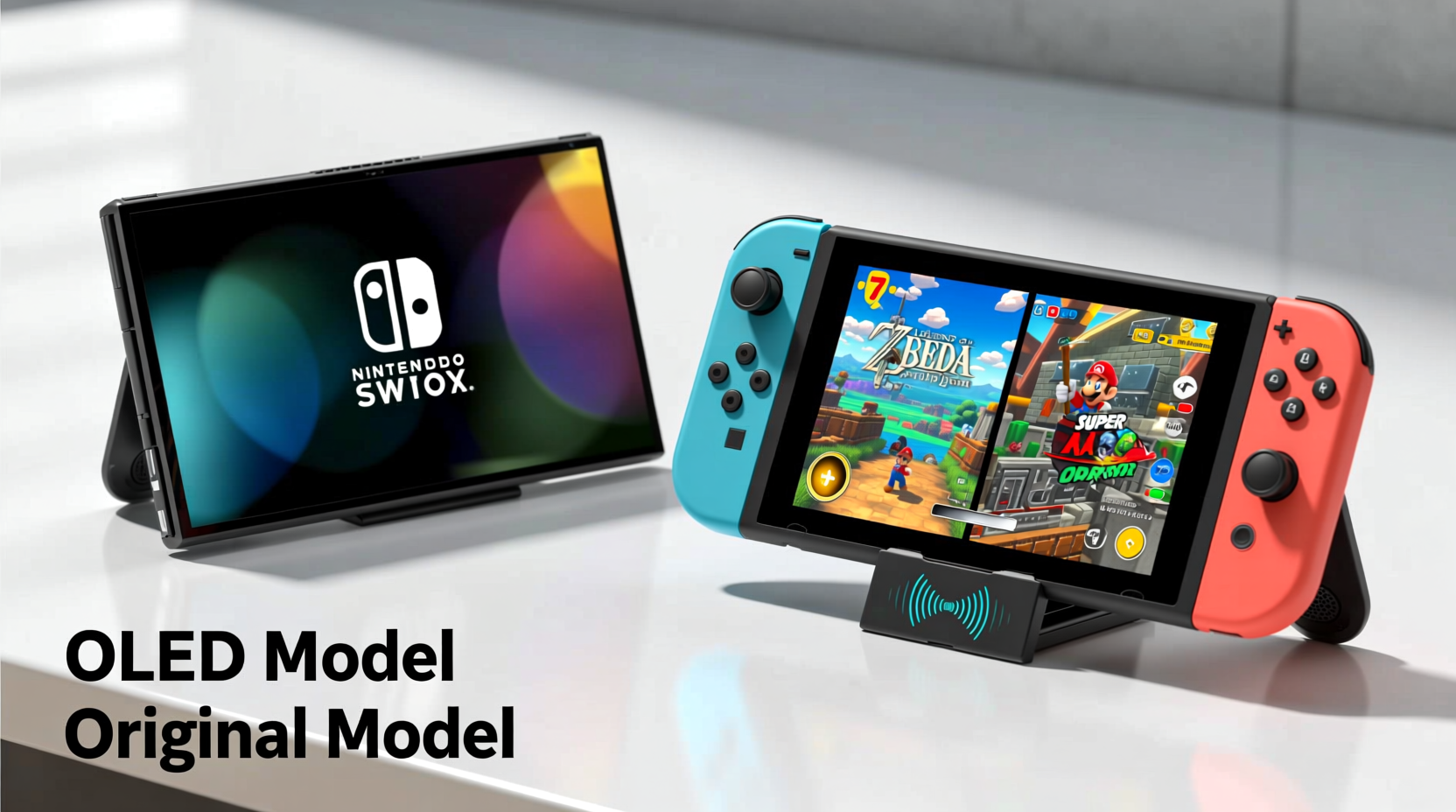
The most significant difference between the original Nintendo Switch and the OLED model lies in the screen. The original features a 6.2-inch LCD panel, while the OLED version boasts a 7-inch organic light-emitting diode (OLED) display. This shift delivers deeper blacks, more vibrant colors, higher contrast ratios, and better viewing angles. In practice, games like The Legend of Zelda: Breath of the Wild, Metroid Dread, and Hades appear sharper and more cinematic on the OLED screen, particularly in dimly lit environments.
OLED technology allows individual pixels to turn off completely when displaying black, resulting in true black levels rather than the grayish tint common on LCDs. This makes nighttime scenes in games more atmospheric and improves readability during UI-heavy moments. Additionally, the larger screen size provides slightly more breathing room around HUD elements, reducing eye strain during extended sessions.
Audio and Build Enhancements
Beyond the screen, the OLED model introduces several subtle but meaningful upgrades. The built-in speakers have been redesigned for richer, fuller sound. While still not comparable to external headphones or a home theater system, the improvement is clear during action sequences or musical segments in games like Splatoon 3 or Kirby and the Forgotten Land. Dialogue is crisper, explosions have more punch, and ambient soundscapes feel less tinny.
The physical design also sees refinements. The kickstand is now wider and fully adjustable, making tabletop mode far more stable—especially on uneven surfaces like airplane trays or couch arms. The original’s flimsy hinge often failed mid-game, but the OLED’s hinge spans the full width of the back panel, providing reliable support. This change alone makes multiplayer sessions smoother and reduces frustration during co-op play.
The base storage has doubled from 32GB to 64GB, which matters if you download large games like Red Dead Redemption 2 or Elden Ring without using microSD cards. However, even 64GB fills up quickly, so this should be seen as a convenience, not a solution.
“While the core hardware remains unchanged, the OLED model represents Nintendo’s commitment to refining the user experience—not just through specs, but through thoughtful ergonomics.” — Marcus Lin, Senior Analyst at GameTech Insights
Performance and Gameplay: No Difference in Power
Despite the visual and audio upgrades, there is no improvement in processing power, GPU performance, or battery life consistency across all games. Both models offer similar battery life depending on usage: approximately 4.5 to 9 hours, with demanding titles like Zelda drawing more power and lasting closer to the lower end. The OLED model averages slightly better battery efficiency due to the OLED panel’s ability to conserve energy when displaying darker content, but this varies by game and brightness settings.
When docked, both versions output up to 1080p resolution and connect to TVs via HDMI. There is no enhancement in refresh rate, HDR support, or loading speeds. Games install, boot, and save at the same pace. Achievements, cloud saves, and online multiplayer function identically. If your primary setup involves playing on a large screen, the advantages of the OLED model diminish significantly.
However, the OLED model includes a slightly improved LAN port on the dock (sold separately), allowing for more stable wired internet connections—a small but appreciated addition for competitive online players in Smash Bros. or Fortnite.
Real-World Use: Who Benefits Most?
To understand whether the OLED model is worth the premium, consider how and where you play. Let’s examine a realistic scenario:
Mini Case Study: Traveling Parent vs. Home-Based Gamer
Alex is a parent who travels frequently for work and uses the Switch to keep their 8-year-old entertained during flights and hotel stays. They rely heavily on handheld mode, often playing in dim airplane cabins or hotel rooms. For Alex, the OLED model is a clear upgrade. The superior screen makes cartoons and games more engaging for their child, the sturdier kickstand allows for easy tabletop puzzles during layovers, and the better speakers mean they don’t always need to pack extra headphones.
In contrast, Jamie owns a dedicated gaming space with a large 4K TV and plays almost exclusively in docked mode. They own an original Switch and rarely take it on the go. For Jamie, upgrading to the OLED model offers minimal benefit. The enhanced screen goes unused, and the other improvements don’t impact their core experience. In this case, the $50–$100 price difference would be better spent on new games or accessories.
This contrast illustrates that the value of the OLED model is contextual. It shines brightest for mobile and hybrid users—not necessarily for those rooted to a single setup.
Comparison Table: Original Switch vs. Switch OLED
| Feature | Original Switch | Switch OLED |
|---|---|---|
| Screen Size & Type | 6.2-inch LCD | 7-inch OLED |
| Resolution | 720p (handheld) | 720p (handheld) |
| Battery Life | 4.5–9 hours | 4.5–9 hours (slightly better in dark scenes) |
| Internal Storage | 32GB | 64GB |
| Speakers | Basic stereo, limited bass | Enhanced clarity and volume |
| Kickstand | Small, fixed-angle | Wide, adjustable |
| Dock Features | HDMI out, USB ports | LAN port included on dock |
| Price (MSRP) | $299 | $349 |
Step-by-Step: Should You Upgrade?
If you already own an original Switch, deciding whether to upgrade requires evaluating your current setup and habits. Follow this decision path:
- Assess your play style: Do you play mostly in handheld or tabletop mode? If yes, proceed. If you’re almost always docked, the upgrade offers little return.
- Check your screen satisfaction: Are you frustrated by washed-out colors or poor visibility in bright light? The OLED screen resolves many of these issues.
- Consider durability needs: Does your current kickstand wobble or break easily? The OLED’s hinge is vastly more reliable.
- Review storage usage: Are you constantly managing downloads due to 32GB limits? The extra 32GB helps, but a microSD card is still recommended regardless.
- Set a budget: Can you justify spending $349 (or more used) versus investing in games, a Pro Controller, or a carrying case?
If three or more answers lean toward “yes,” the OLED model likely enhances your experience enough to warrant the cost.
Frequently Asked Questions
Can the Switch OLED play all the same games as the original?
Yes. Every game released for the original Switch is compatible with the OLED model. There are no exclusives or performance enhancements based on the hardware revision.
Does the OLED model support HDR?
No. Neither the original nor the OLED Switch supports high dynamic range (HDR) when docked. This limitation applies to all current Switch models.
Is the OLED screen better in direct sunlight?
Not significantly. While OLED offers better contrast, both models struggle in bright outdoor light due to screen reflectivity and maximum brightness levels. A screen protector with anti-glare coating can help, but neither device is ideal for sunny environments.
Checklist: Is the Switch OLED Right for You?
- ✅ I play frequently in handheld mode
- ✅ I value richer colors and deeper blacks
- ✅ I use tabletop mode regularly and need a stable stand
- ✅ I want better built-in audio for on-the-go play
- ✅ I don’t mind paying $50 more for incremental upgrades
- ❌ I only play docked on a large TV
- ❌ I’m satisfied with my current Switch’s screen and build
Final Verdict: Worth It for Mobile Gamers, Optional for Others
The Nintendo Switch OLED is not a generational leap—it’s a refinement. It takes the foundation of the original and polishes the edges that matter most to portable players. The screen is objectively better, the build is more durable, and the audio is more immersive. But none of these changes alter the fundamental gameplay experience.
If you’re buying your first Switch, the OLED model is the smarter choice unless you're on a tight budget. The improvements in daily usability justify the modest price increase. However, if you already own an original Switch and enjoy it, upgrading isn’t necessary unless you’re specifically frustrated by the older model’s limitations.
Nintendo didn’t set out to revolutionize the Switch with the OLED version. Instead, they listened to years of user feedback and addressed the most common pain points: screen quality, kickstand reliability, and audio fidelity. That kind of iterative improvement reflects a deep understanding of how people actually use the device—not just how it performs in benchmarks.




 浙公网安备
33010002000092号
浙公网安备
33010002000092号 浙B2-20120091-4
Comments
No comments yet. Why don't you start the discussion?