
In a world saturated with high-tech gadgets, choosing the right device for digital note-taking can feel overwhelming. The iPad has long dominated this space with its vibrant display, powerful apps, and Apple Pencil integration. But in recent years, the Remarkable 2 has emerged as a minimalist alternative—designed specifically for writing, reading, and thinking without distraction. So, is the Remarkable 2 actually worth it for serious note-takers, or should you just stick with an iPad?
The answer depends on your workflow, priorities, and how you define productivity. For some, the iPad’s versatility makes it indispensable. For others, the Remarkable 2’s paper-like experience and focus on simplicity offer a refreshing escape from digital noise.
Understanding the Core Philosophy
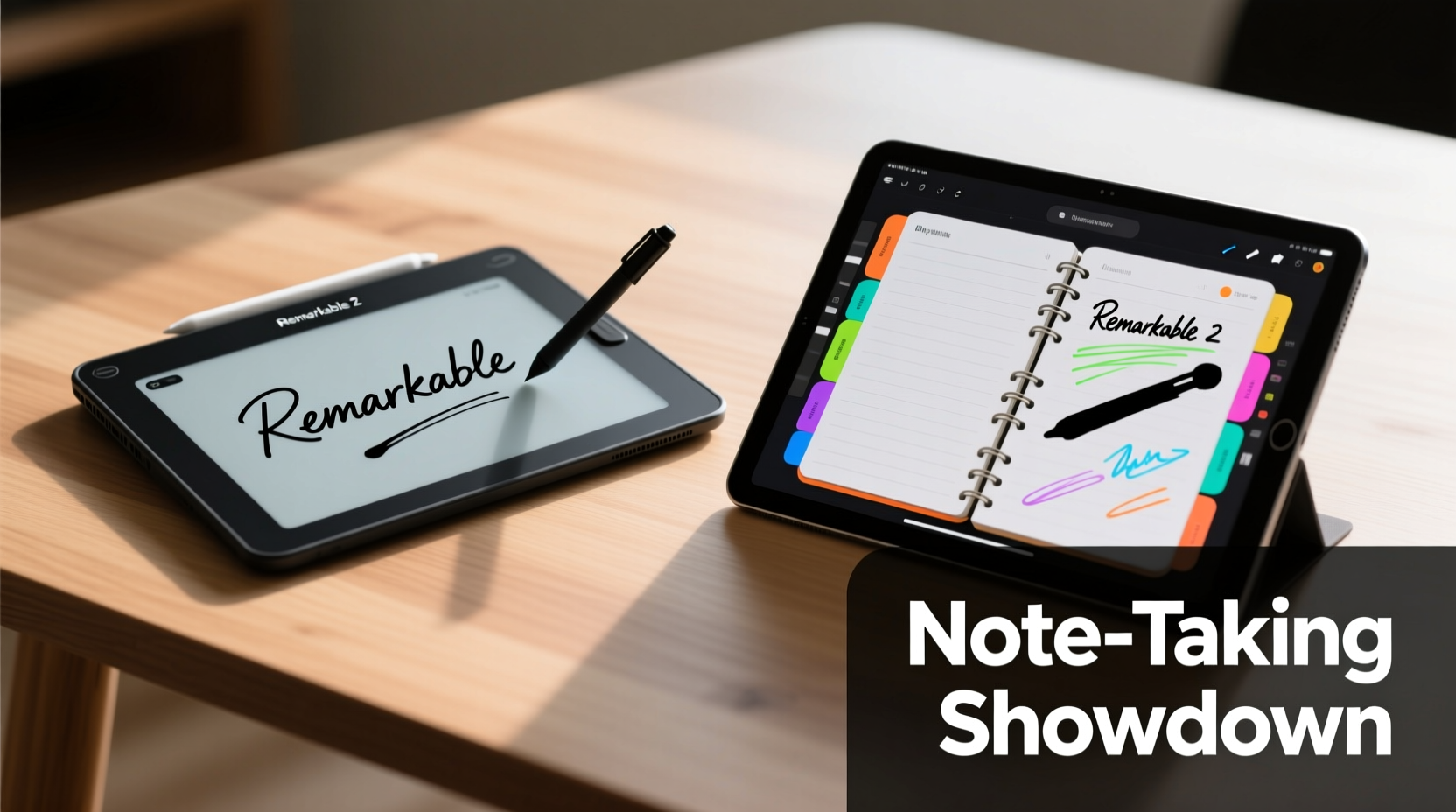
The fundamental difference between the Remarkable 2 and the iPad lies not just in hardware, but in intent. The iPad is a general-purpose device: it plays videos, runs social media, handles email, and supports multitasking. The Remarkable 2, by contrast, is built around one principle—mimicking the analog experience of pen and paper. It does this through a 10.3-inch e-ink display that feels like real paper under its stylus, zero backlight, and no notifications.
This design philosophy appeals to users who struggle with digital distractions. A study by the University of California, Irvine found that it takes an average of 23 minutes to regain focus after an interruption. Devices like the Remarkable 2 eliminate those interruptions at the source.
“Digital tools should enhance thought, not hijack attention. The Remarkable isn’t trying to be everything—it’s trying to be nothing else.” — Dr. Lena Torres, Cognitive Scientist & Digital Minimalism Researcher
Display and Writing Experience Compared
The most critical factor in note-taking is how natural and responsive the writing feels. Let’s break down the key differences:
| Feature | Remarkable 2 | iPad (with Apple Pencil) |
|---|---|---|
| Screen Type | E-Ink (matte, glare-free) | Liquid Retina (glossy, backlit) |
| Latency | ~23ms (optimized for writing) | ~9ms (ultra-responsive) |
| Handwriting Feel | Paper-like texture, no parallax | Smooth glass, slight parallax |
| Eyesight Impact | No blue light, readable in sunlight | Blue light emission, glare in bright light |
| Multitasking | Single task only | Full multitasking with split-screen |
The Remarkable 2 excels in replicating the tactile sensation of writing on paper. Its textured screen and lack of backlight reduce eye strain during long sessions—ideal for students, academics, or anyone spending hours annotating documents. However, the iPad offers superior responsiveness and visual feedback, making it better suited for illustrators or those who rely on rich formatting.
Workflow Integration and Productivity
How well a device fits into your daily routine matters more than raw specs. Consider these scenarios:
- Students: Need to annotate PDFs, take lecture notes, and sync with cloud services. The Remarkable allows PDF import, handwriting recognition, and export via email or cloud. But it lacks search within handwritten notes unless converted—a limitation.
- Professionals: Often juggle meetings, brainstorming, and document markup. The iPad shines here with apps like Notability, GoodNotes, and Microsoft OneNote offering voice recording sync, OCR, and tagging.
- Creatives: May sketch, diagram, or mind map. While the Remarkable supports basic shapes and templates, the iPad’s app ecosystem enables advanced layering, color, and export options.
The Remarkable integrates with Google Drive, Dropbox, and OneDrive, but syncing is manual and slower. There’s no native calendar, email, or web browsing—features that may frustrate users expecting seamless connectivity.
Mini Case Study: Law Student Using Both Devices
Sophie, a third-year law student, used an iPad Pro for two semesters before switching to the Remarkable 2. “I was constantly distracted by Slack messages and Instagram notifications during readings,” she says. “With the Remarkable, I read cases for three hours straight without looking up once.”
She missed searchable notes initially but adapted by using the OCR feature after class. “Now I write everything by hand first, then convert and tag key points. My retention improved dramatically.”
For Sophie, the trade-off was worth it. But when she needed to collaborate on group projects or present diagrams, she reverted to her iPad. Her solution? Use both—one for deep work, one for collaboration.
Cost, Longevity, and Value Over Time
Price is another decisive factor. The Remarkable 2 starts at $299 (plus $99 for the Marker Plus stylus bundle). An iPad starts at $329 for the 10th generation model, plus $129 for the 1st-gen Apple Pencil—totaling $458 before tax.
However, consider longevity. The Remarkable 2 battery lasts 2–3 weeks on a single charge due to its e-ink efficiency. The iPad typically needs daily charging, especially with heavy stylus use. Additionally, the Remarkable’s software updates are lightweight and focused, ensuring consistent performance over years.
Checklist: Choosing Between Remarkable 2 and iPad
Ask yourself these questions before deciding:
- Do I need access to apps, email, or the internet while taking notes? → iPad
- Am I easily distracted by notifications? → Remarkable 2
- Do I prioritize long reading/writing sessions without eye strain? → Remarkable 2
- Do I create diagrams, use color coding, or need voice-to-note sync? → iPad
- Is my primary goal capturing ideas quickly without digital clutter? → Remarkable 2
- Will I use this device for entertainment or media consumption too? → iPad
- Am I willing to accept limited file sharing and slower sync speeds for a distraction-free zone? → Remarkable 2
Step-by-Step Guide to Testing Your Fit
If you're still undecided, follow this practical evaluation process:
- Define Your Primary Use Case: Are you mainly reading, writing, sketching, or presenting?
- List Must-Have Features: E.g., PDF annotation, searchability, portability, battery life.
- Borrow or Trial Devices: Check if local retailers offer demo units. Remarkable offers a 30-day return policy.
- Simulate Real Workflows: Spend 30 minutes taking mock lecture notes, marking up a contract, or drafting a meeting agenda on each device.
- Evaluate After 24 Hours: How did each make you feel? More focused? Frustrated by limitations? Energized by capabilities?
- Calculate Total Cost of Ownership: Include accessories, subscription apps (e.g., GoodNotes), and expected lifespan.
- Decide or Dual-Use: Choose one—or consider owning both for different contexts.
Frequently Asked Questions
Can the Remarkable 2 replace my iPad entirely?
Only if your note-taking needs are purely linear and text-based. If you rely on multimedia, cloud collaboration, or creative apps, the iPad remains essential. Many users find the Remarkable best as a companion device for deep work, not a full replacement.
Does the Remarkable 2 support handwriting-to-text conversion?
Yes, but it's not real-time. You can select handwritten sections and convert them to typed text, which then exports to Word or PDF. Accuracy is decent but lags behind iPad apps like Apple Notes or Notability, which offer instant, searchable transcription.
Which is better for journaling and bullet planning?
The Remarkable 2 wins for mindfulness and habit-building due to its distraction-free environment. The tactile feedback encourages consistency. However, if you want colorful layouts, stickers, or photo integration, the iPad with apps like Notion or GoodNotes offers richer customization.
Final Verdict: Purpose Over Power
The iPad is undeniably more powerful. It offers faster processing, color displays, app flexibility, and ecosystem integration. But power doesn’t always equal productivity—especially when it comes to thinking, learning, and creating.
The Remarkable 2 isn’t trying to compete on features. It competes on focus. By stripping away everything except the act of writing, it creates mental space many modern tools erase. As Cal Newport, author of *Digital Minimalism*, puts it: “Clarity of thought requires clarity of interface.”
If your goal is to minimize distractions, improve concentration, and build a sustainable note-taking habit, the Remarkable 2 is absolutely worth it—even if you already own an iPad. It’s not about having the best tool, but the right tool for the moment.
On the other hand, if your work demands dynamic interaction, visual creativity, or constant connectivity, the iPad remains the gold standard. Its maturity, app support, and precision make it unmatched for versatile digital workflows.
“The best note-taking device isn’t the one with the most features—it’s the one you actually use consistently.” — Mark Rains, Productivity Consultant
Conclusion: Make Your Choice With Intention
At the end of the day, choosing between the Remarkable 2 and the iPad isn’t about specs—it’s about values. Do you value focus over flexibility? Simplicity over speed? Deep work over constant connectivity?
There’s no universal winner. But there is a right choice for you. Whether you go minimalist with the Remarkable 2 or embrace the full-powered potential of the iPad, what matters most is aligning your tools with your goals.
Try both if you can. Test them in real conditions. Notice how each affects your attention, energy, and output. Then choose deliberately—not because of marketing, but because of meaning.




 浙公网安备
33010002000092号
浙公网安备
33010002000092号 浙B2-20120091-4
Comments
No comments yet. Why don't you start the discussion?