
For many smartphone owners, the decision to upgrade isn’t just about new features—it’s about whether those improvements deliver real value. The Samsung Galaxy S23, released in early 2023, followed the well-received S22 with subtle but meaningful refinements. But if you're already using an S22, is the jump truly worthwhile? We’ve analyzed performance benchmarks, user feedback, and long-term usability trends to give you a clear answer.
Performance: A Noticeable Leap or Minor Tweaks?
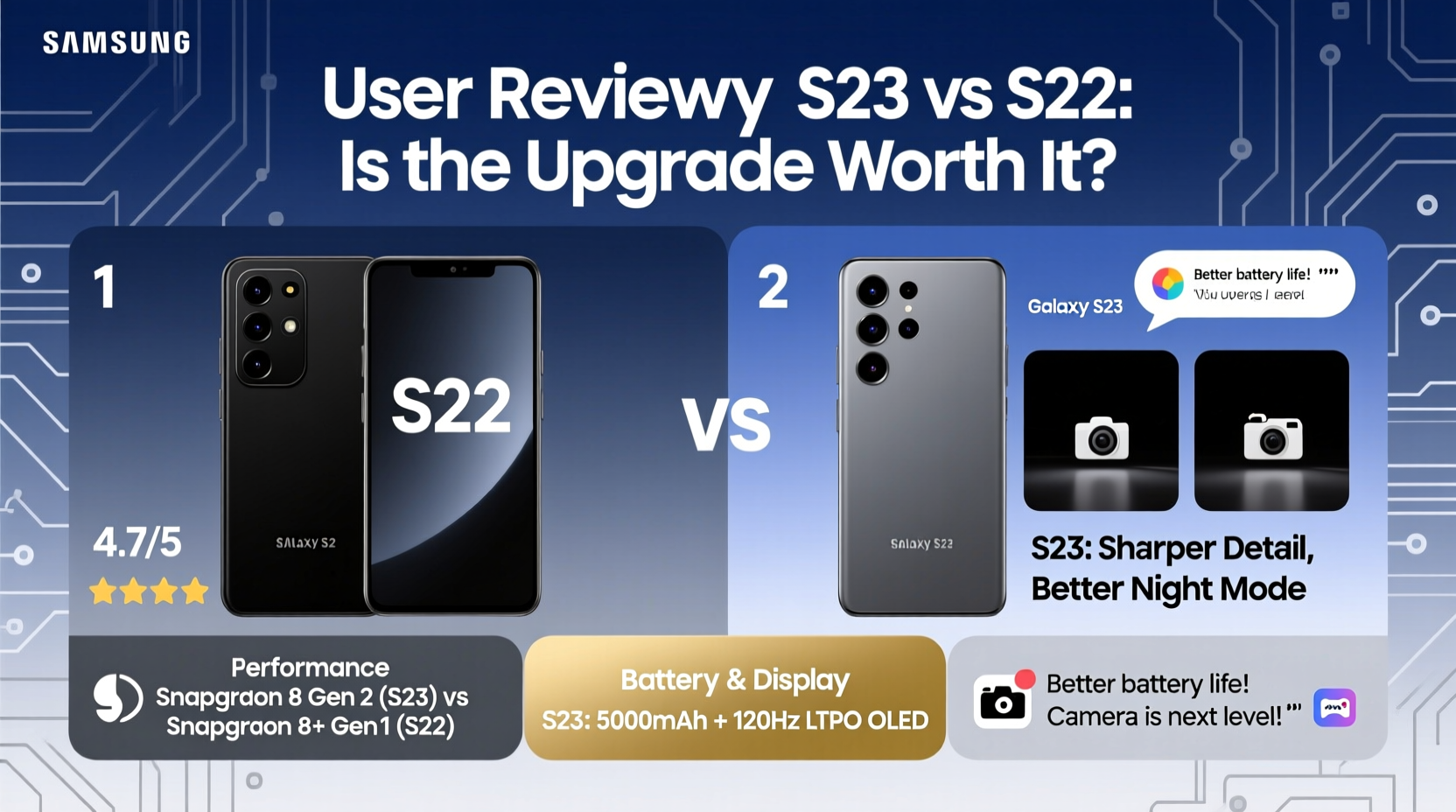
The most significant hardware change between the S22 and S23 lies under the hood: the processor. The S23 series features the Qualcomm Snapdragon 8 Gen 2 for Galaxy, a custom-tuned chipset developed in collaboration with Samsung. This is a step up from the standard Snapdragon 8 Gen 1 in the S22, offering better thermal efficiency, faster CPU speeds, and improved GPU performance.
Benchmarks show the S23 delivers approximately 15–20% better multi-core performance and up to 25% better graphics rendering. In daily use, this translates to smoother multitasking, quicker app launches, and enhanced gaming experiences—especially noticeable in graphically intensive titles like Genshin Impact or Call of Duty Mobile.
However, for average users who primarily browse, message, and stream media, the difference may not be immediately obvious. Both phones handle everyday tasks with ease, and neither shows signs of lag in typical scenarios.
User Feedback: What Are Owners Saying?
Real-world experiences from thousands of S23 owners paint a nuanced picture. On forums like Reddit, XDA Developers, and Samsung Community, users consistently praise the S23’s refined design, slightly longer battery life, and superior low-light photography. However, many also admit that the upgrade feels evolutionary rather than revolutionary.
“Coming from the S22+, I expected more. The camera is sharper at night, and it runs cooler during gaming, but it doesn’t feel like a new phone.” — Mark T., Android enthusiast and tech reviewer
A recurring theme among users is satisfaction with the camera upgrades. The S23’s main sensor now uses 50MP resolution with larger pixels (1.8µm via pixel binning), improving dynamic range and noise reduction in dim lighting. The AI-powered processing further enhances detail retention, particularly in backlit scenes.
One user shared a real-world example:
Key Differences at a Glance
| Feature | Galaxy S22 | Galaxy S23 |
|---|---|---|
| Processor | Snapdragon 8 Gen 1 | Snapdragon 8 Gen 2 (custom) |
| Main Camera | 50MP, f/1.8 | 50MP, f/1.8 (larger pixels) |
| Battery Life | Up to 1 day | Up to 1.2 days |
| Display Brightness | 1300 nits peak | 1750 nits peak |
| Software Support | Until 2027 (4 OS updates) | Until 2028 (4 OS updates) |
The increased brightness is particularly useful outdoors, making the S23 more readable under direct sunlight. Additionally, the S23 runs cooler due to better chip efficiency, reducing throttling during extended use.
When the Upgrade Makes Sense
Not every user needs the S23. But certain profiles benefit significantly from the upgrade:
- Photographers and content creators: The improved night mode, HDR handling, and video stabilization justify the switch.
- Gamers: Higher frame rates, reduced heat, and faster load times enhance gameplay longevity.
- Power users: Those running multiple productivity apps, virtual machines, or streaming tools will appreciate the extra headroom.
- Long-term planners: The S23 receives software support until 2028—one year longer than the S22—making it a smarter investment for future-proofing.
“The extra year of updates might seem minor, but it ensures access to the latest security patches and AI features down the line.” — Dr. Lena Park, Mobile Security Analyst at TechInsight Labs
Step-by-Step: Should You Upgrade?
Follow this decision timeline to evaluate your personal need for an upgrade:
- Assess your current S22 condition: Is it still performing well? No lag, good battery health, no hardware issues?
- Identify pain points: Are you struggling with overheating, slow camera response, or short battery life?
- Determine usage intensity: Do you edit videos, play high-end games, or rely on your phone for work?
- Check trade-in value: Use Samsung’s official trade-in tool or third-party services to see how much your S22 is worth.
- Evaluate cost vs. benefit: If the S23 addresses specific frustrations and fits your budget, proceed. Otherwise, wait.
Frequently Asked Questions
Can I feel the difference in day-to-day use?
Most casual users report minimal differences in general browsing, social media, or messaging. However, power users notice smoother animations, faster app switching, and better responsiveness under load.
Does the S23 have better battery life?
Yes, though modestly. The S23 lasts about 2–3 hours longer on a charge under mixed usage. Real gains come from optimized background processes and screen efficiency, not a larger battery.
Is the camera worth the upgrade alone?
If you take photos in challenging lighting—nights, sunsets, concerts—the S23 offers visibly cleaner results with richer details. For daylight snapshots, the difference is negligible.
Final Verdict: Who Should Upgrade?
The Samsung Galaxy S23 is not a must-upgrade for every S22 owner. If your current device meets your needs and you’re not pushing its limits, holding off is reasonable. However, for professionals, creatives, and tech-forward users, the S23 delivers measurable improvements in performance, camera quality, and longevity.
It’s also worth considering the psychological aspect: new devices often renew enthusiasm for mobile technology, encouraging better organization, updated habits, and exploration of new apps and features.




 浙公网安备
33010002000092号
浙公网安备
33010002000092号 浙B2-20120091-4
Comments
No comments yet. Why don't you start the discussion?