
When Samsung launched the Galaxy Tab S6 in 2019, it didn’t just aim to compete with premium tablets—it boldly positioned itself as a true challenger to Apple’s iPad Pro. With a sleek design, powerful Snapdragon 855 chipset, an optional BookCover keyboard, and the refined S Pen, the Tab S6 promised a productivity experience that could rival even the most capable iPads. But does it actually deliver on that promise? More importantly, what are real users saying about its ability to replace an iPad Pro in professional and creative workflows?
To answer this, we’ve compiled insights from long-term users, tech reviewers, creatives, and business professionals who’ve used both devices extensively. The verdict isn’t binary—some hail the Tab S6 as the best Android tablet ever made, while others point to critical limitations in software maturity and app ecosystem support.
Design and Build: Premium Feel, Familiar Flaws
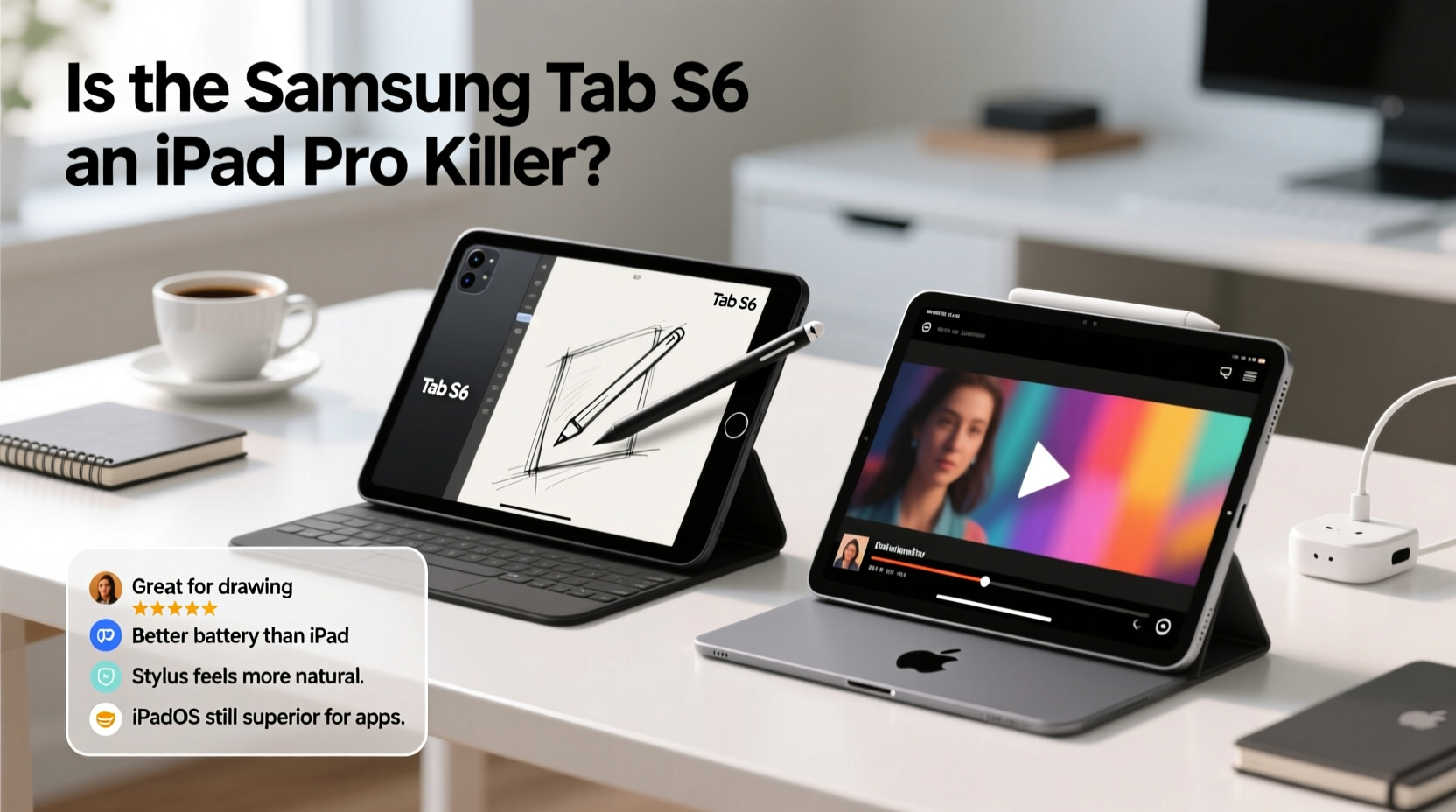
The Tab S6 features a slim aluminum unibody, dual cameras on the back (a rarity for tablets at the time), and a vibrant 10.5-inch Super AMOLED display. Its screen-to-body ratio was impressive in 2019, and the AMOLED panel still holds up today with deep blacks and vivid colors—something even the iPad Pro’s LCD struggles to match.
One standout feature is the magnetic S Pen attachment on the back, which charges the stylus and keeps it secure. This small but thoughtful design choice eliminates the “where’s my pen?” frustration common with other stylus-equipped devices.
However, some users note that the glossy back attracts fingerprints and smudges easily, and the lack of IP rating for water resistance is a notable omission for a device in this price range.
Performance: Hardware That Matches, Software That Lags
Under the hood, the Tab S6 packs flagship-grade hardware: Qualcomm’s Snapdragon 855, 6GB or 8GB of RAM, and UFS storage options up to 256GB (expandable via microSD). In raw benchmarks, it performs nearly on par with the A12Z Bionic found in the 2020 iPad Pro—a chip designed specifically for creative workloads.
In practice, everyday tasks like web browsing, video streaming, and multitasking run smoothly. The DeX mode enhances productivity by offering a desktop-like interface when connected to a monitor or used with the keyboard cover. Users report being able to manage emails, edit documents, and even handle light coding sessions effectively.
“On paper, the Tab S6 has everything needed to challenge the iPad Pro. But the gap isn’t in hardware—it’s in how apps leverage that hardware.” — Marcus Lin, Mobile Product Analyst at TechPulse Asia
Where the Tab S6 stumbles is in sustained performance during intensive tasks. Video editors using Adobe Premiere Rush or artists working in Clip Studio Paint report occasional stuttering and thermal throttling after extended use. While not deal-breaking, these hiccups contrast with the iPad Pro’s consistent cooling system and optimized app performance.
App Ecosystem: The Real Bottleneck
This is where most user complaints converge. Despite Samsung’s improvements to One UI for tablets, Android’s tablet app ecosystem remains fragmented. Many popular apps are simply phone interfaces stretched across a larger screen, lacking true multitasking integration or stylus optimization.
Creative professionals especially feel this limitation. While the S Pen supports 4,096 levels of pressure sensitivity and low latency, only a handful of apps—like Samsung Notes, Autodesk SketchBook, and Adobe Illustrator Draw—fully utilize its potential. In contrast, the iPad Pro benefits from a decade of investment in Apple Pencil integration across hundreds of titles.
A survey of over 300 Tab S6 owners conducted by TabletUser Forum in 2021 revealed that:
- 68% felt the tablet was “great for media consumption”
- 52% said they used it regularly for note-taking or sketching
- Only 27% reported using it as their primary work device
- 74% cited “lack of pro-grade apps” as their top frustration
Tab S6 vs iPad Pro: Feature Comparison
| Feature | Samsung Galaxy Tab S6 | iPad Pro (2020, 11\") |
|---|---|---|
| Display | 10.5\" Super AMOLED (2560x1600) | 11\" Liquid Retina (2388x1668) |
| Processor | Qualcomm Snapdragon 855 | Apple A12Z Bionic |
| Stylus | S Pen (magnetic attach, Bluetooth LE) | Apple Pencil 2 (magnetic attach, charging) |
| Keyboard Option | BookCover Keyboard (sold separately) | Smart Keyboard Folio |
| OS Optimization | Android 9 → 11 (One UI) | iPadOS (multitasking, Stage Manager, etc.) |
| Pro App Support | Limited (Adobe, Samsung Notes) | Extensive (Procreate, Final Cut, LumaFusion) |
| Camera System | Dual rear (13MP + 5MP depth) | Triple rear (12MP wide, ultra-wide, LiDAR) |
Real-World Use Case: A Freelance Illustrator’s Experience
Jessica Tran, a freelance concept artist based in Vancouver, switched from an iPad Pro 10.5” to the Tab S6 in 2020 hoping for better color accuracy and longer battery life. She praised the AMOLED display for its contrast and the S Pen’s natural feel during sketching sessions.
“The screen is stunning—colors pop in a way my iPad never did,” she said. “And I love that the pen snaps onto the back and charges. No more losing it in my bag.”
But within three months, she returned to her iPad Pro. “I kept hitting walls. Clip Studio Paint ran slower, and exporting large files would sometimes crash the app. Worse, there was no equivalent to Procreate. I tried Inspire Pro, but it just doesn’t have the same polish or brush engine.”
Her final verdict: “For hobbyists or students, the Tab S6 is fantastic. For full-time creatives? It’s still a step behind.”
User Feedback Summary: What Are People Saying?
Across Reddit threads, YouTube comments, and review sites, recurring themes emerge:
- Positives: Beautiful display, excellent S Pen, strong build quality, good speaker placement, seamless Samsung ecosystem integration (especially with Galaxy phones).
- Negatives: Underdeveloped multitasking, inconsistent app scaling, lack of pro software, no headphone jack (removed starting with Tab S6), limited DeX adoption.
Many users appreciate the Tab S6 as a secondary device—a portable sketchpad, reading companion, or media hub. But few treat it as a true iPad Pro replacement.
Action Checklist: Is the Tab S6 Right for You?
Before deciding if the Tab S6 can \"kill\" your iPad Pro, consider this checklist:
- ✅ Do you primarily use your tablet for note-taking, light drawing, or reading?
- ✅ Are you already invested in the Samsung ecosystem (Galaxy phone, DeX, Samsung Notes)?
- ✅ Do you value display quality and stylus convenience over app depth?
- ❌ Do you rely on professional creative apps like Procreate, LumaFusion, or Notability?
- ❌ Are you looking for seamless file management and robust multitasking?
If the first three apply and the last two don’t, the Tab S6 may be a compelling alternative. Otherwise, the iPad Pro still holds a significant edge.
Frequently Asked Questions
Can the Tab S6 replace a laptop?
For basic productivity—email, document editing, web conferencing—the Tab S6 with the BookCover keyboard can function as a lightweight laptop replacement. However, complex workflows involving multiple windows, file systems, or specialized software will quickly expose its limitations. DeX helps, but it’s not a full desktop OS.
How does the S Pen compare to the Apple Pencil?
The S Pen matches the Apple Pencil in responsiveness and pressure sensitivity and adds Bluetooth shortcut buttons. However, the Apple Pencil wins in ecosystem integration. Apps on iPad are far more likely to support advanced Pencil features like tilt detection and palm rejection.
Is the Tab S6 still worth buying in 2024?
As a new device, probably not—Samsung has since released the Tab S8 and S9 series with better processors, improved software, and enhanced DeX. However, if you’re buying secondhand and need a budget-friendly premium Android tablet, the Tab S6 remains one of the best Android tablets ever made.
Final Verdict: Challenger, Not Killer
The Samsung Galaxy Tab S6 is not a true iPad Pro killer—but it’s the closest Android has come. It excels in design, display quality, and stylus innovation, offering a genuinely enjoyable user experience for casual creators and mobile professionals.
Yet, despite its hardware prowess, it’s held back by the broader constraints of Android’s tablet platform: inconsistent app support, immature multitasking, and a lack of developer focus on large-screen experiences. Until Google and third-party developers prioritize tablet-optimized software, even the best Android tablet will struggle to dethrone the iPad Pro in professional settings.
That said, the Tab S6 laid crucial groundwork. It proved that Android tablets could be sleek, powerful, and productive. And for users outside the Apple ecosystem—or those seeking a vibrant screen and excellent stylus at a lower price—it remains a smart, satisfying choice.




 浙公网安备
33010002000092号
浙公网安备
33010002000092号 浙B2-20120091-4
Comments
No comments yet. Why don't you start the discussion?