
Back pain affects millions of people worldwide, particularly those with sedentary office jobs. As awareness grows about the risks of prolonged sitting, standing desks have surged in popularity. Many believe that switching to a standing desk daily can alleviate or even prevent lower back discomfort. But is standing all day truly a cure-all? The answer isn’t as simple as “yes” or “no.” While standing desks offer notable benefits for posture and spinal alignment, their effectiveness depends on how they’re used, individual biomechanics, and overall movement habits.
This article explores the science behind standing desks and back pain, evaluates real-world outcomes, and provides actionable guidance for integrating standing work into your routine without causing new problems.
The Link Between Sitting and Back Pain
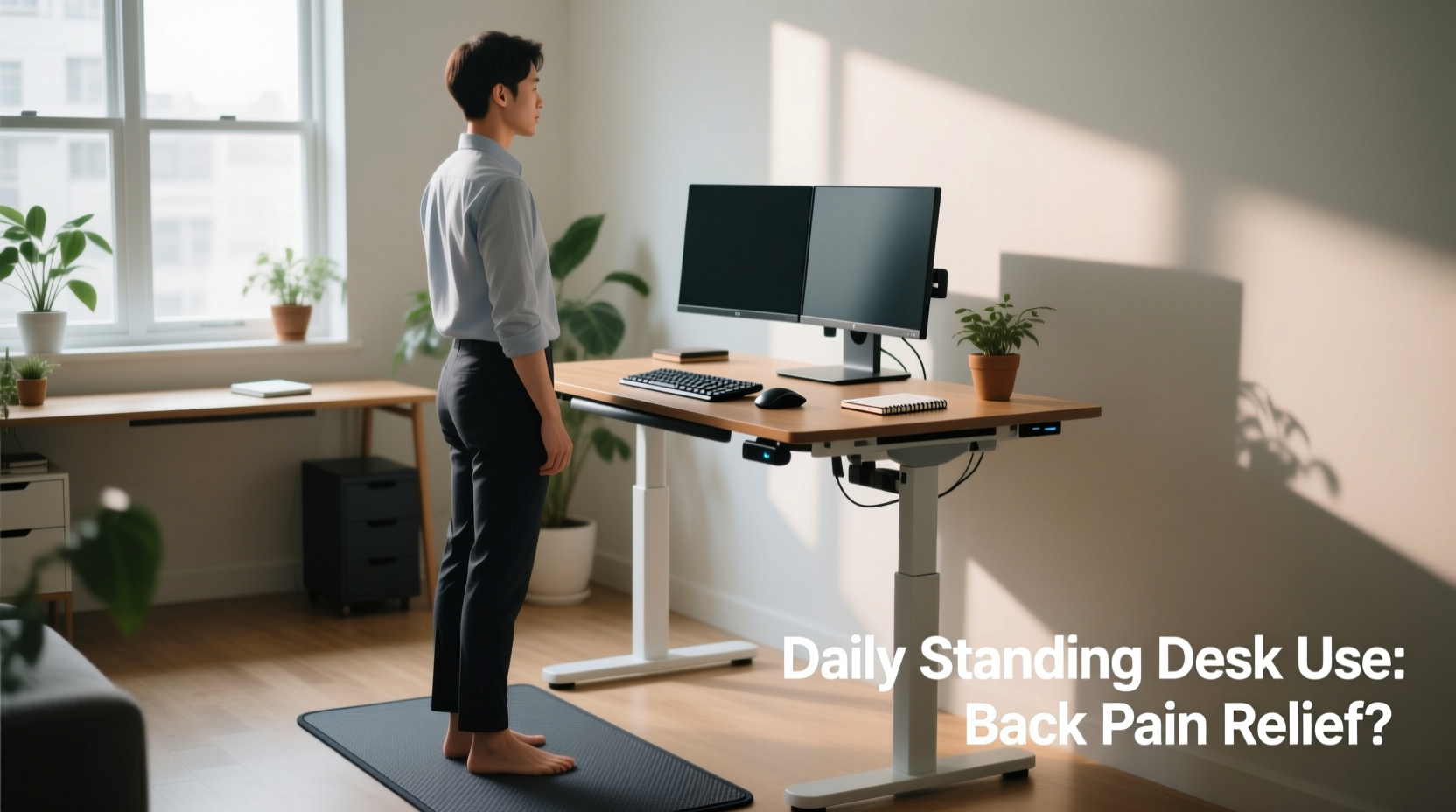
Prolonged sitting—especially in poor posture—is strongly associated with chronic lower back pain. When seated for hours, especially in non-ergonomic chairs, the natural curve of the lumbar spine flattens. This increases pressure on intervertebral discs and strains supporting muscles and ligaments. Over time, this can lead to muscle imbalances, disc degeneration, and sciatica.
A 2020 study published in Occupational Medicine found that office workers who sat more than six hours a day reported significantly higher rates of lower back pain compared to those who moved regularly. The researchers concluded that uninterrupted sitting was a key modifiable risk factor.
Standing desks aim to disrupt this cycle by encouraging upright posture and reducing time spent in a flexed spinal position. However, simply replacing sitting with standing doesn't automatically resolve back issues—it may just shift the problem.
Can Standing Desks Actually Reduce Back Pain?
Evidence suggests that standing desks can help reduce back pain—but only when used correctly. A landmark 2018 study from the Cochrane Database of Systematic Reviews analyzed multiple workplace interventions and found moderate-quality evidence that sit-stand desks led to reduced musculoskeletal discomfort, including lower back pain, over a period of several weeks.
Participants reported up to a 32% reduction in low back pain after eight weeks of alternating between sitting and standing. Importantly, the greatest improvements were seen not in those who stood all day, but in those who alternated positions every 30–60 minutes.
Dr. Karen Jacobs, clinical professor of occupational therapy at Boston University and former president of the American Occupational Therapy Association, explains:
“Standing isn’t inherently better than sitting. The key is movement variability. The human body thrives on change. Prolonged static postures—whether sitting or standing—are detrimental.”
In other words, the benefit of a standing desk lies not in standing per se, but in reducing sedentary time and promoting dynamic posture shifts throughout the day.
Common Mistakes That Worsen Back Pain with Standing Desks
Despite good intentions, many people inadvertently exacerbate back pain when using standing desks. Here are the most frequent missteps:
- Standing too long without breaks: Just like sitting, prolonged standing increases compression on the spine and fatigues postural muscles.
- Incorrect desk height: If the desk is too high or too low, users lean or hunch, creating neck and upper back strain that radiates downward.
- Wearing improper footwear: Flats or unsupportive shoes increase pelvic tilt and lumbar stress.
- Lack of anti-fatigue mat: Hard floors amplify impact on joints and encourage shifting weight unevenly, which destabilizes the spine.
- Not adjusting monitor height: Looking down forces forward head posture, increasing cervical and thoracic load.
One common scenario involves an office worker who replaces their traditional desk with a standing model and stands for five hours straight. Within days, they develop sharp lower back pain. What went wrong? They swapped one static posture for another, failing to incorporate micro-movements or transitions.
Mini Case Study: From Chronic Pain to Improved Mobility
Sarah, a 34-year-old software developer, experienced persistent lower back pain after years of working at a poorly adjusted desk. She invested in a high-end electric standing desk, hoping for relief. Initially, she stood for four hours daily but noticed increased stiffness and discomfort by mid-afternoon.
After consulting an ergonomics specialist, Sarah learned her desk was slightly too high, causing shoulder elevation while typing. She also wasn’t wearing supportive shoes and had no mat. More importantly, she wasn’t moving enough.
With adjustments—correcting desk height, adding a cushioned mat, wearing supportive sneakers, and using a timer to alternate every 45 minutes (30 minutes sitting, 15 standing)—her pain decreased by 70% within six weeks. Her success wasn’t due to standing alone, but to strategic, balanced usage.
Best Practices for Using a Standing Desk to Support Spinal Health
To make a standing desk beneficial rather than harmful, follow these science-backed guidelines:
1. Alternate Between Sitting and Standing
Use a ratio of 1:1 or 2:1 (sitting to standing) during the first few weeks. Gradually increase standing time, never exceeding two-thirds of your workday. A common effective pattern is 30 minutes sitting, 15–30 minutes standing.
2. Set Up Your Desk Ergonomically
Proper alignment prevents compensatory strain. Use this checklist to optimize your setup:
- Elbows bent at 90°, wrists neutral when typing
- Top of monitor at or slightly below eye level
- Monitor positioned an arm’s length away
- Feet flat on floor or mat, weight evenly distributed
- No slouching or leaning on desk edge
- Keyboard and mouse close enough to avoid reaching
3. Wear Supportive Footwear and Use a Mat
Bare feet or flip-flops on hard flooring alter gait mechanics and pelvic alignment. Opt for low-heeled, cushioned shoes. An anti-fatigue mat encourages subtle muscle engagement and reduces joint stress.
4. Incorporate Movement Breaks
Even with perfect posture, stillness is the enemy. Every hour, take a two-minute walk, stretch your hamstrings, or perform gentle torso rotations. These micro-breaks enhance blood flow and keep spinal discs nourished.
5. Listen to Your Body
Mild fatigue when standing is normal; sharp or radiating pain is not. If you experience discomfort, reassess your form, duration, or setup. Pain is a signal—not a challenge to push through.
Comparison: Sitting vs. Standing vs. Dynamic Work
| Posture Type | Spinal Load | Muscle Engagement | Risk of Back Pain | Best For |
|---|---|---|---|---|
| Prolonged Sitting | High (disc compression) | Low (glutes inactive) | High | Short tasks requiring focus |
| Prolonged Standing | Moderate-High (joint stress) | High (static contraction) | Moderate | Brief meetings or active thinking |
| Alternating Sit-Stand | Low-Moderate (variable load) | Balanced (dynamic use) | Low | Most work activities |
| Sit-Stand + Walking Breaks | Low (intermittent load) | Optimal (active recovery) | Very Low | All-day wellness |
The table shows that no single posture wins across all categories. The lowest risk occurs when movement is integrated—proving that variety is essential for spinal health.
Step-by-Step Guide to Transitioning to a Standing Desk
If you're new to standing desks, follow this timeline to avoid injury and maximize comfort:
- Week 1: Start with 15–20 minutes of standing per work session, twice a day. Use a timer to remind you to switch.
- Week 2: Increase to three standing sessions of 20–30 minutes each. Focus on maintaining neutral posture.
- Week 3: Introduce short walks (2–3 minutes) after each standing session. Assess for any foot, leg, or back discomfort.
- Week 4: Aim for 2–3 hours of total standing time, broken into intervals. Fine-tune desk height and accessories.
- Ongoing: Maintain a flexible schedule based on energy levels and task type. Prioritize movement over static positioning.
This gradual approach allows your body to adapt, minimizing soreness and building endurance in postural muscles.
Frequently Asked Questions
Can standing all day cause back pain?
Yes. Standing for extended periods without breaks increases pressure on the lumbar spine and fatigues the erector spinae muscles. It can also lead to pelvic misalignment and tightened hip flexors, contributing to lower back strain. Alternating with sitting and incorporating movement is crucial.
How long should I stand at my desk each day?
There’s no universal rule, but experts recommend starting with 30–60 minutes total per day and gradually increasing to 2–3 hours spread across multiple sessions. The ideal amount varies by individual fitness, job demands, and existing musculoskeletal conditions.
Are standing desks worth it for lower back pain?
They can be—if used properly. Research shows that sit-stand desks reduce back pain by 30–50% in office workers when combined with ergonomic setup and regular position changes. However, they are not a standalone solution. Pair them with core strengthening exercises, stretching, and overall activity for best results.
Conclusion: Movement Is the Real Solution
Using a standing desk every day isn’t inherently better for back pain—but integrating standing into a dynamic work routine absolutely is. The goal isn’t to eliminate sitting, but to reduce prolonged immobility. Whether seated or standing, the spine thrives on variation, proper alignment, and periodic motion.
If you’re struggling with back pain, consider your standing desk a tool, not a cure. Combine it with ergonomic adjustments, supportive footwear, and scheduled movement to create a sustainable, pain-reducing workflow. Small, consistent changes compound into lasting relief.




 浙公网安备
33010002000092号
浙公网安备
33010002000092号 浙B2-20120091-4
Comments
No comments yet. Why don't you start the discussion?