
Wireless charging has become a standard convenience in modern smartphones, smartwatches, and even earbuds. It promises a clutter-free experience—just drop your phone on a pad and walk away. But as adoption grows, so do concerns: Is this convenience coming at a cost? Specifically, does wireless charging contribute to faster battery degradation?
Lithium-ion batteries, which power most of today’s mobile devices, are inherently sensitive to heat, charge cycles, and voltage stress. Wireless charging introduces unique thermal and electrical dynamics compared to traditional wired charging. Understanding these differences is essential for anyone who wants their device to last as long as possible.
This article dives into the science behind battery aging, compares wired and wireless charging effects, and provides practical strategies to minimize wear—so you can enjoy the ease of wireless charging without sacrificing battery health.
How Battery Degradation Works
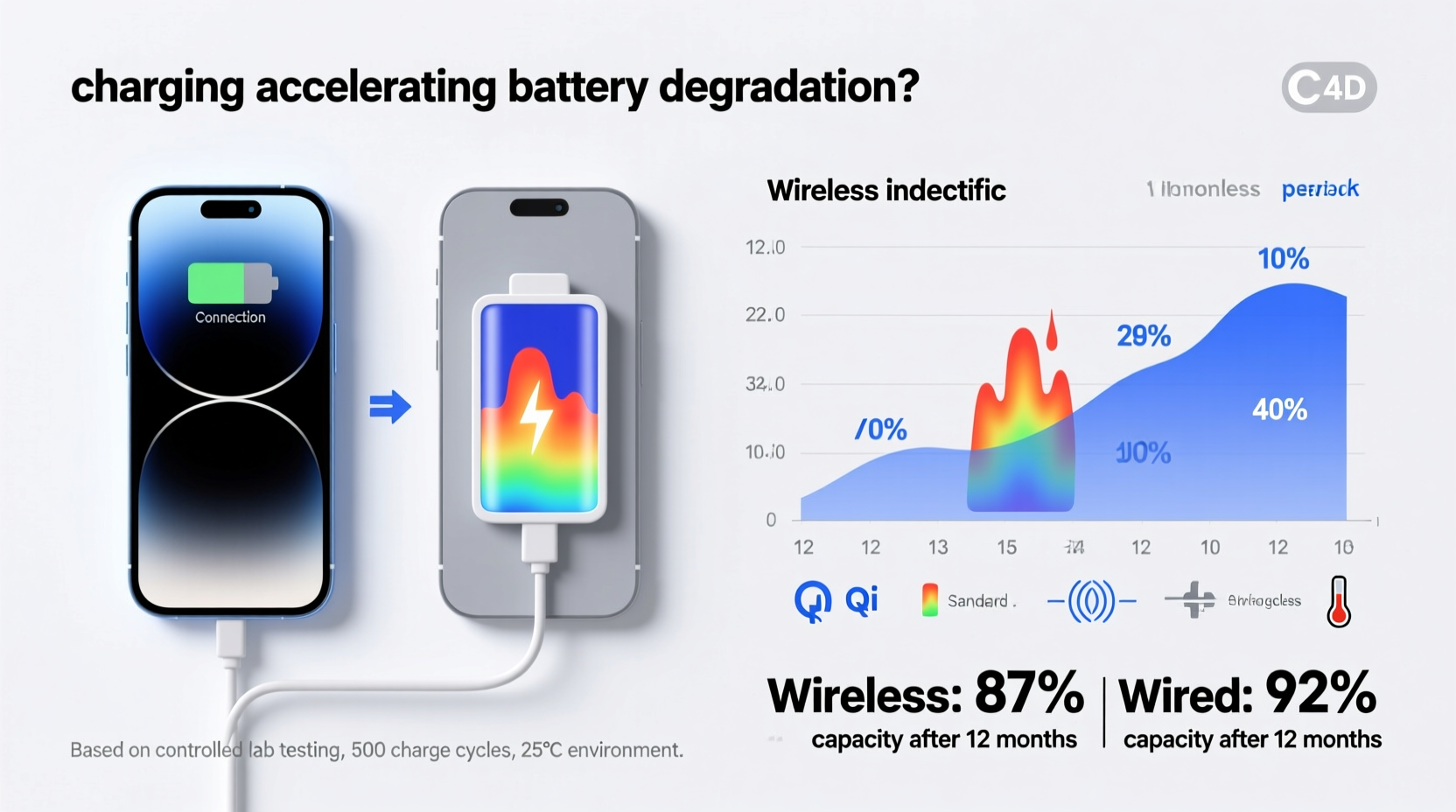
Battery degradation refers to the gradual loss of a battery’s maximum capacity over time. A new smartphone battery might hold 100% of its original charge, but after a year or two, that could drop to 85%, then 75%. This decline isn’t sudden; it accumulates due to multiple interrelated factors:
- Charge Cycles: Each full charge from 0% to 100% counts as one cycle. Most lithium-ion batteries are rated for 300–500 full cycles before capacity drops below 80%.
- Heat Exposure: Elevated temperatures accelerate chemical reactions inside the battery, leading to faster electrode wear and electrolyte breakdown.
- High Voltage States: Keeping a battery at 100% for extended periods increases internal stress, especially when combined with heat.
- Deep Discharges: Regularly draining the battery to 0% causes strain on the anode and cathode materials.
Among these, heat is arguably the most damaging factor—and this is where wireless charging enters the conversation.
Wireless vs. Wired Charging: The Thermal Difference
Wired charging transfers energy through a direct physical connection, minimizing energy loss. In contrast, wireless charging uses electromagnetic induction: a coil in the charger creates a magnetic field, which induces a current in a corresponding coil inside the phone. This process is inherently less efficient.
Efficiency rates vary, but most wireless chargers operate at 60–80% efficiency, meaning 20–40% of the energy is lost—primarily as heat. That heat doesn’t just dissipate harmlessly; much of it is absorbed by the phone, particularly near the back panel where the receiver coil sits, close to the battery.
A 2022 study by Purdue University found that phones charged wirelessly generated, on average, 3–5°C (5–9°F) more heat than those charged via cable under identical conditions. While this may seem minor, sustained exposure to elevated temperatures—even within safe operating ranges—can cumulatively accelerate battery aging.
“Repeated thermal cycling during wireless charging contributes to incremental electrode fatigue. Over months, this adds up.” — Dr. Li Chen, Battery Research Scientist, Stanford University
Real-World Impact: A Mini Case Study
Consider two users with identical iPhone 14 Pro models purchased on the same day:
- User A charges exclusively with a 20W USB-C cable, unplugs at 80%, and avoids heavy usage during charging.
- User B uses a MagSafe-compatible wireless charger nightly, leaves the phone on the pad for 8+ hours (often fully charged), and occasionally watches videos while charging.
After 14 months, both users check their battery health via Settings > Battery > Battery Health. User A sees 91% maximum capacity. User B sees 82%. Both fall within normal degradation curves, but the 9-point difference aligns with patterns observed in controlled studies linking prolonged heat exposure and overcharging to accelerated wear.
The key distinction isn’t just the charging method—it’s the combination of heat buildup and extended high-state-of-charge exposure that amplifies degradation in User B’s case.
Best Practices to Minimize Battery Wear with Wireless Charging
You don’t need to abandon wireless charging entirely to preserve battery health. With mindful habits, you can balance convenience and longevity. Here’s how:
- Limit Overnight Charging: Leaving your phone on a wireless pad all night keeps it at 100% for hours, increasing voltage stress. Use scheduled charging features (like iOS’s “Optimized Battery Charging” or Android’s “Adaptive Charging”) to delay full charging until just before you wake up.
- Remove Thick Cases During Charging: Some protective cases trap heat. If you notice the phone getting warm, remove the case or switch to a thinner, ventilated design.
- Choose High-Quality Chargers: Cheap third-party pads may lack proper thermal regulation or foreign object detection, leading to inefficient charging and excess heat. Stick to Qi-certified or manufacturer-recommended chargers.
- Charge at Lower Speeds When Possible: Many wireless chargers offer variable speeds (e.g., 5W, 7.5W, 15W). Slower charging generates less heat. Use lower wattage modes overnight or when rapid charging isn’t needed.
- Avoid Direct Sunlight or Hot Environments: Don’t place your wireless charger on a car dashboard or near a radiator. Ambient heat compounds the thermal load from charging.
Do’s and Don’ts: Wireless Charging & Battery Health
| Do | Don’t |
|---|---|
| Use optimized charging settings to limit time at 100% | Leave your phone on the charger for 12+ hours daily |
| Charge in a cool, well-ventilated area | Charge under a pillow or on a bedsheet that traps heat |
| Unplug once charged if not using optimization features | Play graphics-intensive games while wirelessly charging |
| Invest in a reputable, Qi2 or Qi-certified charger | Use damaged or uncertified charging pads |
| Monitor battery health monthly via system settings | Ignore persistent overheating warnings during charging |
Step-by-Step Guide to Optimizing Your Charging Routine
If you rely on wireless charging but want to slow battery degradation, follow this six-step plan:
- Assess Current Battery Health: On iOS, go to Settings > Battery > Battery Health. On Android, use built-in diagnostics or apps like AccuBattery. Note your current maximum capacity.
- Enable Adaptive Charging Features: Turn on “Optimized Battery Charging” (iOS) or “Adaptive Charging” (Android). These AI-driven systems delay full charging based on your usage patterns.
- Relocate Your Charging Station: Move your wireless pad to a cooler area—away from sunlight, heating vents, or enclosed spaces like drawers.
- Switch to a Ventilated Case: Replace bulky silicone or rubber cases with ones designed for better airflow, especially if you frequently charge wirelessly.
- Set a Charging Window: If your phone lacks smart charging, manually unplug it once it reaches 80–90%. Alternatively, use a smart plug with a timer to cut power after 3–4 hours.
- Rotate Charging Methods: Use wired charging during the day for speed and efficiency, and reserve wireless charging for nights or low-priority top-ups.
Reassess your battery health every three months. If degradation slows or stabilizes, your adjustments are working.
Frequently Asked Questions
Does wireless charging always damage the battery?
No, wireless charging itself does not inherently “damage” the battery. However, the increased heat and potential for prolonged charging at full capacity can accelerate natural degradation over time. Used wisely, wireless charging can coexist with good battery health.
Is fast wireless charging worse for the battery?
Yes, higher-wattage wireless charging (e.g., 15W vs. 5W) generates more heat due to greater energy transfer inefficiency. While convenient, frequent use of fast wireless charging—especially in warm environments—can contribute to faster aging. Reserve high-speed modes for when you need a quick boost.
Can I leave my phone on a wireless charger all day?
It’s not recommended. Even if the phone stops drawing power at 100%, it will periodically “top off” as the battery discharges slightly, creating micro-cycles and maintaining a high voltage state. Combined with passive heat buildup, this environment stresses the battery. Limit continuous charging to under 8 hours, preferably with optimization enabled.
Conclusion: Balance Convenience with Longevity
Wireless charging isn’t the enemy of battery health—but how you use it matters. The slight inefficiency and thermal output of wireless systems introduce subtle stressors that, over time, can tip the scales toward faster degradation. However, with informed habits—such as avoiding overnight charging, managing heat, and leveraging smart software features—you can enjoy the simplicity of wireless power without paying a steep price in battery lifespan.
Technology should serve you, not force trade-offs between convenience and durability. By treating your battery with care, regardless of charging method, you extend not only its functional life but also the value and usability of your device.




 浙公网安备
33010002000092号
浙公网安备
33010002000092号 浙B2-20120091-4
Comments
No comments yet. Why don't you start the discussion?