
In recent years, standing desks have become a staple in home offices and corporate environments alike. Marketed as a solution to the sedentary dangers of prolonged sitting, they promise improved circulation, increased energy, and better long-term health. But what many users don’t realize is that standing all day—especially without proper form—can be just as harmful as sitting poorly. In fact, an increasing number of physical therapists and ergonomic experts are observing a new wave of postural issues linked directly to improper standing desk use.
The truth is, simply standing at work doesn't automatically lead to better posture. Without awareness and intentional alignment, you may unknowingly shift weight unevenly, lock your knees, hunch forward, or crane your neck toward the screen—all of which contribute to musculoskeletal strain over time. The goal isn’t to stand more; it’s to move mindfully and maintain neutral alignment throughout the day.
The Hidden Postural Risks of Standing Desks
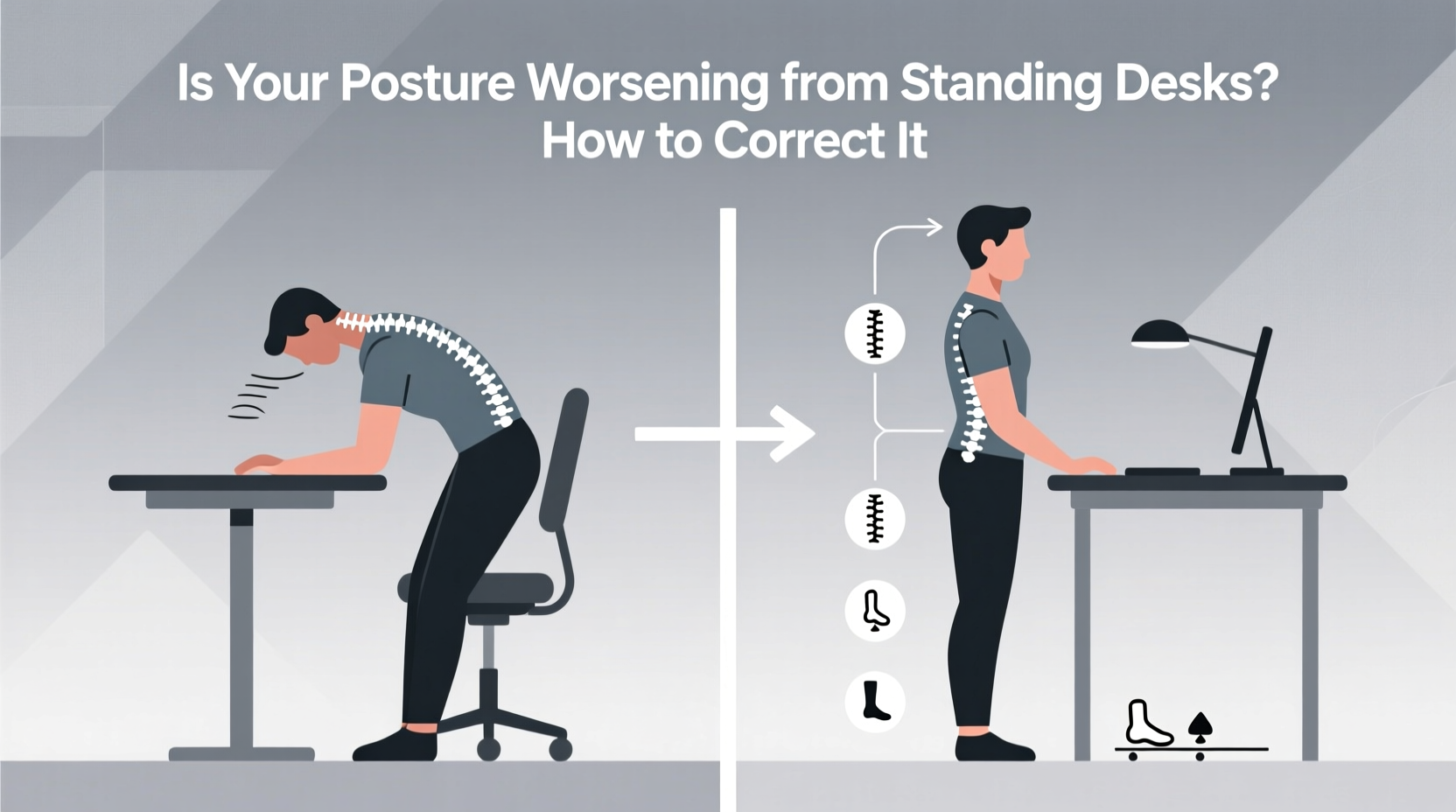
Standing desks were introduced to combat the well-documented harms of prolonged sitting: increased risk of cardiovascular disease, metabolic slowdown, and spinal compression. However, replacing eight hours of sitting with eight hours of standing introduces a different set of biomechanical challenges.
One common issue is pelvic tilt. When people stand for extended periods without support or variation, they often shift their hips forward, creating an exaggerated arch in the lower back (lordosis). This misalignment places undue pressure on lumbar vertebrae and can lead to chronic lower back pain.
Another frequent problem is forward head posture. If your monitor isn’t positioned at eye level, you’re likely tilting your head down or up, straining the cervical spine. Over time, this contributes to tension headaches, shoulder tightness, and even nerve irritation.
Additionally, locking the knees or shifting weight onto one leg creates imbalances in the hips and pelvis. These micro-misalignments compound over weeks and months, potentially leading to sciatica, hip bursitis, or plantar fasciitis due to poor weight distribution through the feet.
“Standing isn’t inherently healthier than sitting—it’s how you stand that matters. Poor standing posture can be just as damaging as slouching in a chair.” — Dr. Lena Torres, Physical Therapist & Ergonomics Consultant
How to Recognize Poor Posture at a Standing Desk
Postural deterioration often happens gradually. You might not notice discomfort until it becomes persistent. Here are key signs your standing desk setup is harming your posture:
- Lower back ache after standing: Indicates excessive lumbar extension or lack of core engagement.
- Tight calves or Achilles tendons: Suggests you're standing on tiptoes or leaning forward.
- Shoulder tension or neck stiffness: Often caused by raised shoulders or screen placement too high or low.
- Frequent foot pain: Could mean inadequate footwear or lack of anti-fatigue matting.
- Leaning on one hip: A visual cue of muscular imbalance and pelvic asymmetry.
Step-by-Step Guide to Correct Your Standing Desk Posture
Improving posture at a standing desk requires both environmental adjustments and body awareness. Follow this sequence to create a sustainable, ergonomically sound routine.
- Adjust your desk height correctly: Your elbows should rest at 90 degrees when typing, with forearms parallel to the floor. Wrist angles should remain neutral—no upward or downward bending.
- Position your monitor at eye level: The top of the screen should be at or slightly below eye level, about an arm’s length away. Use a monitor riser if needed.
- Stand with balanced weight: Distribute your weight evenly across both feet. Avoid locking your knees—keep a slight bend to engage the glutes and reduce joint strain.
- Engage your core gently: Lightly tighten your abdominal muscles to support your spine without holding your breath or over-tensing.
- Wear supportive footwear or use a mat: Cushioned shoes or an anti-fatigue mat encourage micro-movements and improve circulation.
- Incorporate movement breaks: Alternate between sitting and standing every 30–45 minutes. Even two minutes of walking or stretching helps reset alignment.
- Add subtle motion: Shift weight from heel to toe, perform mini-squats, or use a balance board to keep joints active and prevent static loading.
Ergonomic Do’s and Don’ts for Standing Desk Users
| Do’s | Don’ts |
|---|---|
| Use an adjustable desk that allows seated-to-standing transitions | Stand for more than 2 consecutive hours without a break |
| Keep wrists straight and elbows close to the body | Hunch forward or round your shoulders while typing |
| Position keyboard and mouse within easy reach (within 6 inches) | Reach forward or stretch arms out to access devices |
| Use a footrest or anti-fatigue mat to encourage shifting | Stand still in one position for long durations |
| Take micro-breaks to stretch or walk every 30 minutes | Ignore early signs of discomfort like tingling or fatigue |
Real-World Example: Sarah’s Posture Recovery
Sarah, a 34-year-old software developer, switched to a standing desk six months ago hoping to relieve her chronic lower back pain. Instead, she began experiencing sharp pains in her right hip and persistent neck stiffness. After consulting a physical therapist, she discovered she had developed anterior pelvic tilt and was unconsciously shifting her weight to her right leg—likely due to years of favoring one side while standing.
Her workstation assessment revealed critical flaws: her monitor was too low, forcing her to look down; her desk was slightly too high, causing shoulder elevation; and she stood barefoot on hardwood for hours. With simple corrections—adding a monitor riser, wearing supportive slippers, using a foam mat, and setting hourly reminders to shift and stretch—Sarah reduced her pain by 80% within four weeks.
More importantly, she learned that posture isn’t passive. It requires continuous attention and small, consistent adjustments throughout the day.
Essential Tips for Long-Term Postural Health
Maintaining good posture isn’t about achieving perfect alignment once and forgetting it. It’s a dynamic process involving environment, habit, and body literacy. Consider these strategies to protect your spine and joints over time.
Checklist: Optimize Your Standing Desk Setup
Use this checklist weekly to ensure your workspace supports healthy posture:
- ✅ Desk height allows elbows at 90° when typing
- ✅ Monitor top is at or slightly below eye level
- ✅ Keyboard and mouse within comfortable reach
- ✅ Feet flat on floor or supported by a footrest/mat
- ✅ Shoulders relaxed, not shrugged or rounded
- ✅ Spine in neutral alignment (natural curves preserved)
- ✅ Alternating between sitting and standing every 30–45 minutes
- ✅ Performing light stretches or walking during transitions
- ✅ Wearing supportive footwear or using an anti-fatigue mat
- ✅ Listening to your body—stopping before pain sets in
Frequently Asked Questions
How long should I stand at my desk each day?
There’s no universal rule, but research suggests alternating between sitting and standing every 30 to 45 minutes is optimal. Aim for 2–4 hours of total standing per day, broken into manageable intervals. The key is movement variability—not maximizing standing time.
Can standing desks cause varicose veins?
Prolonged standing without movement or support can increase venous pressure in the legs, potentially contributing to varicose veins in predisposed individuals. To reduce risk, wear compression socks, use an anti-fatigue mat, shift weight frequently, and take short walks regularly.
Is it better to stand or sit for back pain?
Neither is universally better. For most people with back pain, the best approach is to avoid staying in one position too long. Dynamic movement—shifting between sitting, standing, and walking—is more effective than choosing one posture exclusively. Always maintain neutral spinal alignment regardless of position.
Conclusion: Reclaim Your Posture with Intentional Movement
Standing desks offer real benefits—but only when used correctly. Simply swapping chairs for standing pads without attention to alignment can do more harm than good. True postural health comes not from static perfection, but from mindful variation, ergonomic precision, and bodily awareness.
You don’t need to abandon your standing desk to protect your spine. Instead, refine how you use it. Adjust your setup, listen to your body’s signals, and embrace movement as your greatest ally. Small changes—like raising your monitor, softening your knees, or taking a two-minute walk—compound into lasting improvements in comfort, function, and well-being.




 浙公网安备
33010002000092号
浙公网安备
33010002000092号 浙B2-20120091-4
Comments
No comments yet. Why don't you start the discussion?