
Standing desks have gained widespread popularity for their potential health benefits—reducing sedentary time, improving posture, and boosting energy. But if yours is causing back pain, something has gone wrong. Ironically, the solution meant to improve your well-being may be contributing to discomfort or even long-term strain.
The issue isn’t the desk itself but how it’s set up and used. Poor ergonomics, incorrect height settings, and extended use without breaks can all lead to lower and upper back pain. The good news: with proper adjustments and mindful habits, you can eliminate discomfort and make your standing desk a true asset to your health.
Why Standing Desks Can Cause Back Pain
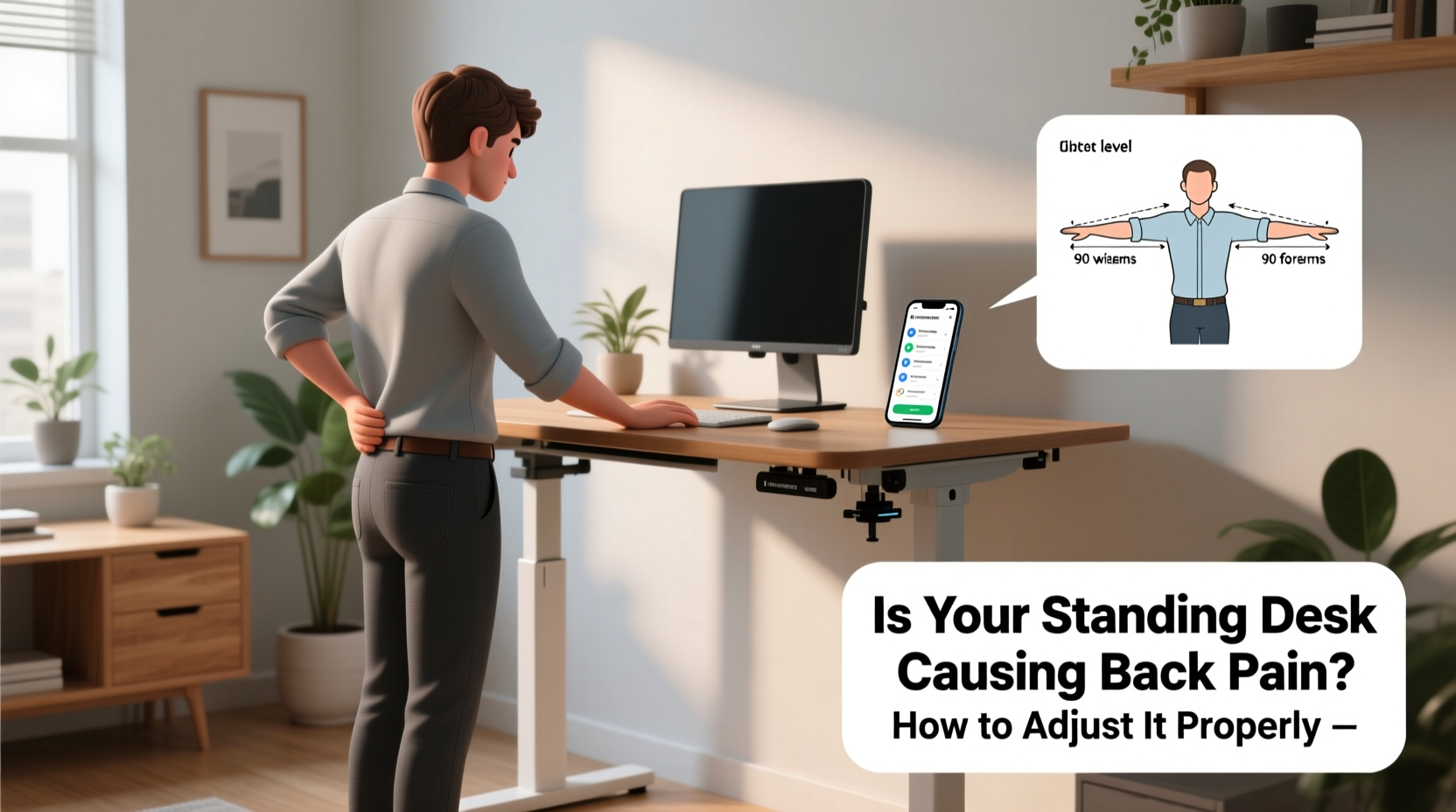
At first glance, standing seems like a natural alternative to sitting all day. However, standing improperly for prolonged periods places stress on the spine, pelvis, and lower limbs. Unlike sitting, where support structures like lumbar cushions help, standing requires active postural engagement. Without correct alignment, muscles fatigue quickly, leading to compensatory movements that strain the back.
Common culprits include:
- Incorrect desk height: Too high or too low forces awkward arm and shoulder positioning, which pulls the spine out of alignment.
- Poor posture: Leaning forward, slouching, or locking the knees shifts weight unevenly across the lower back.
- Lack of movement: Standing still for hours reduces blood flow and increases muscle stiffness.
- Inadequate footwear or flooring: Hard surfaces without cushioning amplify impact on joints and spine.
- Overuse: Transitioning too quickly from sitting to full-day standing overwhelms unconditioned muscles.
“Many people assume standing is inherently better than sitting, but biomechanically, both positions carry risks when done incorrectly. The key is dynamic posture and proper setup.” — Dr. Lena Patel, Physical Therapist and Ergonomic Consultant
How to Adjust Your Standing Desk for Optimal Spine Alignment
Proper desk adjustment begins with understanding neutral posture—the position in which your spine maintains its natural curves with minimal strain. When your desk supports this alignment, back pain often resolves.
Step-by-Step Guide to Setting Desk Height
- Stand in your usual working shoes with feet shoulder-width apart.
- Rest your hands gently on an imaginary keyboard surface.
- Bend your elbows to 90 degrees; your forearms should be parallel to the floor.
- Adjust the desk so the work surface aligns with your forearm height.
- Ensure your wrists remain straight, not bent upward or downward.
This method ensures your shoulders stay relaxed and your upper back doesn’t hunch forward—a common cause of thoracic (mid-back) pain.
Monitor Positioning Matters Just as Much
Your screen height is just as critical as desk height. A monitor placed too low forces neck flexion, creating tension that radiates into the upper back. Too high causes excessive extension, straining cervical muscles.
If using a laptop, consider a riser and external keyboard to achieve proper alignment. Dual monitors should be aligned with the central viewing zone directly in front of you, angled inward to reduce neck rotation.
Ergonomic Checklist for Pain-Free Standing Work
Use this checklist daily to ensure your workstation supports spinal health:
- ✅ Desk height allows elbows at 90° with forearms parallel to floor
- ✅ Monitor top is at or just below eye level
- ✅ Keyboard and mouse within easy reach—no overreaching
- ✅ Wrists straight, not bent during typing
- ✅ Shoulders relaxed, not hunched or elevated
- ✅ Spine in neutral alignment: ears over shoulders, hips over ankles
- ✅ Feet flat on the floor or anti-fatigue mat
- ✅ Using supportive footwear (avoid barefoot or flip-flops)
- ✅ Alternating between sitting and standing every 30–60 minutes
- ✅ Taking microbreaks to stretch or walk briefly
Real Example: Sarah’s Back Pain Turnaround
Sarah, a 34-year-old graphic designer, switched to a standing desk after months of lower back pain from prolonged sitting. Within two weeks, her pain worsened. She assumed standing was making it worse and nearly gave up.
After consulting an ergonomic specialist, she discovered several issues: her desk was 3 inches too high, forcing her to raise her shoulders while typing. Her monitor sat on a stack of books, too low and off-center. She stood for 4-hour stretches without moving, wearing thin-soled sneakers on a hardwood floor.
After adjusting her desk height, adding an anti-fatigue mat, lowering her monitor to eye level, and setting a timer to alternate positions every 45 minutes, her pain decreased significantly within 10 days. “I thought I was doing everything right,” she said. “But small tweaks made all the difference.”
Do’s and Don’ts of Standing Desk Use
| Do | Don’t |
|---|---|
| Start with 20–30 minutes of standing per hour | Stand for more than 2 hours continuously at first |
| Use an anti-fatigue mat to reduce joint pressure | Stand on hard tile or concrete without cushioning |
| Wear supportive shoes with arch support | Work barefoot or in unsupportive footwear |
| Keep frequently used items within arm’s reach | Stretch or twist repeatedly to access tools |
| Engage core muscles lightly to stabilize posture | Lock your knees or lean heavily on one leg |
| Take short walks or stretch every 30 minutes | Remain completely still for long durations |
When Sitting Is Still the Better Option
Standing isn’t always superior. There are times when sitting—with proper support—is more beneficial for spinal health. For instance, tasks requiring fine motor control or deep concentration may be better performed seated to minimize muscle tremors from fatigue.
The ideal approach is **dynamic work**—a balanced mix of sitting, standing, and moving. Research from the CDC suggests alternating every 30 to 60 minutes reduces musculoskeletal discomfort by up to 54% compared to static postures.
If you're recovering from an injury, managing chronic back conditions, or experiencing new pain after switching to a standing desk, reassess your routine. Temporary return to sitting with excellent lumbar support may allow healing while you gradually reintroduce standing with better form.
FAQ: Common Questions About Standing Desks and Back Pain
Can standing desks fix existing back pain?
Not automatically. While standing desks can reduce strain associated with prolonged sitting, they won’t resolve underlying postural imbalances or injuries. They must be used correctly and combined with movement, stretching, and strength training to support spinal health.
How long should I stand each day?
Aim for balance. Experts recommend starting with 30 minutes of standing per hour and building up to no more than 2 hours of cumulative standing in a workday. Listen to your body—if you feel fatigue, pain, or swelling in legs, sit down and elevate your feet briefly.
Is an anti-fatigue mat really necessary?
Yes, especially on hard floors. These mats encourage subtle muscle activation in the legs and feet, improving circulation and reducing pressure on the spine. Look for ones with textured surfaces and adequate thickness (¾ inch is ideal).
Conclusion: Take Control of Your Posture and Pain
Your standing desk shouldn’t cause pain—it should help prevent it. But like any tool, its effectiveness depends on how you use it. Misalignment, poor habits, and overuse turn a wellness investment into a source of discomfort.
By adjusting your desk to match your body’s natural mechanics, maintaining neutral posture, and incorporating movement throughout the day, you can eliminate back pain and build sustainable work habits. Remember: the goal isn’t to stand all day, but to move more and sit less—with intention and awareness.




 浙公网安备
33010002000092号
浙公网安备
33010002000092号 浙B2-20120091-4
Comments
No comments yet. Why don't you start the discussion?