
When it comes to securing your home with smart technology, few decisions are as impactful as choosing the right digital door lock. The Kaadas K8 and Samsung’s latest digital locks represent two of the most advanced options on the market today. Both brands have built reputations for innovation, but which one delivers better value, performance, and peace of mind? For homeowners weighing an upgrade, understanding the real differences—beyond marketing claims—is essential.
The decision isn’t just about convenience or aesthetics; it’s about long-term reliability, integration with smart home ecosystems, and how well the lock adapts to daily use. This article breaks down every critical aspect—from biometrics to build quality—to help you determine whether switching from a Samsung digital lock to the Kaadas K8 (or vice versa) is truly worth it.
Design and Build Quality: First Impressions Matter
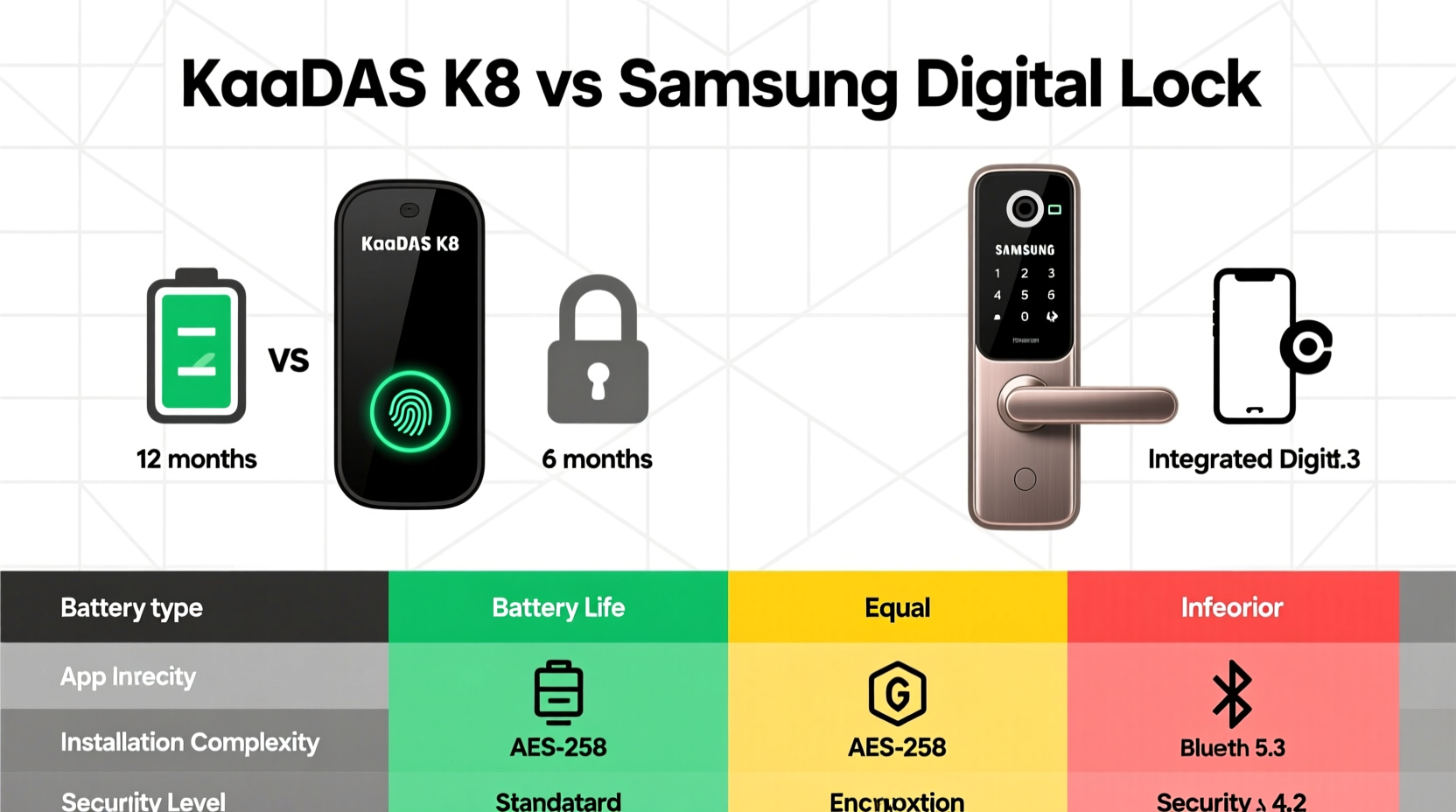
The first thing most users notice is design. The Kaadas K8 stands out with its sleek, minimalist aesthetic and full aluminum alloy body. Its seamless front panel and hidden fingerprint scanner give it a futuristic look that blends well with modern architecture. At 9.5 cm thick, it fits standard door preparations without requiring major modifications.
Samsung’s digital locks, such as the SHS-P710 or more recent models like the SHP-DP728, also feature premium finishes—often in brushed metal or matte black—but tend to have a more traditional keypad layout with visible buttons and external sensors. While still durable, some Samsung models use composite materials in parts of the housing, which may affect longevity under harsh weather conditions.
Security Features Compared
Security is non-negotiable. Both brands offer multiple unlocking methods, but their implementation differs significantly.
The Kaadas K8 uses a semiconductor fingerprint sensor embedded beneath the handle. This type of sensor captures 3D ridge data, making it harder to spoof than optical sensors. It also includes AI learning that improves recognition accuracy over time. Additional access methods include PIN code, RFID cards, Bluetooth app control, and emergency key override. Notably, the K8 has a built-in anti-peep function: users can enter random digits before and after their actual PIN to prevent shoulder surfing.
Samsung locks typically use capacitive touchpads and optical fingerprint scanners. While functional, these are generally slower and less accurate in wet or cold conditions. Samsung does integrate tamper alarms and auto-locking mechanisms, but lacks AI-based fingerprint adaptation. Some high-end Samsung models support Wi-Fi connectivity via hubs, enabling remote access through SmartThings—but this requires additional hardware.
“Modern smart locks should adapt to user behavior, not just authenticate. Adaptive biometrics, like those in the Kaadas K8, represent the next generation of home security.” — Dr. Lena Park, IoT Security Researcher at Seoul National University
Performance and User Experience
In real-world usage, speed and consistency define satisfaction. The Kaadas K8 unlocks in under 0.5 seconds using fingerprints, thanks to its high-speed processor and optimized algorithm. Its silent motor operation ensures smooth locking without disturbing household members late at night.
Samsung models average around 0.8–1.2 seconds for fingerprint verification, with occasional delays in low-light or humid environments. Their mechanical feedback (audible beeps and voice prompts) can be helpful for elderly users but may feel outdated compared to Kaadas’ subtle LED indicators.
One standout feature of the Kaadas K8 is its IP65-rated weather resistance, meaning it withstands dust and water jets—ideal for exterior doors. Samsung locks vary by model; many are designed primarily for interior use or sheltered entries, limiting placement flexibility.
Smart Integration and App Control
Both systems offer mobile app support, but the experience diverges sharply. The Kaadas Home app allows direct Bluetooth pairing without needing a hub. Users can generate temporary access codes, receive entry logs, and monitor battery status remotely. However, native Wi-Fi support is absent, so remote access only works when within Bluetooth range unless paired with a third-party gateway.
Samsung leverages its SmartThings ecosystem. With a compatible hub, owners can unlock doors remotely, create geofencing rules, and integrate with lights, cameras, and thermostats. This level of automation is powerful—but comes at the cost of complexity and added expense.
| Feature | Kaadas K8 | Samsung (e.g., SHP-DP728) |
|---|---|---|
| Fingerprint Sensor Type | Semiconductor (3D) | Optical |
| Unlock Speed | <0.5 sec | 0.8–1.2 sec |
| Weather Resistance | IP65 (dust/water resistant) | Limited (indoor-focused) |
| Remote Access | Via Bluetooth or third-party hub | Via SmartThings Hub + Wi-Fi |
| Anti-Peep PIN | Yes | No |
| Battery Life | ~12 months (4x AA) | ~8–10 months (4x AA) |
| Installation Compatibility | Standard European mortise | Mixed (model-dependent) |
Mini Case Study: Upgrading in a Family Apartment
The Tan family lives in a high-rise apartment in Singapore with elderly parents and young children. They previously used a mid-tier Samsung digital lock but experienced frequent false rejections during rainy seasons. Fingerprints would fail, forcing them to use backup keys—an inconvenience especially when carrying groceries.
After researching alternatives, they upgraded to the Kaadas K8. Within weeks, they noticed faster response times and fewer authentication errors—even with damp hands. The anti-peep PIN became useful when guests visited, allowing secure code sharing without exposing the main password. Over six months, they reported zero lockouts and appreciated the quiet operation at night.
While they missed full remote access via smartphone, they found the trade-off acceptable given the improved reliability. “It just works,” said Mr. Tan. “We don’t think about the lock anymore—that’s the best compliment we can give.”
Step-by-Step: How to Decide If You Should Upgrade
Determining whether the Kaadas K8 is worth upgrading to—or choosing over Samsung—involves assessing your priorities. Follow this timeline to make an informed decision:
- Week 1: Audit Your Current Lock – Note how often it fails, how loud it is, and whether weather affects performance.
- Week 2: List Your Needs – Do you want remote access? Better outdoor durability? Simpler operation for kids or seniors?
- Week 3: Compare Models Side-by-Side – Use spec sheets and video reviews to evaluate fingerprint tech, noise levels, and installation requirements.
- Week 4: Test Installation Feasibility – Measure your door thickness and check if existing cutouts match the new lock’s template.
- Final Decision – Choose based on proven performance gaps, not brand loyalty.
Checklist: What to Verify Before Buying
- ✅ Door thickness and backset dimensions match the lock’s specifications
- ✅ Fingerprint sensor type (semiconductor preferred over optical)
- ✅ Weather rating if installing outdoors (IP65 or higher recommended)
- ✅ Battery life and replacement accessibility
- ✅ Support for temporary access codes and user management
- ✅ Noise level suitable for your living environment
- ✅ Warranty and local customer service availability
Frequently Asked Questions
Is the Kaadas K8 more secure than Samsung locks?
Yes, in several key areas. The Kaadas K8 uses a more advanced semiconductor fingerprint sensor, offers anti-peep PIN protection, and has superior environmental sealing. While both brands meet basic security standards, Kaadas provides stronger defenses against common vulnerabilities like spoofing and forced entry.
Can I install the Kaadas K8 myself?
Many users successfully self-install using included templates and instructions. However, if your door doesn’t already have a mortise cutout or if you're unsure about alignment, professional installation is recommended to avoid damage and ensure optimal performance.
Does Samsung offer better smart home integration?
Yes, but conditionally. If you already own a SmartThings Hub and other Samsung IoT devices, the ecosystem synergy is unmatched. For standalone use or simpler setups, Kaadas offers a more intuitive, hub-free experience with adequate functionality.
Conclusion: Making the Right Choice for Your Home
The Kaadas K8 isn't just an incremental upgrade—it represents a shift toward more intelligent, resilient, and user-centric smart locks. Compared to most Samsung models, it excels in biometric accuracy, environmental durability, and day-to-day usability. However, if deep smart home automation is your top priority and you’re invested in the Samsung ecosystem, sticking with their Wi-Fi-enabled models might still make sense.
For the majority of homeowners seeking reliability, speed, and elegant design without dependency on extra hardware, the Kaadas K8 delivers tangible improvements that justify the switch. The upgrade isn’t merely about having the latest gadget—it’s about reducing friction, enhancing security, and trusting your front door to work seamlessly, every single time.




 浙公网安备
33010002000092号
浙公网安备
33010002000092号 浙B2-20120091-4
Comments
No comments yet. Why don't you start the discussion?