
For avid readers, choosing the right e-reader can shape not just the convenience of reading, but also long-term comfort and eye health. Amazon’s Kindle lineup offers several models, but two stand out for most consumers: the Kindle Paperwhite and the Kindle Basic. While both deliver crisp e-ink displays and excellent battery life, one key feature separates them — the adjustable warm light on the Paperwhite. But is this single upgrade enough to justify the price difference? The answer depends on how, when, and where you read.
The Core Differences: Paperwhite vs Basic
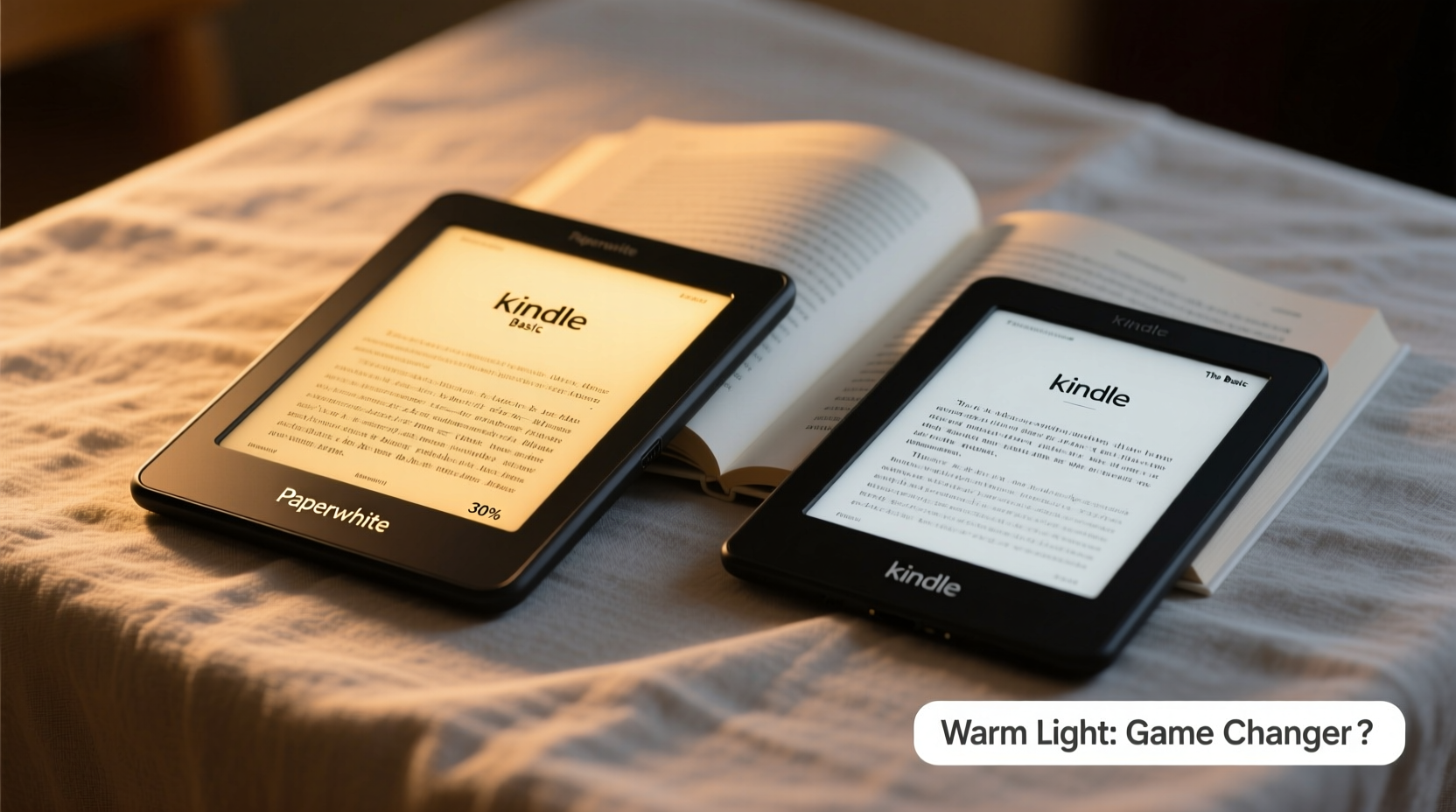
At first glance, the Kindle Paperwhite and Kindle Basic share many similarities. Both use glare-free e-ink technology, offer waterproofing (on newer Paperwhite models), support thousands of books, and provide weeks of battery life. However, their lighting systems diverge significantly.
The Kindle Basic uses a standard front light with a fixed cool-white tone. You can adjust brightness, but the color temperature remains constant — a bright, blue-leaning white that mimics daylight. In contrast, the Kindle Paperwhite features an adaptive front light with adjustable color temperature, allowing users to shift from cool white to warm amber. This range enables a more natural reading experience, especially in low-light environments.
This isn’t just about preference; it’s about physiology. Blue light suppresses melatonin, the hormone responsible for regulating sleep. Exposure to cooler light at night can disrupt circadian rhythms, making it harder to fall asleep after reading. The warm light option on the Paperwhite directly addresses this issue, offering a warmer, gentler glow that aligns better with evening routines.
“Reducing blue light exposure in the evening is one of the simplest ways to support healthy sleep patterns. Devices like the Paperwhite that offer warm light settings give users control over their nighttime reading environment.” — Dr. Lena Patel, Sleep Health Researcher at Boston Wellness Institute
How Warm Light Impacts Reading Experience
The value of warm light becomes apparent during extended reading sessions, particularly at night. Readers often report that cool-white lighting feels harsh after 30 minutes or more, causing eye strain or fatigue. The Paperwhite’s warm setting softens the contrast between text and background, creating a page-like warmth reminiscent of incandescent bulbs or candlelight.
In practical terms, warm light makes the screen feel less “digital” and more like physical paper. This subtle shift enhances immersion, reducing visual distractions and helping readers stay focused longer. For those who suffer from dry eyes or light sensitivity, the reduction in blue spectrum light can be a significant relief.
Real-World Example: Nighttime Reading Habits
Consider Sarah, a 34-year-old teacher who reads before bed every night. She started with the Kindle Basic but found herself feeling restless after her usual 45-minute reading session. She attributed it to stress until she switched to a Paperwhite as a gift. After enabling the warm light and dimming the brightness, she noticed she fell asleep faster and felt more rested in the morning. Over time, she realized the cool light from her old device was likely interfering with her ability to wind down.
Sarah’s experience isn’t unique. A 2022 survey by the National Sleep Foundation found that 68% of adults who read on screens before bed reported improved sleep quality when using devices with warm light settings.
Feature Comparison: Paperwhite vs Basic
| Feature | Kindle Paperwhite | Kindle Basic |
|---|---|---|
| Display Size | 6.8 inches | 6 inches |
| Resolution | 300 ppi | 300 ppi |
| Front Light | Adjustable brightness + warm light | Adjustable brightness only (cool white) |
| Waterproofing | IPX8 rated (submersible) | No |
| Battery Life | Up to 10 weeks | Up to 10 weeks |
| Storage | 8GB / 32GB options | 16GB |
| Price (Starting) | $139.99 | $99.99 |
| Premium Features | Auto-adjusting light, USB-C, larger screen | Basic functionality, micro-USB (older models) |
While both devices offer sharp 300 ppi displays, the Paperwhite pulls ahead with a larger screen, modern USB-C charging, and — most importantly — intelligent lighting. The warm light adjustment is not merely cosmetic; it’s integrated into the device’s ambient light sensor, which automatically dims or warms the display based on room lighting. This means the Paperwhite adapts to your environment, reducing manual adjustments and improving comfort over time.
Who Benefits Most From Warm Light?
Not all readers will notice a dramatic difference from warm light, but certain groups gain substantial advantages:
- Night owls and bedtime readers: Anyone who reads after sunset benefits from reduced blue light exposure.
- Light-sensitive individuals: People with migraines, eye strain, or conditions like dry eye syndrome often find warm light less irritating.
- Older readers: As the eye ages, contrast sensitivity decreases. Warm light can improve readability in dim conditions.
- Frequent travelers: Reading in varying environments — from airplane cabins to hotel rooms — makes adaptive lighting a valuable asset.
If you primarily read during the day or in well-lit spaces, the Basic may suffice. But if your reading extends into evenings or occurs in inconsistent lighting, the Paperwhite’s warm light becomes a meaningful upgrade.
Step-by-Step: Optimizing Your Paperwhite Lighting Settings
To get the most out of your Paperwhite’s warm light feature, follow this simple routine:
- Enable Adaptive Brightness: Go to Settings > Device Options > Brightness & Color. Turn on “Adaptive Brightness” so the screen adjusts to ambient light.
- Set Default Warmth: Use the warmth slider to select a baseline setting. Start with 50% warmth (neutral) and adjust based on personal comfort.
- Create a Schedule: If you read at consistent times, manually warm the light 30 minutes before bedtime. Lower brightness and increase warmth gradually.
- Use “Night Mode” Presets: Some third-party apps and Calibre plugins allow scheduling automatic warmth changes, mimicking circadian rhythm-friendly lighting.
- Test in Different Rooms: Evaluate how the screen looks under overhead lights, lamps, and complete darkness. Adjust accordingly.
Is the Price Difference Justified?
The Kindle Paperwhite starts at $139.99, while the Kindle Basic is priced at $99.99 — a $40 gap. Is the warm light worth that extra cost?
Consider this: the warm light isn’t an isolated feature. It’s part of a broader ecosystem of upgrades. The Paperwhite includes a larger 6.8-inch flush-front display, IPX8 waterproofing (ideal for bath or poolside reading), USB-C charging, and a more premium build. These enhancements compound the value beyond just lighting.
For casual readers who pick up a book once a week, the Basic remains a smart choice. But for daily readers, especially those who prioritize comfort and longevity, the Paperwhite delivers tangible returns on investment. The warm light alone may prevent eyestrain, improve sleep, and extend reading sessions — factors that enhance overall reading satisfaction.
“The best e-reader isn’t the cheapest one — it’s the one you’ll actually use consistently. Features like warm light reduce friction and discomfort, making reading feel effortless.” — Mark Tran, Digital Reading Consultant and Tech Reviewer
Frequently Asked Questions
Can I add warm light to the Kindle Basic through software updates?
No. The warm light feature requires dual-LED hardware (cool and warm diodes) behind the screen. The Kindle Basic only has cool-white LEDs, so it cannot produce warm tones regardless of software.
Does warm light affect battery life?
Minimal impact. Warm light uses slightly more power than cool light due to additional LED activation, but the difference is negligible. Most users won’t notice any change in battery duration.
Is the Paperwhite worth it if I mostly read in daylight?
If you read exclusively in bright environments, the lighting difference matters less. However, the larger screen, waterproofing, and USB-C still offer long-term usability benefits. Consider your full usage pattern before deciding.
Action Checklist: Choosing Between Paperwhite and Basic
- ✅ Assess your typical reading time: Do you read at night? → Lean toward Paperwhite.
- ✅ Consider your environment: Do you read in bed, in the bath, or outdoors? → Paperwhite’s waterproofing and adaptive light help.
- ✅ Evaluate eye comfort: Do you experience strain with screens? → Warm light reduces visual fatigue.
- ✅ Check budget: Under $100? → Basic is sufficient for light use.
- ✅ Think long-term: Will you use this daily for years? → Paperwhite offers better durability and features.
Final Verdict: Warm Light as a Game Changer
The warm light adjustment on the Kindle Paperwhite isn’t just a luxury — it’s a thoughtful enhancement rooted in human biology and user experience. While the Kindle Basic remains a capable entry-level device, the Paperwhite elevates digital reading by addressing real-world challenges: eye strain, sleep disruption, and environmental adaptability.
For readers who spend more than an hour a day with their Kindle, especially during evening hours, the warm light feature is absolutely a game changer. It transforms the device from a simple book carrier into a wellness-conscious companion that supports both mental engagement and physical comfort.
Technology should serve the user, not the other way around. The ability to fine-tune your reading environment — matching the warmth of your screen to the time of day and mood of your space — represents a small but profound step forward in personalized reading experiences.




 浙公网安备
33010002000092号
浙公网安备
33010002000092号 浙B2-20120091-4
Comments
No comments yet. Why don't you start the discussion?