
For avid readers who rely on digital books for convenience and portability, Amazon’s Kindle lineup offers a range of options tailored to different needs and budgets. At the heart of the debate between the Kindle Paperwhite and the Kindle Basic lies one standout feature: the adjustable warm light. While both devices deliver crisp e-ink displays and long battery life, the Paperwhite introduces a color temperature adjustment that allows users to shift from cool white to warm amber lighting. But does this feature genuinely enhance the reading experience—or is it just a premium gimmick?
The answer depends on how, when, and where you read. For some, the warm light is a game-changer that reduces eye strain and improves sleep quality. For others, especially those who primarily read during daylight hours, the difference may be negligible. This article dives deep into the practical implications of warm lighting in e-readers, compares the Paperwhite and Basic models across key dimensions, and helps you decide whether the added cost is justified by real benefits.
Understanding Warm Light Technology in E-Readers
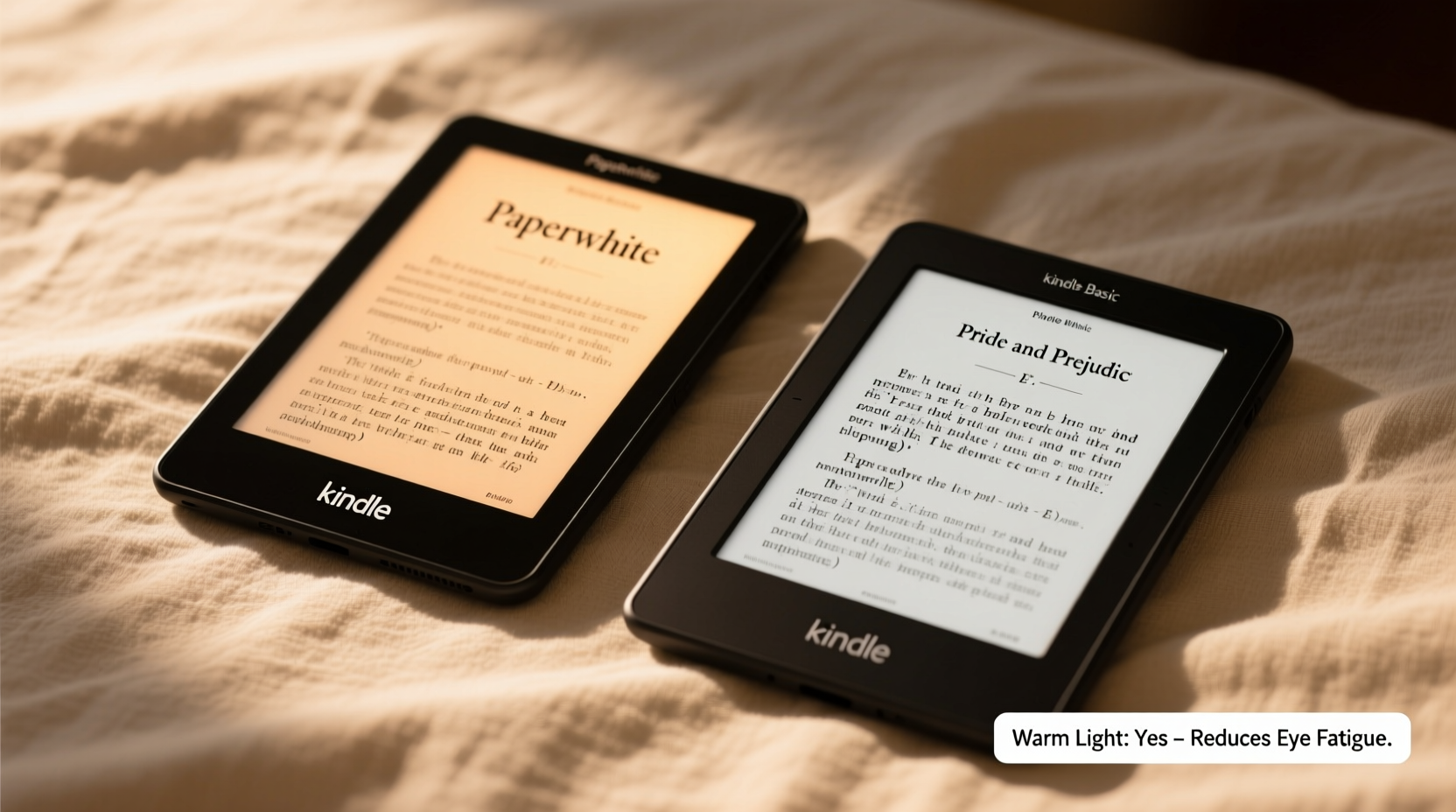
E-ink screens are designed to mimic the appearance of printed paper, reducing glare and minimizing blue light exposure compared to tablets or smartphones. However, built-in front lighting—essential for nighttime reading—has traditionally emitted a cool, bluish-white glow. Over time, research has shown that excessive exposure to blue-rich light in the evening can disrupt circadian rhythms by suppressing melatonin, the hormone responsible for regulating sleep.
The Kindle Paperwhite addresses this with an adjustable warm light system. Users can blend white and amber LEDs to create a spectrum of color temperatures, similar to how smart bulbs work. At its warmest setting, the screen emits a soft, candle-like glow that significantly reduces blue light emission. This mimics natural sunset lighting, theoretically making late-night reading less disruptive to sleep patterns.
“Evening exposure to blue light can delay sleep onset by up to 30 minutes. Devices with warm lighting offer a meaningful reduction in this effect.” — Dr. Lena Torres, Sleep Neurologist at Boston Circadian Research Institute
However, the effectiveness of warm light isn’t universal. Individual sensitivity to light, reading duration, and ambient room lighting all influence how much benefit a user experiences. Some report immediate relief from eye fatigue, while others notice little change.
Kindle Paperwhite vs Basic: Feature-by-Feature Comparison
To assess whether the warm light is worth the price jump, it's essential to compare the two models objectively. Below is a breakdown of their core specifications and capabilities.
| Feature | Kindle Paperwhite | Kindle Basic |
|---|---|---|
| Display Size | 6.8 inches | 6 inches |
| Resolution | 300 ppi | 300 ppi |
| Water Resistance | IPX8 (up to 2 meters for 60 mins) | No |
| Adjustable Warm Light | Yes (fully adjustable) | No |
| Built-in Storage | 8 GB or 32 GB | 16 GB |
| Battery Life | Up to 10 weeks (with moderate use) | Up to 10 weeks (with moderate use) |
| Price (Starting) | $149.99 | $99.99 |
| USB-C Charging | Yes | Yes (on newer models) |
The table reveals that the most significant differences are the larger screen, water resistance, and—crucially—the warm light on the Paperwhite. The Basic model now includes USB-C and more base storage than previous versions, narrowing the gap. However, the absence of warm light and durability features makes it less suited for readers who frequently use their device in bed, near water, or in low-light environments.
Real-World Impact: Who Benefits Most from Warm Light?
Not all readers will gain equal value from warm lighting. The benefit is most pronounced in specific usage scenarios:
- Nighttime readers: Those who read in bed after dark are most likely to feel the positive effects. Shifting to warmer tones can reduce alertness and support a smoother transition to sleep.
- Light-sensitive individuals: People with migraines, eye strain, or conditions like dry eye syndrome often find cooler lights harsh. Warmer settings provide a gentler visual experience.
- Older adults: As the eye’s lens yellows with age, contrast perception declines. Warm lighting can improve readability by enhancing text-background differentiation.
In contrast, readers who primarily use their Kindle during the day or in well-lit environments may not notice a meaningful difference. The default white light on the Basic model is perfectly adequate under bright conditions, and the lack of warmth adjustment becomes irrelevant.
A Mini Case Study: Sarah’s Reading Routine
Sarah, a 34-year-old project manager, used her Kindle Basic for nightly reading but consistently struggled to fall asleep afterward. She attributed her restlessness to stress until she tested a friend’s Paperwhite with warm light enabled. After switching to 50% warmth for her 30-minute bedtime routine, she reported falling asleep faster and feeling more refreshed in the morning.
She upgraded to a Paperwhite and now adjusts the warmth based on the time of night—cooler in early evening, warmer after 9 PM. “It’s not magic,” she says, “but it feels like my eyes aren’t as tired, and I don’t feel ‘wired’ after reading anymore.”
This anecdote aligns with broader behavioral trends: users who integrate warm light into a consistent pre-sleep ritual tend to report better subjective sleep quality, even if objective metrics vary.
Step-by-Step Guide: Optimizing Your Reading Light Settings
Whether you own a Paperwhite or are considering an upgrade, using light effectively can transform your reading experience. Follow this sequence to maximize comfort and minimize disruption:
- Assess your reading environment. Note the ambient light level—dim, bright, or mixed. This determines your baseline brightness need.
- Start with neutral white light. Set the warmth slider to the middle position (50%) and adjust brightness until text is clear without glare.
- Gradually increase warmth after sunset. As evening progresses, shift toward amber tones. Aim for maximum warmth by 9–10 PM if reading before bed.
- Use auto-brightness cautiously. While convenient, automatic settings may not adjust warmth appropriately. Manual control offers finer tuning.
- Pair with good habits. Avoid reading in total darkness; keep a low-level room light on to reduce contrast strain between screen and surroundings.
Consistency matters. Just as you might wind down with a cup of tea or meditation, treating your Kindle’s light settings as part of a sleep hygiene routine amplifies its benefits.
Is Warm Light Necessary? A Balanced Verdict
\"Necessary\" is a strong word—but necessity depends on context. From a functional standpoint, the warm light is not essential for reading. The Kindle Basic delivers excellent text clarity, responsive page turns, and sufficient brightness for most situations. Millions of users enjoy it without issue.
However, from a wellness and comfort perspective, the warm light adds tangible value for a significant subset of readers. It’s not merely about aesthetics; it’s about aligning technology with human biology. Blue light suppression, reduced eye fatigue, and improved sleep onset are documented outcomes associated with warmer spectra.
Consider the following checklist to determine if the Paperwhite’s warm light is right for you:
- Do you read in bed regularly?
- Do you struggle with falling asleep after screen use?
- Are you sensitive to bright or cool-toned lights?
- Do you read in environments with low ambient lighting?
- Would you use water resistance (e.g., reading in the bath or poolside)?
If three or more apply, the Paperwhite’s premium is likely justified. If not, the Basic remains a capable and cost-effective choice.
Frequently Asked Questions
Does warm light affect battery life?
No significant difference. Both warm and white LEDs are energy-efficient, and the e-ink display consumes power only when turning pages. Battery life remains comparable across settings.
Can I add warm light to my Kindle Basic with a filter or app?
Not natively. Third-party screen filters exist, but they often reduce clarity and introduce glare. Software solutions don’t work because Kindles don’t support third-party display overlays. Hardware limitations prevent true warm light emulation.
Is the larger screen on the Paperwhite worth it?
Subjectively, yes. The 6.8-inch display shows more text per page, reducing scroll frequency. For long novels or textbooks, this can enhance immersion and reduce fatigue. However, the smaller Basic is lighter and easier to hold one-handed.
Final Thoughts: Prioritizing Comfort in Digital Reading
The evolution of e-readers reflects a growing awareness of digital wellness. Features like adjustable warm light represent a shift from pure functionality to holistic user care. While the Kindle Basic excels as an entry point, the Paperwhite offers refinements that cater to sustained, comfortable reading—especially in critical moments like bedtime.
The warm light isn’t a flashy innovation, but it serves a quiet, important purpose: helping you disconnect without straining your eyes or disrupting your rhythm. In a world saturated with high-energy screens, that subtle warmth can make all the difference between a restless night and a peaceful one.




 浙公网安备
33010002000092号
浙公网安备
33010002000092号 浙B2-20120091-4
Comments
No comments yet. Why don't you start the discussion?