
For avid readers, choosing between Amazon’s entry-level Basic Kindle and the more advanced Kindle Paperwhite isn’t just about price—it’s about how you experience reading. Both devices deliver the core e-reader benefits: glare-free screens, weeks of battery life, and access to millions of books. But the differences start to matter when you’re reading late at night, holding the device for long stretches, or simply want a more refined experience. One of the most touted features of the Paperwhite—the adjustable warm light—has become a major selling point. But is it truly worth the extra cost?
This article breaks down the real-world differences between the two models, focusing on display quality, lighting, build, and usability, so you can decide whether upgrading from the Basic Kindle to the Paperwhite delivers meaningful value—or just marketing hype.
Display and Lighting: Where the Warm Light Makes a Difference
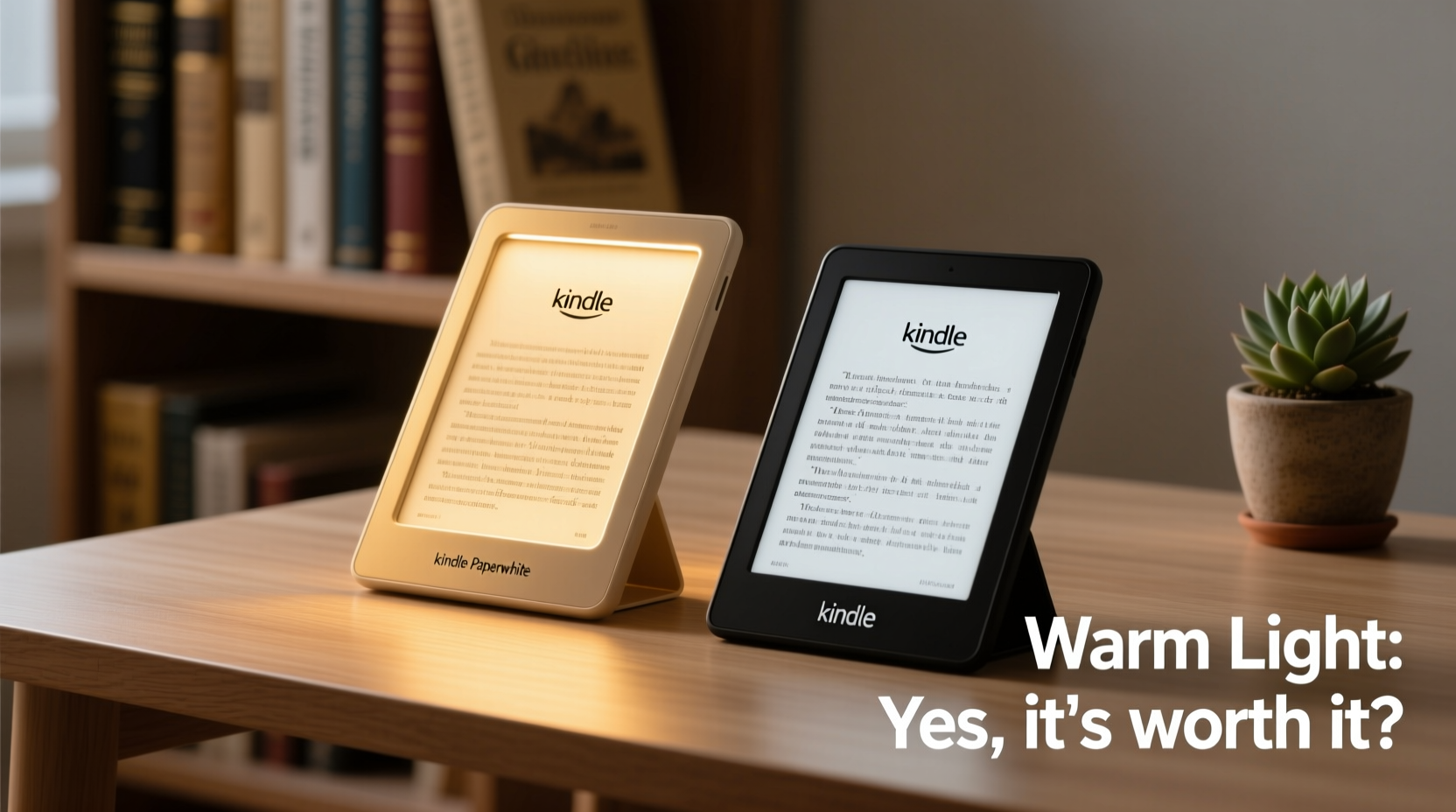
The most noticeable difference between the Basic Kindle and the Kindle Paperwhite lies in the screen and lighting system. The Basic Kindle uses a standard front-lit display with a fixed white LED that illuminates the screen evenly. It works well in most conditions but lacks flexibility, especially in low-light environments where cooler light can strain the eyes over time.
In contrast, the Kindle Paperwhite features an upgraded 300 ppi glare-free display and, more importantly, an adjustable warm light. This means users can shift the screen tone from cool white to a warmer, amber hue—similar to the glow of an incandescent bulb or sunset light. The ability to reduce blue light emission is particularly valuable during evening reading sessions.
“Exposure to blue-rich light in the evening suppresses melatonin and disrupts sleep onset. Devices with adjustable color temperature can help mitigate this effect.” — Dr. Lisa Masteon, Sleep Health Researcher, Harvard Medical School
The warm light isn’t just a gimmick; it aligns with growing awareness around circadian rhythm health. For people who read before bed, switching to a warmer tone can make the experience feel more natural and less disruptive to sleep patterns.
Build Quality and Design: Feel Matters More Than You Think
While both Kindles are lightweight and portable, their physical design tells two different stories. The Basic Kindle has a slightly bulkier bezel and a plastic body that feels utilitarian rather than premium. It gets the job done, but it doesn’t inspire tactile delight.
The Paperwhite, on the other hand, features slimmer bezels, a sleeker profile, and a more balanced weight distribution. Its IPX8 waterproof rating (able to withstand submersion in up to 2 meters of freshwater for 60 minutes) makes it ideal for reading by the pool, in the bath, or even during rainy commutes. The Basic Kindle offers no such protection—a notable omission if you’ve ever spilled coffee near your device.
Another subtle but important upgrade is screen size. The Paperwhite sports a 6.8-inch display compared to the Basic Kindle’s 6-inch screen. That extra space reduces the need to turn pages as often and improves readability, especially for dense text or graphic novels. Combined with higher contrast and improved pixel density, the Paperwhite provides a noticeably sharper image.
Performance and Storage: Speed and Space Add Up
On paper, both devices use similar processors, but in practice, the Paperwhite feels snappier. Page turns are smoother, menu navigation is more responsive, and syncing across devices happens faster—especially noticeable when downloading large books or accessing your library remotely.
Storage is another area where the Paperwhite pulls ahead. The base model offers 8GB, enough for thousands of books, while the Basic Kindle only comes with 8GB in select regions and often ships with just 4GB. For audiobook listeners using Bluetooth headphones or those who download extensive libraries, the extra storage is essential.
The Paperwhite also supports Audible integration natively, allowing seamless switching between reading and listening. While the Basic Kindle doesn’t support audio playback, the Paperwhite lets you pair wireless headphones and enjoy audiobooks directly through the device—an underrated feature for multitaskers or commuters.
Comparison Table: Key Differences at a Glance
| Feature | Basic Kindle | Kindle Paperwhite |
|---|---|---|
| Screen Size | 6 inches | 6.8 inches |
| Resolution | 300 ppi | 300 ppi |
| Lighting | White front light (fixed) | Adjustable warm + white light |
| Water Resistance | No | IPX8 rated |
| Storage | 4GB or 8GB (varies) | 8GB or 16GB (Special Offers) |
| Battery Life | Up to 4 weeks | Up to 10 weeks |
| Audible Support | No | Yes (Bluetooth audio) |
| Price (Starting) | $99.99 | $139.99 |
As shown, the Paperwhite outperforms the Basic Kindle across nearly every category. The $40 price gap may seem steep initially, but spread over years of daily use, it amounts to less than a cent per day for features that enhance comfort, durability, and functionality.
Real-World Example: A Nightly Reader’s Dilemma
Consider Sarah, a high school teacher who reads for 60–90 minutes every night before bed. She started with the Basic Kindle because of its affordability. After six months, she began experiencing eye fatigue and difficulty falling asleep. Her partner noticed she was keeping the bedroom light on longer, disrupting his sleep too.
She upgraded to the Kindle Paperwhite and adjusted the warm light setting to 70% amber after 8 PM. Within a week, she reported feeling less eye strain and falling asleep faster. The larger screen also reduced neck strain from hunching over small text. Though she hesitated at the price, she now considers the upgrade one of her best lifestyle investments.
Sarah’s experience isn’t unique. Many readers underestimate how much lighting and ergonomics affect long-term reading enjoyment—until they experience the difference firsthand.
Is the Warm Light Worth the Upgrade?
The answer depends on your reading habits. If you only read occasionally during daylight hours, the Basic Kindle remains a smart, budget-friendly option. Its screen is excellent, and the lack of warm light won’t impact casual use.
But if you read regularly in low light, especially at night, the warm light becomes more than a luxury—it’s a wellness feature. Reducing blue light exposure helps maintain natural melatonin production, leading to better sleep hygiene. Over months and years, this small adjustment can significantly improve rest quality.
Additionally, the combination of water resistance, larger screen, better build, and extended battery life makes the Paperwhite a superior all-around device. For frequent travelers, beachgoers, or anyone who values durability and peace of mind, these extras justify the cost.
Checklist: Should You Upgrade to the Kindle Paperwhite?
- ✅ Do you read for more than 30 minutes per day?
- ✅ Do you often read in bed or in dim lighting?
- ✅ Are you sensitive to bright or blue-toned screens at night?
- ✅ Would you benefit from waterproof protection (e.g., reading in the bath or outdoors)?
- ✅ Do you want a larger, sharper screen with less frequent page turns?
- ✅ Are you willing to invest in a device you’ll use daily for years?
If you answered “yes” to three or more of these, the Kindle Paperwhite is likely worth the upgrade. The warm light is just one part of a broader package designed for serious readers.
Frequently Asked Questions
Can I adjust the warm light level manually?
Yes. On the Kindle Paperwhite, tap the top of the screen to open the lighting controls, then use the slider to adjust both brightness and warmth. You can also set custom profiles for day and night.
Does the warm light drain the battery faster?
No significant difference in battery consumption has been observed. The warm LEDs are energy-efficient, and the overall battery life remains strong—up to 10 weeks with moderate use.
Is the Basic Kindle discontinued?
No, Amazon still sells the Basic Kindle as its entry-level model. However, newer versions have incorporated some improvements, like a 300 ppi screen, previously reserved for higher-end models.
Final Verdict: Value Beyond the Price Tag
The Kindle Paperwhite isn’t merely a brighter or bigger version of the Basic Kindle—it’s a thoughtfully refined evolution of the e-reader concept. The warm light is a standout feature, but it’s supported by meaningful upgrades in design, durability, and functionality that collectively elevate the reading experience.
For occasional readers on a tight budget, the Basic Kindle continues to offer excellent value. But for those who read daily, value eye comfort, and want a device built to last, the Paperwhite’s advantages compound over time. The $40 premium pays for itself in reduced eye strain, better sleep, and greater versatility.
In the end, reading is personal. It’s about comfort, immersion, and routine. When a tool enhances those elements—even subtly—it’s not just a gadget upgrade. It’s an investment in the joy of reading itself.




 浙公网安备
33010002000092号
浙公网安备
33010002000092号 浙B2-20120091-4
Comments
No comments yet. Why don't you start the discussion?